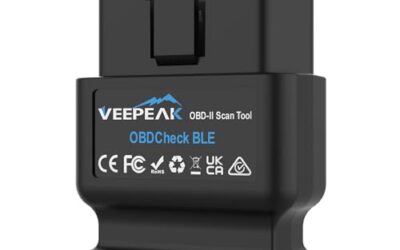
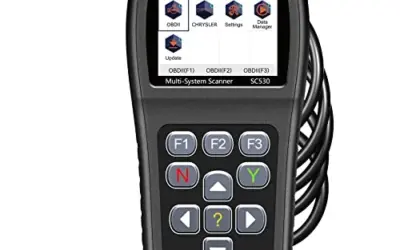
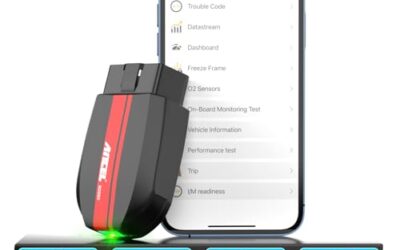
For vehicle owners seeking a reliable wireless diagnostic tool without recurring software charges, the BlueDriver OBD2 Scanner Bluetooth stands out as the most balanced pick for everyday troubleshooting. It delivers manufacturer-specific code reading for critical vehicle modules such as ABS, SRS airbags, and tire pressure monitoring systems, paired with technician-verified repair databases on both iOS and Android. Drivers who need active component actuation or specialized third-party app integration will find stronger utility in bi-directional adapters like the TOPDON TopScan Lite OBD2 Scanner or multi-protocol tools like the OBDLink MX+ OBD2 Bluetooth Scanner for iPhone.

Pros
- Offers more system coverage than basic engine-code readers
- Includes repair reports with definitions, possible causes, and confirmed fixes
- Wireless design connects to the vehicle's OBDII port without a cable to the phone or tablet
- Supports a broad range of listed vehicle makes, including GM, Ford, Toyota, Honda, BMW, and VW
Cons
- The published compatibility information covers gas-powered vehicles only
- Specific iOS and Android requirements are not provided
- A compatible phone or tablet is required for wireless use
The BlueDriver Pro-S is a Bluetooth OBD2 scanner and diagnostic tool for gas-powered vehicles made in 1996 or newer and sold in the United States, Canada, or Mexico. It connects to a vehicle's OBDII port and communicates wirelessly with a phone or tablet.
The scanner can read and clear codes for Check Engine, ABS, SRS, Airbag, TPMS, and transmission systems. Its app provides technician-verified repair reports matched to the vehicle identification number, along with live data, freeze frames, smog-readiness checks, and Mode 6 test results. The purchase includes full feature access, free app updates, and no subscription fees.
Specifications
| Size | Pro-S |
|---|---|
| Product Group | Automotive Parts and Accessories |
| Binding | Automotive |
Verify the current product variation before purchase; specifications may change.
Detailed Review
What stands out in the currently available product data:
- Reads and clears enhanced codes for Check Engine, ABS, SRS, Airbag, TPMS, and transmission systems
- Provides technician-verified repair reports matched to the vehicle identification number
- Displays live vehicle data, freeze frames, smog readiness, and Mode 6 test results
- Connects wirelessly through Bluetooth to a phone or tablet
- Supports gas-powered vehicles made in 1996 or newer and sold in North America
- Includes full feature access, app updates, and support without subscription fees
Best For / Avoid If
Best for buyers prioritizing
- Offers more system coverage than basic engine-code readers
- Includes repair reports with definitions, possible causes, and confirmed fixes
- Wireless design connects to the vehicle's OBDII port without a cable to the phone or tablet
Consider another option if
- The published compatibility information covers gas-powered vehicles only
- Specific iOS and Android requirements are not provided
- A compatible phone or tablet is required for wireless use

Pros
- Provides more system-specific diagnostics than basic engine-code readers
- Wireless connection avoids the need for a cable between the scanner and phone or tablet
- Includes live data, freeze-frame information, smog readiness, and Mode 6 functions
- Free app updates and no subscription fees are included with the purchase
Cons
- The published data does not provide iOS or Android operating-system requirements
- The stated compatibility covers gas-powered vehicles from 1996 and newer in North America; compatibility with diesel vehicles is not provided
- A compatible phone or tablet is required for wireless operation
The BlueDriver Pro is a black Bluetooth OBD2 scanner that plugs into a vehicle's OBDII port and connects wirelessly to a phone or tablet. It can read and clear enhanced diagnostic codes for Check Engine, ABS, SRS, airbag, TPMS, and transmission systems.
- Vehicle coverage: Gas-powered vehicles from 1996 and newer sold in the U.S., Canada, and Mexico
- Diagnostic features: VIN-matched repair reports, live data, freeze frames, smog readiness checks, and Mode 6 test results
- Connection: Bluetooth
- Subscription: No subscription fees or add-ons; free app updates are included
- Dimensions: 2.2 x 1.9 x 1 inches
- Weight: 0.13 pounds
Specifications
| Color | Black |
|---|---|
| Size | Pro |
| Dimensions | 2.2 x 1.9 x 1 inches |
| Weight | 0.13 pounds |
| Product Group | Automotive Parts and Accessories |
| Binding | Automotive |
Verify the current product variation before purchase; specifications may change.
Detailed Review
What stands out in the currently available product data:
- Reads and clears enhanced codes for Check Engine, ABS, SRS, airbag, TPMS, and transmission systems
- Provides VIN-matched repair reports with code definitions, possible causes, and verified fixes
- Supports live vehicle data, freeze frames, smog readiness checks, and Mode 6 test results
- Connects wirelessly to a phone or tablet through Bluetooth
- Compatible with gas-powered vehicles from 1996 and newer sold in the U.S., Canada, and Mexico
- Includes full feature access without subscription fees or add-ons
Best For / Avoid If
Best for buyers prioritizing
- Provides more system-specific diagnostics than basic engine-code readers
- Wireless connection avoids the need for a cable between the scanner and phone or tablet
- Includes live data, freeze-frame information, smog readiness, and Mode 6 functions
Consider another option if
- The published data does not provide iOS or Android operating-system requirements
- The stated compatibility covers gas-powered vehicles from 1996 and newer in North America; compatibility with diesel vehicles is not provided
- A compatible phone or tablet is required for wireless operation

Pros
- Supports iPhone, Android, and Windows devices
- Works with a range of named diagnostic applications
- Offers enhanced OEM support for several vehicle brands
- Includes protection against over-voltage and battery drain
Cons
- Vehicle compatibility and available features should be confirmed in the troubleshooting guide before purchase
- Specific operating-system versions and supported vehicle years are not provided
- The published data does not include customer review excerpts
The OBDLink MX+ is a black, small Bluetooth OBD2 scanner for use with iPhone, Android, and Windows devices. It is recommended for FORScan, Torque, BimmerCode, Dashcommand, AlfaOBD, Carista, and other compatible applications.
The scanner provides enhanced OEM support for Ford, GM, Mazda, Nissan/Infiniti, Toyota/Lexus/Scion, Honda, Hyundai, and Kia vehicles. Listed functions include clearing check engine lights and viewing live parameters such as ABS, SRS, and TPMS data. Over-voltage and battery drain protection, along with firmware updates, are included. Check the troubleshooting guide to confirm vehicle compatibility and available features before purchase.
Dimensions: 2.0078740137 x 0.9055118101 x 1.8110236202 inches. Weight: 0.06172943336 pounds.
Specifications
| Color | Black |
|---|---|
| Size | Small |
| Dimensions | 2.0078740137 x 0.9055118101 x 1.8110236202 Inches |
| Weight | 0.06172943336 pounds |
| Product Group | Automotive Parts and Accessories |
| Binding | Automotive |
Verify the current product variation before purchase; specifications may change.
Detailed Review
What stands out in the currently available product data:
- Connects with iPhone, Android devices, and Windows PCs
- Recommended for FORScan, Torque, BimmerCode, Dashcommand, AlfaOBD, Carista, and other compatible apps
- Provides enhanced OEM support for select Ford, GM, Mazda, Nissan/Infiniti, Toyota/Lexus/Scion, Honda, Hyundai, and Kia vehicles
- Can clear check engine lights and access live parameters including ABS, SRS, and TPMS data
- Includes over-voltage and battery drain protection
- Includes firmware updates
Best For / Avoid If
Best for buyers prioritizing
- Supports iPhone, Android, and Windows devices
- Works with a range of named diagnostic applications
- Offers enhanced OEM support for several vehicle brands
Consider another option if
- Vehicle compatibility and available features should be confirmed in the troubleshooting guide before purchase
- Specific operating-system versions and supported vehicle years are not provided
- The published data does not include customer review excerpts

Pros
- Combines an OBD2 scanner and battery tester in one tool
- Provides live engine data and emissions-readiness status
- Includes oil reset functionality and access to RepairSolutions2 repair guidance
- Vehicle coverage includes many US, Asian, and European models from 1996 and newer
Cons
- ABS and other diagnostic features may vary by make, model, and year
- Compatibility should be verified with Innova's Coverage Checker before purchase
- Emission-readiness monitors reset after a battery disconnect or code clear and require a complete drive cycle to repopulate
The Innova 5210 is an OBD2 scanner and battery tester for reading and clearing engine trouble codes, checking battery and alternator health, viewing live data, resetting oil lights, and checking I/M readiness. Live data includes RPM, engine temperature, fuel trims, and oxygen sensor readings. The tool is listed for most US, Asian, and European vehicles from 1996 and newer, including Toyota, Ford, Honda, Chevrolet, Nissan, and Dodge, while feature coverage may vary. Innova recommends using its Coverage Checker to verify compatibility. The scanner is compatible with the RepairSolutions2 app on iPhone and Android, which provides verified fixes, repair guidance, suggested parts, and cost estimates without a subscription. Dimensions are 5.99 x 2.99 x 0.99 inches.
Specifications
| Dimensions | 5.99 x 2.99 x 0.99 inches |
|---|---|
| Product Group | Automotive Parts and Accessories |
| Binding | Automotive |
Verify the current product variation before purchase; specifications may change.
Detailed Review
What stands out in the currently available product data:
- Reads and clears engine trouble codes, with ABS code support that may vary by vehicle
- Checks vehicle battery and alternator health
- Displays live data including RPM, engine temperature, fuel trims, and oxygen sensor readings
- Includes oil light reset and I/M readiness checks
- Supports most US, Asian, and European vehicles from 1996 and newer
- Works with the RepairSolutions2 app on iPhone and Android without a subscription
Best For / Avoid If
Best for buyers prioritizing
- Combines an OBD2 scanner and battery tester in one tool
- Provides live engine data and emissions-readiness status
- Includes oil reset functionality and access to RepairSolutions2 repair guidance
Consider another option if
- ABS and other diagnostic features may vary by make, model, and year
- Compatibility should be verified with Innova's Coverage Checker before purchase
- Emission-readiness monitors reset after a battery disconnect or code clear and require a complete drive cycle to repopulate

Pros
- Offers bidirectional testing to help identify components that do not respond.
- Combines full-system diagnostics with service resets and repair information.
- Includes free-for-life access to core diagnostics.
- Supports CAN-FD and multiple gateway-unlock functions.
Cons
- Advanced features require a monthly, quarterly, or yearly subscription after the first year.
- FCA, Renault, and Nissan gateway-unlock access requires the user's own account.
- Operating-system requirements and specific vehicle-by-vehicle compatibility details are not provided.
The TOPDON TopScan Lite is an OBD2 scanner that connects with a phone and provides full-system diagnostics, bidirectional controls, service resets, live data, code functions, performance tests, and repair information. The listing states that it covers more than 10,000 vehicle models and supports the CAN-FD protocol.
- Brand: TOPDON
- Color: Black
- Dimensions: 3.31 x 1.98 x 1.07 inches
- Weight: 0.06172943336 pounds
- Core diagnostics: Free for life
- Advanced features: Free for the first year, followed by a monthly, quarterly, or yearly subscription
- Gateway access: FCA, Renault, and Nissan gateway unlock support; the user's own account is required
Specifications
| Color | Black |
|---|---|
| Size | 1 |
| Dimensions | 3.31 x 1.98 x 1.07 Inches |
| Weight | 0.06172943336 Pounds |
| Product Group | Automotive Parts and Accessories |
| Binding | Automotive |
Verify the current product variation before purchase; specifications may change.
Detailed Review
What stands out in the currently available product data:
- Bidirectional controls can test components such as injectors, cooling fans, headlights, A/C clutches, windows, and wipers.
- Provides full-system scanning, trouble-code reading and clearing, live data streams, performance tests, and vehicle health reports.
- Includes one-tap oil, throttle, EPB, steering-angle, DPF, ABS, BMS, and airbag resets.
- Supports FCA, Renault, and Nissan gateway unlock functions, with the user's own account required for gateway access.
- Supports the CAN-FD protocol and is listed as covering more than 10,000 vehicle models.
- TopFix AI provides AI questions and answers, one-click translation, repair logs, and repair guidance based on repair and OEM data.
Best For / Avoid If
Best for buyers prioritizing
- Offers bidirectional testing to help identify components that do not respond.
- Combines full-system diagnostics with service resets and repair information.
- Includes free-for-life access to core diagnostics.
Consider another option if
- Advanced features require a monthly, quarterly, or yearly subscription after the first year.
- FCA, Renault, and Nissan gateway-unlock access requires the user's own account.
- Operating-system requirements and specific vehicle-by-vehicle compatibility details are not provided.

Pros
- Supports code scanning and code resets without requiring an expert
- Tracks vehicle-specific scans, mileage-based reminders, and shared results
- Compact 1.75 x 0.75 x 1.6-inch sensor is designed to stay under the dash
Cons
- Advanced features require an optional premium subscription after the 14-day trial
- Features may vary by vehicle make and model
- The published data does not specify the required iOS or Android versions
The FIXD Bluetooth OBD2 Scanner is a code reader for diagnosing gasoline, hybrid, and diesel vehicles through a mobile app. It connects via Bluetooth to iPhone and Android devices and can identify more than 39,000 issues across thousands of vehicles, including check engine and enhanced codes.
- Vehicle compatibility: Gasoline and hybrid vehicles from 1996 onward; diesel vehicles from 2006 onward
- App functions: Issue explanations, scan history by vehicle, mileage-based reminders, code resets, and result sharing
- Premium trial: 14-day trial with repair recommendations, cost estimates, vehicle value by condition, and live mechanic support
- Color: White
- Package size: 1 Pack
- Dimensions: 1.75 x 0.75 x 1.6 inches
- Weight: 0.06 pounds
Specifications
| Color | White |
|---|---|
| Size | 1 Pack |
| Dimensions | 1.75 x 0.75 x 1.6 inches |
| Weight | 0.06 pounds |
| Product Group | Automotive Parts and Accessories |
| Binding | Automotive |
Verify the current product variation before purchase; specifications may change.
Detailed Review
What stands out in the currently available product data:
- Identifies more than 39,000 issues across thousands of vehicles
- Provides simple explanations for diagnostic codes through the FIXD app
- Supports gasoline and hybrid vehicles from 1996 onward
- Supports diesel vehicles from 2006 onward
- Connects wirelessly to iPhone and Android devices via Bluetooth
- Allows scans for multiple vehicles in one app
Best For / Avoid If
Best for buyers prioritizing
- Supports code scanning and code resets without requiring an expert
- Tracks vehicle-specific scans, mileage-based reminders, and shared results
- Compact 1.75 x 0.75 x 1.6-inch sensor is designed to stay under the dash
Consider another option if
- Advanced features require an optional premium subscription after the 14-day trial
- Features may vary by vehicle make and model
- The published data does not specify the required iOS or Android versions

Pros
- Supports BimmerCode coding for BMW and Mini vehicles
- Compatible with iOS and Android devices
- Includes sleep mode and overvoltage protection
- OBDLink app is included for diagnostics and live data
Cons
- BimmerCode app is not included and must be purchased separately
- Vehicle compatibility and available features should be confirmed through the troubleshooting guide and BimmerCode app
- Specific iOS and Android version requirements are not provided
The OBDLink CX is a Bluetooth 5.1 OBD2 adapter for BMW and Mini vehicles. It is made for BimmerCode and supports the vehicles, protocols, and advanced features supported by the app. The adapter works with iOS and Android devices through in-app pairing and includes advanced sleep mode and overvoltage protection.
The included OBDLink app supports live parameter monitoring, vehicle diagnostics, and clearing the check-engine light. The BimmerCode app is sold separately. Vehicle compatibility and available features should be confirmed through the troubleshooting guide and BimmerCode app.
- Dimensions: 1.8110236202 x 1.2992125971 x 0.9055118101 inches
- Product group: Automotive Parts and Accessories
- Binding: Automotive
Specifications
| Dimensions | 1.8110236202 x 1.2992125971 x 0.9055118101 inches |
|---|---|
| Product Group | Automotive Parts and Accessories |
| Binding | Automotive |
Verify the current product variation before purchase; specifications may change.
Detailed Review
What stands out in the currently available product data:
- Designed for BimmerCode and recommended by the BimmerCode Team
- Works with iOS and Android devices through in-app pairing
- Supports the vehicles, protocols, and advanced features supported by BimmerCode
- Advanced sleep mode and overvoltage protection support leaving the adapter plugged in
- Rock-solid connection is designed to help avoid data corruption and dropped packets
- Includes the OBDLink app for live parameter monitoring, diagnostics, and clearing the check-engine light
Best For / Avoid If
Best for buyers prioritizing
- Supports BimmerCode coding for BMW and Mini vehicles
- Compatible with iOS and Android devices
- Includes sleep mode and overvoltage protection
Consider another option if
- BimmerCode app is not included and must be purchased separately
- Vehicle compatibility and available features should be confirmed through the troubleshooting guide and BimmerCode app
- Specific iOS and Android version requirements are not provided

Pros
- Combines bidirectional testing with full-system diagnostics
- Offers a broad set of listed reset and relearn functions, including oil, TPMS, BMS, SAS, throttle, and injector functions
- Supports Android 5.0 and newer and iOS 9.0 and newer
- Includes AutoVIN recognition, data logging, and diagnostic report features
Cons
- Vehicle coverage and special-function availability vary by make, model, and year
- Activation requires downloading the EDIAG app, registering an account, logging in, and entering an activation code
- The first full-system scan may take several minutes
The KINGBOLEN Ediag Elite is a pocket-sized Bluetooth OBD2 scanner designed for iOS and Android devices. It supports full-system diagnostics, bidirectional controls, CANFD protocol, FCA AutoAuth, AutoVIN recognition, real-time data displays, data logging, and diagnostic reporting.
- Functions: More than 15 listed maintenance and service functions, including oil reset, TPMS reset, BMS reset, SAS reset, throttle learning, injector coding, gear box relearn, EGR learning, bleeding reset, and headlight matching.
- Connectivity: Bluetooth 5.2 wireless connection with a stated range of up to 33 feet.
- Compatibility: Android 5.0 and newer; iOS 9.0 and newer. Listed vehicle coverage includes GM, Ford, Toyota, Chrysler, Honda, Mazda, Nissan, Mitsubishi, Hyundai, and KIA vehicles with a standard OBD2 port from 1996 and newer.
- Limitations: Coverage and available functions vary by vehicle model and year. Activation requires the EDIAG app, a registered user account, and an activation code.
- Dimensions: 1.9 x 0.8 x 3.04 inches.
Specifications
| Dimensions | 1.9 x 0.8 x 3.04 inches |
|---|---|
| Product Group | Automotive Parts and Accessories |
| Binding | Automotive |
Verify the current product variation before purchase; specifications may change.
Detailed Review
What stands out in the currently available product data:
- Supports full-system vehicle diagnostics rather than engine-module scanning only
- Provides bidirectional controls for active tests involving systems such as windows, doors, sunroofs, and air-conditioning clutches
- Includes more than 15 maintenance reset and service functions
- Supports CANFD protocol and FCA AutoAuth
- Uses Bluetooth 5.2 with a stated wireless range of up to 33 feet
- Displays live vehicle data through graphs, numeric views, meters, and four-in-one charts
Best For / Avoid If
Best for buyers prioritizing
- Combines bidirectional testing with full-system diagnostics
- Offers a broad set of listed reset and relearn functions, including oil, TPMS, BMS, SAS, throttle, and injector functions
- Supports Android 5.0 and newer and iOS 9.0 and newer
Consider another option if
- Vehicle coverage and special-function availability vary by make, model, and year
- Activation requires downloading the EDIAG app, registering an account, logging in, and entering an activation code
- The first full-system scan may take several minutes

Pros
- Supports Android phones and tablets
- Offers code reading, code clearing, and Check Engine Light reset functions
- Lists compatibility with 1996 and newer US vehicles and 2000 and newer EU and Asian vehicles
- Supports multiple compatible third-party diagnostic apps
Cons
- Android-only; iOS support is not provided
- Vehicle compatibility is limited to listed 12V gas-powered and light diesel vehicles and newer OBDII vehicles
- A compatible app is required for operation
The Panlong Bluetooth OBD2 Scanner is an ELM327-compliant code reader for Android phones and tablets. It can read and clear error codes, display code meanings, turn off the Check Engine Light, and show current sensor data through compatible apps.
- Supports 9 OBDII protocols
- Compatible with 1996 US-based vehicles, 2000 EU and Asian-based vehicles, and newer OBDII domestic or import vehicles
- Listed for 12V gas-powered and light diesel vehicles
- Compatible apps include Torque, DashCommand, Car Scanner ELM OBD2, OBD Fusion, OBD Auto Doctor, and Dr. Prius for Toyota and Lexus hybrids
- Android phone or tablet required; iOS support is not provided
- Color: Blue for Android
- Dimensions: 1.88976 x 0.98425 x 1.25984 inches
- Weight: 0.04 pounds
Specifications
| Color | Blue for Android |
|---|---|
| Dimensions | 1.88976 x 0.98425 x 1.25984 inches |
| Weight | 0.04 Pounds |
| Product Group | Automotive Parts and Accessories |
| Binding | Automotive |
Verify the current product variation before purchase; specifications may change.
Detailed Review
What stands out in the currently available product data:
- Reads and clears diagnostic error codes
- Displays error-code meanings and current sensor data
- Supports nine OBDII protocols
- Works with Android phones and tablets
- Compatible with apps including Torque, DashCommand, Car Scanner ELM OBD2, OBD Fusion, and OBD Auto Doctor
- Supports the Dr. Prius app for Toyota and Lexus hybrids
Best For / Avoid If
Best for buyers prioritizing
- Supports Android phones and tablets
- Offers code reading, code clearing, and Check Engine Light reset functions
- Lists compatibility with 1996 and newer US vehicles and 2000 and newer EU and Asian vehicles
Consider another option if
- Android-only; iOS support is not provided
- Vehicle compatibility is limited to listed 12V gas-powered and light diesel vehicles and newer OBDII vehicles
- A compatible app is required for operation

Pros
- Supports both iOS and Android devices
- Compatible with multiple popular OBD2 apps
- Compact design with low-power sleep mode
- Supports firmware upgrades
Cons
- Limited to standard OBD2 functions and does not support ABS, SRS, or TPMS diagnostics
- MS-CAN protocol is not supported
- Not suitable for 24V diesel vehicles, and auto-wake may not work on electric or hybrid vehicles
The Vgate iCar Pro Bluetooth 4.0 is an OBD2 fault code reader designed for 12V gasoline vehicles manufactured after 1996 with standard OBD2 support. It is also compatible with light-duty diesel vehicles weighing 6.5 tons or less from 1996 onward, but it is not suitable for 24V diesel vehicles.
The adapter works with iOS and Android devices and is compatible with apps including Torque, Car Scanner ELM327, OBD Fusion, OBD JScan, and Dr. Prius. Advanced app functions may require in-app purchases. The device supports standard OBD2 functions only; ABS, SRS, TPMS, and MS-CAN functions are not supported.
Features include Bluetooth 4.0 connectivity, auto-sleep and auto-wake functionality, LED status indicators, and firmware updates through the VgateFwUpdater app or Windows PCs. Dimensions are 1.85 x 0.94 x 1.06 inches, and listed weight is 0.1322773572 pounds.
Specifications
| Color | ICAR PRO BLE4.0 - Android, iOS & Windows |
|---|---|
| Size | ICAR PRO BLE4.0 - iOS, Android & Windows |
| Dimensions | 1.85 x 0.94 x 1.06 inches |
| Weight | 0.1322773572 pounds |
| Product Group | Automotive Parts and Accessories |
| Binding | Automotive |
Verify the current product variation before purchase; specifications may change.
Detailed Review
What stands out in the currently available product data:
- Supports standard OBD2 functions for compatible vehicles
- Works with iOS and Android devices
- Compatible with selected apps including Torque, Car Scanner ELM327, OBD Fusion, OBD JScan, and Dr. Prius
- Bluetooth 4.0 connectivity uses less power than Wi-Fi OBD2 readers
- Auto-sleep and auto-wake functionality can draw as little as 3mA in sleep mode
- Compact plug-and-play design for insertion into an OBD2 port
Best For / Avoid If
Best for buyers prioritizing
- Supports both iOS and Android devices
- Compatible with multiple popular OBD2 apps
- Compact design with low-power sleep mode
Consider another option if
- Limited to standard OBD2 functions and does not support ABS, SRS, or TPMS diagnostics
- MS-CAN protocol is not supported
- Not suitable for 24V diesel vehicles, and auto-wake may not work on electric or hybrid vehicles
CarTechTalk earns commissions from qualifying purchases made through retail links in this guide, which helps support our independent automotive product coverage without impacting editorial integrity or product assessments.
Understanding Wireless OBD2 Diagnostic Architectures
Wireless automotive scanning has shifted heavily from dedicated handheld scan boxes to compact dongles that plug directly into the standardized 16-pin Diagnostic Link Connector (DLC) under your vehicle dashboard. The primary distinction among wireless adapters lies between proprietary end-to-end systems and open-protocol hardware adapters.
Proprietary systems, such as those provided by BlueDriver, FIXD, and Innova, package custom Bluetooth hardware with a dedicated, closed mobile application. These ecosystems manage the entire experience from firmware to user interface, typically integrating verified repair databases, maintenance reminders, and automated code lookups. The advantage is plug-and-play simplicity without requiring technical manual configuration of communication baud rates or custom AT commands. The primary limitation is platform lock-in, as these devices generally cannot be used with popular third-party telemetry tools or coding software.
In contrast, open-architecture adapters based on ELM327 command sets or custom microcontrollers, such as devices from Panlong, Vgate, and OBDLink, function as diagnostic bridges. They translate raw CAN bus, ISO 9141, and KWP2000 communication into standardized data packets readable by external software like Torque Pro, Car Scanner ELM OBD2, BimmerCode, or OBD Fusion. While open adapters provide unmatched flexibility for advanced custom metrics, track telemetry, and module coding, they place the responsibility of software selection, app purchases, and data interpretation entirely on the vehicle owner.
Bluetooth Protocol and Power Management Considerations
When selecting a Bluetooth scanner, the underlying wireless standard influences mobile device pairing and power draw. Basic Bluetooth 2.1 or 3.0 devices are widely compatible with Android phones and Windows PCs, but Apple iOS restricts classic Bluetooth data connections. For iPhone and iPad compatibility, hardware must support Bluetooth Low Energy (BLE 4.0, 5.0, or newer) or Apple Made for iPhone (MFi) certification. Adapters utilizing BLE connect directly through compatible diagnostic apps rather than the standard iOS Bluetooth system settings menu.
Power management is an equally critical consideration for drivers planning to leave a scanner permanently inserted into the diagnostic port. The vehicle OBD2 port supplies unswitched, continuous 12-volt battery power on pin 16 regardless of whether the ignition is running. Adapters lacking automated power-saving modes can cause parasitic battery drain if left connected over extended periods. Hardware featuring automated sleep and wake circuits drops current consumption to minimal levels (such as 3 milliamperes on the Vgate iCar Pro Bluetooth 4.0 (BLE)), though manufacturers state that auto-wake functions may fail to trigger automatically on hybrid or fully electric powertrains.
Comparing Key Specifications Across Bluetooth Adapters
The table below summarizes manufacturer-reported specifications, communication protocols, operating system support, and observed retail pricing for the analyzed diagnostic adapters. Observed prices reflect catalog numbers at the time of publication and are subject to retail change.
| Product Name | Observed Price | Operating System Support | Dedicated App Included | Bi-Directional Control | Subscription Requirement |
|---|---|---|---|---|---|
| BlueDriver OBD2 Scanner Bluetooth | $94.95 | iOS, Android | Yes | No | No Subscription |
| BlueDriver OBD2 Scanner Bluetooth | $139.95 | iOS, Android | Yes | No | No Subscription |
| OBDLink MX+ OBD2 Bluetooth Scanner for iPhone | $139.95 | iOS, Android, Windows | Yes | No | No Subscription |
| Innova 5210 OBD2 Scanner & Engine Code Reader | $79.97 | iOS, Android | Yes (RepairSolutions2) | No | No Subscription |
| TOPDON TopScan Lite OBD2 Scanner | $51.99 | iOS, Android | Yes | Yes | Optional after Year 1 |
| FIXD Bluetooth OBD2 Scanner | $39.99 | iOS, Android | Yes | No | Optional Premium Tier |
| OBDLink CX Bimmercode Bluetooth 5.1 OBD2 Adapter | $79.95 | iOS, Android | Yes (OBDLink App) | No | No Subscription |
| KINGBOLEN Ediag Elite OBD2 Scanner Bluetooth | $87.99 | iOS, Android | Yes (EDIAG App) | Yes | No Subscription (Lifetime) |
| Panlong OBD2 Scanner Bluetooth OBDII Diagnostic | $13.99 | Android Only | No (3rd Party Only) | No | No Subscription |
| Vgate iCar Pro Bluetooth 4.0 (BLE) | $34.99 | iOS, Android | No (3rd Party Only) | No | No Subscription |
Detailed Reviews of Bluetooth OBD2 Diagnostic Tools
BlueDriver OBD2 Scanner Bluetooth: Best for Complete DIY Vehicle Diagnostics
The BlueDriver OBD2 Scanner Bluetooth is tailored for vehicle owners who want clear, verified diagnostic information without recurring costs. The manufacturer notes compatibility with 1996 and newer gas-powered vehicles sold in North America, covering major makes including GM, Ford, Stellantis, Toyota, Honda, Nissan, and European brands like BMW and Mercedes-Benz. It accesses enhanced diagnostic trouble codes across critical modules beyond standard powertrain check engine alerts, including Anti-lock Braking Systems (ABS), Supplemental Restraint Systems (SRS airbags), tire pressure monitoring (TPMS), and transmission control modules.
A key feature of the BlueDriver system is its database of VIN-matched, technician-verified repair reports. When a fault code triggers, the free companion app provides probable causes, diagnostic descriptions, and confirmed fixes based on verified historical repair solutions. It supports live data streaming, Mode 6 component monitoring, and emissions readiness drive cycle checks. Drawbacks include the absence of bi-directional component actuation and lack of compatibility with third-party diagnostic software platforms.
Avoid if: You require bi-directional control to cycle mechanical components like cooling fans or fuel pumps, or you plan to use custom software like FORScan or BimmerCode.
OBDLink MX+ OBD2 Bluetooth Scanner for iPhone: Best for Multi-Protocol Enthusiasts
The OBDLink MX+ OBD2 Bluetooth Scanner for iPhone is an advanced, high-throughput wireless adapter designed for intensive data streaming and enthusiast vehicle modification. The manufacturer documents full multi-platform support across iOS, Android, and Windows devices. It supports standard OBD2 protocols as well as proprietary manufacturer networks, including Ford Medium-Speed CAN (MS-CAN) and General Motors Single-Wire CAN (SW-CAN), enabling access to specialized modules that budget scanners cannot reach.
This adapter is officially recommended by development teams behind popular specialized diagnostic software, including FORScan for Ford and Lincoln vehicles, BimmerCode for BMW and Mini coding, AlfaOBD, and Torque Pro. It includes integrated over-voltage and battery drain protection, allowing it to remain plugged into the vehicle port safely. The main drawback is its premium price point ($139.95), which does not include any third-party app purchase licenses.
Avoid if: You are shopping on a strict budget and only need basic check engine light readings without proprietary CAN protocol support.
Innova 5210 OBD2 Scanner & Engine Code Reader: Best Hybrid Handheld with Mobile App
The Innova 5210 OBD2 Scanner & Engine Code Reader features a unique hybrid design combining a traditional wired handheld display with integrated Bluetooth connectivity. Designed for 1996 and newer domestic, Asian, and European vehicles, it reads and clears check engine trouble codes and ABS faults. The manufacturer highlights its secondary role as a 12-volt battery and charging system tester, allowing users to verify alternator output and starter voltage drop directly from the vehicle port.
Via Bluetooth, the 5210 pairs with the RepairSolutions2 mobile application on iOS and Android. This mobile integration offers step-by-step repair guidance, suggested replacement parts, and estimated repair costs verified by ASE-certified master technicians without requiring recurring subscriptions. The hardware also provides manual oil light reset functions and I/M readiness status indicators. A stated limitation is that ABS diagnostic coverage varies by vehicle model, and the device does not support advanced SRS airbag or transmission codes.
Avoid if: You want an ultra-compact dongle that hides completely beneath the dashboard, as this device incorporates a physical handheld housing and tethered cable.
TOPDON TopScan Lite OBD2 Scanner: Best for Bi-Directional Actuation on a Budget
The TOPDON TopScan Lite OBD2 Scanner delivers professional-level functionality at an accessible hardware price ($51.99). The manufacturer states that the tool provides full-system diagnostics across 10,000 vehicle models, reading and clearing codes across engine, transmission, body, and chassis modules. Uniquely in its price tier, it provides active bi-directional control, allowing users to command the vehicle ECU directly from an iOS or Android smartphone to activate cooling fans, cycle A/C clutches, test fuel injectors, and operate power windows.
The device includes 8 common maintenance reset routines, such as oil service resets, electronic parking brake (EPB) retraction, steering angle calibration (SAS), and throttle relearn. It also supports the modern CAN-FD protocol and security gateway unlocking for FCA, Renault, and Nissan platforms. The primary drawback is its recurring software model: while core code reading remains free for life, the advanced bi-directional control, active service operations, and AI assistance tools require a paid subscription after the initial 12-month period expires.
Avoid if: You refuse to adopt tools with recurring subscription models after the initial first-year access period.
FIXD Bluetooth OBD2 Scanner: Best for Simplified Maintenance Tracking
The FIXD Bluetooth OBD2 Scanner focuses on simplifying diagnostic feedback for non-technical vehicle owners. Compatible with gas and hybrid vehicles from 1996 onward and light diesels from 2006 onward, it translates complex diagnostic trouble codes into plain-English severity ratings and vehicle status descriptions. The hardware connects over Bluetooth to iOS and Android devices, allowing multiple vehicles to be managed and tracked under a single application dashboard.
The companion app provides automated mileage-based maintenance reminders, helping owners track fluid changes, belt replacements, and general servicing intervals. The compact sensor is designed to remain plugged into the port full-time. The major limitation is that advanced insights, repair cost estimates, and real-time mechanic support are gated behind a paid premium subscription after an included 14-day trial period, leaving the free tier limited primarily to basic check engine reads.
Avoid if: You want in-depth diagnostic live data parameters, Mode 6 data, or ABS/SRS diagnostics without being prompted for premium app subscriptions.
OBDLink CX Bimmercode Bluetooth 5.1 OBD2 Adapter: Best for BMW and Mini Customization
The OBDLink CX Bimmercode Bluetooth 5.1 OBD2 Adapter is engineered specifically to interface with the BimmerCode and BimmerLink mobile applications on iOS and Android platforms. Built with low-energy Bluetooth 5.1 architecture, the manufacturer highlights rock-solid connection reliability designed to eliminate packet drops and data corruption during sensitive ECU coding procedures. It features automated sleep modes and over-voltage protection to prevent vehicle battery drain when left in the vehicle.
Beyond BMW and Mini coding, the adapter includes access to the standard OBDLink mobile app, which functions as an OBD2 code reader and live gauge display for standard compliant vehicles. A major limitation is that the BimmerCode and BimmerLink applications are sold separately and are not included in the $79.95 purchase price. Additionally, it lacks the multi-network MS-CAN and SW-CAN hardware protocols found in the more comprehensive OBDLink MX+ adapter.
Avoid if: You do not own a BMW, Mini, or Toyota Supra, or if you expect all third-party coding software licenses to be bundled with the hardware.
KINGBOLEN Ediag Elite OBD2 Scanner Bluetooth: Best for Subscription-Free All-System Resets
The KINGBOLEN Ediag Elite OBD2 Scanner Bluetooth bridges the gap between budget adapters and professional workshop scan tools. Operating on Bluetooth 5.2, it provides full-system scanning across all onboard electronic modules for compatible vehicles, reading transmission temperatures, brake line pressures, and body electronics. The manufacturer highlights bi-directional actuation capabilities alongside 15 maintenance service functions, including oil reset, ABS brake bleeding, injector coding, steering angle calibration, and battery registration.
Unlike competing bi-directional tools that require recurring subscriptions, the Ediag Elite includes lifetime software updates for its reset functions and active diagnostic tests. It also integrates CAN-FD protocol support and FCA AutoAuth gateway access. The primary drawback is setup complexity, as navigating manufacturer-specific software downloads inside the EDIAG app can be cumbersome, and specific function compatibility varies significantly across vehicle model years.
Avoid if: You prefer an intuitive, streamlined interface for basic engine codes without dealing with large diagnostic software downloads.
Panlong OBD2 Scanner Bluetooth OBDII Diagnostic: Best Ultra-Budget Adapter for Android
The Panlong OBD2 Scanner Bluetooth OBDII Diagnostic represents the entry-level baseline for wireless automotive diagnostics, available at an observed price of $13.99. Fully compliant with standard ELM327 command structures, it supports all 9 standardized OBD2 communication protocols on 12-volt gas vehicles manufactured after 1996 in the United States. It reads and clears generic and manufacturer-specific powertrain fault codes, extinguishes the check engine light, and streams live engine sensor telemetry.
Because it utilizes classic Bluetooth communication, it operates exclusively with Android mobile devices and Windows PCs, pairing seamlessly with popular third-party software like Torque, Car Scanner ELM OBD2, and Dr. Prius for Toyota hybrid diagnostics. The critical limitation is its complete lack of iOS compatibility, meaning iPhone and iPad users cannot establish a data connection. It also lacks advanced module coverage (ABS, SRS, TPMS) and does not feature automated low-power sleep circuitry.
Avoid if: You use an Apple iPhone or iPad, or require support for non-engine vehicle systems like ABS or airbags.
Vgate iCar Pro Bluetooth 4.0 (BLE): Best Budget Open-Platform Adapter for iOS and Android
The Vgate iCar Pro Bluetooth 4.0 (BLE) is an economical, multi-platform diagnostic bridge compatible with both iOS and Android. Drawing on Bluetooth Low Energy hardware, it enables iOS users to establish reliable connections inside third-party apps without manual system pairing menus. The manufacturer lists compatibility with 12-volt gasoline vehicles and light-duty diesel vehicles under 6.5 tons manufactured after 1996, supporting firmware updates via PC or mobile apps.
A notable feature is its integrated power management circuit, which drops power consumption to approximately 3 milliamperes during auto-sleep mode to protect the vehicle battery. It pairs reliably with an extensive catalog of apps, including OBD Fusion, Car Scanner ELM327, and OBD JScan. The primary limitation is functional scope: it supports standard powertrain OBD2 protocols only, explicitly lacking support for ABS, SRS, TPMS, and specialized Ford/GM MS-CAN protocols.
Avoid if: You want an all-in-one package with a dedicated proprietary app, or need advanced chassis and safety module troubleshooting.
Who Should Skip Bluetooth OBD2 Scanners Entirely?
While wireless Bluetooth scan tools offer incredible convenience and portable operation, they are not suitable for every automotive diagnostic scenario. Professional mechanics, heavy-duty fleet technicians, and collision repair specialists should bypass mobile Bluetooth dongles in favor of standalone diagnostic tablets or hardwired J2534 pass-through programming interfaces.
Bluetooth connections introduce wireless latency and potential packet interference, making them poorly suited for critical ECU flashing, firmware recalibration, or high-speed module reprogramming where a dropped signal can render an electronic control unit inoperable. Furthermore, owners of 24-volt commercial vehicles, heavy-duty industrial machinery, or pre-1996 OBD1 legacy vehicles cannot use these 12-volt passenger vehicle adapters. If your primary objective is heavy-duty truck diagnostics or module programming, invest in a dedicated, ruggedized handheld scan tool with verified SAE J1939, J1708, or J2534 protocol support.
Step-by-Step Connection and Troubleshooting Guide
Connecting a Bluetooth OBD2 scanner differs slightly between operating systems and device hardware. Following standard connection sequences prevents communication failures and connection drops:
- Locate the Port: Find the 16-pin DLC port, typically located under the steering column, beneath the dashboard knee bolster, or behind a lower fuse box cover.
- Ignition Preparation: Turn the vehicle ignition switch to the ‘ON’ position (engine off) before plugging in the adapter. This powers the diagnostic communication bus without engine electrical noise.
- Hardware Insertion: Push the adapter firmly into the port until the connector latches completely and LED indicator lights illuminate.
- Establish Mobile Pairing:
- For Android users: Open phone Bluetooth settings, search for available devices (often displaying as ‘OBDII’, ‘Android-Vlink’, or the brand name), pair using the default PIN (typically 1234 or 0000), and open your chosen app.
- For iOS users (BLE devices): Do not pair via iOS Bluetooth settings. Open the diagnostic application directly, navigate to the connection settings menu, select Bluetooth Low Energy (BLE), and select the adapter from within the application.
- Read Diagnostics: Initiate a full system or powertrain scan through the application. If error codes are cleared, note that emissions monitor readiness flags will reset to ‘Not Ready’ until a complete vehicle drive cycle is completed.
For related guidance on this topic, see Best Bluetooth OBD2 Scanners for Clearer DIY Diagnostics and OBD2 Scanner Buying Guide for Beginners.
Frequently Asked Questions
Can I leave a Bluetooth OBD2 scanner plugged in permanently?
You can safely leave a scanner plugged in only if it features verified low-power sleep modes or battery drain protection, such as the OBDLink MX+ or Vgate iCar Pro, which drop current draw to negligible levels. Devices lacking automatic sleep modes will continue drawing power from pin 16, which can deplete your vehicle battery if parked for several days. Additionally, manufacturers note that automatic wake sensors may not detect vehicle startup on electric or hybrid models.
Why does an OBD2 scanner fail to read ABS or Airbag codes?
Standard OBD2 is a government-mandated protocol strictly covering emissions-related powertrain malfunctions. Systems like Anti-lock Brakes (ABS), Supplemental Restraint Systems (SRS airbags), and Body Control Modules (BCM) operate on proprietary manufacturer networks. Reading these modules requires an adapter with expanded protocol hardware and software containing specific OEM diagnostic libraries, such as the BlueDriver OBD2 Scanner Bluetooth or KINGBOLEN Ediag Elite OBD2 Scanner Bluetooth.
Will clearing a trouble code allow my car to pass an emissions test?
No. Clearing a diagnostic trouble code turns off the check engine light, but it simultaneously resets all internal I/M (Inspection/Maintenance) readiness monitors to an incomplete status. Vehicle inspection stations verify that these readiness monitors have completed their automated diagnostic routines. The vehicle must be driven through a standard manufacturer drive cycle (typically involving city and highway driving) before the monitors achieve ready status.
Final Decision Framework for Choosing an OBD2 Bluetooth Adapter
Selecting the ideal Bluetooth OBD2 scanner depends on balancing your vehicle’s make, your mobile platform, and the complexity of maintenance you plan to perform:
- For Everyday DIYers Wanting Verified Fixes: Choose the BlueDriver OBD2 Scanner Bluetooth. Its VIN-specific repair databases and enhanced multi-system code reading deliver actionable repair advice without software subscriptions.
- For Active Mechanical Testing: Select the KINGBOLEN Ediag Elite OBD2 Scanner Bluetooth for permanent subscription-free bi-directional controls, or the TOPDON TopScan Lite OBD2 Scanner if you want an inexpensive entry point with factory service bulletin data.
- For Advanced BMW/Ford Enthusiasts and Third-Party Apps: The OBDLink MX+ OBD2 Bluetooth Scanner for iPhone provides unmatched multi-protocol CAN support, while the OBDLink CX Bimmercode Bluetooth 5.1 OBD2 Adapter serves as the dedicated tool for BMW module coding.
- For Low-Cost Android Diagnostics: The Panlong OBD2 Scanner Bluetooth OBDII Diagnostic provides dependable engine code reading for under $15 when paired with free diagnostic applications.