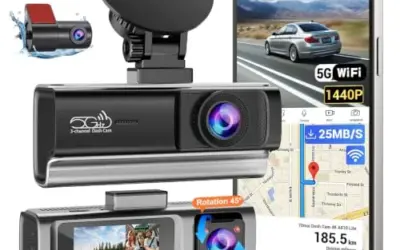
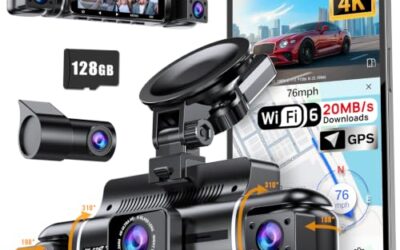
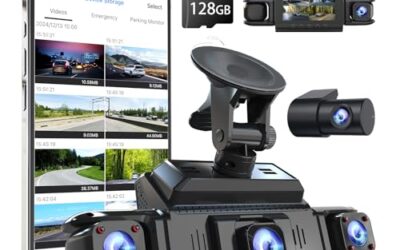
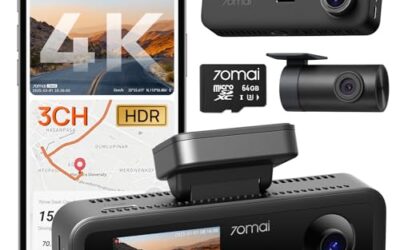
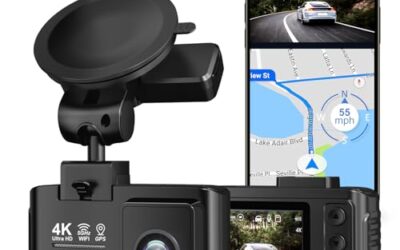
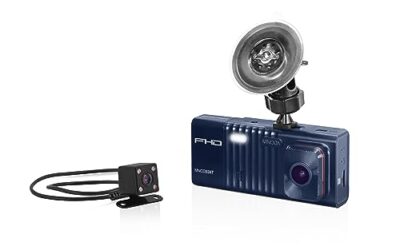
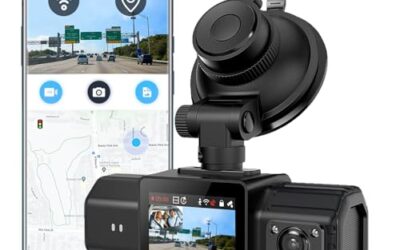
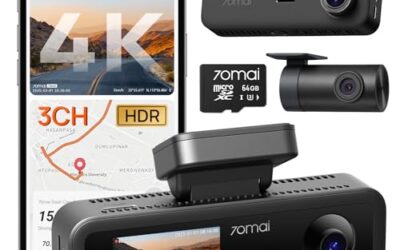
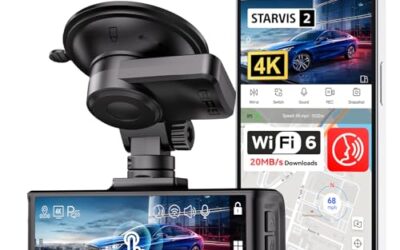
For most drivers seeking the best dash cam with hardwire kit, BOTSLAB 4 Channel 360° Dash Cam with Hardwire Kit is the stronger fit: it is a complete four-camera system, includes a hardwire kit and 128GB card, and offers three parking modes. Drivers who already own a USB-C dash cam may prefer the Binyoansm OBD cable, but only if their OBD-II port stays powered with the vehicle off.

Pros
- Four-channel recording provides front, side, and rear camera coverage
- The front camera uses a 3K resolution, F1.8 aperture, six-glass lens, WDR, and 940nm infrared LED
- Built-in GPS supports route tracking and location and speed data
- A super capacitor is specified for operation from -20°C to 70°C and protection against data loss during power cuts
Cons
- Parking-mode functions require hardwire power, although a hardwire kit is included with this set
- The side and rear cameras record at 1080P rather than the front camera's 3K resolution
Specifications
| Color | Silver |
|---|---|
| Size | 4 Channel Set |
| Dimensions | 6.692913379 x 2.5590551155 x 2.0472440924 inches |
| Weight | 1.69 Pounds |
| Product Group | Wireless |
Best For / Avoid If
Best for buyers prioritizing
- Four-channel recording provides front, side, and rear camera coverage
- The front camera uses a 3K resolution, F1.8 aperture, six-glass lens, WDR, and 940nm infrared LED
- Built-in GPS supports route tracking and location and speed data
Consider another option if
- Parking-mode functions require hardwire power, although a hardwire kit is included with this set
- The side and rear cameras record at 1080P rather than the front camera's 3K resolution

Pros
- Four-camera coverage captures multiple sides of the vehicle at once.
- Included 64GB TF card means no separate card purchase is needed to start.
- Loop recording overwrites the oldest videos when the card is full.
Cons
- Parking mode requires connection to a USB-C hardwire kit or an external battery.
Specifications
| Color | Black |
|---|---|
| Size | 3.15inch |
| Dimensions | 3.3 x 2.2 x 1.5 inches |
| Weight | 0.59083886216 pounds |
| Product Group | Wireless |
Best For / Avoid If
Best for buyers prioritizing
- Four-camera coverage captures multiple sides of the vehicle at once.
- Included 64GB TF card means no separate card purchase is needed to start.
- Loop recording overwrites the oldest videos when the card is full.
Consider another option if
- Parking mode requires connection to a USB-C hardwire kit or an external battery.

Pros
- Four-channel recording captures multiple vehicle views at once.
- GPS logger records position, speed, time, and routes.
- Crash lock protects currently recorded footage from loop-recording deletion.
- No battery is included.
Cons
- Parking-mode time-lapse requires an ACC hardwire kit.
- The camera does not include a battery.
Specifications
| Color | Black |
|---|---|
| Dimensions | 1.6 x 5.9 x 4.6 inches |
| Weight | 1 pounds |
| Product Group | Wireless |
| Binding | Electronics |
Best For / Avoid If
Best for buyers prioritizing
- Four-channel recording captures multiple vehicle views at once.
- GPS logger records position, speed, time, and routes.
- Crash lock protects currently recorded footage from loop-recording deletion.
Consider another option if
- Parking-mode time-lapse requires an ACC hardwire kit.
- The camera does not include a battery.
Quick picks for hardwired dash cam setups
- Best complete camera and power bundle: BOTSLAB, for drivers who want front, side, and rear views plus parking recording.
- Best for an existing USB-C camera: Binyoansm OBD cable, for owners who want an OBD connection instead of tapping a fuse.
BOTSLAB four-camera dash cam: best complete bundle
Best for: Drivers who want coverage around the vehicle, parking recording, and a hardwire kit in one package. Its front camera records at 3K, while its two side cameras and rear camera record at 1080P each. Four channels give more viewpoints than a standard front-and-rear pair, but also mean more cameras and cables to place.
The listed fields of view are 170 degrees front, 120 degrees per side camera, and 150 degrees rear. BOTSLAB describes the combined view as 560 degrees. Treat that figure as a product claim, not a guarantee that every spot around a vehicle will appear unobstructed. Window shape, camera placement, and the vehicle itself affect what each lens can see. Side cameras use detachable magnetic mounts, so the system can also be configured with fewer cameras.
For parking, the bundle includes a hardwire kit and offers time-lapse recording at one frame per second, motion-triggered Sentry recording, and collision detection that locks impact footage. These modes suit different needs: time-lapse records at a reduced rate, Sentry responds to detected motion within the stated 15-foot range, and collision detection protects an impact clip. Parking surveillance requires the hardwire kit. The product description does not give a low-voltage cutoff value, so drivers should not assume that parking mode protects a vehicle battery from discharge.
BOTSLAB lists built-in GPS, voice control, a 3.18-inch touch screen, and 5.8GHz Wi-Fi. GPS logs location, speed, and route; the phone app can show an augmented-reality route view, and the maker also identifies DVplayer PC software. The description does not name phone operating systems, so check app compatibility for your device before relying on phone playback or route features. A free 128GB SD card is included. Maximum supported card capacity and frame rates are not stated in the product details, so do not assume the included card size is the system’s storage ceiling.
The manufacturer describes an F1.8 aperture, six-glass lens, infrared lighting, and WDR for low-light and high-contrast scenes. It also claims eight seconds of pre-impact footage when the G-sensor detects a severe vibration or crash. Those features may help capture context, but resolution and marketing language alone cannot establish how clearly plates will appear. Motion, exposure, glare, compression, and camera placement all affect usable detail.
Skip it if: You want a small, simple front camera, do not need side views, or cannot route and mount four cameras neatly. Four channels increase installation work and can make a clean cable route harder than a front-only setup. The product description gives no maximum card capacity or recording frame rates, which matters to buyers choosing storage or comparing motion detail. Its premium bundle also costs more than a standalone power cable, though the two products are not direct substitutes.
Binyoansm OBD cable: best for an existing USB-C dash cam
Best for: A driver who already owns a dash cam with USB-C input and wants parking power from the OBD-II port rather than a fuse tap. This is a power accessory, not a camera, so it cannot add channels, GPS, a screen, or recording features to a dash cam that lacks them.
The cable takes 12V to 24V input and supplies 5V at up to 3A through USB-C. Its plug-in installation avoids a fuse-tap connection, but the vehicle must supply continuous power at the OBD-II port after the engine is off. The maker advises checking the owner’s manual or using a multimeter. If that port switches off with the vehicle, the camera will not keep recording in parking mode through this cable.
Four selectable power cutoffs are listed: 11.6V, 11.9V, 12.5V, and a 20-minute timer mode. The cable also has an LED voltage display, a built-in fuse, and listed over-current, short-circuit, and over-heat protection. Low-voltage cutoff is useful, but it is not a promise that every battery will remain ready to start. Battery condition, vehicle wiring, parking duration, and camera draw matter. Follow the vehicle and camera makers’ instructions if power behavior is unclear.
The 20-minute mode has extra conditions. The camera must support time-lapse parking recording, the ACC connection must follow the A5-B5 definition, and the vehicle must be stationary with passengers exited, according to the product description. That makes this mode less universal than a plug-in connection might suggest. Confirm the camera’s port and power requirements, along with the vehicle’s OBD behavior, before relying on it.
Skip it if: Your dash cam uses a different input, your OBD-II port loses power when parked, or you need a camera and memory card in the same purchase. Although the listing calls this a hardwire kit, it does not connect to the fuse box. Buyers who need fuse-based wiring, a camera-specific harness, or a different connector should choose a matching kit instead.
Which hardwire approach fits your vehicle?
Start with the recording system, then choose its power path. BOTSLAB is the straightforward choice between these two if you still need the camera: the kit includes a four-channel dash cam, hardwire kit, and 128GB card. The OBD cable makes sense only as an accessory for an existing USB-C camera. Comparing their prices alone would miss that basic difference.
Next, decide how much of the vehicle you need on video. Front-and-rear systems cover two directions; BOTSLAB adds left and right side cameras. More channels can provide more viewpoints, but each added camera creates another mounting and cable-routing decision. Consider rear-window access, side-window visibility, and whether cables can be tucked away without interfering with the driver’s view or vehicle controls.
Power choice depends on how the vehicle behaves when parked. A 12V outlet may turn off with the ignition or remain live, depending on the vehicle. An OBD connection has the same key compatibility question: does that specific port remain powered after shutdown? For a fuse-based setup, identify an appropriate circuit and follow the vehicle and dash cam instructions. If installation could affect airbags, wiring, or vehicle electronics, use a qualified installer rather than guessing at a wire route.
For either approach, parking recording draws power while the vehicle sits. Low-voltage protection can reduce discharge risk, but it cannot make recording unlimited or remove all battery risk. Binyoansm gives selectable cutoff values; BOTSLAB’s description does not state a cutoff value. If the vehicle sits for long periods, the camera’s power draw and parking-mode settings matter as much as the wiring method. Read more about four-camera dash cam coverage and parking mode when deciding whether extra views justify extra installation.
Storage, clip protection, and useful footage
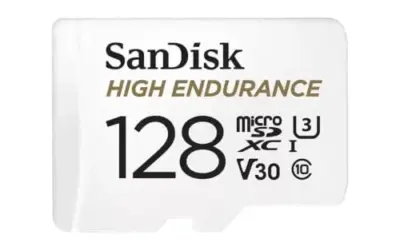
BOTSLAB includes a 128GB SD card, but the details do not identify its endurance rating or the camera’s maximum supported capacity. For frequent or continuous recording, use a card type and capacity the camera maker supports. Dash cams repeatedly write video, so an endurance-rated card is a sensible category to consider, not a claim that any particular card will work with this system. Check the camera instructions for formatting and replacement guidance.
Loop recording typically reuses space as a card fills, while locked event clips may take space out of that cycle. BOTSLAB says collision detection locks impact footage as permanent evidence. Keep important clips copied somewhere else promptly rather than assuming a protected file is immune to card failure, accidental formatting, or damage to the camera. Avoid estimating recording hours from resolution alone: combined camera bitrate, usable card space, and protected files all affect retention. See dash cam card capacity and compatibility guidance for storage questions, while checking BOTSLAB’s own supported-card rules for this model.
Resolution is only one part of evidence quality. A sharp image depends on exposure, motion, glare, compression, and the scene’s lighting as well as pixel count. The supplied details do not establish readable plate distance, so choose based on coverage and features rather than assuming 3K guarantees legible plates in every situation. For rear-camera placement, the guide to aiming a rear dash cam can help with a practical setup decision.
Installation, privacy, and who should buy neither
Before routing cables, plan camera locations and power access. Keep the driver’s sightline clear and avoid routing wires across controls or airbag deployment areas. For fuse or OBD wiring, vehicle-specific instructions matter; connector fit alone does not prove that a circuit or port behaves as needed. After installation, check that the camera starts with the vehicle and that the chosen parking mode behaves as intended in a safe, stationary setting.
Dash cam recording can capture people, vehicle plates, and private property. Rules for recording and sharing vary by location and circumstance, so this is general information, not jurisdiction-specific legal advice. Use camera placement and audio settings with care, and avoid sharing footage that exposes private details without a clear reason.
Do not buy either pick if you need a camera with verified phone-platform support, a stated frame rate, or a confirmed maximum card capacity before purchase. BOTSLAB’s available details leave those decision points unresolved, while Binyoansm is only a USB-C power cable. Look instead for a camera whose maker documents those exact requirements and a power kit confirmed for your vehicle and camera.
Verdict: choose the camera bundle or the power cable
BOTSLAB is the better match for a driver who needs a dash cam, four-camera coverage, a card, and parking modes in one bundle. Its main tradeoff is a more involved multi-camera installation, and its stated details do not settle maximum storage or low-voltage protection. Binyoansm suits a narrower case: an existing USB-C dash cam, paired with an OBD-II port that stays powered while parked. It is not a substitute for a camera or a fit for vehicles whose port shuts off. Choose based on what you still need and how your vehicle supplies power, not on the word hardwire alone.