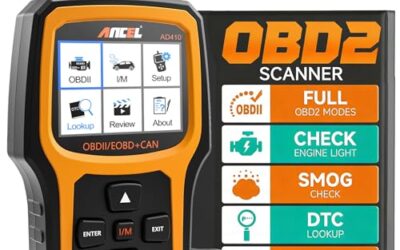
OBD2 readiness monitors can show not ready after codes are cleared, battery power is interrupted or the vehicle has not met the conditions needed for its self-tests. An incomplete monitor does not, by itself, identify a failed component. Check reset history, vehicle-specific test conditions and local inspection requirements.
Key takeaways
- Clearing codes or losing battery power resets some or all readiness monitors.
- Each monitor needs specific conditions, such as a cold start, steady cruising, or a fuel-level range.
- One or more incomplete monitors may be normal after service, but repeated failure points toward a fault.
- Drive cycles differ by vehicle model, engine, transmission, model-year, and emissions system.
- A scanner can show monitor status, stored codes, pending codes, and live data. It cannot make a monitor complete.
- Inspection rules differ by state and may limit how many monitors can remain incomplete.
What readiness monitors mean
Readiness monitors are software checks inside the powertrain control module. They test emissions-related systems during normal driving and record whether each test completed. Common monitors cover the oxygen sensor, oxygen sensor heater, catalytic converter, evaporative emissions system, exhaust gas recirculation, secondary air injection, fuel system, and misfire detection.
Some monitors run continuously. Misfire, fuel-system, and comprehensive-component checks can evaluate data during many driving conditions. Other monitors run only during specific conditions. An evaporative emissions monitor may need a cold soak, enough fuel in the tank, stable outside temperature, and a period of low-load driving.
“Ready” means the monitor completed its test. “Not ready,” “incomplete,” or “not complete” means the test has not finished since the last reset, or the vehicle did not meet its run conditions. It does not automatically mean the related part is defective.
Why OBD2 readiness monitors show not ready
Battery power was disconnected
Disconnecting the battery can erase adaptive values and readiness results. A weak battery can also cause voltage loss during starting. Some vehicles reset monitors after battery replacement, jump-starting, or extended low voltage.
Battery work does not create an emissions fault by itself. It creates a new wait period while the vehicle repeats its self-tests.
Someone cleared diagnostic trouble codes
Clearing a code removes stored fault information and resets related monitor status. A scan tool may show no current code while monitors remain incomplete. This is why a clean code screen does not prove inspection readiness.
Clearing codes also removes useful repair history. It does not repair the sensor, wiring, leak, catalyst, or other cause behind a fault.
The vehicle has not completed its drive cycle
Short trips often prevent monitors from running. The engine may not reach operating temperature, or the vehicle may shut down before a test begins. Heavy traffic can also block the steady-speed or coast-down conditions some monitors need.
A drive cycle usually combines a cold start, idle period, city driving, steady highway speed, deceleration, and another idle period. Exact requirements vary by vehicle. Factory service information remains more accurate than a generic internet drive cycle.
Conditions were outside the monitor window
Fuel level, coolant temperature, intake temperature, battery voltage, ambient temperature, vehicle speed, engine load, and recent driving time can affect monitor operation. An evaporative emissions test may not run with a nearly empty or full tank. Some vehicles require fuel level within a middle range.
Repeated cold starts, very hot or cold weather, hills, towing, and stop-and-go traffic can delay completion. These conditions may not indicate a failure.
A fault blocks the test
A pending or confirmed code can stop one or more monitors. For example, an engine coolant temperature problem can prevent the engine from reaching the expected temperature. An air-fuel or misfire problem can prevent catalyst testing. An EVAP leak can keep the EVAP monitor from completing.
Readiness status and trouble codes must be read together. A monitor that remains incomplete after suitable driving deserves diagnosis, especially when a pending code appears.
Vehicle voltage is unstable
Low system voltage can interrupt testing or reset monitor progress. Causes include a weak battery, charging-system fault, loose connection, poor ground, or excessive electrical load. Voltage readings vary by vehicle and operating state, so one generic voltage number cannot diagnose every charging system.
The vehicle uses different emissions rules
OBD2 became broadly required on US light-duty vehicles during the 1990s, but monitor behavior and inspection rules vary by model-year, engine, fuel type, hybrid system, and state. Some diesel, hybrid, and plug-in hybrid vehicles use monitor groups that differ from gasoline vehicles.
OBD2 connector access also varies. A vehicle may have a standard 16-pin J1962 connector but still require a scanner with coverage for its control modules and communication protocol. Basic code readers may show generic powertrain data while missing manufacturer-specific monitor details.
How to check readiness status correctly
- Connect a scanner with the ignition off unless its instructions say otherwise.
- Turn the ignition on without starting the engine, then connect to the vehicle.
- Open the I/M readiness, emissions readiness, or monitor status screen.
- Record each monitor as ready, not ready, unsupported, or not applicable.
- Scan for stored, pending, and permanent codes.
- Record freeze-frame data and scan-tool date information before clearing anything.
- Check battery condition and charging-system operation if the vehicle recently lost power.
“Unsupported” differs from “not ready.” Unsupported means that monitor does not apply to that vehicle configuration. Not ready means the vehicle supports the test, but the test has not completed.
How to complete monitors after a reset
Use the vehicle-specific drive-cycle procedure whenever available. Many procedures start with the vehicle cold after sitting for several hours. Keep the fuel level within the range given by the service information. Turn off unnecessary electrical loads when practical, and let the engine reach normal operating temperature.
- Start with a cold engine and allow the initial idle period required by the vehicle.
- Drive gently through local streets without hard acceleration.
- Reach a steady road speed where legal and safe.
- Maintain steady speed long enough for the control module to run its tests.
- Coast or decelerate as the vehicle procedure requires. Do not create unsafe traffic conditions.
- Return to city driving, then allow an idle period if required.
- Park, shut down, and repeat only as the service information directs.
- Rescan readiness status after the drive cycle.
Do not force a drive cycle at unsafe speeds or in traffic. Some monitor procedures require controlled conditions that belong in a repair facility. Monitor completion can take one trip or several days of normal driving.
Readiness monitor checklist
| Scanner result | Likely meaning | Next action |
|---|---|---|
| All monitors ready, no codes | Vehicle completed required tests and reports no current emissions fault. | Check local inspection rules and keep repair records. |
| One or more monitors not ready, no codes | Recent reset or incomplete drive cycle is likely. | Use the vehicle-specific drive cycle and rescan. |
| Not ready with pending code | A fault may be preventing the test. | Diagnose the code before repeating drive cycles. |
| Not ready with confirmed code | An active or recently detected problem may block testing. | Repair the cause, clear codes only after repair, then complete the drive cycle. |
| Permanent code present | The module has recorded a fault that cannot be removed by a normal code clear. | Repair the cause and complete the required monitor checks. |
Common mistakes
- Clearing codes before inspection: This resets readiness and may make the vehicle less likely to pass immediately.
- Assuming no check-engine light means ready: The light and readiness status report different information.
- Driving only short trips: Short trips may never provide the cold-start, temperature, speed, or coast conditions required.
- Using a generic drive cycle as a guarantee: Vehicle procedures differ, and some monitors need special conditions.
- Ignoring pending codes: Pending codes can explain why a monitor will not complete before the warning light turns on.
- Disconnecting the battery repeatedly: Each reset starts the readiness process again.
- Replacing parts based only on monitor status: Not ready identifies incomplete testing, not a failed component.
When to get professional help
Get diagnostic help when a monitor remains incomplete after several suitable trips, when the check-engine light returns, or when pending codes appear. Seek help sooner if the engine misfires, stalls, loses power, overheats, smells strongly of fuel, or shows charging-system warnings.
A shop can compare live data with factory specifications, check fuel-trim behavior, test EVAP operation, inspect wiring, and follow manufacturer diagnostic steps. A professional scanner may access manufacturer-specific modules and service functions that a basic OBD2 reader cannot.
Do not continue driving if a flashing check-engine light indicates an active misfire. Unburned fuel can damage the catalytic converter, and the vehicle may present a safety risk in traffic.
For a closer look at a related choice, see OBD2 Scanner Buying Guide for Beginners.
Gear that can help
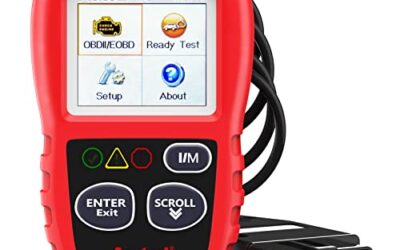
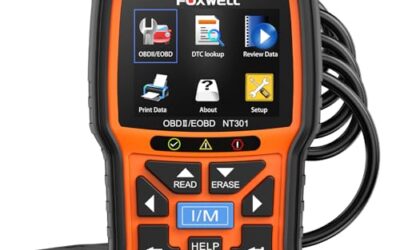
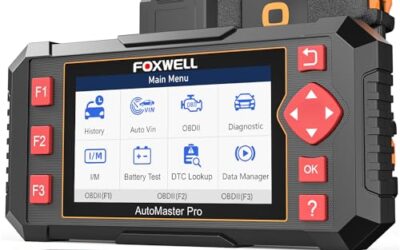
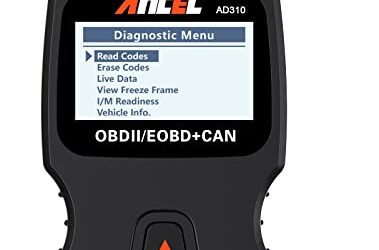
If you need OBD2 scanners for this job, these picks already appear in our OBD2 scanners guides. Check the full guide for fit and who should skip each one.

Pros
- Supports multiple diagnostic functions beyond basic code reading
- No batteries are needed for operation
- Offers seven language options, including English, French, and Spanish
- Designed with a plug-and-play interface for end users and DIYers
Cons
- The listing does not identify all seven supported languages
Specifications
| Color | OBD2 Scanner |
|---|---|
| Size | AL319 |
| Dimensions | 4.61 x 2.83 x 0.71 inches |
| Weight | 0.39021820374 Pounds |
| Product Group | Automotive Parts and Accessories |
| Binding | Automotive |
Best For / Avoid If
Best for buyers prioritizing
- Supports multiple diagnostic functions beyond basic code reading
- No batteries are needed for operation
- Offers seven language options, including English, French, and Spanish
Consider another option if
- The listing does not identify all seven supported languages

Pros
- Supports code scanning and code resets without requiring an expert
- Tracks vehicle-specific scans, mileage-based reminders, and shared results
- Compact 1.75 x 0.75 x 1.6-inch sensor is designed to stay under the dash
Cons
- Advanced features require an optional premium subscription after the 14-day trial
- Features may vary by vehicle make and model
Specifications
| Color | White |
|---|---|
| Size | 1 Pack |
| Dimensions | 1.75 x 0.75 x 1.6 inches |
| Weight | 0.06 pounds |
| Product Group | Automotive Parts and Accessories |
| Binding | Automotive |
Best For / Avoid If
Best for buyers prioritizing
- Supports code scanning and code resets without requiring an expert
- Tracks vehicle-specific scans, mileage-based reminders, and shared results
- Compact 1.75 x 0.75 x 1.6-inch sensor is designed to stay under the dash
Consider another option if
- Advanced features require an optional premium subscription after the 14-day trial
- Features may vary by vehicle make and model

Pros
- Provides diagnostics for four major vehicle systems
- Includes useful functions such as live data and I/M readiness
- Supports automatic VIN retrieval and manual vehicle selection
- Lifetime updates and a protective case are included
Cons
- Does not support oil reset, battery registration, ABS bleeding, throttle body relearn, or ABS relearn
- SRS crash or collision data cannot be cleared
- Vehicle compatibility varies by make, model, and year, and AUTOVIN may not work on some older vehicles or brands
Specifications
| Color | red |
|---|---|
| Dimensions | 7.68 x 3.54 x 1.18 inches |
| Product Group | Automotive Parts and Accessories |
| Binding | Automotive |
Best For / Avoid If
Best for buyers prioritizing
- Provides diagnostics for four major vehicle systems
- Includes useful functions such as live data and I/M readiness
- Supports automatic VIN retrieval and manual vehicle selection
Consider another option if
- Does not support oil reset, battery registration, ABS bleeding, throttle body relearn, or ABS relearn
- SRS crash or collision data cannot be cleared
- Vehicle compatibility varies by make, model, and year, and AUTOVIN may not work on some older vehicles or brands
FAQ
Can I pass inspection with monitors not ready?
Maybe. State inspection programs set their own limits, and rules can vary by model-year and vehicle type. Some programs allow a limited number of incomplete monitors; others require all applicable monitors ready. Check your state inspection authority for the current rule.
How long does it take for monitors to become ready?
It may take one drive cycle or several normal trips. Time depends on the vehicle, monitor, weather, fuel level, battery voltage, and driving conditions. A scanner cannot predict completion with certainty.
Does driving on the highway make all monitors ready?
No. Highway driving can provide steady speed and engine-load conditions, but some monitors need cold starts, city driving, coast-down events, or specific fuel levels.
Will replacing the battery fix not-ready monitors?
Replacing a weak battery can prevent voltage-related resets, but battery replacement resets readiness on many vehicles. The vehicle still needs its required drive cycle, and any underlying fault still needs diagnosis.
Can a scanner make readiness monitors ready?
No. A scanner can read status, codes, and data. Some professional tools can run service tests, but readiness monitors normally complete through operating conditions defined by the vehicle software.
Sources and further reading
- Vehicle Emissions Inspection and Maintenance (I/M) (US EPA): explains how state and local emissions inspection programs operate.
- J1979 E/E Diagnostic Test Modes standard (SAE International): covers standard OBD diagnostic test modes and related data.
- J1962 Diagnostic Connector standard (SAE International): covers the diagnostic connector used by many OBD2 vehicles.
For related scan-tool guidance, see OBD2 scanners for live data and fuel-trim diagnosis and OBD2 scanners for advanced vehicle diagnostics.