What is calculated engine load on OBD2? Calculated engine load is an ECU estimate of how much engine capacity is being used at a given moment. The value usually appears as a percentage in live data, with a low number at light load and a higher number during acceleration, climbing, or towing.
It is not a direct measurement of horsepower, fuel use, throttle position, or mechanical engine wear. The ECU calculates it from sensor inputs and operating conditions. Use it with RPM, engine coolant temperature, mass airflow, fuel trims, throttle position, and diagnostic trouble codes.
Key takeaways
- Calculated load describes current engine demand as a percentage of a reference load.
- Low load at idle and higher load during acceleration usually fit normal operation.
- Load values vary by vehicle software, engine type, transmission, altitude, and driving condition.
- Absolute load and calculated load are different OBD2 data values.
- A load reading alone cannot prove a bad sensor, weak engine, clogged exhaust, or fuel problem.
- OBD2 support depends on vehicle model year, market, ECU, scanner, and software.
How calculated engine load works
The powertrain control module estimates engine load from air entering the engine and the engine’s speed. Depending on vehicle design, it may use mass airflow data, manifold absolute pressure, intake air temperature, throttle position, RPM, barometric pressure, and other modeled values.
The computer compares current operating conditions with a reference condition. The result becomes a percentage sent through an OBD2 live-data parameter. The exact calculation belongs to the vehicle manufacturer and ECU software, so two vehicles can show different values during similar driving.
At idle, the engine produces enough power to keep itself running and operate accessories. Load often stays relatively low. Open the throttle, add passengers, climb a hill, turn on high electrical loads, or tow a trailer, and the engine must produce more torque. Calculated load usually rises.
Load does not equal throttle opening. A modern engine can show high load with a partly open throttle while turbocharger boost raises cylinder pressure. It can also show changing load at similar throttle angles because RPM, airflow, gearing, and road grade change.
What the percentage means
OBD2 load percentage gives useful context, not a universal pass-or-fail limit. A low value means the ECU estimates light demand. A higher value means the ECU estimates greater demand compared with its reference point.
Idle, steady cruising, acceleration, and uphill driving produce different readings. Automatic transmission gear changes can also shift load without a clear change in accelerator position. Air conditioning, electrical charging, engine temperature, and emissions control events can affect the estimate.
| Driving condition | What load often does | What it tells you |
|---|---|---|
| Warm idle | Stays relatively low | The engine has limited power demand while maintaining idle speed. |
| Flat-road cruising | Remains moderate or low | Vehicle speed needs less engine torque than acceleration. |
| Hard acceleration | Rises quickly | The engine is producing more torque to increase vehicle speed. |
| Hill climbing or towing | Stays higher for longer | Road resistance or trailer weight increases engine demand. |
| Wide-open throttle | Often reaches a high value | The ECU sees near-maximum requested engine output under that condition. |
These patterns are general. They are not fixed specifications for every vehicle. A naturally aspirated engine, turbocharged engine, hybrid powertrain, diesel, and gasoline engine can report different load behavior.
Calculated load versus absolute load
OBD2 scanners may show both calculated load and absolute load. They sound similar, but they use different references.
Calculated load commonly represents current engine demand relative to a standardized or modeled maximum for the operating condition. It can respond to airflow, RPM, and throttle demand.
Absolute load uses a different calculation that relates engine airflow or pressure to a broader maximum reference. It can provide useful information during higher-load operation, especially on engines where calculated load does not tell the full story.
Names and available data depend on the OBD2 mode and vehicle ECU. Some scanners label parameters differently. A phone app may show a simplified label, while a professional scan tool may identify the parameter with its OBD2 service and PID name.
Do not compare calculated load and absolute load as if they were two readings from one scale. Compare each parameter with itself across similar conditions.
Why calculated load matters in diagnostics
Load helps place other sensor readings in context. A fuel-trim value at idle can look different from fuel trim during steady cruise. Comparing both conditions can help separate a vacuum leak from a fuel-delivery problem.
For example, high positive short-term fuel trim at idle that improves during higher RPM can fit an intake air leak pattern. That pattern does not prove a leak. Calculated load, RPM, airflow, manifold pressure, and oxygen-sensor data can support the diagnosis.
Low calculated load during hard acceleration may raise questions about throttle input, airflow measurement, boost control, or data labeling. High load at idle may fit an accessory load, unstable idle, restricted airflow, incorrect sensor data, or an engine problem. Each possibility needs more testing.
Use the reading as part of a data record. Save load, RPM, vehicle speed, coolant temperature, throttle position, mass airflow, manifold pressure, fuel trims, ignition timing, and oxygen or air-fuel sensor data. Record whether the engine is cold or warm and whether the transmission is in Park, Neutral, Drive, or under road load.
How to read calculated load with an OBD2 scanner
- Check vehicle compatibility. US OBD2 requirements generally cover gasoline vehicles from model year 1996 and newer, but available live-data PIDs vary by vehicle and market. Diesel coverage, regional rules, hybrid systems, and manufacturer data can differ.
- Connect the scanner to the vehicle’s 16-pin J1962 diagnostic connector. The connector location varies, and the ignition state needed for connection depends on the tool instructions.
- Open live data and locate Calculated Engine Load. The scanner may use a shorter label such as LOAD_PCT or a similar name.
- Warm the engine before comparing normal running data. Coolant temperature affects fuel control, idle strategy, and accessory operation.
- Record the value at idle, during steady cruising, and during controlled acceleration. Keep road testing legal and safe. A second person should operate the scanner when possible.
- Compare load with RPM, throttle position, airflow, manifold pressure, fuel trims, and stored codes. Look for a repeatable pattern rather than one snapshot.
- Check manufacturer service information before using a reading as a test limit. Generic OBD2 data cannot replace vehicle-specific specifications.
Bluetooth scanners also add phone and software limits. Android and iPhone apps may expose different PIDs. The adapter needs support for the vehicle’s communication protocol, while the app needs support for the phone OS and selected data. Adapter firmware can affect connection stability and available functions.
Common reasons load readings seem unusual
Different scan tools show different values
Apps can calculate, filter, scale, or rename data. One tool may display a standard PID, while another may display manufacturer-specific data. Compare the same PID and unit before treating a difference as a fault.
Idle load rises with accessories
Air conditioning, cooling fans, alternator demand, power steering load, and battery charging can raise engine demand. Hybrid vehicles can show rapid changes as the engine starts, stops, or changes charging strategy.
Turbo engines confuse simple comparisons
Boost pressure can raise engine output without a matching throttle angle. Load may rise during boost, but the exact pattern depends on torque control, wastegate operation, intake pressure, and ECU software.
Altitude changes airflow
Thin air reduces available oxygen and changes pressure readings. A vehicle may use different throttle, boost, and fueling strategies at altitude. Compare readings at similar conditions.
Transmission gear changes alter load
A lower gear raises engine RPM and can change the load estimate. Torque converter lockup, shift events, and automatic transmission control also affect live data.
Common mistakes
- Treating a high percentage as proof of an overloaded engine. High load during acceleration or hill climbing can be normal.
- Expecting one normal number. Vehicle software and operating conditions change the value.
- Using load to diagnose a fault alone. Combine it with codes, symptoms, freeze-frame data, and related sensors.
- Confusing load with fuel economy. Load describes engine demand, not miles per gallon.
- Confusing load with engine health. A normal estimate cannot prove good compression, valve timing, fuel pressure, or catalytic converter flow.
- Comparing different vehicles directly. Engine size, forced induction, gearing, software, and emissions strategy affect the result.
- Clearing codes before recording data. Clearing codes erases useful freeze-frame and readiness information. It does not repair the fault.
When to get professional help
Seek professional diagnosis when load readings accompany flashing check-engine lights, severe misfire, stalling, loss of power, overheating, fuel smell, abnormal smoke, or unsafe drivability. Stop driving if the vehicle cannot maintain control, loses power in traffic, or shows signs of fire or major mechanical damage.
A technician may need a scan tool with manufacturer data, a smoke machine, fuel-pressure testing, a vacuum test, ignition testing, compression or leak-down testing, exhaust backpressure testing, or oscilloscope analysis. OBD2 load data helps guide those tests, but it does not replace them.
Use service information for the exact model year, engine, transmission, and market. Some vehicles need a gateway connection, security access, or manufacturer software for data beyond generic OBD2.
Gear that can help
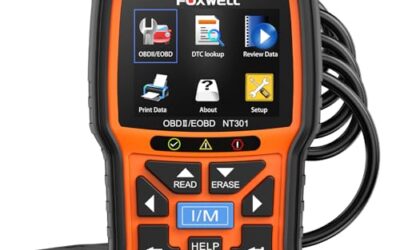
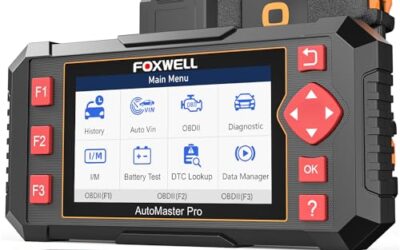
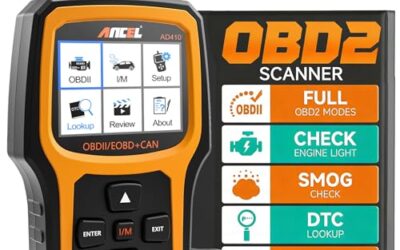
If you need OBD2 scanners for this job, these picks already appear in our OBD2 scanners guides. Check the full guide for fit and who should skip each one.

Pros
- Supports check-engine code reading and clearing
- Provides live data features including engine speed, vehicle speed, coolant temperature, and calculated load value
- Includes a 2.5-foot cable and six-button control layout
- Compact 6.02 x 2.75 x 0.91-inch design
Cons
- Does not support ABS, airbag, oil service light, or other non-OBDII systems
- Vehicle compatibility is described as supporting most applicable vehicles rather than every vehicle
- Requires connection to a vehicle’s OBDII port for power
Specifications
| Color | Yellow |
|---|---|
| Size | Portable |
| Dimensions | 6.02 x 2.75 x 0.91 inches |
| Weight | 0.6375 Pounds |
| Product Group | Automotive Parts and Accessories |
| Binding | Automotive |
Best For / Avoid If
Best for buyers prioritizing
- Supports check-engine code reading and clearing
- Provides live data features including engine speed, vehicle speed, coolant temperature, and calculated load value
- Includes a 2.5-foot cable and six-button control layout
Consider another option if
- Does not support ABS, airbag, oil service light, or other non-OBDII systems
- Vehicle compatibility is described as supporting most applicable vehicles rather than every vehicle
- Requires connection to a vehicle’s OBDII port for power

Pros
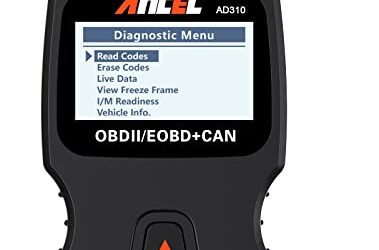
- Includes code reading, code clearing, live data, freeze-frame, I/M readiness, and vehicle information functions
- Supports VIN, Calibration ID, and Calibration Verification Number retrieval
- Lists compatibility with post-1996 US-based, post-2006 EU-based, and post-2009 Asian-based OBDII vehicles
- Offers a built-in DTC definition database and support for six languages
- Includes a stated five-year warranty
Cons
- The display is described as a two-line LCD screen, which may provide less viewing space than larger scan-tool displays
Specifications
| Color | Blue |
|---|---|
| Dimensions | 9.79921258843 x 6.692913379 x 1.57874015587 inches |
| Product Group | Automotive Parts and Accessories |
| Binding | Unknown Binding |
Best For / Avoid If
Best for buyers prioritizing
- Includes code reading, code clearing, live data, freeze-frame, I/M readiness, and vehicle information functions
- Supports VIN, Calibration ID, and Calibration Verification Number retrieval
- Lists compatibility with post-1996 US-based, post-2006 EU-based, and post-2009 Asian-based OBDII vehicles
Consider another option if
- The display is described as a two-line LCD screen, which may provide less viewing space than larger scan-tool displays

Pros
- Supports iPhone, Android, and Windows devices
- Works with a range of named diagnostic applications
- Offers enhanced OEM support for several vehicle brands
- Includes protection against over-voltage and battery drain
Cons
- Vehicle compatibility and available features should be confirmed in the troubleshooting guide before purchase
Specifications
| Color | Black |
|---|---|
| Size | Small |
| Dimensions | 2.0078740137 x 0.9055118101 x 1.8110236202 Inches |
| Weight | 0.06172943336 pounds |
| Product Group | Automotive Parts and Accessories |
| Binding | Automotive |
Best For / Avoid If
Best for buyers prioritizing
- Supports iPhone, Android, and Windows devices
- Works with a range of named diagnostic applications
- Offers enhanced OEM support for several vehicle brands
Consider another option if
- Vehicle compatibility and available features should be confirmed in the troubleshooting guide before purchase
FAQ
What is a normal calculated engine load at idle?
There is no single normal number for every vehicle. A warm engine at idle usually shows lower load than during acceleration, but air conditioning, charging demand, engine design, and ECU strategy change the reading.
Does high calculated load mean the engine is failing?
No. High load can be normal during acceleration, towing, hill climbing, or boost operation. A fault becomes more likely when the reading matches symptoms and other abnormal data.
Can calculated load find a vacuum leak?
It can help support a vacuum-leak diagnosis when combined with fuel trims, airflow, manifold pressure, and idle behavior. Load alone cannot identify the leak location or prove that a leak exists.
Why does my scanner show no calculated load?
The vehicle ECU may not support that generic PID, the scanner may filter the data, or the app may use another label. Vehicle model year, engine, market, adapter firmware, and phone software can affect live-data access.
Is calculated load the same as engine power?
No. Load estimates engine demand under current conditions. It does not report horsepower or torque, and it cannot measure mechanical output directly.
Sources and further reading
- J1962 Diagnostic Connector standard (SAE International): Connector and diagnostic interface information for vehicle service equipment.
- J1979 E/E Diagnostic Test Modes standard (SAE International): Standard diagnostic test modes and data used by OBD systems.
For related scan-tool guidance, see OBD2 scanners for live data and fuel trim and OBD2 scanners for advanced use.