What is a security gateway on a scan tool? A security gateway is a vehicle network control module that filters diagnostic messages between the OBD2 connector and protected electronic control modules. It can allow code reading while blocking commands such as code clearing, actuator tests, coding, and module programming until the tool passes an authorization check.
This matters because an ordinary OBD2 scanner may connect to a vehicle yet fail to perform certain functions. The connector, app, and scanner can work correctly while the gateway blocks access. Vehicle model year, brand, region, software version, scan-tool firmware, internet access, and subscription status can all change what the tool can do.
Key takeaways
- A security gateway is an access-control device inside a vehicle network.
- It protects sensitive modules from unauthorized diagnostic commands.
- Basic emissions code reading may still work while advanced functions remain blocked.
- Gateway access often requires tool registration, an online account, paid service, or manufacturer authorization.
- A compatible connector alone does not prove full vehicle coverage.
- Clearing a diagnostic trouble code does not repair its cause.
Why vehicle makers use security gateways
Modern vehicles contain many networked modules. Engine, transmission, airbag, brake, steering, body, camera, and gateway systems exchange messages through one or more vehicle networks. A scan tool connects through the diagnostic connector, commonly called the OBD2 port, but the port does not automatically grant unrestricted access.
The gateway acts like a traffic controller. It checks diagnostic requests, decides which module can receive each request, and may record or reject commands that carry higher risk. This setup reduces the chance that an unauthorized device changes safety settings, unlocks vehicle functions, writes incorrect configuration data, or disrupts network communication.
Security gateways also support broader vehicle cybersecurity plans. A thief or attacker with physical access to the diagnostic connector could otherwise attempt commands against locks, immobilizer functions, keys, or other systems. Gateway controls do not remove every vehicle security risk, but they add a barrier between the connector and protected networks.
How a security gateway works with a scan tool
A scan tool sends a request through the vehicle diagnostic connector. The gateway receives or monitors that request, checks its permissions, and routes approved traffic to the target module. A blocked request can produce an access error, a connection failure, incomplete system scan, or a message asking for authentication.
Some vehicles allow read-only data without special approval. The tool may read emissions-related trouble codes, generic powertrain data, or readiness information. Other requests can require stronger permission. These may include clearing codes in protected modules, running bidirectional tests, changing module settings, performing a relearn, or programming a replacement module.
Authorization can happen in several ways:
- Tool account: The technician signs into a scan-tool account tied to the device.
- Online approval: The tool contacts a service using Wi-Fi, cellular data, or a connected phone.
- Paid access: A subscription or single-use authorization covers gateway functions for certain brands.
- Manufacturer credentials: Some operations require an account accepted by the vehicle maker.
- Security access procedure: The tool exchanges data with the vehicle before protected functions become available.
Exact behavior varies by brand and model year. One vehicle may expose several control modules after authentication. Another may allow only selected functions. A tool that works on one model may fail on a nearby model year because the gateway hardware or security service changed.
What a security gateway blocks
Gateway rules differ, but protected actions often involve writing data or controlling a vehicle system. Common examples include:
| Function | Possible gateway effect | What it means for the driver |
|---|---|---|
| Read generic powertrain codes | May remain available | A basic scanner may still help with many check-engine-light issues. |
| Read manufacturer-specific modules | May require authorization | Airbag, ABS, body, or network faults may need a better-equipped tool. |
| Clear protected codes | May be blocked | The tool can identify a fault without deleting its stored code. |
| Bidirectional controls | Often restricted | Tests such as commanding a fan, pump, or relay may need authenticated access. |
| Coding and adaptations | Often restricted | Changing configuration or replacing a module may require brand-level access. |
| Module programming | Highly restricted | Programming can require stable power, correct files, an account, and precise vehicle coverage. |
Read-only access is not the same as full diagnostic access. A scanner can display a vehicle identification number or generic code and still lack permission for important systems. The result depends on both the gateway and the scan tool’s software.
Which vehicles use security gateways?
Security gateway use is most common in newer connected vehicles, but there is no single universal model-year cutoff. Some manufacturers began adding gateway controls to selected platforms before applying them across more models. Different regions can also receive different hardware or software.
Brand names vary. A maker may call its system a security gateway, secure gateway, central gateway, diagnostic security gateway, or another term. The function matters more than the label: the vehicle filters access to protected networks and expects an approved diagnostic path.
Compatibility can change with:
- Vehicle make, model, trim, engine, and model year.
- North American or other regional configuration.
- Gateway module software and vehicle network layout.
- Scan-tool firmware and coverage database version.
- Phone operating system for Bluetooth or Wi-Fi tools.
- Internet connection, account status, and service subscription.
- Battery voltage during diagnostic or programming work.
Check the tool maker’s coverage by exact vehicle details, not by connector shape alone. A 16-pin J1962 connector tells you about the physical diagnostic interface. It does not promise access to every module or service function. The SAE J1962 diagnostic connector standard explains the connector framework, while vehicle-specific software controls the functions behind it.
Why a scanner connects but cannot access modules
Gateway blocking is one possible cause, but it is not the only one. A failed scan can also come from low battery voltage, a damaged connector, a blown diagnostic fuse, poor Bluetooth pairing, outdated firmware, an incorrect vehicle selection, or a communication fault on the vehicle network.
Use this symptom checklist:
- Scanner powers on but finds no vehicle: Check ignition state, connector power, fuse condition, cable fit, and battery voltage.
- Generic engine scan works but ABS or airbag scan fails: Gateway restrictions, module faults, or limited tool coverage may be involved.
- Codes display but clearing fails: The fault may remain active, or the gateway may require authorization.
- Tool asks for an account or security token: The vehicle likely uses a controlled diagnostic service.
- Tool worked before but fails after an update: Check firmware, app version, subscription state, and vehicle coverage.
- Several modules disappear at once: Check battery voltage and network faults before blaming the gateway.
How to tell whether gateway access is required
- Record the exact vehicle year, make, model, engine, trim, and region.
- Read the scan tool’s coverage page for that exact vehicle.
- Check whether the requested task is read-only, code clearing, an active test, coding, relearn, or programming.
- Read the on-screen error message. Terms such as security access, gateway authorization, authenticated diagnostic session, or token can point to restricted access.
- Check tool firmware, app version, account login, subscription, and internet connection.
- Measure or inspect vehicle power before advanced diagnostics. Low voltage can interrupt communication and create new faults.
- Use a second compatible tool or a professional service only when its coverage and authorization path match the task.
Do not repeatedly attempt module programming with unstable power or uncertain coverage. A failed programming session can leave a module unable to communicate. Follow the vehicle and scan-tool procedures for battery support, ignition state, network connection, and recovery.
Security gateway versus an ordinary OBD2 scanner
An ordinary OBD2 scanner usually focuses on emissions-related diagnostics. It may read and clear generic powertrain codes and show standard live data. A gateway-capable diagnostic tool adds a permission path for selected protected systems, but it still does not provide unlimited access.
Gateway capability also differs from full factory capability. A tool may pass gateway authentication yet lack software for a particular active test, coding routine, key procedure, or programming file. Tool coverage descriptions should identify functions, brands, model years, and service conditions.
For background on choosing diagnostic coverage, see CarTechTalk’s guides to OBD2 scanners for advanced use and professional car diagnostic tools.
Common mistakes
Assuming the OBD2 port gives full access
The port supplies the connection point. The gateway and vehicle software control access beyond that point.
Blaming the gateway for every communication error
Low voltage, bad cables, wrong vehicle selection, network damage, and outdated software can create similar symptoms.
Confusing code clearing with repair
Deleting a code removes stored information. It does not repair a failed sensor, wiring fault, low fluid condition, mechanical problem, or safety-system issue. A code that returns needs diagnosis based on its cause.
Assuming one subscription covers every function
Access can be divided by brand, vehicle family, function, region, and service period. Some tools require separate credentials for programming or security-related work.
Ignoring phone and connection requirements
Bluetooth tools may need a supported Android or iPhone version, location permission, stable pairing, and current app software. A wired tool avoids some wireless problems but still needs current firmware and vehicle coverage.
When to get professional help
Use a qualified repair facility when the job involves airbag, brake, steering, immobilizer, key, advanced driver-assistance, or high-voltage systems. Professional equipment may provide the required authorization, wiring information, stable power support, and recovery process.
Professional help also makes sense when a module needs programming, when several modules stop communicating, or when the vehicle will not start after a failed security-related procedure. Keep diagnostic records and the exact error message. They help separate gateway restrictions from hardware and network faults.
Never bypass a security gateway with unknown wiring changes or unofficial software. Such changes can affect safety systems, vehicle starting, warranty support, and network communication.
Gear that can help
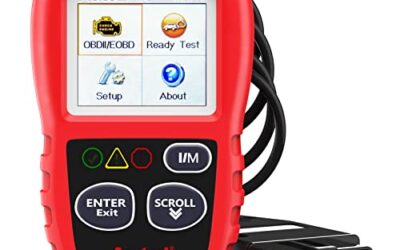
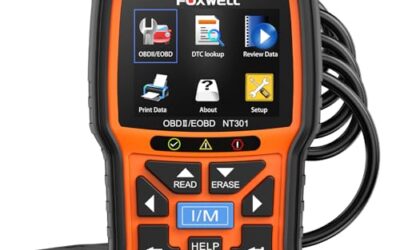
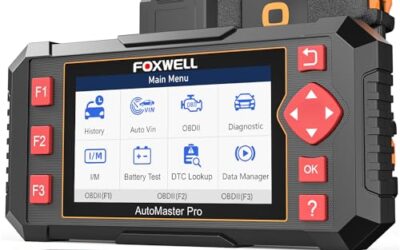
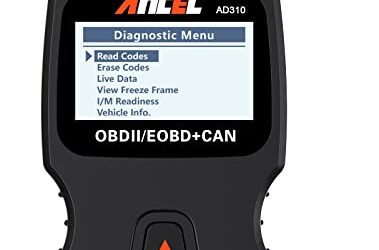
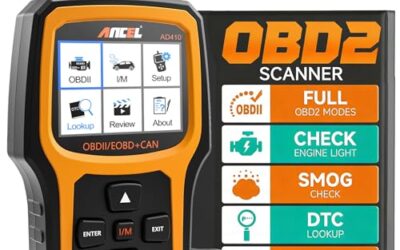
If you need OBD2 scanners for this job, these picks already appear in our OBD2 scanners guides. Check the full guide for fit and who should skip each one.

Pros
- Supports multiple common OBDII protocols, including CAN
- Provides more than basic code reading with live data, freeze-frame, and readiness information
- Powered through the vehicle, so no separate battery or charger is required
- Compact design and 12-ounce weight support portability
Cons
- Limited to emission-related diagnostics
- Requires a vehicle with an OBDII interface and does not diagnose OBDI vehicles, even with an adapter
- Vehicle compatibility should be confirmed before purchase
Specifications
| Color | Black |
|---|---|
| Dimensions | 4.9212598375 x 2.755905509 x 0.8661417314 inches |
| Product Group | Automotive Parts and Accessories |
| Binding | Automotive |
Best For / Avoid If
Best for buyers prioritizing
- Supports multiple common OBDII protocols, including CAN
- Provides more than basic code reading with live data, freeze-frame, and readiness information
- Powered through the vehicle, so no separate battery or charger is required
Consider another option if
- Limited to emission-related diagnostics
- Requires a vehicle with an OBDII interface and does not diagnose OBDI vehicles, even with an adapter
- Vehicle compatibility should be confirmed before purchase

Pros
- Includes live-data graphing and logging for supported OBD2 vehicles
- Offers emissions-readiness, O-2 sensor, and EVAP monitoring functions
- Supports common OBD2 protocols and many 1996-plus US gasoline vehicles
- Does not require a separate charging setup
Cons
- Does not scan ABS, SRS, EPB, A/C, battery, or other non-engine systems
- Compatibility and available functions vary by vehicle year, make, model, and VIN
Specifications
| Color | NT301 OBD2 Scanner |
|---|---|
| Size | NT301 Code Reader |
| Dimensions | 8.66 x 3.15 x 6.69 inches |
| Weight | 0.3527396192 Pounds |
| Product Group | Automotive Parts and Accessories |
| Binding | Automotive |
Best For / Avoid If
Best for buyers prioritizing
- Includes live-data graphing and logging for supported OBD2 vehicles
- Offers emissions-readiness, O-2 sensor, and EVAP monitoring functions
- Supports common OBD2 protocols and many 1996-plus US gasoline vehicles
Consider another option if
- Does not scan ABS, SRS, EPB, A/C, battery, or other non-engine systems
- Compatibility and available functions vary by vehicle year, make, model, and VIN

Pros
- Broad basic OBD2 diagnostic function set
- Built-in code definitions can help explain fault codes
- Supports major protocols including CAN, ISO9141, KWP2000, J1850 VPW and J1850 PWM
- Color display, multilingual support and on-screen code definitions
Cons
- Limited to engine and emission-related codes
- Does not support ABS, SRS, transmission, bidirectional control or service reset functions
- Vehicle compatibility should be checked before purchase
Specifications
| Color | yellow |
|---|---|
| Dimensions | 9 x 6.3 x 1.6 inches |
| Weight | 0.66 Pounds |
| Product Group | Automotive Parts and Accessories |
| Binding | Automotive |
Best For / Avoid If
Best for buyers prioritizing
- Broad basic OBD2 diagnostic function set
- Built-in code definitions can help explain fault codes
- Supports major protocols including CAN, ISO9141, KWP2000, J1850 VPW and J1850 PWM
Consider another option if
- Limited to engine and emission-related codes
- Does not support ABS, SRS, transmission, bidirectional control or service reset functions
- Vehicle compatibility should be checked before purchase
Frequently asked questions
Can a basic OBD2 scanner work on a vehicle with a security gateway?
Often, yes, for some generic emissions functions. It may still lack access to ABS, airbag, body, transmission, or other protected modules.
Does a security gateway stop a scanner from reading check-engine codes?
Not always. Many vehicles keep basic powertrain diagnostics available, but access rules vary by vehicle, software version, and scan-tool coverage.
Can a gateway be bypassed?
Use an approved authentication method rather than attempting a bypass. Unapproved changes can damage communication, compromise security, or affect safety-related systems.
Does gateway access let a scanner program any module?
No. Authentication is only one requirement. The tool also needs the correct software, function coverage, stable vehicle voltage, account permissions, and a supported vehicle configuration.
Why does a scanner say it cannot clear a code?
The code may be active, the module may require authorization, or the tool may not support that system. Diagnose the fault before clearing it, because deleting the code does not fix the vehicle.
Sources and further reading
- J1962 Diagnostic Connector standard (SAE International): Connector requirements for the vehicle diagnostic interface.
- J1979 E/E Diagnostic Test Modes standard (SAE International): Standard diagnostic test modes and data requests used by emissions scan tools.