To tell if codes were recently cleared on a used car, scan its OBD2 system for incomplete readiness monitors and supported reset-history data. These clues can point to a recent code clear or battery disconnect, but they cannot prove who did it or why.
- Check emissions readiness before interpreting a clean code scan.
- Ask for supported time-since-clear or distance-since-clear data, but treat it as a clue, not proof.
- Permanent diagnostic trouble codes can remain after ordinary code clearing.
- Incomplete monitors can also follow a battery disconnect, repair, or other loss of diagnostic memory.
- Scan before a test drive and keep the results for comparison.
What a recent code clear can leave behind
On many vehicles, clearing diagnostic trouble codes also resets emissions readiness monitors. These self-checks need certain driving conditions before they can report complete again. A scan may therefore show one or more monitors as “not ready” or “incomplete,” even when no current trouble code appears.
That combination matters: no current codes plus several incomplete monitors can suggest that diagnostic information was recently reset. It does not prove deliberate concealment. A discharged or disconnected battery, recent repair, or legitimate diagnostic work can produce a similar result.
Some vehicles and scan tools also support OBD data for distance traveled or time elapsed since codes were cleared. If available, that information can add context. Support varies by vehicle and scanner, and the data does not identify the person who cleared codes or explain the reason.
Permanent diagnostic trouble codes are another useful clue. On supported vehicles, these codes may remain in the emissions system after ordinary clearing until the vehicle’s own checks confirm the fault is gone. A permanent code is not, by itself, proof of an active fault or recent clearing.
How to tell if codes were recently cleared on a used car
Use a scanner that can read generic OBD2 emissions information for the vehicle. Many basic scanners show current codes and readiness status; access to time-since-clear, distance-since-clear, pending codes, permanent codes, or manufacturer-specific modules depends on the vehicle and tool. For a broader explanation of tool capabilities, see our guide to OBD2 scanners for advanced use.
- Scan before the test drive. With the vehicle safely parked, connect the scanner to the OBD2 diagnostic connector. Follow the scanner and vehicle instructions. Save or photograph the initial results before anyone clears codes or disconnects the battery.
- Read current, pending, and permanent codes. Current codes may indicate a fault the system has detected. Pending codes may reflect a fault that has not yet met the conditions for a confirmed code. Permanent codes may remain after clearing until the system completes its checks. Record each code and its status; do not assume a code identifies a failed part.
- Check every emissions readiness monitor. Note which monitors show ready, not ready, or unsupported. Several incomplete monitors alongside no current codes raise suspicion of a recent reset, especially if the seller says the car has been driven normally for some time. That is a reason to ask questions, not a verdict.
- Look for reset-history data if supported. Ask the scanner to display time or distance since codes were cleared, if the vehicle reports it. A low reading supports the possibility of a recent reset, but battery or memory events and vehicle-specific behavior can limit what it tells you.
- Compare the clues with the seller’s account. Ask whether the battery was replaced or disconnected, repairs were completed, or a mechanic recently scanned the car. Request repair records when available. A plausible explanation should fit the scan results and the car’s service history.
- Test drive, then scan again. A drive may let some monitors run, but there is no single route or drive time that completes every vehicle’s checks. Follow the vehicle’s specified drive cycle when applicable. Afterward, rescan for pending or returning codes and note any change in readiness.
How to read the clues together
| Scan result | What it can suggest | What it cannot prove |
|---|---|---|
| No current codes, several incomplete monitors | A recent reset is possible; ask about battery work, repairs, and recent driving. | That the seller intentionally hid a fault. |
| Low supported time or distance since clear | The vehicle may have had a recent code clear or diagnostic-memory reset. | Who performed the reset or why. |
| Permanent code with no current code | The system may have stored a fault that has not yet passed its self-check. | That the fault is currently active or that codes were cleared at a particular time. |
| All supported monitors ready, no codes | The system has completed its applicable checks without reporting a current emissions fault. | That the vehicle has no mechanical problems or that codes were never cleared. |
| One or more monitors unsupported | The vehicle may not use that monitor, or scanner and vehicle support may differ. | That an unsupported monitor was reset or is faulty. |
Use the combination, not one item, to decide what to do next. For example, no current codes, several incomplete monitors, and a low supported distance-since-clear reading justify questions and a second scan after appropriate driving. They still do not establish intent or diagnose a hidden defect.
Why readiness monitors matter
Readiness monitors are self-checks for emissions-related systems. Their completion can depend on conditions such as engine temperature, speed, fuel level, and drive pattern. A car that has only been started and idled may not complete checks that require other conditions.
After emissions-related diagnostic information is cleared, associated readiness information normally resets. Battery disconnection or loss of power can also affect stored diagnostic information on some vehicles. Repairs may require monitors to run again before they report ready. These different causes can look alike on a basic scan.
“Not ready” is not the same as “failed.” It means the check has not reported a completed result. “Unsupported” means the vehicle or system does not support that monitor in the way the scanner expects. Inspection rules and permitted incomplete monitors vary by location and vehicle, so a readiness result alone does not establish whether the car will pass an emissions inspection.
Learn how readiness monitors fit into inspection programs in the U.S. EPA overview of vehicle emissions inspection and maintenance. For related scanner capabilities, see our guide to professional car diagnostic tools.
What an OBD2 scanner can and cannot tell you
OBD2 is a standardized system for emissions-related diagnostics, but scanner coverage is not identical across cars. Connector access, supported data, and module coverage can vary by model year, make, model, engine, region, and tool. Many passenger vehicles sold in the United States from the 1996 model year onward use standardized OBD2 emissions diagnostics, but a vehicle’s market and configuration still matter.
A generic OBD2 scan may not read every body, transmission, airbag, or manufacturer-specific system. A basic tool may also omit reset-history data. A missing menu item does not mean the car has never had codes cleared. An advanced scanner may offer wider coverage, but its compatibility still depends on the vehicle and software. Our guide to live data and fuel-trim diagnostics explains one example of deeper scan information.
A code points to a system or condition that needs diagnosis; it does not prove a particular part has failed. A clean scan also cannot rule out faults that have not met the system’s detection criteria, problems outside the scanner’s coverage, or mechanical issues that do not set an emissions code.
Common mistakes
- Treating incomplete monitors as proof of fraud. Battery work, repairs, and ordinary driving conditions can leave monitors incomplete.
- Assuming no codes means no problems. A reset can remove some stored information, and some faults may not yet have triggered a code.
- Reading one permanent code as proof of a current failure. Permanent codes have their own clearing conditions and need diagnosis in context.
- Expecting every scanner to show reset history. Vehicle support and scanner features vary. Check what the tool can read for that specific vehicle.
- Clearing codes to see what returns. That erases useful evidence and can reset readiness. Record the scan first; let a qualified technician diagnose the fault.
- Assuming a short test drive will complete every monitor. Monitors need different conditions, and some may not run during a casual drive.
When to get professional help
Arrange an independent inspection if several monitors are incomplete, the scan shows pending or permanent codes, warning lights appear, or the seller’s explanation does not fit the records. Ask the technician to scan relevant modules, assess readiness and stored codes, and inspect symptoms before recommending repairs.
Stop the test drive and seek qualified help if the vehicle shows a serious warning, runs poorly, overheats, or has another safety-related symptom. Do not rely on a code reader to decide whether a car is safe to drive. If an emissions inspection is near, ask the inspection station or a qualified repair professional about local requirements and the vehicle’s status.
Gear that can help
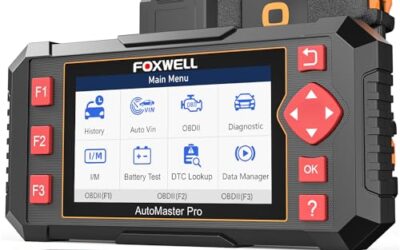
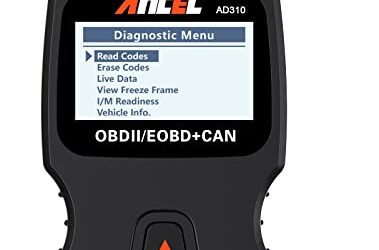
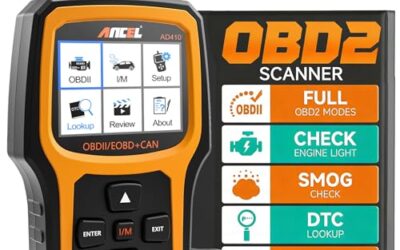
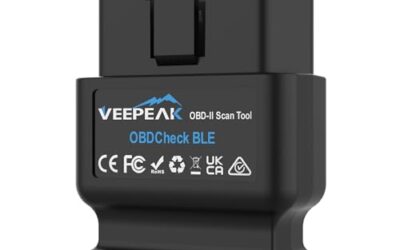
If you need OBD2 scanners for this job, these picks already appear in our OBD2 scanners guides. Check the full guide for fit and who should skip each one.

Pros
- Supports multiple common OBDII protocols, including CAN
- Provides more than basic code reading with live data, freeze-frame, and readiness information
- Powered through the vehicle, so no separate battery or charger is required
- Compact design and 12-ounce weight support portability
Cons
- Limited to emission-related diagnostics
- Requires a vehicle with an OBDII interface and does not diagnose OBDI vehicles, even with an adapter
- Vehicle compatibility should be confirmed before purchase
Specifications
| Color | Black |
|---|---|
| Dimensions | 4.9212598375 x 2.755905509 x 0.8661417314 inches |
| Product Group | Automotive Parts and Accessories |
| Binding | Automotive |
Best For / Avoid If
Best for buyers prioritizing
- Supports multiple common OBDII protocols, including CAN
- Provides more than basic code reading with live data, freeze-frame, and readiness information
- Powered through the vehicle, so no separate battery or charger is required
Consider another option if
- Limited to emission-related diagnostics
- Requires a vehicle with an OBDII interface and does not diagnose OBDI vehicles, even with an adapter
- Vehicle compatibility should be confirmed before purchase

Pros
- Includes live-data graphing and logging for supported OBD2 vehicles
- Offers emissions-readiness, O-2 sensor, and EVAP monitoring functions
- Supports common OBD2 protocols and many 1996-plus US gasoline vehicles
- Does not require a separate charging setup
Cons
- Does not scan ABS, SRS, EPB, A/C, battery, or other non-engine systems
- Compatibility and available functions vary by vehicle year, make, model, and VIN
Specifications
| Color | NT301 OBD2 Scanner |
|---|---|
| Size | NT301 Code Reader |
| Dimensions | 8.66 x 3.15 x 6.69 inches |
| Weight | 0.3527396192 Pounds |
| Product Group | Automotive Parts and Accessories |
| Binding | Automotive |
Best For / Avoid If
Best for buyers prioritizing
- Includes live-data graphing and logging for supported OBD2 vehicles
- Offers emissions-readiness, O-2 sensor, and EVAP monitoring functions
- Supports common OBD2 protocols and many 1996-plus US gasoline vehicles
Consider another option if
- Does not scan ABS, SRS, EPB, A/C, battery, or other non-engine systems
- Compatibility and available functions vary by vehicle year, make, model, and VIN

Pros
- Broad basic OBD2 diagnostic function set
- Built-in code definitions can help explain fault codes
- Supports major protocols including CAN, ISO9141, KWP2000, J1850 VPW and J1850 PWM
- Color display, multilingual support and on-screen code definitions
Cons
- Limited to engine and emission-related codes
- Does not support ABS, SRS, transmission, bidirectional control or service reset functions
- Vehicle compatibility should be checked before purchase
Specifications
| Color | yellow |
|---|---|
| Dimensions | 9 x 6.3 x 1.6 inches |
| Weight | 0.66 Pounds |
| Product Group | Automotive Parts and Accessories |
| Binding | Automotive |
Best For / Avoid If
Best for buyers prioritizing
- Broad basic OBD2 diagnostic function set
- Built-in code definitions can help explain fault codes
- Supports major protocols including CAN, ISO9141, KWP2000, J1850 VPW and J1850 PWM
Consider another option if
- Limited to engine and emission-related codes
- Does not support ABS, SRS, transmission, bidirectional control or service reset functions
- Vehicle compatibility should be checked before purchase
FAQ
Can a seller clear codes right before showing a car?
Yes, code clearing is possible, but a scan cannot establish who did it or why. Incomplete monitors and supported reset-history data can raise questions. Compare those clues with service records and a later scan.
How long does it take for readiness monitors to become ready again?
There is no universal time or distance. Each monitor depends on its own conditions, and vehicle drive-cycle requirements differ. Follow the owner or service information for the specific car.
Can a battery disconnect look like a code clear?
It can. Loss of power may reset diagnostic or readiness information on some vehicles. The scan alone usually cannot distinguish a battery disconnect from a deliberate code clear.
Will a permanent code disappear when someone clears codes?
Not necessarily. On supported vehicles, a permanent code generally remains until the vehicle’s diagnostic system confirms the related fault has been corrected. Its presence alone does not prove the fault is still active.
Sources and further reading
- J1979 E/E Diagnostic Test Modes standard (SAE International): Standard covering diagnostic test modes used in emissions-related vehicle diagnostics.
- Vehicle Emissions Inspection and Maintenance (I/M) (U.S. EPA): Background on state and local vehicle emissions inspection programs.