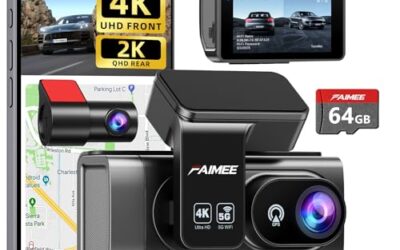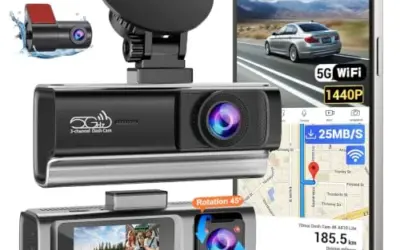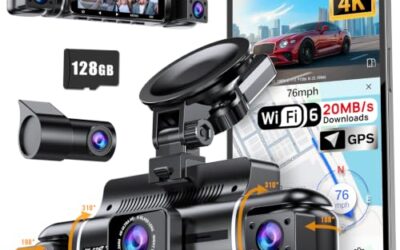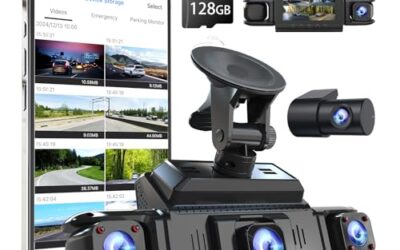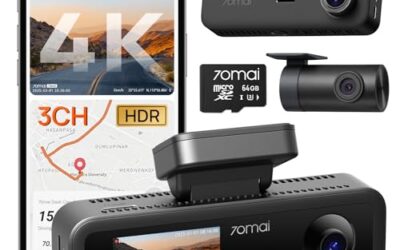

Dash cam footage duration varies based on several key factors including storage capacity, video resolution, frame rate, and recording mode. Generally, dash cams with 64GB of storage can record approximately 1 to 3 hours of continuous 1080p video at 30 frames per second. With loop recording enabled, the dash cam can continue recording indefinitely by overwriting the oldest footage, providing extended coverage for your vehicle. It’s important to understand these variables to ensure you have enough storage for your specific needs and to avoid data loss.
Key takeaways
- The duration of dash cam footage is mainly controlled by the amount of available storage and how efficiently the video is compressed.
- Loop recording is the standard feature that allows dash cams to record continuously without manual intervention.
- Increasing resolution or frame rate will decrease the total recording time.
- Using high-quality memory cards with good endurance ratings ensures longer reliable recording periods.
- Event-based recording modes can significantly extend the effective duration by only recording when motion is detected.
What Determines Dash Cam Footage Length
The length of time a dash cam can record footage is not a fixed number but depends on multiple technical specifications and user settings. The most obvious factor is the storage capacity of the memory card installed in the dash cam. Dash cams commonly use microSD or microSDHC cards, available in sizes ranging from 32GB up to 1TB. Larger capacities allow for longer recording times, but they also cost more and may require compatible devices.
Another critical factor is the video quality settings. Higher resolutions like 1080p or 2K provide clearer images but consume more storage space per second of recording. For example, recording at 1080p 30fps uses about twice as much space as 720p 30fps. The frame rate also plays a role; higher frame rates result in smoother video but faster consumption of storage.
Compression technology is another important aspect. Modern dash cams use codecs such as H.264 or H.265. H.264 is more widely supported and generally more space-efficient, allowing for longer recordings on the same card. H.265 can offer better compression but may require more processing power from the dash cam.
Recording mode is perhaps the most impactful user-configurable factor. Continuous recording records everything all the time, which is great for capturing incidents but uses storage rapidly. In contrast, event-based recording or motion detection only starts recording when the dash cam detects movement or a specific event, such as a sudden acceleration. This mode can extend the recording time dramatically, potentially lasting days or weeks instead of hours.
How to Calculate Dash Cam Footage Duration
To get a precise estimate of how long your dash cam will record, you can use a simple calculation based on the storage capacity and the bitrate of the video stream. The formula is:
Duration (in hours) = (Storage Capacity in GB) / (Video Bitrate in Mbps / 8)
Since 1 GB = 8 * 1024 bits approximately, but for rough estimates, manufacturers often provide tables.
Here’s a useful table for estimating durations at different settings:
| Storage Capacity | Resolution | Frame Rate | Codec | Estimated Continuous Recording Time |
|---|---|---|---|---|
| 64 GB | 1080p | 30 fps | H.264 | 1.5 – 2.5 hours |
| 128 GB | 1080p | 30 fps | H.264 | 3 – 5 hours |
| 256 GB | 1080p | 30 fps | H.264 | 6 – 10 hours |
| 64 GB | 720p | 30 fps | H.264 | 4 – 6 hours |
| 128 GB | 2K | 30 fps | H.265 | 2 – 3.5 hours |
These estimates assume standard conditions and can vary based on the specific dash cam model, temperature, and other factors. Always check the manufacturer’s specifications for the most accurate information.
Factors Influencing Dash Cam Footage Duration
Storage Capacity and Type
The most obvious factor is the storage capacity of the memory card installed in the dash cam. Dash cams commonly use microSD or microSDHC cards, available in sizes ranging from 32GB up to 1TB. Larger capacities allow for longer recording times, but they also cost more and may require compatible devices.
Video Quality Settings
Another critical factor is the video quality settings. Higher resolutions like 1080p or 2K provide clearer images but consume more storage space per second of recording. For example, recording at 1080p 30fps uses about twice as much space as 720p 30fps. The frame rate also plays a role; higher frame rates result in smoother video but faster consumption of storage.
Compression Technology
Compression technology is another important aspect. Modern dash cams use codecs such as H.264 or H.265. H.264 is more widely supported and generally more space-efficient, allowing for longer recordings on the same card. H.265 can offer better compression but may require more processing power from the dash cam.
Recording Mode
Recording mode is perhaps the most impactful user-configurable factor. Continuous recording records everything all the time, which is great for capturing incidents but uses storage rapidly. In contrast, event-based recording or motion detection only starts recording when the dash cam detects movement or a specific event, such as a sudden acceleration. This mode can extend the recording time dramatically, potentially lasting days or weeks instead of hours.
Vehicle Power Supply
Most dash cams are designed for 12V vehicle electrical systems. In vehicles with older alternators or high electrical loads, voltage drops can cause the dash cam to shut off temporarily, potentially leading to incomplete footage or the need for restarts, which might affect the overall recording timeline.
Memory Card Quality
Not all memory cards are created equal. Cards with lower write speeds or limited endurance can fail after a certain number of write cycles, reducing the effective duration. Look for cards rated for at least 10,000 write cycles and U3 or V30 speed ratings.
Firmware and Software Updates
Keeping the dash cam’s firmware updated can optimize recording parameters, sometimes allowing for better compression or more efficient power management, thus extending duration.
Ambient Temperature
Extreme cold or heat can affect the dash cam’s ability to record continuously, as components may throttle performance.
Common Mistakes That Shorten Dash Cam Footage Duration
- Using the lowest video quality settings to “save space” – this often results in blurry footage that is less useful for evidence.
- Disabling loop recording – without it, once the card is full, recording stops, and you must manually delete files, which can lead to gaps in coverage.
- Using inexpensive memory cards – these may not handle the constant writing required for dash cams and can corrupt files or fail prematurely.
- Forgetting to format the memory card after removing it – this can cause file system errors and data corruption.
- Not planning for sufficient storage – choosing a small card expecting it to last a long time, only to find out it fills up quickly.
When to Get Professional Help
If your dash cam is consistently overwriting important footage before you can review it, or if you’re experiencing frequent errors like “card full” messages even when the card has space, it could indicate a problem with the memory card, the dash cam itself, or the installation. In such cases, it’s best to seek help from a professional automotive technician or the dash cam manufacturer’s support team. They can diagnose issues related to power, overheating, or hardware faults that might be causing incomplete or corrupted footage.
Choosing the Right Storage for Your Dash Cam
When selecting a memory card for your dash cam, consider not just capacity but also speed and endurance. A fast card ensures the dash cam can write footage quickly without dropping frames, which is important for maintaining video quality. Endurance ratings indicate how many times the card can be written to before failure. For dash cams that record continuously, a higher endurance rating is crucial to prevent premature failure.
Also, ensure the card is compatible with your dash cam’s slot, usually microSD or microSDXC. Some dash cams have internal storage as an alternative to external cards, which can be useful if you don’t want to swap cards.
Gear that can help
If you need dash cams for this job, these picks already appear in our dash cams guides. Check the full guide for fit and who should skip each one.

Pros
- Provides four-camera coverage around the vehicle
- Includes night vision with eight infrared lights and WDR technology
- Supports time-lapse, loop recording and incident-lock functions
- Offers Wi-Fi app integration for iOS and Android devices
Cons
- GPS tracking requires a separately sold GPS logger
- Parking mode requires a separately sold ACC hardwire kit
Specifications
| Color | Black |
|---|---|
| Size | Compact size |
| Dimensions | 6.5 x 1.8 x 2.5 inches |
| Weight | 0.3125 pounds |
| Product Group | Wireless |
| Binding | Electronics |
Best For / Avoid If
Best for buyers prioritizing
- Provides four-camera coverage around the vehicle
- Includes night vision with eight infrared lights and WDR technology
- Supports time-lapse, loop recording and incident-lock functions
Consider another option if
- GPS tracking requires a separately sold GPS logger
- Parking mode requires a separately sold ACC hardwire kit
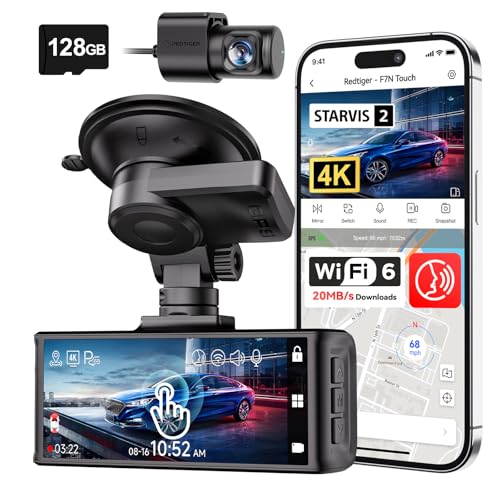
Pros
- High-resolution 4K front and 1080P rear recording
- Multiple control options, including voice commands, touchscreen, and physical buttons
- Built-in GPS and wireless smartphone connectivity
- Includes a 128GB card and supports automatic loop recording
- Includes an 18-month guarantee and 24/7 customer support
Cons
- Parking monitoring requires a separate hardwire kit
- Rear camera resolution is limited to 1080P compared with the 4K front camera
Specifications
| Color | Black |
|---|---|
| Dimensions | 2.362204722 x 1.2598425184 x 3.8188976339 inches |
| Weight | 0.25 pounds |
| Product Group | Wireless |
| Binding | Electronics |
Best For / Avoid If
Best for buyers prioritizing
- High-resolution 4K front and 1080P rear recording
- Multiple control options, including voice commands, touchscreen, and physical buttons
- Built-in GPS and wireless smartphone connectivity
Consider another option if
- Parking monitoring requires a separate hardwire kit
- Rear camera resolution is limited to 1080P compared with the 4K front camera

Pros
- 4K front and 2.5K rear recording
- Built-in GPS and 5GHz WiFi connectivity
- 64GB SD card included
- G-sensor helps preserve impact-related footage
Cons
- Parking monitoring requires a separately sold hardwire kit
- Some Viidure app features, including video speed adjustment and cloud uploads, require membership
Specifications
| Color | Black |
|---|---|
| Size | A13-WiFi+GPS-64GB |
| Dimensions | 19.49999998011 x 6.49999999337 x 10.49999998929 Inches |
| Product Group | Wireless |
| Binding | Electronics |
Best For / Avoid If
Best for buyers prioritizing
- 4K front and 2.5K rear recording
- Built-in GPS and 5GHz WiFi connectivity
- 64GB SD card included
Consider another option if
- Parking monitoring requires a separately sold hardwire kit
- Some Viidure app features, including video speed adjustment and cloud uploads, require membership
FAQ
How long does a dash cam last before the memory fills up?
The duration depends on your settings, but with continuous recording, it can be as short as a few hours on a small card. With loop recording and larger storage, it can last for days or weeks.
Can I extend the duration of dash cam footage?
Yes, you can extend it by increasing storage capacity, reducing video quality, switching to event-based recording, or using more efficient compression codecs.
What is the best way to manage dash cam storage?
Regularly monitor the remaining space, use loop recording to overwrite old footage, format the card properly when needed, and choose high-endurance memory cards.
Does dash cam footage last longer with better compression?
Yes, using codecs like H.264 or H.265 that offer better compression ratios will allow more footage to be stored on the same memory card.
How does the vehicle model affect dash cam recording time?
While the vehicle model itself doesn’t directly change the recording time, factors like electrical system stability can affect the dash cam’s performance. Newer vehicles with better power management tend to provide more consistent recording.