
A dash cam can record locally without an internet connection when its power, storage and recording settings are working. Internet access is a separate requirement for features such as remote cloud viewing on models that support them. A local Wi-Fi connection to a phone is not the same as an internet connection.
Key takeaways
- Local recording works without Wi-Fi or cellular service on most dash cams.
- A microSD card usually stores looping video, event clips, and still images.
- Cloud recording needs Wi-Fi, a phone hotspot, or a built-in cellular connection.
- GPS can work without internet because many units receive signals directly from satellites.
- Parking mode may need a hardwire kit, an always-on outlet, or a separate battery pack.
- Phone apps can connect locally to some cameras without giving the dash cam internet access.
How dash cams record without internet
A basic dash cam receives power from the vehicle and writes video files to local storage. The camera does not need to contact a server before saving footage. It records, closes files at set intervals, and replaces older normal clips when storage fills.
This process is called loop recording. A camera may divide footage into one-, three-, or five-minute files, depending on its settings. Loop recording lets the camera keep operating without manual file deletion. Locked event files usually remain protected from automatic replacement until the card fills or the user removes them.
Local storage creates one major limit: footage stays inside the camera. A lost, damaged, or stolen camera can take its recordings with it. A full, corrupt, incompatible, or worn memory card can also stop recording or create damaged files.
What the camera needs for local recording
- Power: A USB cable, 12-volt adapter, hardwire kit, or battery pack must supply suitable voltage.
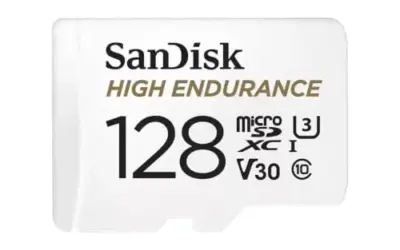
- Storage: The camera must support the card type, capacity, speed class, and file system.
- Camera firmware: Some models need firmware updates for certain cards or features.
- Correct settings: Loop recording, resolution, audio, and parking mode settings affect storage use.
Vehicle compatibility matters at the power connection. A newer vehicle may use USB-C, while an older vehicle may provide a 12-volt accessory socket or USB-A port. Connector shape alone does not prove that a port supplies power after the ignition switches off.
Does a dash cam need internet to use its phone app?
Usually, no. Many dash cams create their own Wi-Fi network. A phone connects directly to that network to view clips, change settings, or download files. This local connection does not give the camera internet access.
During that connection, the phone may temporarily leave its normal home or cellular Wi-Fi path. Some phones show a warning because the camera network has no internet connection. That warning does not mean local camera access has failed.
Phone compatibility can change by operating system. Check whether the camera app supports the phone’s current iOS or Android version. Firmware and app versions can also affect pairing, video downloads, permissions, and live view. Bluetooth may help with setup, but Bluetooth alone usually does not carry high-resolution video as efficiently as Wi-Fi.
Local Wi-Fi versus internet-connected Wi-Fi
| Connection | What it does | Internet required? |
|---|---|---|
| Local camera Wi-Fi | Connects phone directly to dash cam for settings and downloads | No |
| Home or hotspot Wi-Fi | Provides internet access for supported cloud features | Yes |
| Built-in cellular service | Sends data from camera through a mobile network | Yes, plus compatible service |
| GPS reception | Adds location and speed data when supported | No, in normal use |
When a dash cam does need internet
Internet is required when the camera must send information beyond the vehicle. The exact feature set depends on the model, subscription, network hardware, and regional service coverage.
Cloud video backup
Cloud-connected cameras upload selected clips to a remote account. This can protect footage if someone removes the camera or damages the memory card. Upload speed, data limits, service outages, and account status can affect whether a clip reaches the cloud.
Some cameras upload only event clips. Others may support broader remote storage. A paid plan may apply, but terms vary by manufacturer and region. Cloud storage also creates an account and privacy trail, so review retention and sharing controls before enabling it.
Remote live view and alerts
Remote live view needs an internet path from the vehicle to the phone. Motion alerts, impact alerts, parking notifications, and vehicle-location tools also need a way to send data while the car is unattended.
A camera with only local Wi-Fi cannot normally send an alert after the phone leaves its network. A cellular model may do so, but it needs network coverage, an active service plan, and power while parked.
Automatic uploads and remote access
Some systems upload clips when the car reaches a known Wi-Fi network. That can reduce cellular data use, but it does not provide remote access while the vehicle is away from that network. A phone hotspot can provide internet, though battery drain, connection range, and automatic reconnection may limit its value.
Does parking mode need internet?
Parking mode does not always need internet. The camera can detect motion or impacts and save local clips without a network connection. Internet is needed only for remote notifications, cloud uploads, or live viewing.
Parking mode creates a separate power question. A switched accessory outlet may turn off when the vehicle shuts down, so the camera cannot monitor the car for long. A hardwire kit may provide power from an always-on circuit and may include low-voltage protection. A dedicated dash cam battery pack can provide another option.
Hardwiring requires care. Fuse location, circuit behavior, vehicle model-year, battery condition, and installation method can affect operation. Some vehicles monitor electrical loads or use unusual fuse layouts. Follow the camera and vehicle instructions, and use qualified installation help when wiring is unclear.
Does GPS need internet in a dash cam?
GPS normally does not need internet. A GPS receiver listens for signals from satellites and calculates location, time, and sometimes speed. The camera can store that data with video even when the vehicle has no Wi-Fi or cellular service.
Initial satellite lock can take longer in a garage, tunnel, urban canyon, or area blocked by metal or heavy tint. GPS accuracy can vary with reception and the receiver. GPS speed data also may not match the vehicle speedometer exactly, so treat it as recorded context rather than a precision measurement.
Why a dash cam may stop recording offline
An offline camera can still fail. Internet absence is often blamed because the symptom appears after setup, but local hardware and storage problems are more common places to check.
- Bad or unsupported memory card: The camera may freeze, restart, or show missing clips.
- Full protected storage: Too many locked files can prevent loop recording.
- Weak power: A loose connector, failing adapter, or damaged cable can interrupt recording.
- Heat: High cabin temperatures can cause shutdowns or memory errors.
- Incorrect parking settings: A camera may enter a low-power mode that changes recording behavior.
- Firmware or app mismatch: Setup may fail even though the camera can record locally.
- Wrong file system: A card formatted for another device may not work correctly.
Use the camera’s own format function when the instructions call for it. Formatting erases stored footage, so copy needed files first. Test the camera after formatting and check that new clips open on a computer or phone.
How to use a dash cam without internet
- Install compatible local storage. Use a memory card listed for the camera’s capacity and recording speed. High-resolution or dual-camera systems may place greater demands on the card.
- Connect stable power. Use the supplied adapter or a properly installed hardwire kit. Make sure the connector fits and remains secure during driving.
- Set loop recording. Choose a clip length supported by the camera. Shorter clips can make file sharing easier, while longer clips create larger files.
- Set date and time. Some cameras use GPS time, while others rely on manual settings. Correct timestamps help organize an incident.
- Format the card in the camera. Save important footage first because formatting deletes files.
- Test recording offline. Turn off phone Wi-Fi or remove the camera from internet access. Drive or leave the camera powered briefly, then confirm that local files exist.
- Protect important clips. Lock the event file or copy it to a phone, computer, or separate storage device.
For vehicle-specific camera fit, installation, and front-rear coverage questions, see our guides to the best dash cams for Ford Bronco and dash cams for Hyundai Kona.
Common mistakes
- Assuming Wi-Fi means internet. Camera Wi-Fi often creates a local link only.
- Removing a card while recording. This can corrupt files or damage the card’s file system.
- Using phone storage as the main archive. Phone downloads can fail when space, permissions, or Wi-Fi connection limits intervene.
- Leaving every event file locked. Protected files can consume all available storage.
- Expecting cloud access from a local-only camera. Remote viewing needs internet-capable hardware and service.
- Ignoring power after shutdown. A camera cannot provide parking monitoring after its power source turns off.
- Skipping card maintenance. Memory cards wear over time, especially in cameras that write continuously.
When to get professional help
Get help when installation requires access to fuse panels, airbag areas, headliner wiring, or vehicle-specific electrical circuits. Stop using a cable that becomes hot, smells burnt, or shows melted insulation.
Professional diagnosis also makes sense when a camera repeatedly resets with a known-good power source and compatible card. The fault may involve the camera, adapter, vehicle outlet, hardwire circuit, or battery. A technician can test those parts without guessing.
Check vehicle model-year differences before hardwiring. Connector types, fuse layouts, accessory-power behavior, and battery management can vary within one vehicle name. A camera’s regional cellular service may also fail after a network change, even when local recording continues.
Before you buy, it is worth reading How To Check Dash Cam Firmware Version.
Before you buy, it is worth reading Best Dash Cam With Multiple Cameras.
Gear that can help
If you need dash cams for this job, these picks already appear in our dash cams guides. Check the full guide for fit and who should skip each one.

Pros
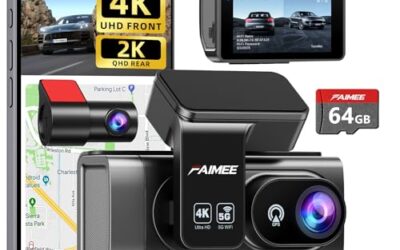
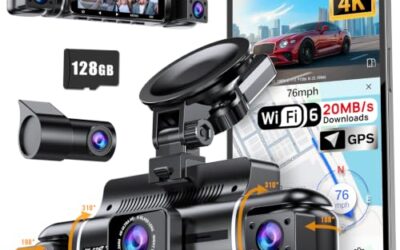
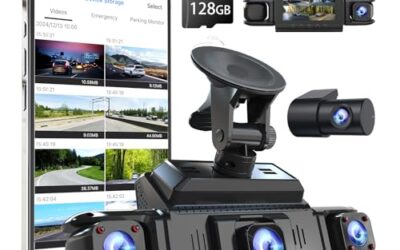
- Four-camera coverage records the front, rear, and both sides of the vehicle
- A 64GB memory card is included for immediate recording
- GPS and 5GHz Wi-Fi support app-based video management and location tracking
- The G-sensor automatically locks footage when sudden shakes or collisions are detected
Cons
- The parking monitoring function requires a separately purchased hardwire kit
Specifications
| Color | Gold |
|---|---|
| Dimensions | 1.5 x 2.2 x 6.3 inches |
| Product Group | Electronics |
Best For / Avoid If
Best for buyers prioritizing
- Four-camera coverage records the front, rear, and both sides of the vehicle
- A 64GB memory card is included for immediate recording
- GPS and 5GHz Wi-Fi support app-based video management and location tracking
Consider another option if
- The parking monitoring function requires a separately purchased hardwire kit

Pros
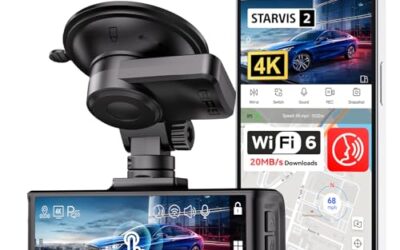
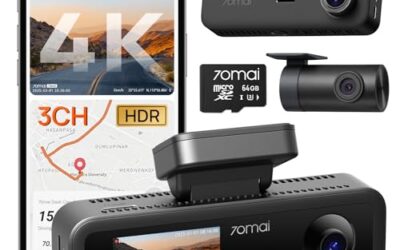
- High-resolution 4K front and 1080P rear recording
- STARVIS 2 sensor with WDR and HDR features for varied lighting conditions
- Supercapacitor design is specified as more heat-resistant than a lithium battery
- Includes an 18-month warranty and customer support
Cons
- A hardwire kit is needed for the listed parking modes
Specifications
| Color | black |
|---|---|
| Size | F7NP-128GB SD Card |
| Dimensions | 3.7401574765 x 1.46062991977 x 0.79133858187 inches |
| Weight | 0.25 Pounds |
| Product Group | Electronics |
| Binding | Electronics |
Best For / Avoid If
Best for buyers prioritizing
- High-resolution 4K front and 1080P rear recording
- STARVIS 2 sensor with WDR and HDR features for varied lighting conditions
- Supercapacitor design is specified as more heat-resistant than a lithium battery
Consider another option if
- A hardwire kit is needed for the listed parking modes
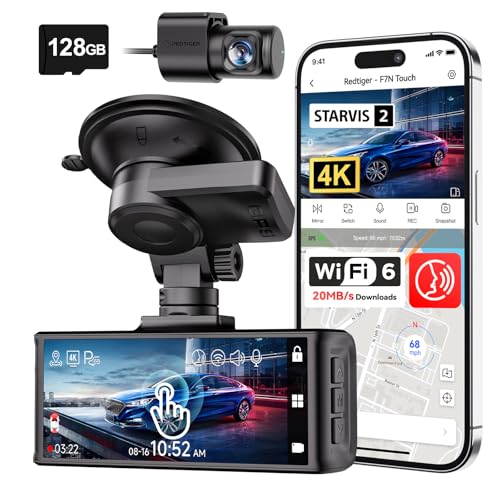
Pros
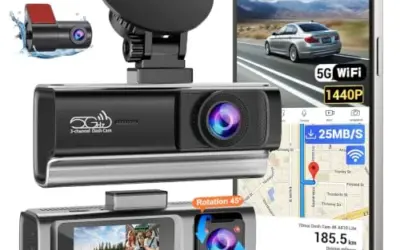
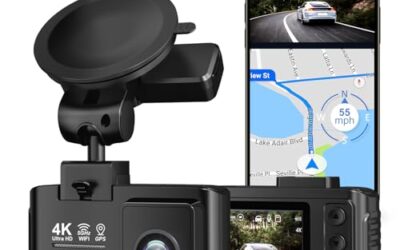
- High-resolution 4K front and 1080P rear recording
- Multiple control options, including voice commands, touchscreen, and physical buttons
- Built-in GPS and wireless smartphone connectivity
- Includes a 128GB card and supports automatic loop recording
- Includes an 18-month guarantee and 24/7 customer support
Cons
- Parking monitoring requires a separate hardwire kit
- Rear camera resolution is limited to 1080P compared with the 4K front camera
Specifications
| Color | Black |
|---|---|
| Dimensions | 2.362204722 x 1.2598425184 x 3.8188976339 inches |
| Weight | 0.25 pounds |
| Product Group | Wireless |
| Binding | Electronics |
Best For / Avoid If
Best for buyers prioritizing
- High-resolution 4K front and 1080P rear recording
- Multiple control options, including voice commands, touchscreen, and physical buttons
- Built-in GPS and wireless smartphone connectivity
Consider another option if
- Parking monitoring requires a separate hardwire kit
- Rear camera resolution is limited to 1080P compared with the 4K front camera
FAQ
Can a dash cam record with Wi-Fi turned off?
Yes. Local recording normally continues when Wi-Fi is off. Phone control, cloud uploads, and some remote features stop or become unavailable.
Can I use a dash cam in an area without cell service?
Yes, if the camera records to local storage. Cellular coverage matters for cloud uploads, remote alerts, and live viewing, not basic local recording.
Can I connect my phone to a dash cam without internet?
Usually. The camera may create its own local Wi-Fi network. Your phone can view or download clips without routing that connection through the internet.
Will a dash cam record while parked without internet?
It can, if parking mode has power and the camera supports local event recording. A switched outlet may stop supplying power after shutdown.
Does cloud storage replace a memory card?
Not always. Some cameras require local storage for normal operation, while others combine local clips with cloud copies. Cloud uploads also depend on power, network service, account access, and storage rules.