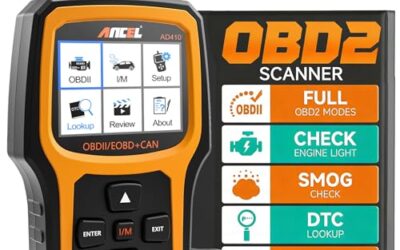
Can OBD2 show mileage accurately? Sometimes, but not from every vehicle or every scanner. OBD2 may display odometer data stored in the instrument cluster, body control module, engine computer, or another module, yet that value can differ from the dashboard and cannot prove the vehicle’s true mileage by itself.
Key takeaways
- Basic OBD2 code readers usually do not show odometer mileage.
- Advanced scan tools may read mileage from one or more vehicle modules.
- Dashboard mileage usually comes from the instrument cluster, not the generic OBD2 emissions data stream.
- Different modules can hold different mileage values after replacement, repair, or tampering.
- OBD2 mileage checks work only when the vehicle, module, software, and scanner support that data.
- A mileage reading cannot prove a vehicle has never been rolled back.
What mileage can OBD2 read?
OBD2 is a vehicle diagnostic system, not a single mileage database. The standard gives diagnostic equipment access to certain emissions and fault data through the vehicle’s diagnostic connector. Odometer data falls outside the basic information available from every OBD2-equipped vehicle.
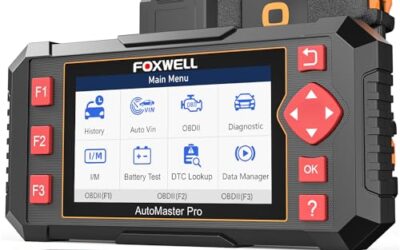
Some vehicles store mileage in the instrument cluster. Others also record mileage in the body control module, engine control module, transmission module, airbag module, or immobilizer system. A professional scan tool may access several of these modules through manufacturer-specific software.
That creates an important difference between reading mileage and verifying mileage. A scanner reads the value that a module reports. It does not automatically prove that value matches the vehicle’s original distance traveled.
Why basic OBD2 readers usually cannot show mileage
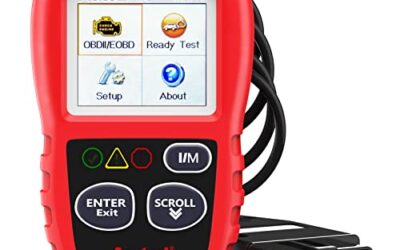
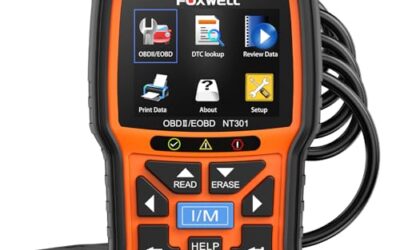
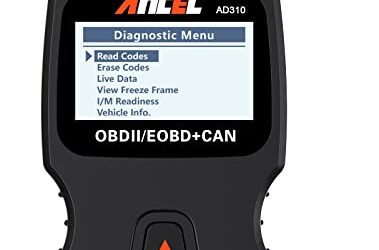
Generic OBD2 tools focus on emissions-related diagnostics. They read powertrain trouble codes, freeze-frame data, readiness monitors, and live data supported by the vehicle’s standard diagnostic modes.
The generic service usually does not include odometer access. A low-cost code reader may connect through the same 16-pin J1962 connector, but connector access does not mean access to every vehicle module.
Phone apps face the same limit. An app using a Bluetooth or Wi-Fi adapter can display only data that the vehicle and adapter expose. Android and iPhone compatibility affects the app connection, but phone OS support cannot add mileage data that the vehicle does not send.
Read more about the difference between basic and advanced tools in this guide to advanced OBD2 scanners.
When an advanced scanner can show mileage
An advanced scanner may show odometer information after it enters the correct vehicle system. The process often requires selecting the model year, make, model, engine, region, and sometimes a specific control module.
Coverage varies by vehicle. A scanner may read the instrument cluster on one model, retrieve stored mileage from several modules on another, and show no mileage data on a third.
Software matters as much as hardware. A tool may support the vehicle’s engine codes but lack special functions for the cluster or body module. Firmware updates can add vehicle coverage, but they cannot guarantee access across every model year.
Vehicle voltage also matters. Low battery voltage during a scan can interrupt communication or cause modules to stop responding. Connect the scanner with the ignition in the position required by its instructions. Do not disconnect a module or interrupt programming while a tool performs a coding or update function.
Where mileage data may exist
| Vehicle location | What it may show | Why it may differ |
|---|---|---|
| Instrument cluster | Displayed odometer value | Cluster replacement, coding error, or altered stored value |
| Body control module | Vehicle configuration and mileage records on some models | Module replacement or incomplete setup |
| Engine control module | Stored distance or mileage-related operating records on some vehicles | Module swap, software limits, or partial data |
| Transmission module | Operating history or mileage-related records on some vehicles | Replacement transmission or module mismatch |
| Airbag or safety module | Crash-event mileage on supported vehicles | Module replacement, erased event data, or limited access |
These locations do not use one universal storage method. A vehicle’s model year, market region, network design, and repair history affect which modules retain mileage records.
Does OBD2 mileage match the dashboard?
It may match, but no rule requires every accessible module to show the same value. On some vehicles, the dashboard receives mileage from the cluster and other modules never store it. On others, several modules exchange or retain mileage data.
A small difference can result from data format or module timing. A larger difference needs investigation. Possible causes include a replaced instrument cluster, used control module, incomplete programming, communication failure, or deliberate odometer alteration.
Some scan tools label a value as mileage even when it represents distance recorded during a specific operating period. Read the data label and module name before treating the number as the vehicle odometer.
How to check mileage with an OBD2 scanner
- Identify vehicle details. Record model year, make, model, engine, transmission, and sales region. Coverage can change between nearby model years and market versions.
- Check tool capability. Look for instrument cluster, body control, maintenance, special function, or manufacturer-specific access. Generic powertrain code support is not enough.
- Prepare the vehicle. Use a healthy 12-volt battery. Follow the scanner instructions for ignition position, engine status, and connection order.
- Run an automatic vehicle scan. Save the module list and fault codes before clearing anything. Clearing codes removes diagnostic evidence and does not repair a fault.
- Open the instrument cluster module. Look for odometer, distance, service history, or identification data. Labels vary by manufacturer.
- Scan other available modules. Compare mileage-related values in the body, engine, transmission, airbag, and immobilizer systems when supported.
- Record differences. Save screenshots or reports with module names, dates, and mileage values. Keep the dashboard reading separate from module readings.
- Compare outside records. Review service invoices, inspection records, title history, registration documents, and prior sale paperwork.
Do not write new mileage into a cluster or module unless the repair procedure, legal rules, and vehicle documentation support it. Mileage programming can create a serious record problem when performed incorrectly.
What an OBD2 mileage check can and cannot prove
A matching dashboard and module reading supports consistency at the time of inspection. It does not prove that the vehicle always displayed that value. A person could alter mileage before a scan, replace several modules, or use equipment that changes stored records.
A mismatch is a warning sign, not automatic proof of fraud. A repair facility may have installed a replacement cluster. A dealer or manufacturer may have programmed a module during a repair. Some modules may retain old data after replacement.
Strong mileage verification uses several records. Compare the scanner report with maintenance history, inspection records, tire dates, brake wear, vehicle history reports, and physical wear. No single clue settles the question in every case.
Vehicle age and OBD2 compatibility limits
In the United States, OBD2 coverage began with passenger vehicles in the 1996 model year, but supported functions vary. A vehicle can have an OBD2 connector and still restrict access to mileage data.
Older vehicles may use manufacturer-specific communication methods. Newer vehicles may use CAN networks, gateway modules, secure diagnostic access, or subscription-based functions. A scan tool may need special authorization to reach protected modules.
European, Asian, and North American versions of the same model can use different software and module layouts. A scanner sold for US vehicles may not support every regional variant. Vehicle battery voltage, connector condition, network faults, and firmware version can also affect access.
Common mistakes
- Assuming the connector gives full access. The 16-pin connector carries diagnostic communication, but module access depends on software and vehicle design.
- Using a basic code reader for a mileage audit. Most basic readers target powertrain faults, not cluster data.
- Treating one number as proof. One module can contain an incorrect, old, or incomplete value.
- Ignoring module names. Distance in an engine module may not equal the odometer reading.
- Clearing codes before saving data. Erased codes and freeze-frame records can remove useful clues.
- Scanning with weak voltage. Low voltage can interrupt communication and produce incomplete results.
- Assuming a phone app adds vehicle coverage. The app can display only data exposed by the adapter, software, and vehicle.
- Programming mileage without records. An incorrect write can create a new discrepancy or violate local rules.
When to get professional help
Use a qualified automotive diagnostic technician when module readings conflict, the cluster was replaced, the vehicle has a salvage history, or a seller cannot explain a mileage difference.
Professional equipment may access manufacturer-specific modules that consumer tools cannot reach. A technician can also check communication faults, programming history, module identification numbers, and stored event records.
Ask for a written report that identifies each scanned module and each mileage-related value. Keep the report with purchase documents or repair records.
For deeper diagnostic tool coverage, see CarTechTalk’s guide to professional car diagnostic tools. Readers comparing live data functions can also review OBD2 scanners for live data and fuel trim.
Gear that can help
If you need OBD2 scanners for this job, these picks already appear in our OBD2 scanners guides. Check the full guide for fit and who should skip each one.

Pros
- Includes code reading, code clearing, live data, freeze-frame, I/M readiness, and vehicle information functions
- Supports VIN, Calibration ID, and Calibration Verification Number retrieval
- Lists compatibility with post-1996 US-based, post-2006 EU-based, and post-2009 Asian-based OBDII vehicles
- Offers a built-in DTC definition database and support for six languages
- Includes a stated five-year warranty
Cons
- The display is described as a two-line LCD screen, which may provide less viewing space than larger scan-tool displays
Specifications
| Color | Blue |
|---|---|
| Dimensions | 9.79921258843 x 6.692913379 x 1.57874015587 inches |
| Product Group | Automotive Parts and Accessories |
| Binding | Unknown Binding |
Best For / Avoid If
Best for buyers prioritizing
- Includes code reading, code clearing, live data, freeze-frame, I/M readiness, and vehicle information functions
- Supports VIN, Calibration ID, and Calibration Verification Number retrieval
- Lists compatibility with post-1996 US-based, post-2006 EU-based, and post-2009 Asian-based OBDII vehicles
Consider another option if
- The display is described as a two-line LCD screen, which may provide less viewing space than larger scan-tool displays

Pros
- Supports iPhone, Android, and Windows devices
- Works with a range of named diagnostic applications
- Offers enhanced OEM support for several vehicle brands
- Includes protection against over-voltage and battery drain
Cons
- Vehicle compatibility and available features should be confirmed in the troubleshooting guide before purchase
Specifications
| Color | Black |
|---|---|
| Size | Small |
| Dimensions | 2.0078740137 x 0.9055118101 x 1.8110236202 Inches |
| Weight | 0.06172943336 pounds |
| Product Group | Automotive Parts and Accessories |
| Binding | Automotive |
Best For / Avoid If
Best for buyers prioritizing
- Supports iPhone, Android, and Windows devices
- Works with a range of named diagnostic applications
- Offers enhanced OEM support for several vehicle brands
Consider another option if
- Vehicle compatibility and available features should be confirmed in the troubleshooting guide before purchase

Pros
- Supports multiple diagnostic functions beyond basic code reading
- No batteries are needed for operation
- Offers seven language options, including English, French, and Spanish
- Designed with a plug-and-play interface for end users and DIYers
Cons
- The listing does not identify all seven supported languages
Specifications
| Color | OBD2 Scanner |
|---|---|
| Size | AL319 |
| Dimensions | 4.61 x 2.83 x 0.71 inches |
| Weight | 0.39021820374 Pounds |
| Product Group | Automotive Parts and Accessories |
| Binding | Automotive |
Best For / Avoid If
Best for buyers prioritizing
- Supports multiple diagnostic functions beyond basic code reading
- No batteries are needed for operation
- Offers seven language options, including English, French, and Spanish
Consider another option if
- The listing does not identify all seven supported languages
FAQ
Can a cheap OBD2 scanner read odometer mileage?
Usually not. Basic readers normally handle standard powertrain codes and live data. Odometer access often requires advanced, manufacturer-specific module support.
Can an OBD2 scan detect mileage rollback?
It can reveal mismatched values or unusual module records on supported vehicles. It cannot prove rollback by itself because records may change during module replacement or programming.
Why does scanner mileage differ from dashboard mileage?
The values may come from different modules. Cluster replacement, incomplete coding, used modules, communication faults, or altered records can create differences.
Does clearing codes erase mileage?
Normal code clearing usually targets diagnostic trouble codes and readiness data, not the dashboard odometer. It can still remove useful fault history, so save a report first.
Can a Bluetooth OBD2 adapter show mileage?
Only when its app, firmware, adapter protocol, and vehicle support the required module data. Bluetooth connection alone does not provide odometer access.
Sources and further reading
- J1962 Diagnostic Connector standard (SAE International): Connector requirements used for vehicle diagnostic equipment.
- J1979 E/E Diagnostic Test Modes standard (SAE International): Standard diagnostic test modes and data access concepts.