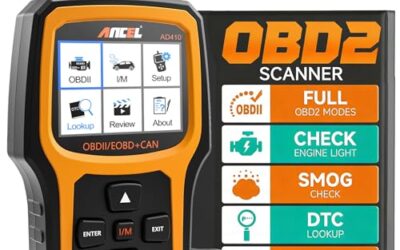
Low battery voltage can cause temporary or secondary OBD2 fault codes and communication problems. It does not prove that every stored code came from the battery. Check battery and charging-system condition alongside the wiring and circuit identified by each code.
Key takeaways
- Low voltage can trigger communication, sensor, actuator, and network codes.
- A weak battery often causes problems during engine cranking, when voltage drops sharply.
- An alternator fault can create low voltage while the engine runs.
- Scan codes before clearing them. Record module, code number, status, and freeze-frame data.
- Charging voltage varies by vehicle, engine speed, temperature, and battery-management strategy.
- Fix the power problem before deciding that a code needs parts replacement.
How low voltage creates OBD2 codes
Vehicle control modules need stable electrical power. The engine control module, transmission module, ABS module, airbag module, body module, and gateway module each monitor their own power supply. They also exchange data across vehicle networks such as CAN.
During a weak-battery event, voltage can fall below a module’s operating range. The module may reset, stop communicating, read sensor values incorrectly, or record an internal power fault. Other modules may then record lost-communication codes because one module disappeared from the network.
Low voltage can also affect electric motors, solenoids, relays, and reference circuits. A throttle actuator, variable-valve-timing solenoid, fuel pump controller, or ABS pump may fail its self-test when available voltage falls. The resulting code can point toward that component even though unstable power caused the event.
Code behavior depends on vehicle model-year, module software, battery type, and network design. A 12-volt gasoline vehicle, a hybrid, and a 48-volt mild hybrid can react differently. High-voltage hybrid and EV systems require separate safety procedures.
Which OBD2 codes can low voltage cause?
No single code proves low battery voltage. The code description and test conditions matter. A scan may show one power-supply code or a long list of unrelated codes after one failed start.
| Code pattern | Possible voltage link | What to check |
|---|---|---|
| Low-voltage or module-power code | Battery discharge, poor connection, or charging fault | Battery state, terminals, grounds, fuses, and charging output |
| Lost-communication code | Module reset or network interruption | Battery voltage, module power, grounds, network wiring, and gateway operation |
| Multiple unrelated sensor codes | Shared reference or supply voltage disturbed | Power feeds, grounds, reference circuits, and code timing |
| ABS, airbag, or body-module code | Low voltage during startup or a module self-test | Battery condition and the module’s specific diagnostic procedure |
| Engine misfire or fuel-system code | Possible voltage-related actuator or sensor error | Voltage history, engine symptoms, fuel, ignition, and live data |
Common examples include U-codes for communication loss, B-codes for body systems, C-codes for chassis systems, and P-codes for powertrain systems. Code families vary by vehicle. A generic OBD2 scanner may show only emissions-related P-codes on many 1996 and newer US vehicles. It may not access ABS, airbag, transmission, or body modules.
Battery voltage readings that help diagnosis
A resting-voltage reading gives useful clues, but it does not replace a battery load test. Let the vehicle sit with the ignition off for several hours before checking resting voltage. Surface charge can make a recently driven or recently charged battery look healthier than it is.
- A fully charged conventional 12-volt battery often measures near 12.6 volts at rest.
- A reading near 12.2 volts suggests partial discharge.
- A reading near 12.0 volts indicates heavy discharge.
- A reading well below 12 volts calls for charging and battery testing before code diagnosis.
These values are guides, not universal pass or fail limits. Battery temperature, age, chemistry, and recent charging change the reading. AGM batteries and vehicles with battery-management systems may need the correct test mode and replacement registration.
Cranking voltage matters more than resting voltage for many starting faults. A battery can show acceptable resting voltage yet drop too far while the starter operates. Use a meter that records minimum voltage, or have the battery tested with equipment suitable for its battery type. The vehicle manual or service information supplies the proper test limits.
Can a weak battery cause a check engine light?
Yes. A weak battery can cause a check engine light when engine control voltage falls during cranking or while the engine runs. The light may turn off after several successful drive cycles if the fault does not return. Some vehicles keep the code stored even after the light turns off.
A check engine light that appears with hard starting, a slow starter, flickering displays, clock resets, or several warning lights points toward a power problem. A light paired with steady misfire, overheating, fuel pressure loss, or repeated code return needs separate diagnosis.
Do not treat a low-voltage code as proof that the battery itself failed. Loose terminals, a corroded ground strap, a damaged fuse connection, a failing alternator, or a belt problem can create the same symptom.
How to diagnose voltage-related OBD2 codes
- Record codes before repair. Connect a scanner with the ignition state required by its instructions. Save stored, pending, and permanent codes. Record freeze-frame data, module names, and battery-voltage data if available.
- Check the symptom timeline. Note whether codes appeared after a dead battery, jump-start, battery replacement, vehicle storage, or difficult starting. Timing supports a voltage theory but does not confirm it.
- Inspect battery connections. Look for loose clamps, corrosion, damaged cables, and poor ground connections. Turn the ignition off before cleaning or tightening connections. Follow the vehicle manual for battery-disconnect precautions because some vehicles need memory retention or post-repair initialization.
- Measure resting voltage. Test directly at the battery posts, not only at remote terminals. Compare the result with the battery maker’s test guidance and vehicle service information.
- Test cranking voltage. Watch the lowest voltage while the starter operates. Excessive voltage drop can come from a weak battery, high-resistance cables, starter load, or poor grounds.
- Check charging voltage. Measure with the engine running under the conditions specified by the vehicle maker. Modern vehicles may vary alternator output instead of holding one fixed voltage. Test with lights, blower, rear defogger, and other loads only when the service procedure calls for it.
- Scan again after the power issue is fixed. Repair or charge the battery system first. Then check whether codes return during the same operating conditions.
- Diagnose remaining codes by circuit. A returning sensor, misfire, network, or actuator code needs its own tests. Check wiring, connectors, grounds, data, and component operation before replacing parts.
Use a charger suitable for the vehicle’s battery chemistry. Some vehicles need battery registration, power-window relearning, steering-angle calibration, throttle relearning, or radio-code recovery after battery service. Model-year and equipment level can change the required steps.
When low voltage is not the main cause
A code that returns immediately with stable power usually needs deeper testing. For example, one oxygen-sensor heater code may come from an open heater circuit, blown fuse, damaged wiring, or failed sensor. Low voltage can trigger the code, but repeated return under normal voltage points toward the monitored circuit.
Misfire codes also need caution. A weak battery may disturb startup, but a recurring misfire can damage the catalytic converter. Check ignition, fuel delivery, compression, intake leaks, and engine timing as appropriate.
Communication codes can remain after a battery event because modules lost learned settings or because a separate network fault exists. Inspect fuses and module grounds. Check for water intrusion, aftermarket wiring, damaged connectors, and a module that fails to wake up.
Should you clear OBD2 codes after fixing low voltage?
Clearing codes can remove old records, but it does not repair a fault. It also resets many emissions readiness monitors. A vehicle may need several normal drive cycles before monitors run again, and local inspection rules can reject a vehicle with too many monitors incomplete.
Save the original scan first. Repair the power problem, then clear codes only when the diagnostic plan calls for it. Rescan and watch for returning codes. If the check engine light flashes, stop driving unless a qualified technician gives different instructions because an active severe misfire may damage emissions equipment.
Common mistakes
- Replacing the battery based on codes alone. Test battery capacity, connections, and charging output.
- Reading voltage at the wrong point. A remote jump post can hide resistance between that point and the battery.
- Assuming 14 volts is always correct. Smart charging systems vary output by load, temperature, battery state, and operating mode.
- Clearing codes before recording them. This removes freeze-frame clues and may erase useful diagnostic history.
- Using a basic scanner for every module. OBD2 coverage differs by tool, vehicle, model-year, and software. See the guide to OBD2 scanners for advanced vehicle use for access limits.
- Replacing a sensor after one low-voltage event. Confirm stable power and check whether the code returns.
- Ignoring battery-management systems. Some vehicles require the replacement battery to be registered or coded.
When to get professional help
Get professional help when the vehicle will not maintain charging voltage, stalls, loses multiple modules, or shows airbag, ABS, steering, or hybrid-system faults. These systems can affect vehicle control and occupant protection.
Use a repair facility with vehicle-specific scan access when generic code data cannot identify the failed module. A professional may need wiring diagrams, a lab scope, voltage-drop tests, network testing, or manufacturer-level software.
Do not probe orange high-voltage wiring on a hybrid or EV. Follow the vehicle service procedure and use a technician trained for that system. For battery testing and charging questions, the battery chargers and testers guide explains where basic tools stop and vehicle-specific testing begins.
If you are still comparing options, see OBD2 Scanner Buying Guide for Beginners.
Gear that can help
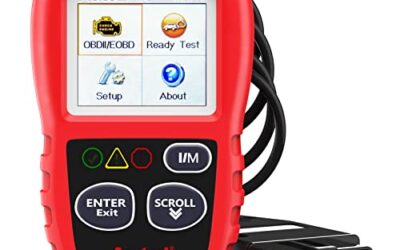
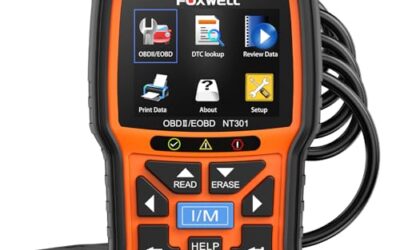
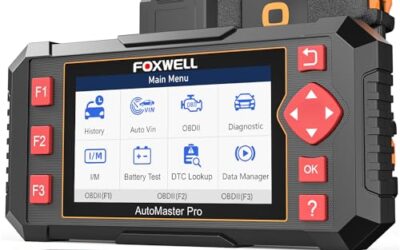
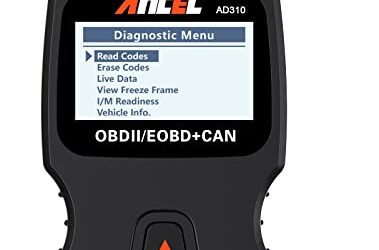
If you need OBD2 scanners for this job, these picks already appear in our OBD2 scanners guides. Check the full guide for fit and who should skip each one.

Pros
- Supports check-engine code reading and clearing
- Provides live data features including engine speed, vehicle speed, coolant temperature, and calculated load value
- Includes a 2.5-foot cable and six-button control layout
- Compact 6.02 x 2.75 x 0.91-inch design
Cons
- Does not support ABS, airbag, oil service light, or other non-OBDII systems
- Vehicle compatibility is described as supporting most applicable vehicles rather than every vehicle
- Requires connection to a vehicle’s OBDII port for power
Specifications
| Color | Yellow |
|---|---|
| Size | Portable |
| Dimensions | 6.02 x 2.75 x 0.91 inches |
| Weight | 0.6375 Pounds |
| Product Group | Automotive Parts and Accessories |
| Binding | Automotive |
Best For / Avoid If
Best for buyers prioritizing
- Supports check-engine code reading and clearing
- Provides live data features including engine speed, vehicle speed, coolant temperature, and calculated load value
- Includes a 2.5-foot cable and six-button control layout
Consider another option if
- Does not support ABS, airbag, oil service light, or other non-OBDII systems
- Vehicle compatibility is described as supporting most applicable vehicles rather than every vehicle
- Requires connection to a vehicle’s OBDII port for power

Pros
- Includes code reading, code clearing, live data, freeze-frame, I/M readiness, and vehicle information functions
- Supports VIN, Calibration ID, and Calibration Verification Number retrieval
- Lists compatibility with post-1996 US-based, post-2006 EU-based, and post-2009 Asian-based OBDII vehicles
- Offers a built-in DTC definition database and support for six languages
- Includes a stated five-year warranty
Cons
- The display is described as a two-line LCD screen, which may provide less viewing space than larger scan-tool displays
Specifications
| Color | Blue |
|---|---|
| Dimensions | 9.79921258843 x 6.692913379 x 1.57874015587 inches |
| Product Group | Automotive Parts and Accessories |
| Binding | Unknown Binding |
Best For / Avoid If
Best for buyers prioritizing
- Includes code reading, code clearing, live data, freeze-frame, I/M readiness, and vehicle information functions
- Supports VIN, Calibration ID, and Calibration Verification Number retrieval
- Lists compatibility with post-1996 US-based, post-2006 EU-based, and post-2009 Asian-based OBDII vehicles
Consider another option if
- The display is described as a two-line LCD screen, which may provide less viewing space than larger scan-tool displays

Pros
- Supports iPhone, Android, and Windows devices
- Works with a range of named diagnostic applications
- Offers enhanced OEM support for several vehicle brands
- Includes protection against over-voltage and battery drain
Cons
- Vehicle compatibility and available features should be confirmed in the troubleshooting guide before purchase
Specifications
| Color | Black |
|---|---|
| Size | Small |
| Dimensions | 2.0078740137 x 0.9055118101 x 1.8110236202 Inches |
| Weight | 0.06172943336 pounds |
| Product Group | Automotive Parts and Accessories |
| Binding | Automotive |
Best For / Avoid If
Best for buyers prioritizing
- Supports iPhone, Android, and Windows devices
- Works with a range of named diagnostic applications
- Offers enhanced OEM support for several vehicle brands
Consider another option if
- Vehicle compatibility and available features should be confirmed in the troubleshooting guide before purchase
FAQ
Can low battery voltage cause multiple OBD2 codes?
Yes. One voltage drop can reset several modules and create power, communication, sensor, and actuator codes. Record all codes, repair the power fault, then check which codes return.
Will a new battery remove OBD2 codes?
No. A new battery may stop new voltage-related codes, but stored codes remain until they are cleared or expire under the vehicle’s logic. Other faults need separate repair.
Can low alternator output cause OBD2 codes?
Yes. An alternator, belt, regulator, cable, fuse, or ground problem can lower system voltage while the engine runs. Test charging output and voltage drop under the vehicle’s specified conditions.
Can a jump-start create codes?
Yes. A jump-start can involve a deep battery discharge, voltage disturbance, reversed connection, or poor clamp contact. If codes appear afterward, scan before clearing and check the battery system.
Does clearing codes fix a low-voltage problem?
No. Clearing removes stored diagnostic information. It does not repair a weak battery, charging fault, cable problem, or failed module.
Sources and further reading
- J1962 Diagnostic Connector standard (SAE International): Connector requirements for vehicle diagnostic equipment.
- J1979 E/E Diagnostic Test Modes standard (SAE International): Standard diagnostic services and data used by OBD systems.