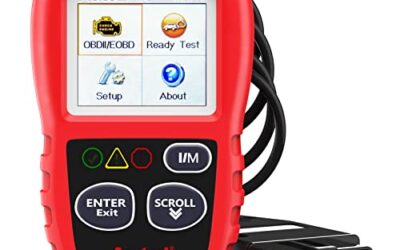
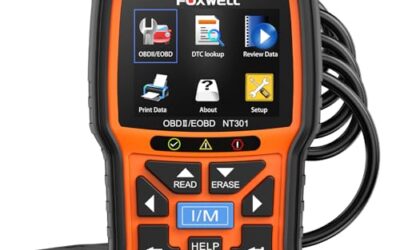
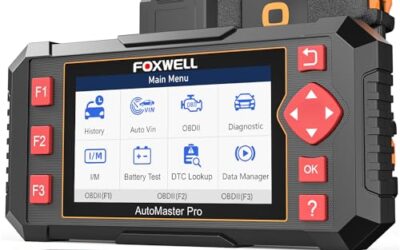
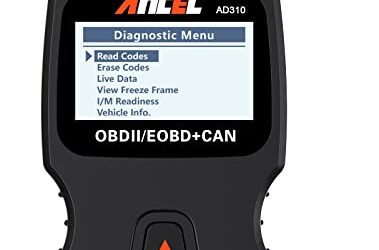
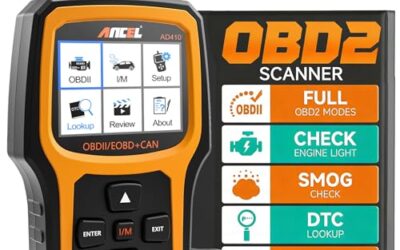
Can a basic obd2 scanner read abs codes? Usually no. Most basic OBD2 scanners communicate with the engine computer for emissions-related faults, while ABS codes live in a separate brake control module.
Some advanced scan tools can read ABS, airbag, transmission, and body-control modules. Coverage depends on vehicle make, model year, diagnostic connector, scan-tool software, and the tool’s supported communication protocols. A scanner that reads ABS on one vehicle may only read engine codes on another.
Key takeaways
- Basic code readers usually access powertrain and emissions data only.
- ABS codes require electronic access to the ABS or brake control module.
- A lit ABS warning can exist without a check-engine light.
- Generic P-codes differ from chassis C-codes and manufacturer-specific faults.
- Clearing an ABS code does not repair the brake system.
- Model year, vehicle brand, phone OS, firmware, and regional coverage can change scanner results.
Why basic OBD2 scanners often miss ABS codes
OBD2 became widely required for emissions diagnostics on vehicles sold in the United States. Its basic functions focus on the powertrain, including engine and emissions systems. A low-cost reader normally connects to the vehicle through the 16-pin diagnostic connector and requests generic emissions data.
The ABS module uses the same vehicle connector in many cars, but connector access does not guarantee module access. The scanner must know how to address that module, interpret its data, and display its fault codes. Basic readers often lack that software and communication support.
ABS faults commonly use chassis code families, such as C-codes. A basic reader may show no fault even while the ABS warning remains on. It may also report that no powertrain codes exist, which says nothing about the condition of the brake control system.
What scanner reads ABS codes?
A scanner needs one or more of these capabilities:
- ABS or brake-module selection in its vehicle menu.
- Coverage for the exact vehicle make, model, year, and market.
- Communication support for the vehicle’s ABS controller.
- Software that can read and interpret chassis codes.
- Power to run an active test or view live wheel-speed data, when supported.
Some tools use a wired cable and internal software. Others connect through Bluetooth or Wi-Fi to a phone app. A wireless adapter can read ABS only if both adapter and app support the vehicle’s brake module. Phone compatibility also matters. An app may support iOS but not Android, or require a current operating system and updated firmware.
Vehicle coverage differs by model year. A tool may support ABS on a 2018 sedan but lack coverage for a 2012 version of the same model. Vehicle updates can also change module communication. Read the scanner’s coverage list by exact vehicle, not only by brand.
Basic OBD2 scanner versus ABS-capable scanner
| Capability | Basic OBD2 scanner | ABS-capable scan tool |
|---|---|---|
| Engine and emissions codes | Usually supported | Usually supported |
| ABS module access | Usually unavailable | Supported for listed vehicles |
| Airbag module access | Usually unavailable | May be supported |
| Generic P-codes | Common | Common |
| Chassis C-codes | Often unavailable | Supported when covered |
| Live wheel-speed data | Rare | May be available |
| ABS bleeding or special functions | Unavailable | Only on tools with that vehicle function |
This table shows general tool categories, not a guarantee for every model. Product names such as “full system” or “professional” do not prove ABS support for a specific vehicle. The coverage menu and software version matter more than the label.
How to check whether your scanner can read ABS
- Identify vehicle details. Record make, model, model year, engine, and market. Some tools separate North American and other regional versions.
- Check the scanner’s vehicle coverage. Look for ABS, ESC, or brake control support for that exact vehicle. Engine-code coverage alone does not count.
- Update scanner software. Older firmware may lack newer vehicle coverage or updated module communication.
- Connect with the ignition off. Follow the tool and vehicle instructions for connector connection and ignition position.
- Select the vehicle manually if needed. Automatic identification may identify the engine but fail to select the ABS module.
- Open the ABS or brake menu. If the tool offers only generic OBD2 or engine diagnostics, it likely cannot read ABS codes.
- Save codes before clearing anything. Record the exact code, module name, status, and freeze-frame data when available.
Do not cycle through menus while driving. Keep the vehicle stationary and follow the tool’s instructions. A scan result helps locate a fault; it does not prove that a sensor, wire, bearing, or control module is the failed part.
What an ABS scan can reveal
An ABS-capable tool may display stored, pending, or current faults. It may identify a wheel-speed sensor circuit, pump motor, hydraulic valve, power supply, communication line, or calibration issue. Exact information depends on the vehicle and scanner.
Live data can show wheel-speed readings while a vehicle moves or while a technician performs a controlled test. If one wheel reports a different speed, the cause may involve the sensor, wiring, tone ring, wheel bearing, tire size, or module. The scan narrows the search but does not identify every mechanical cause.
Some vehicles require a steering-angle calibration after alignment, suspension work, battery replacement, or steering-system service. Other vehicles need a special ABS bleed routine after hydraulic repairs. These functions are not part of ordinary code reading and require tool support for that vehicle.
Why the ABS light may stay on after a repair
The module may keep a stored code until it sees normal operation. Some faults clear after a successful drive cycle. Others require manual clearing after the problem is fixed. A warning may return immediately if the module still detects the fault.
A weak battery or low system voltage can also interrupt module communication or set temporary faults. Check battery condition and charging voltage with suitable equipment, but do not treat voltage checks as proof that an ABS component works.
Some ABS warnings result from a problem outside the wheel-speed sensor. Low brake fluid, a hydraulic fault, damaged wiring, a failed pump, steering-angle data, or a communication fault can trigger the warning. Use the vehicle service information for code-specific tests.
Common mistakes
Assuming the 16-pin connector gives access to every system
The connector provides a physical connection. It does not give every scanner permission or software access to every control module.
Reading a P-code and calling it an ABS code
P-codes normally relate to powertrain systems. ABS faults often use C-codes or manufacturer-specific formats. The code family and module name matter.
Clearing the code before recording it
Clearing removes useful diagnostic information and may reset readiness or learned data. Save the code and symptoms first. Clearing a code does not repair the fault.
Replacing a wheel-speed sensor from a code alone
A sensor code can result from an open circuit, damaged harness, corroded connector, tone-ring damage, bearing play, or a module fault. Test the circuit and inspect related parts before buying replacements.
Using a phone app without checking operating-system support
Bluetooth and Wi-Fi tools depend on app support, phone permissions, operating-system version, and firmware. Some adapters work differently on iOS and Android. A connection problem can look like a vehicle coverage problem.
Driving with an ABS warning
ABS may be disabled while ordinary hydraulic braking still works, but vehicle behavior depends on the fault. Traction control and electronic stability control may also be disabled. Treat a red brake warning, soft pedal, fluid leak, or major change in braking as a reason to stop driving and arrange professional inspection.
When to get professional help
Use a repair shop when the scanner cannot communicate with the ABS module, the warning returns after repair, or the vehicle has a red brake warning. Professional diagnosis is also appropriate for hydraulic faults, intermittent communication faults, repeated wheel-speed errors, and problems after collision or suspension work.
ABS repairs can affect braking and stability control. Do not bypass warning lights, install unknown parts, or test braking systems in traffic. Follow the vehicle service manual for wheel removal, hydraulic work, sensor testing, and calibration.
If you need a tool for several systems, compare exact module coverage rather than relying on price or marketing labels. CarTechTalk’s guides to OBD2 scanners for advanced use and professional car diagnostic tools explain how system coverage changes by vehicle and task.
Decision guide
- Only check a check-engine light: A basic OBD2 reader may be enough.
- Check an ABS light: Choose a tool with exact ABS coverage for your vehicle.
- Read wheel-speed data: Choose a tool that lists ABS live data, not only ABS code reading.
- Run ABS bleeding or calibration: Choose a tool that lists that special function for your exact vehicle.
- Diagnose several modules: Look for full-system coverage and current software support.
Gear that can help
If you need OBD2 scanners for this job, these picks already appear in our OBD2 scanners guides. Check the full guide for fit and who should skip each one.

Pros
- Broad basic OBD2 diagnostic function set
- Built-in code definitions can help explain fault codes
- Supports major protocols including CAN, ISO9141, KWP2000, J1850 VPW and J1850 PWM
- Color display, multilingual support and on-screen code definitions
Cons
- Limited to engine and emission-related codes
- Does not support ABS, SRS, transmission, bidirectional control or service reset functions
- Vehicle compatibility should be checked before purchase
Specifications
| Color | yellow |
|---|---|
| Dimensions | 9 x 6.3 x 1.6 inches |
| Weight | 0.66 Pounds |
| Product Group | Automotive Parts and Accessories |
| Binding | Automotive |
Best For / Avoid If
Best for buyers prioritizing
- Broad basic OBD2 diagnostic function set
- Built-in code definitions can help explain fault codes
- Supports major protocols including CAN, ISO9141, KWP2000, J1850 VPW and J1850 PWM
Consider another option if
- Limited to engine and emission-related codes
- Does not support ABS, SRS, transmission, bidirectional control or service reset functions
- Vehicle compatibility should be checked before purchase

Pros
- Supports check-engine code reading and clearing
- Provides live data features including engine speed, vehicle speed, coolant temperature, and calculated load value
- Includes a 2.5-foot cable and six-button control layout
- Compact 6.02 x 2.75 x 0.91-inch design
Cons
- Does not support ABS, airbag, oil service light, or other non-OBDII systems
- Vehicle compatibility is described as supporting most applicable vehicles rather than every vehicle
- Requires connection to a vehicle’s OBDII port for power
Specifications
| Color | Yellow |
|---|---|
| Size | Portable |
| Dimensions | 6.02 x 2.75 x 0.91 inches |
| Weight | 0.6375 Pounds |
| Product Group | Automotive Parts and Accessories |
| Binding | Automotive |
Best For / Avoid If
Best for buyers prioritizing
- Supports check-engine code reading and clearing
- Provides live data features including engine speed, vehicle speed, coolant temperature, and calculated load value
- Includes a 2.5-foot cable and six-button control layout
Consider another option if
- Does not support ABS, airbag, oil service light, or other non-OBDII systems
- Vehicle compatibility is described as supporting most applicable vehicles rather than every vehicle
- Requires connection to a vehicle’s OBDII port for power

Pros
- Includes code reading, code clearing, live data, freeze-frame, I/M readiness, and vehicle information functions
- Supports VIN, Calibration ID, and Calibration Verification Number retrieval
- Lists compatibility with post-1996 US-based, post-2006 EU-based, and post-2009 Asian-based OBDII vehicles
- Offers a built-in DTC definition database and support for six languages
- Includes a stated five-year warranty
Cons
- The display is described as a two-line LCD screen, which may provide less viewing space than larger scan-tool displays
Specifications
| Color | Blue |
|---|---|
| Dimensions | 9.79921258843 x 6.692913379 x 1.57874015587 inches |
| Product Group | Automotive Parts and Accessories |
| Binding | Unknown Binding |
Best For / Avoid If
Best for buyers prioritizing
- Includes code reading, code clearing, live data, freeze-frame, I/M readiness, and vehicle information functions
- Supports VIN, Calibration ID, and Calibration Verification Number retrieval
- Lists compatibility with post-1996 US-based, post-2006 EU-based, and post-2009 Asian-based OBDII vehicles
Consider another option if
- The display is described as a two-line LCD screen, which may provide less viewing space than larger scan-tool displays
Frequently asked questions
Will a check-engine scanner show an ABS code?
Usually no. It may read engine and emissions codes while ignoring faults stored in the ABS module.
Can an ABS code appear without an ABS warning light?
Yes. A pending or intermittent fault may exist before the warning stays on. Scanner behavior depends on vehicle software and module status.
Can I use a Bluetooth OBD2 adapter to read ABS codes?
Only when its app and firmware support ABS access for the exact vehicle. Generic Bluetooth OBD2 access usually covers engine and emissions data.
Does clearing an ABS code fix the problem?
No. Clearing erases the stored fault from the module. The warning returns if the cause remains or the module detects it again.
Can a basic scanner read ABS codes on newer vehicles?
Model year alone does not decide coverage. A newer vehicle may require updated software, a secure gateway procedure, or manufacturer-specific access.
Sources and further reading
- J1962 Diagnostic Connector standard (SAE International): Physical connector requirements for vehicle diagnostic equipment.
- J1979 E/E Diagnostic Test Modes standard (SAE International): Generic diagnostic test modes used for emissions-related OBD2 functions.