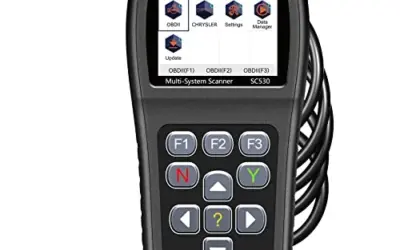
An iPhone-friendly OBD2 scanner does two jobs: it plugs into your car’s OBD2 port and streams diagnostic data to an app on your phone, trouble codes, live sensor readings, emissions readiness, and on better tools, ABS, SRS, and TPMS diagnostics. The catch for iPhone owners is connection hardware. Apple’s iOS does not support the classic Bluetooth serial profile that many budget, Android-oriented adapters rely on, so a “Bluetooth OBD2 scanner” is not automatically an iPhone OBD2 scanner. Of the nine adapters in this guide’s comparison set, seven list explicit iPhone or iOS support, and those seven are the picks below. Our top choice for most iPhone owners is the BlueDriver sensor, which the manufacturer lists with enhanced ABS, SRS, TPMS, and transmission diagnostics and no subscription fees. All prices were observed at publication and can change, so confirm the current price before buying.

Pros
- Offers more system coverage than basic engine-code readers
- Includes repair reports with definitions, possible causes, and confirmed fixes
- Wireless design connects to the vehicle's OBDII port without a cable to the phone or tablet
- Supports a broad range of listed vehicle makes, including GM, Ford, Toyota, Honda, BMW, and VW
Cons
- The published compatibility information covers gas-powered vehicles only
- A compatible phone or tablet is required for wireless use
Specifications
| Size | Pro-S |
|---|---|
| Product Group | Automotive Parts and Accessories |
| Binding | Automotive |
Best For / Avoid If
Best for buyers prioritizing
- Offers more system coverage than basic engine-code readers
- Includes repair reports with definitions, possible causes, and confirmed fixes
- Wireless design connects to the vehicle's OBDII port without a cable to the phone or tablet
Consider another option if
- The published compatibility information covers gas-powered vehicles only
- A compatible phone or tablet is required for wireless use

Pros
- Provides more system-specific diagnostics than basic engine-code readers
- Wireless connection avoids the need for a cable between the scanner and phone or tablet
- Includes live data, freeze-frame information, smog readiness, and Mode 6 functions
- Free app updates and no subscription fees are included with the purchase
Cons
- A compatible phone or tablet is required for wireless operation
Specifications
| Color | Black |
|---|---|
| Size | Pro |
| Dimensions | 2.2 x 1.9 x 1 inches |
| Weight | 0.13 pounds |
| Product Group | Automotive Parts and Accessories |
| Binding | Automotive |
Best For / Avoid If
Best for buyers prioritizing
- Provides more system-specific diagnostics than basic engine-code readers
- Wireless connection avoids the need for a cable between the scanner and phone or tablet
- Includes live data, freeze-frame information, smog readiness, and Mode 6 functions
Consider another option if
- A compatible phone or tablet is required for wireless operation

Pros
- Supports iPhone, Android, and Windows devices
- Works with a range of named diagnostic applications
- Offers enhanced OEM support for several vehicle brands
- Includes protection against over-voltage and battery drain
Cons
- Vehicle compatibility and available features should be confirmed in the troubleshooting guide before purchase
Specifications
| Color | Black |
|---|---|
| Size | Small |
| Dimensions | 2.0078740137 x 0.9055118101 x 1.8110236202 Inches |
| Weight | 0.06172943336 pounds |
| Product Group | Automotive Parts and Accessories |
| Binding | Automotive |
Best For / Avoid If
Best for buyers prioritizing
- Supports iPhone, Android, and Windows devices
- Works with a range of named diagnostic applications
- Offers enhanced OEM support for several vehicle brands
Consider another option if
- Vehicle compatibility and available features should be confirmed in the troubleshooting guide before purchase

Pros
- Supports both iOS and Android phones
- Offers multiple diagnostic functions, including code reading, code erasing, and real-time data
- Compatible with a range of third-party OBD2 apps
- The product listing states compatibility with 1996 US-based, 2000 EU-based and Asian, and newer OBDII 12V gas-powered and light-diesel vehicles
Cons
- Vehicle compatibility is limited to compatible OBDII vehicles and the listed 12V gas-powered or light-diesel categories
- The dedicated YMOBD app is required for the automatic connection process
Specifications
| Color | Light Blue for iOS Android |
|---|---|
| Product Group | Automotive Parts and Accessories |
| Binding | Automotive |
Best For / Avoid If
Best for buyers prioritizing
- Supports both iOS and Android phones
- Offers multiple diagnostic functions, including code reading, code erasing, and real-time data
- Compatible with a range of third-party OBD2 apps
Consider another option if
- Vehicle compatibility is limited to compatible OBDII vehicles and the listed 12V gas-powered or light-diesel categories
- The dedicated YMOBD app is required for the automatic connection process

Pros
- Combines an OBD2 scanner and battery tester in one tool
- Provides live engine data and emissions-readiness status
- Includes oil reset functionality and access to RepairSolutions2 repair guidance
- Vehicle coverage includes many US, Asian, and European models from 1996 and newer
Cons
- ABS and other diagnostic features may vary by make, model, and year
- Compatibility should be verified with Innova's Coverage Checker before purchase
- Emission-readiness monitors reset after a battery disconnect or code clear and require a complete drive cycle to repopulate
Specifications
| Dimensions | 5.99 x 2.99 x 0.99 inches |
|---|---|
| Product Group | Automotive Parts and Accessories |
| Binding | Automotive |
Best For / Avoid If
Best for buyers prioritizing
- Combines an OBD2 scanner and battery tester in one tool
- Provides live engine data and emissions-readiness status
- Includes oil reset functionality and access to RepairSolutions2 repair guidance
Consider another option if
- ABS and other diagnostic features may vary by make, model, and year
- Compatibility should be verified with Innova's Coverage Checker before purchase
- Emission-readiness monitors reset after a battery disconnect or code clear and require a complete drive cycle to repopulate

Pros
- Supports common generic engine diagnostic functions
- Provides live sensor data for Android app-based monitoring
- Compatible with several popular Android diagnostic apps
- Works with most 1996+ US cars and light trucks
Cons
- Not compatible with iPhone or iPad
- Does not support advanced systems such as ABS, SRS, TPMS, transmission, or HVAC
- Requires a compatible third-party Android app and may not support Android car stereos or head units
Specifications
| Color | Blue |
|---|---|
| Size | Bluetooth 3.0 for Android ONLY |
| Dimensions | 1.89 x 0.98 x 1.26 inches |
| Weight | 0.07 Pounds |
| Product Group | Automotive Parts and Accessories |
| Binding | Automotive |
Best For / Avoid If
Best for buyers prioritizing
- Supports common generic engine diagnostic functions
- Provides live sensor data for Android app-based monitoring
- Compatible with several popular Android diagnostic apps
Consider another option if
- Not compatible with iPhone or iPad
- Does not support advanced systems such as ABS, SRS, TPMS, transmission, or HVAC
- Requires a compatible third-party Android app and may not support Android car stereos or head units

Pros
- Supports code scanning and code resets without requiring an expert
- Tracks vehicle-specific scans, mileage-based reminders, and shared results
- Compact 1.75 x 0.75 x 1.6-inch sensor is designed to stay under the dash
Cons
- Advanced features require an optional premium subscription after the 14-day trial
- Features may vary by vehicle make and model
Specifications
| Color | White |
|---|---|
| Size | 1 Pack |
| Dimensions | 1.75 x 0.75 x 1.6 inches |
| Weight | 0.06 pounds |
| Product Group | Automotive Parts and Accessories |
| Binding | Automotive |
Best For / Avoid If
Best for buyers prioritizing
- Supports code scanning and code resets without requiring an expert
- Tracks vehicle-specific scans, mileage-based reminders, and shared results
- Compact 1.75 x 0.75 x 1.6-inch sensor is designed to stay under the dash
Consider another option if
- Advanced features require an optional premium subscription after the 14-day trial
- Features may vary by vehicle make and model

Pros
- Supports both iOS and Android devices
- Offers multiple OBDII diagnostic and monitoring functions
- Works with several popular third-party diagnostic apps
- Provides Bluetooth connectivity and ELM327 compliance
Cons
- Does not support ABS, SRS, or VSC systems
- Vehicle compatibility is described as covering most 12V gas or diesel vehicles and light trucks, rather than every vehicle
Specifications
| Product Group | Automotive Parts and Accessories |
|---|---|
| Binding | Automotive |
Best For / Avoid If
Best for buyers prioritizing
- Supports both iOS and Android devices
- Offers multiple OBDII diagnostic and monitoring functions
- Works with several popular third-party diagnostic apps
Consider another option if
- Does not support ABS, SRS, or VSC systems
- Vehicle compatibility is described as covering most 12V gas or diesel vehicles and light trucks, rather than every vehicle

Pros
- Supports check-engine code reading and clearing
- Provides live data features including engine speed, vehicle speed, coolant temperature, and calculated load value
- Includes a 2.5-foot cable and six-button control layout
- Compact 6.02 x 2.75 x 0.91-inch design
Cons
- Does not support ABS, airbag, oil service light, or other non-OBDII systems
- Vehicle compatibility is described as supporting most applicable vehicles rather than every vehicle
- Requires connection to a vehicle’s OBDII port for power
Specifications
| Color | Yellow |
|---|---|
| Size | Portable |
| Dimensions | 6.02 x 2.75 x 0.91 inches |
| Weight | 0.6375 Pounds |
| Product Group | Automotive Parts and Accessories |
| Binding | Automotive |
Best For / Avoid If
Best for buyers prioritizing
- Supports check-engine code reading and clearing
- Provides live data features including engine speed, vehicle speed, coolant temperature, and calculated load value
- Includes a 2.5-foot cable and six-button control layout
Consider another option if
- Does not support ABS, airbag, oil service light, or other non-OBDII systems
- Vehicle compatibility is described as supporting most applicable vehicles rather than every vehicle
- Requires connection to a vehicle’s OBDII port for power
Our Top Pick: The Best OBD2 Scanners for iPhone
- Best overall for iPhone owners: BlueDriver OBD2 Scanner Bluetooth, enhanced ABS, SRS, airbag, TPMS, and transmission diagnostics with no subscription, per the manufacturer’s listing.
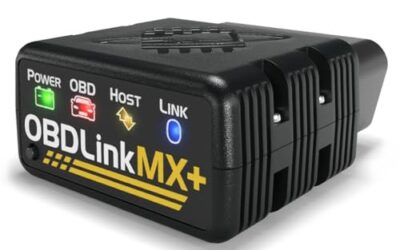
- Best for power users and third-party apps: OBDLink MX+, the manufacturer’s recommended adapter for FORScan, BimmerCode, Carista, AlfaOBD, and more.
- Best for beginners and multi-car households: FIXD, plain-language explanations, unlimited free scans, and every car managed in one app.
- Best handheld-plus-app hybrid: Innova 5210, a screen on the tool itself plus Bluetooth to the RepairSolutions2 iPhone app.
- Best budget adapter: Panlong, around $26, ELM327-compliant, and compatible with popular third-party iPhone apps.
- Best ultra-budget pick: FlyroadUp, roughly $15 for engine codes, live data, and VIN reading.
Key Criteria for OBD2 Scanners & Diagnostics
This guide is an editorial evaluation of listed specifications, compatibility details, and documented product limitations, not a lab test. We compared nine adapters against the question the search implies: which scanners genuinely work with an iPhone, and which are worth an iPhone owner’s money. The deciding criteria were explicit iOS compatibility and connection type, app ecosystem (a dedicated app versus third-party flexibility), diagnostic depth beyond generic engine codes, vehicle-coverage caveats, subscription requirements, and observed price. Every capability described here comes from the manufacturer’s own listing or compatibility documentation, and where a feature depends on the vehicle or app, we say so.
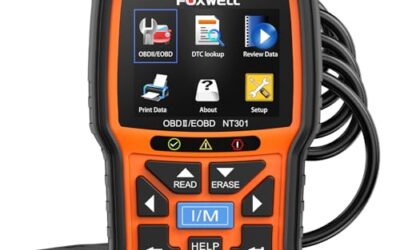
Two products in the comparison set were excluded from the picks because their own listings disqualify them for this intent: the Veepeak Mini Bluetooth adapter states outright that it is not compatible with iPhone or iPad (Android only), and the MOTOPOWER MP69033 is a standalone handheld reader with no phone connectivity listed at all. Both are exactly the traps this guide exists to help you avoid.
iPhone OBD2 Scanners Compared
| Model | Observed price | iPhone connection | App ecosystem | Systems beyond engine codes (per listing) |
|---|---|---|---|---|
| BlueDriver OBD2 Scanner Bluetooth | $94.95 or $139.95 (two listings) | Bluetooth to phone or tablet | Dedicated BlueDriver app; no subscription listed | ABS, SRS/airbag, TPMS, transmission |
| OBDLink MX+ OBD2 Bluetooth Scanner for iPhone | $139.95 | Bluetooth (iPhone, Android, Windows) | OBDLink app plus third-party apps (FORScan, BimmerCode, Carista, more) | ABS, SRS, TPMS via enhanced OEM support; make-dependent |
| FIXD Bluetooth OBD2 Scanner | $39.99 | Bluetooth to iPhone or Android | FIXD app; free unlimited scans, optional premium | Enhanced codes listed; systems not specified |
| Innova 5210 OBD2 Scanner & Engine Code Reader | $79.97 | Handheld tool plus Bluetooth to app | RepairSolutions2 app (iPhone and Android); no subscriptions listed | ABS (coverage may vary), oil reset, battery/alternator test |
| Panlong OBD2 Scanner Bluetooth for iPhone iOS | $25.99 | Bluetooth to iOS or Android | Free YMOBD app plus third-party apps | Not listed; engine and emissions functions only |
| FlyroadUp Car OBD2 Scanner Bluetooth for iPhone | $15.19 | Bluetooth to iOS or Android | Free Mini OBDII app plus third-party apps | None; ABS, SRS, and VSC explicitly unsupported |
Prices are observations at the time of writing, not guarantees. Confirm the current price on each product page before purchasing.
What to Verify Before You Buy
The iPhone connection question
This is the detail that separates the picks from the rejects. Apple’s iOS does not support the Serial Port Profile used by classic-Bluetooth OBD2 adapters, which is why many cheap adapters that work fine on Android never appear in an iPhone’s Bluetooth list. Look for listings that explicitly name iPhone or iOS support, typically via Bluetooth Low Energy, or that ship with an iOS app. As the excluded Veepeak adapter demonstrates, some manufacturers state this limitation in capital letters on the product page; read the compatibility note, not just the title, before checkout.
Vehicle coverage basics
- US gasoline cars and light trucks from 1996 onward are OBD2-mandated, and every pick lists 1996+ coverage for US vehicles.
- Model-specific caveats matter: FIXD lists diesels from 2006 only, Panlong lists 2000 and newer for EU-based vehicles, and BlueDriver’s compatibility statement covers gas vehicles sold in North America.
- Hybrid and EV support is app-dependent and not guaranteed across this category; verify your specific vehicle before buying if you do not drive a conventional gas car.
- Use the manufacturers’ own verification tools, OBDLink’s troubleshooting guide and Innova’s Coverage Checker are both referenced in the listings for exactly this purpose.
What a scanner can and cannot tell you
Generic OBD2 covers the engine and emissions systems: check-engine codes, I/M readiness, freeze frames, and live sensor data. ABS, SRS/airbag, TPMS, and transmission diagnostics are enhanced functions that vary by make, BlueDriver and OBDLink MX+ list that capability, FIXD lists “enhanced codes” without naming systems, and the budget adapters do not claim it at all. One more caution from Innova’s documentation applies to every tool here: emissions readiness monitors reset after clearing codes or disconnecting the battery and require a complete drive cycle to repopulate. That is standard vehicle behavior, not a scanner fault, and clearing codes right before an emissions test is a reliable way to fail it.
Leaving a scanner plugged in
The OBD2 port is powered on many vehicles even with the ignition off, so a dongle left in place draws current continuously. OBDLink MX+ lists battery-drain protection; the other listings do not document it. FIXD’s listing markets its sensor as staying hidden under the dash permanently, which is convenient but means you should confirm how your vehicle’s port behaves during long parking periods and unplug if the car will sit for weeks.
Narrowing Down the Right Scanner for Your Situation
- Decide how deep you need to go. If you only want to know why the check engine light is on, Panlong or FlyroadUp handles it. If you want to investigate ABS, airbag, TPMS, or transmission faults yourself, BlueDriver or OBDLink MX+ is the realistic starting point.
- Pick your app philosophy. A curated one-app experience (BlueDriver, FIXD, Innova) means less setup and clearer answers. The modular route (OBDLink MX+, Panlong, FlyroadUp) means more capability per use case but more research, and possibly paid app tiers.
- Count your vehicles and drivers. Households with several cars benefit from FIXD’s multi-vehicle app or a dongle that moves between cars; note that coverage gaps can differ by make within one garage.
- Set subscription expectations. BlueDriver and Innova list one-time purchases; FIXD is free with an optional premium tier; Panlong and FlyroadUp lean on third-party apps with free and paid versions.
- Verify before checkout. Enhanced features are make- and model-dependent for every product here, so run the manufacturer’s compatibility checker for your exact vehicle, year, and fuel type.
Readers weighing these picks also look at OBD2 Scanner Buying Guide for Beginners and Best Rated OBD2 Scanner.
Frequently Asked Questions
Do all Bluetooth OBD2 scanners work with iPhone?
No. iPhones do not support the classic Bluetooth serial profile many budget adapters use, so iOS buyers need a scanner that explicitly lists iPhone support, usually via Bluetooth LE, or one that works over Wi-Fi. Two of the nine products in this guide’s comparison set fail that test according to their own listings.
Can an iPhone OBD2 scanner clear an ABS or airbag light?
Only tools with enhanced diagnostics for those systems. BlueDriver and OBDLink MX+ list ABS and SRS capability, while the Panlong and FlyroadUp listings cover engine and emissions functions only, FlyroadUp explicitly states it does not support ABS or SRS.
Do I need a subscription?
It depends on the tool. BlueDriver’s listing promises no subscriptions ever; Innova’s RepairSolutions2 app is listed as free with no fees; FIXD works free with an optional premium upgrade; and the budget adapters rely on third-party apps that come in free and paid versions, with the free versions described as sufficient for daily use.
Where is the OBD2 port?
On most 1996 and newer vehicles it is under the dashboard on the driver’s side, often near the steering column or behind a small cover. Every product here plugs into that port; the Innova 5210 connects with a cable, while the others pair wirelessly.
Final Recommendation
For most iPhone owners, the choice comes down to depth versus simplicity. If you want the closest thing to a professional diagnostic setup with no ongoing fees, BlueDriver is the pick, just compare the two listings’ current prices first, since the same listed hardware spans $94.95 to $139.95. If you are a tinkerer who will actually run BimmerCode, FORScan, or Carista, the OBDLink MX+ justifies its price through app flexibility and documented battery-drain protection. FIXD is the right fit for households that want plain-English answers across several cars, and the Innova 5210 is the choice if you also want a screen for phone-free use. On a tight budget, Panlong covers engine diagnostics well for about $26, and FlyroadUp is the workable floor at roughly $15. Whatever you choose, verify compatibility for your exact vehicle before buying, and remember that prices in this guide were observed at publication and can change.