Why stacking car floor mats is unsafe comes down to movement and pedal interference: an upper mat can slide, bunch up, or catch beneath a pedal. Remove the extra layer before driving, then use one mat that fits your vehicle and stays secured by its intended retention system.
- Use one floor mat per seating position, unless your vehicle manual explicitly permits another setup.
- Never place a mat over another mat in the driver footwell.
- Check that driver mat clips or hooks attach correctly and that no mat edge can reach the pedals.
- If a pedal sticks or a mat moves while driving, stop safely and address the problem before continuing.
Floor mats sit in a high-movement area. Shoes press and slide across them, and a loose layer can shift during ordinary driving. Two mats create extra edges and surfaces that may move against each other, increasing the chance that the upper mat folds, slides forward, or bunches near the pedals.
The main concern is the driver’s ability to operate the accelerator and brake freely. A mat that reaches beneath a pedal can limit pedal travel or interfere with its return. Even a mat that starts in the right position may move after repeated foot contact. A secure-looking stack while parked does not show how it will behave during a drive.
Stacking can also hide the lower mat’s retention points or stop the upper mat from sitting flat. If either layer shifts, the driver may have less room to move a foot between pedals. The specific risk depends on mat shape, thickness, placement, pedal design, and vehicle layout, so no single gap or thickness rule applies to every car.
What can happen when mats overlap?
A mat can move beneath a pedal
An upper mat may slide toward the front of the footwell, where its edge can press against a pedal or become trapped below it. A driver might notice a pedal feels obstructed, does not move as expected, or does not return freely. Do not keep driving to see whether the problem goes away.
Layers can bunch or curl
Different materials can grip each other unevenly. One mat may stay in place while the other shifts, creating a raised fold. That fold can interfere with foot movement or make it harder to move quickly from accelerator to brake.
Retention features may not work as intended
Many vehicles use hooks, clips, or posts to hold the driver mat. Those points are intended for the mat specified for that vehicle, not necessarily for two overlapping layers. A stacked mat may cover a fastener, fail to engage it, or sit at an angle. Follow the vehicle owner’s manual and mat instructions for the correct attachment method.
How to check your driver-side floor mat
- Park safely. Put the vehicle in Park, apply the parking brake, and switch off the engine before inspecting the footwell.
- Remove all layers. Lift out both mats rather than trying to straighten the top one in place. Check for trapped debris and make sure the carpet area is clear.
- Inspect the mat and retention points. Look for damaged fasteners, torn backing, curled edges, or wear that could keep the mat from sitting flat.
- Install one correctly matched mat. Align its retention openings with the vehicle’s clips or hooks, if fitted. Do not force a fastener or use an attachment point that does not match.
- Check pedal movement while parked. Confirm that the mat does not touch or sit beneath the accelerator or brake through their normal movement. Follow the owner’s manual for any vehicle-specific inspection instructions.
- Recheck after installation. Make sure the mat remains flat and retained. If its shape or attachment points do not match the footwell, remove it and use a mat made for that vehicle and model year.
Mat fit can vary by vehicle make, model, model year, and trim. A mat made for a similar vehicle may still have different contours or retention points. For an example of fitment-focused shopping, see our guide to floor mats for an F-350 Crew Cab. That fitment discussion does not establish compatibility with other vehicles.
What to do if a mat interferes with a pedal
If you feel a pedal catch, drag, or fail to return normally, focus on control of the vehicle. If you are moving, stop in a safe place as soon as you can. Do not reach down to adjust a mat while the vehicle is in motion. Once parked safely, switch off the vehicle and remove the obstructing mat before driving again.
If the pedal still feels restricted after removing the mat, do not assume the mat was the only cause. A pedal or vehicle fault may need inspection. Arrange qualified service or roadside help rather than driving with a control that does not move normally.
Common mistakes
- Keeping the carpet mat under an all-weather mat. The lower layer can shift or prevent the top mat from attaching as intended. Remove it unless the vehicle instructions specifically allow that arrangement.
- Assuming a heavy mat cannot move. Weight alone does not prove that a mat fits the footwell or engages its retention points.
- Cutting or trimming a mat without fit guidance. An altered edge can still reach the pedals, and trimming may damage retention features. Use instructions for that exact mat and vehicle.
- Using a passenger mat on the driver side. Similar shape does not mean matching contours, pedal clearance, or fasteners.
- Ignoring a loose clip. A damaged or missing fastener can let the driver mat move. Replace or repair the part according to vehicle or mat instructions before driving.
How to choose a safer replacement mat
Start with the vehicle’s make, model, and model year. Check that the mat is intended for the exact footwell and that its retention points match the vehicle. A universal mat may need careful placement, but it still must sit flat, stay put, and leave pedal movement unobstructed. Do not keep a mat that cannot meet those conditions.
For extra coverage, choose a single mat shaped for the footwell rather than layering a second mat beneath or above it. The same one-layer rule applies to driver-side carpet mats and all-weather mats. If you need cargo-area protection, use a cargo liner made for that area; cargo liners are not a substitute for cabin floor mats. Our guide to cargo liners for dogs covers a separate use case.
When to get professional help
Get qualified help if an accelerator or brake pedal remains restricted after you remove the mats, if a pedal does not return normally, or if you cannot identify why it is binding. A mechanic can inspect the pedal and nearby components. Do not drive the vehicle until the cause is addressed if pedal operation seems abnormal.
Ask the vehicle dealer or mat maker for fitment guidance if the retention points do not line up, the mat will not lie flat, or the correct model-year application is unclear. If a mat’s fastener is broken, do not rely on friction or extra layers to hold it in place.
Gear that can help
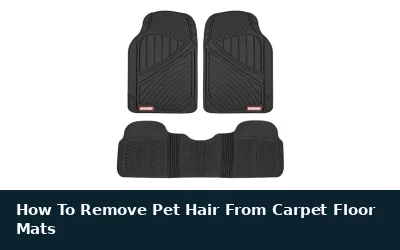
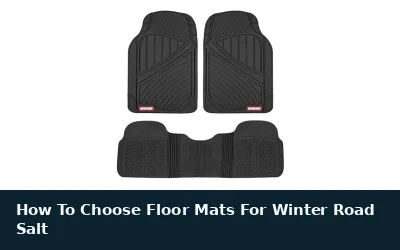
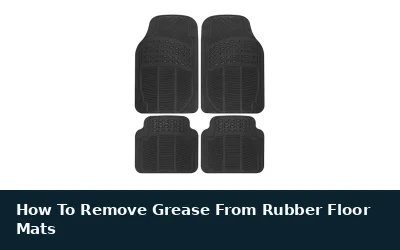
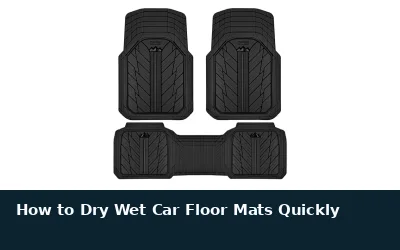
If you need all-weather floor mats and liners for this job, these picks already appear in our all-weather floor mats and liners guides. Check the full guide for fit and who should skip each one.

Pros
- Trim-to-fit design supports use in many cars, trucks, and SUVs.
- Deep channels are designed to help prevent fluids from reaching the carpet.
- Washable rubber construction is easy to clean.
- Anti-slip nibbed backing is designed to grip vehicle carpeting.
Cons
- Universal fit means the mats may require trimming for a specific vehicle.
Specifications
| Color | Black |
|---|---|
| Size | Full Set |
| Dimensions | 27.1 x 17.5 x 2 inches |
| Product Group | Automotive Parts and Accessories |
Best For / Avoid If
Best for buyers prioritizing
- Trim-to-fit design supports use in many cars, trucks, and SUVs.
- Deep channels are designed to help prevent fluids from reaching the carpet.
- Washable rubber construction is easy to clean.
Consider another option if
- Universal fit means the mats may require trimming for a specific vehicle.

Pros
- Trim-to-fit design supports customization for most vehicles
- Heavy-duty rubber construction is designed for durability
- Waterproof, all-weather design helps protect vehicle interiors
- Soap-and-water cleaning is straightforward
Cons
- Universal fit may require trimming to match a specific vehicle
Best For / Avoid If
Best for buyers prioritizing
- Trim-to-fit design supports customization for most vehicles
- Heavy-duty rubber construction is designed for durability
- Waterproof, all-weather design helps protect vehicle interiors
Consider another option if
- Universal fit may require trimming to match a specific vehicle

Pros
- Complete four-piece set covers the front and rear seating areas
- Anti-slip rubberized nibs are included on the bottom of each mat
- Padded heel rest and ergonomic grooves add comfort and traction
- Fits most cars, trucks, vans, and SUVs according to the listing
Cons
- Semi-universal sizing may not fit every vehicle
- The listing does not include detailed vehicle-specific compatibility information
Specifications
| Color | Black |
|---|---|
| Size | 25"L x 17.5"W (Front), 13"L x 17.5"W(Rear) |
| Dimensions | 26.1811 x 17.9133 x 0.7874 Inches |
| Weight | 3.77 Pounds |
| Product Group | Automotive Parts and Accessories |
| Binding | Automotive |
Best For / Avoid If
Best for buyers prioritizing
- Complete four-piece set covers the front and rear seating areas
- Anti-slip rubberized nibs are included on the bottom of each mat
- Padded heel rest and ergonomic grooves add comfort and traction
Consider another option if
- Semi-universal sizing may not fit every vehicle
- The listing does not include detailed vehicle-specific compatibility information
FAQ
Can I put an all-weather mat over a carpet mat?
Do not stack them in the driver footwell. Remove the carpet mat before installing the all-weather mat, unless the vehicle’s instructions explicitly permit that arrangement.
Are two thin mats safer than one thick mat?
No general thickness rule makes a stack safe. Two thin mats can still move, bunch, or interfere with a pedal. Use one properly fitted and retained mat.
Can I drive with no driver-side mat?
A mat is not required for pedal operation, but loose carpet, debris, or other objects can still interfere. Keep the footwell clear and follow your vehicle manual.
What if my floor mat has no clips?
Check the mat and vehicle instructions to see whether that mat is intended to fit without clips. It must still lie flat, remain in place, and stay clear of the pedals. Replace it if it moves or does not fit properly.