To check charging voltage with an OBD2 scanner, connect a scanner that can display live data and look for a value labeled control module voltage, ECU voltage, or battery voltage. Treat that number as a reading from the vehicle electronics, not a direct battery-post measurement; scanner and vehicle support vary.
- Use live data, not only the trouble-code screen.
- Record readings with ignition on and engine off, then with the engine running.
- Compare readings under similar conditions and with vehicle-specific guidance.
- Use a multimeter at the battery when you need a direct terminal measurement.
- A voltage reading can point to a charging concern, but cannot identify a failed part by itself.
What an OBD2 charging-voltage reading tells you
An OBD2 scanner requests diagnostic data through the vehicle’s diagnostic connector. On supported vehicles, a control module may report its supply voltage through a standardized diagnostic data item. The scanner displays the response in volts, often under a live-data label such as “Control Module Voltage.” Some tools use different labels.
This is useful for checking whether the vehicle’s reported voltage changes between operating conditions. It is not always the same as voltage measured directly across the battery posts. Wiring resistance, connection points, module reporting, scan-tool display, and communication limits can affect how the two readings compare.
Some scanners show only basic emissions data or stored trouble codes. Others offer broader live-data lists. Even a scanner with live data may not show a voltage item for every vehicle or module. For background on scanner capabilities, see our guide to OBD2 scanners for advanced use.
How to check charging voltage with an OBD2 scanner
Follow these steps with the vehicle parked safely. Keep hands, clothing, and scanner cables clear of belts, fans, and other moving parts while the engine runs.
- Check the vehicle and scanner instructions. Find the OBD2 connector and confirm how your scanner connects. A wired tool plugs into the connector; a Bluetooth or Wi-Fi adapter may require a compatible phone app. Vehicle model year, regional market, connector, scanner firmware, and phone operating system can affect access.
- Park and prepare the vehicle. Set the parking brake and select Park, or Neutral for a manual transmission. Switch off accessories such as headlights, climate control, and heated seats for your first comparison. Do not work near moving engine parts.
- Connect the scanner. Plug it into the diagnostic connector, then follow its instructions to power on and establish communication. A key-on, engine-off condition may be needed to view data. Do not force a connector that does not fit.
- Open live data. Choose the engine or powertrain control module if the tool asks. Search for “control module voltage,” “ECU voltage,” or a similar voltage item. A code-reading menu alone may not include this value.
- Record the key-on, engine-off reading. Turn the ignition on without starting the engine, when your vehicle’s starting procedure permits this. Note the displayed value and conditions. This reading reflects a vehicle at rest with electrical loads and modules active; it is not necessarily a battery state-of-charge test.
- Start the engine and check again. Keep clear of moving parts. Wait for the display to settle, then record the running value. Note whether accessories are on or off. Do not use one universal voltage cutoff for every vehicle.
- Compare readings and repeat if useful. If the value changes sharply, fluctuates, or appears implausible, repeat the check under the same conditions. A second scan tool or a multimeter can help determine whether the displayed value reflects voltage at the battery.
How to interpret the readings
On many conventional vehicles, voltage with the engine running is higher than with the engine off because the alternator supplies electrical power and charges the battery. That pattern is a useful first check, not a pass-or-fail rule. Charging strategy, battery condition, temperature, electrical load, and vehicle design can change the reading.
Some newer vehicles use controlled or variable charging. Their system may adjust alternator output based on operating conditions rather than hold one steady voltage. A single reading that seems low or high by a traditional rule of thumb does not prove a fault. Compare the reading with service information for that exact vehicle and its current operating state.
Use this decision guide as a starting point:
| What you see | What it may mean | Next step |
|---|---|---|
| No voltage item in live data | Scanner or vehicle may not support or expose that data item. | Check scanner instructions, vehicle coverage, and available modules. Use a multimeter for a direct measurement. |
| Running reading differs from engine-off reading | Charging system may be supplying power, but the scan alone cannot confirm system health. | Record conditions and compare with vehicle-specific service information. |
| Reading stays low, varies widely, or conflicts with symptoms | Possible battery, charging, wiring, connection, or data-reporting concern. | Check directly at the battery with an appropriate meter or arrange diagnosis. |
| Warning light, repeated no-start, or dimming lights | A charging or electrical fault may need prompt diagnosis. | Follow the owner’s manual and seek service; do not rely on one scanner value. |
Why scanner voltage can differ from a multimeter
A scanner reports data communicated by a control module. Depending on vehicle design, that value may reflect voltage at the module or a calculated or reported value, rather than voltage at the battery terminals. The scanner may also update slowly or round the display.
A multimeter connected at the battery posts measures voltage at those points. It can help check whether a scanner reading matches the battery’s terminal voltage, but the meter’s accuracy and correct use matter. Follow the meter and vehicle instructions. Avoid shorting the battery terminals or allowing a tool to bridge positive and ground.
If you need to check battery condition, alternator output, voltage drop, or current draw, those are separate tests. One OBD2 voltage number cannot replace a full charging-system diagnosis. Our guide to professional car diagnostic tools explains how broader diagnostic coverage differs from basic code reading.
Compatibility limits to check first
In the United States, most light-duty vehicles from 1996 onward use standardized OBD2 emissions diagnostics, but that does not mean every scanner can read every vehicle system or live-data item. Older vehicles, vehicles from other markets, and some manufacturer-specific systems may use different coverage or communication details.
Wireless adapters add another compatibility layer. The adapter must work with the scanner app, phone operating system, and vehicle communication protocol. Firmware or app updates can change connection behavior. Check the tool’s coverage information for your make, model year, engine, and supported live data.
Hybrid and electric vehicles may expose some 12-volt system data, but an OBD2 scanner reading does not make high-voltage components safe to inspect. Do not touch orange high-voltage cables or open high-voltage enclosures. Use qualified service for work on those systems.
Common mistakes
- Reading codes instead of live data. A code scan may not show current voltage. Open the live-data menu and select the relevant module.
- Treating scanner data as a battery-post test. The module’s reported value may differ from a direct measurement.
- Applying one voltage range to every vehicle. Charging behavior varies, especially on systems with controlled alternator output.
- Comparing readings taken under different conditions. Accessories, engine state, and operating conditions can affect results. Record those conditions.
- Replacing a part based on voltage alone. A low reading does not prove the alternator is bad; battery, wiring, grounds, connections, and control strategy can also matter.
- Clearing codes to solve a charging problem. Clearing diagnostic information does not repair a fault. Record codes and freeze-frame data before clearing anything.
When to get professional help
Arrange diagnosis if the battery warning light stays on, the engine repeatedly will not start, electrical systems behave erratically, or a direct voltage check conflicts with scanner data. A technician can test the battery, charging output, wiring, grounds, and control strategy using procedures for the specific vehicle.
Stop and seek help if a battery is swollen, leaking, unusually hot, or producing a strong sulfur-like odor. Do not disconnect cables or continue testing when the vehicle’s service instructions warn against it. For hybrid and electric vehicles, leave high-voltage diagnosis to trained technicians.
Gear that can help
If you need OBD2 scanners for this job, these picks already appear in our OBD2 scanners guides. Check the full guide for fit and who should skip each one.

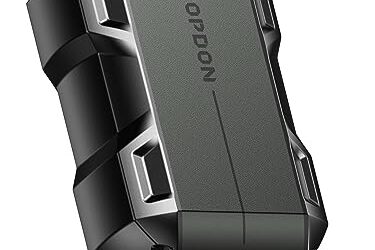
Pros
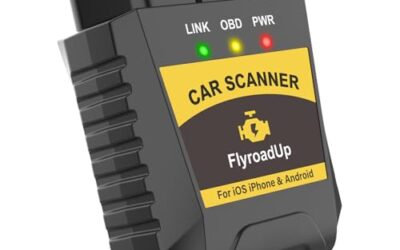
- Supports iPhone, Android, and Windows devices
- Works with a range of named diagnostic applications
- Offers enhanced OEM support for several vehicle brands
- Includes protection against over-voltage and battery drain
Cons
- Vehicle compatibility and available features should be confirmed in the troubleshooting guide before purchase
Specifications
| Color | Black |
|---|---|
| Size | Small |
| Dimensions | 2.0078740137 x 0.9055118101 x 1.8110236202 Inches |
| Weight | 0.06172943336 pounds |
| Product Group | Automotive Parts and Accessories |
| Binding | Automotive |
Best For / Avoid If
Best for buyers prioritizing
- Supports iPhone, Android, and Windows devices
- Works with a range of named diagnostic applications
- Offers enhanced OEM support for several vehicle brands
Consider another option if
- Vehicle compatibility and available features should be confirmed in the troubleshooting guide before purchase

Pros
- Supports multiple diagnostic functions beyond basic code reading
- No batteries are needed for operation
- Offers seven language options, including English, French, and Spanish
- Designed with a plug-and-play interface for end users and DIYers
Cons
- The listing does not identify all seven supported languages
Specifications
| Color | OBD2 Scanner |
|---|---|
| Size | AL319 |
| Dimensions | 4.61 x 2.83 x 0.71 inches |
| Weight | 0.39021820374 Pounds |
| Product Group | Automotive Parts and Accessories |
| Binding | Automotive |
Best For / Avoid If
Best for buyers prioritizing
- Supports multiple diagnostic functions beyond basic code reading
- No batteries are needed for operation
- Offers seven language options, including English, French, and Spanish
Consider another option if
- The listing does not identify all seven supported languages

Pros
- Supports code scanning and code resets without requiring an expert
- Tracks vehicle-specific scans, mileage-based reminders, and shared results
- Compact 1.75 x 0.75 x 1.6-inch sensor is designed to stay under the dash
Cons
- Advanced features require an optional premium subscription after the 14-day trial
- Features may vary by vehicle make and model
Specifications
| Color | White |
|---|---|
| Size | 1 Pack |
| Dimensions | 1.75 x 0.75 x 1.6 inches |
| Weight | 0.06 pounds |
| Product Group | Automotive Parts and Accessories |
| Binding | Automotive |
Best For / Avoid If
Best for buyers prioritizing
- Supports code scanning and code resets without requiring an expert
- Tracks vehicle-specific scans, mileage-based reminders, and shared results
- Compact 1.75 x 0.75 x 1.6-inch sensor is designed to stay under the dash
Consider another option if
- Advanced features require an optional premium subscription after the 14-day trial
- Features may vary by vehicle make and model
FAQ
Can every OBD2 scanner show charging voltage?
No. The scanner needs live-data support, and the vehicle must make a voltage value available to that tool. Check the scanner’s vehicle coverage and live-data list.
Should voltage rise when the engine starts?
Often, but not in one fixed way on every vehicle. Controlled charging systems can vary output. Compare readings with vehicle-specific service information and consider operating conditions.
Can an OBD2 scanner tell me if my alternator is bad?
No. Voltage data can reveal a pattern that deserves further checks, but it does not isolate the alternator from the battery, wiring, grounds, or charging controls.
Is an OBD2 reading more accurate than a multimeter?
They measure or report voltage at different points and in different ways. A multimeter at the battery posts gives a direct terminal reading; an OBD2 scanner shows data reported through a control module.
Sources and further reading
- J1962 Diagnostic Connector standard (SAE International): Describes the standardized diagnostic connector used for vehicle access.
- J1979 E/E Diagnostic Test Modes standard (SAE International): Covers diagnostic test modes and data used in vehicle diagnostics.