To use freeze frame temperature to diagnose a fault, compare the saved temperature with engine state, other sensor readings, and the conditions that set the code. You need an OBD2 scanner that can read freeze-frame data, the code description, and vehicle-specific service information before deciding what to test.
- Freeze-frame data is a snapshot, not a diagnosis or a live reading.
- Engine coolant temperature and intake-air temperature mean different things; identify the parameter before interpreting it.
- Compare the snapshot with cold-start or warm-engine conditions, not with an assumed universal temperature.
- Record codes and data before clearing anything. Clearing a code does not repair the fault.
What freeze-frame temperature tells you
When the powertrain control module detects certain emissions-related faults, it may store a freeze-frame record. This record captures selected operating data near the time the fault was detected. Depending on vehicle and scanner, the record may include engine coolant temperature (ECT), intake-air temperature (IAT), engine speed, vehicle speed, load, fuel trim, and other values.
Temperature helps place a fault in context. A reading near ambient temperature may fit an engine that has sat overnight. A much warmer reading may fit a fault that occurred after warm-up. Neither reading, by itself, proves that a temperature sensor, thermostat, or other part has failed.
Freeze-frame records are not identical across vehicles. The computer may store data for one qualifying fault, replace a prior record, or show a limited set of parameters. Some scanners show only the data supported by the vehicle. A missing value is not evidence that the related system is working or faulty.
How to use freeze frame temperature to diagnose a fault
- Read and save codes first. Use an OBD2 scanner to read stored and pending codes, then open the freeze-frame record. Photograph or write down the code and every displayed value. Do not clear codes before recording data.
- Identify the temperature parameter. Check whether the scanner labels the reading ECT, IAT, or another temperature. Do not treat them as interchangeable. ECT reflects coolant temperature reported to the computer; IAT reflects air temperature measured by an intake-air sensor.
- Note engine state and driving conditions. Record engine speed, vehicle speed, calculated load, and whether the engine was likely cold or warm. Use the full snapshot. Temperature without context can point you in the wrong direction.
- Compare with a relevant baseline. If the engine has been off long enough to approach ambient temperature, compare ECT and IAT with each other and with local conditions. They need not match exactly, and heat soak or sensor location can affect readings. For a warm-engine snapshot, compare with the vehicle’s stated operating behavior and service information.
- Check live data when safe. With the engine cold, a scanner may let you compare live ECT and IAT before starting. Watch how readings change during warm-up, following vehicle service procedures. Keep hands and tools clear of belts, fans, hot surfaces, and moving parts.
- Build a test, not a parts list. Use the code’s diagnostic procedure to decide what to inspect next. Check wiring, connectors, sensor supply and ground, and related components only as the service information directs. A code identifies a detected condition, not necessarily the part that caused it.
| Freeze-frame pattern | What it may suggest | Useful next check |
|---|---|---|
| Cold-soak ECT and IAT differ sharply without a clear reason | Possible sensor, circuit, connector, or data issue; vehicle layout and conditions matter | Compare live readings before startup and inspect the code-specific circuit procedure |
| ECT stays low in a snapshot taken after extended driving | Possible temperature-reporting or warm-up issue, among other causes | Review live warm-up data and the vehicle’s thermostat and sensor diagnostic steps |
| Temperature looks plausible but code returns under similar load | Fault may depend on load, speed, wiring movement, or another condition | Compare snapshots and related live data; follow the code’s test sequence |
| Only one temperature value appears | Scanner or vehicle may expose a limited snapshot | Use supported live data and service information rather than filling gaps with assumptions |
Read ECT and IAT in context
Cold engine readings
After a long rest, coolant and intake air often move closer to surrounding temperatures. This makes a cold start useful for spotting a reading that appears implausible. But the car may have been parked in sun, near a warm engine, or in changing weather. Sensor location and heat soak also affect what each sensor sees.
If ECT appears far from IAT before the engine starts, treat that as a reason to investigate, not a verdict. Check whether the scanner selected the right vehicle, whether the displayed unit is Fahrenheit or Celsius, and whether the service procedure gives a permitted comparison range. Do not apply a universal allowable difference.
Warm engine readings
A freeze-frame record captured after driving may show higher ECT than IAT. That difference can be normal because coolant and intake air operate in different environments. The useful question is whether the reading fits the code, driving conditions, and vehicle-specific specifications.
If ECT rises slowly, drops unexpectedly, or conflicts with other symptoms, monitor live data and follow the vehicle’s diagnostic steps. A thermostat problem is one possible explanation for some temperature patterns, but sensor accuracy, wiring, coolant level, air in the cooling system, and other faults may also matter. Do not open a hot cooling system.
Work through a practical example
Suppose a vehicle stores a code related to an engine temperature condition. Its freeze frame shows a cold-looking ECT reading, while the engine-speed and load values indicate the vehicle had been driven. That mismatch gives you a direction: compare live ECT from a cold start, watch its change during warm-up, and consult the code-specific procedure. It does not justify replacing the thermostat or sensor without testing.
Now suppose the record shows a plausible warm ECT, but the fault returns during steady driving. Temperature may not be the cause at all. The fault could depend on another parameter or an intermittent circuit issue. Compare the full record from each occurrence and use the diagnostic flow for that exact code and vehicle.
Compatibility and scanner limits
OBD2 access depends on vehicle model year, market, connector, and supported diagnostic functions. A standard OBD2 scanner can read common emissions-related information on many compatible vehicles, but access to manufacturer-specific codes, enhanced data, or all freeze-frame parameters varies. Older vehicles and vehicles outside US OBD2 requirements may use different systems or provide different coverage.
Scanner menus and units also vary. One tool may label a value differently or show only a subset of the data. Check the scanner instructions and vehicle service information when a parameter is unclear. For broader scanner coverage and live-data needs, see our guides to OBD2 scanners for live data and fuel trim and OBD2 scanners for advanced diagnostics.
The SAE J1962 standard covers the diagnostic connector, while SAE J1979 covers diagnostic test modes used for emissions-related information. A compliant connector does not mean every scanner can access every manufacturer-specific function.
Common mistakes
- Replacing a part from a code alone. Codes describe detected conditions. Use the vehicle’s test procedure to find the cause.
- Comparing readings without checking units. Confirm Fahrenheit or Celsius before judging whether a number makes sense.
- Mixing up ECT and IAT. They measure different locations and respond to different conditions.
- Expecting every snapshot to include the same fields. Vehicle and scanner support affect available data.
- Clearing codes before saving evidence. Clearing can erase useful fault and readiness information. It does not fix the underlying issue.
- Using a snapshot as a current reading. Freeze-frame data records an earlier event. Use live data to assess current behavior.
When to get professional help
Stop driving and seek qualified help if the engine overheats, a temperature warning appears, coolant is leaking, or the vehicle shows severe drivability problems. Follow the owner’s manual for warning lights and safe shutdown steps. Never remove a radiator or coolant-system cap while hot.
A technician is also a good next step when a fault returns after basic checks, readings conflict, wiring tests require specialized tools, or the vehicle has manufacturer-specific diagnostics. Share the code, saved freeze-frame values, symptoms, and conditions when the fault occurred. That record can help narrow the diagnostic path.
Gear that can help
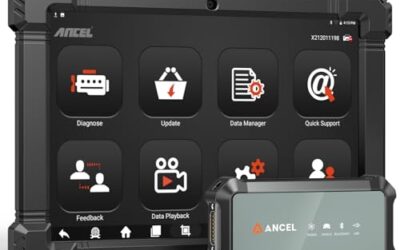
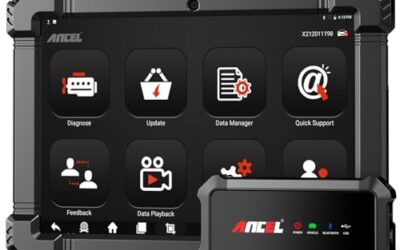
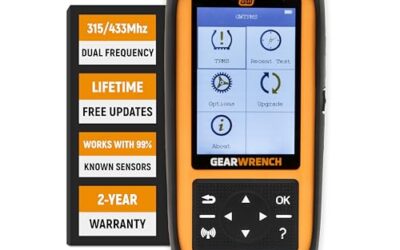
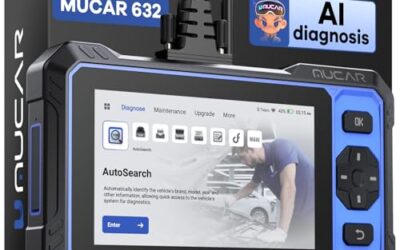
If you need OBD2 scanners for this job, these picks already appear in our OBD2 scanners guides. Check the full guide for fit and who should skip each one.

Pros
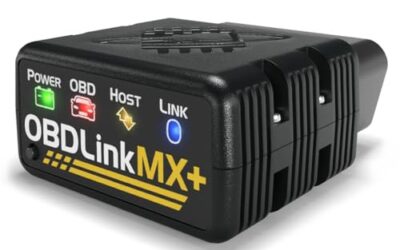
- Supports iPhone, Android, and Windows devices
- Works with a range of named diagnostic applications
- Offers enhanced OEM support for several vehicle brands
- Includes protection against over-voltage and battery drain
Cons
- Vehicle compatibility and available features should be confirmed in the troubleshooting guide before purchase
Specifications
| Color | Black |
|---|---|
| Size | Small |
| Dimensions | 2.0078740137 x 0.9055118101 x 1.8110236202 Inches |
| Weight | 0.06172943336 pounds |
| Product Group | Automotive Parts and Accessories |
| Binding | Automotive |
Best For / Avoid If
Best for buyers prioritizing
- Supports iPhone, Android, and Windows devices
- Works with a range of named diagnostic applications
- Offers enhanced OEM support for several vehicle brands
Consider another option if
- Vehicle compatibility and available features should be confirmed in the troubleshooting guide before purchase

Pros
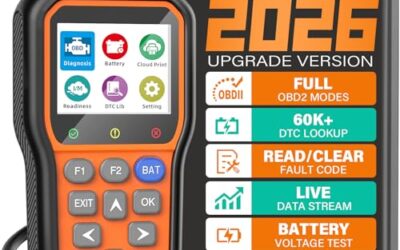
- Supports multiple diagnostic functions beyond basic code reading
- No batteries are needed for operation
- Offers seven language options, including English, French, and Spanish
- Designed with a plug-and-play interface for end users and DIYers
Cons
- The listing does not identify all seven supported languages
Specifications
| Color | OBD2 Scanner |
|---|---|
| Size | AL319 |
| Dimensions | 4.61 x 2.83 x 0.71 inches |
| Weight | 0.39021820374 Pounds |
| Product Group | Automotive Parts and Accessories |
| Binding | Automotive |
Best For / Avoid If
Best for buyers prioritizing
- Supports multiple diagnostic functions beyond basic code reading
- No batteries are needed for operation
- Offers seven language options, including English, French, and Spanish
Consider another option if
- The listing does not identify all seven supported languages

Pros
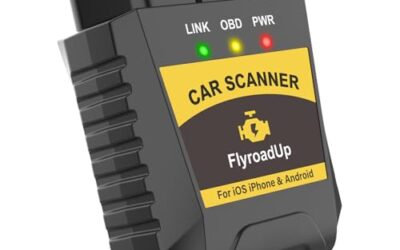
- Supports code scanning and code resets without requiring an expert
- Tracks vehicle-specific scans, mileage-based reminders, and shared results
- Compact 1.75 x 0.75 x 1.6-inch sensor is designed to stay under the dash
Cons
- Advanced features require an optional premium subscription after the 14-day trial
- Features may vary by vehicle make and model
Specifications
| Color | White |
|---|---|
| Size | 1 Pack |
| Dimensions | 1.75 x 0.75 x 1.6 inches |
| Weight | 0.06 pounds |
| Product Group | Automotive Parts and Accessories |
| Binding | Automotive |
Best For / Avoid If
Best for buyers prioritizing
- Supports code scanning and code resets without requiring an expert
- Tracks vehicle-specific scans, mileage-based reminders, and shared results
- Compact 1.75 x 0.75 x 1.6-inch sensor is designed to stay under the dash
Consider another option if
- Advanced features require an optional premium subscription after the 14-day trial
- Features may vary by vehicle make and model
FAQ
Can freeze-frame temperature identify a bad coolant temperature sensor?
It can raise suspicion, especially if a cold-soak reading conflicts with other conditions. It cannot confirm a failed sensor alone. The circuit, connector, scan data, and vehicle-specific tests also matter.
Should ECT and IAT match when the engine is cold?
They may move closer to ambient conditions after a long rest, but exact equality is not a universal rule. Heat soak, sensor placement, weather, and vehicle design affect the readings.
Will clearing a code erase freeze-frame data?
Clearing diagnostic information can erase stored freeze-frame data and reset emissions readiness monitors. Save the record first. Clearing a code does not repair the fault.
Can a basic OBD2 scanner read freeze-frame data?
Many scanners support common emissions-related freeze-frame data, but vehicle and scanner coverage differ. Manufacturer-specific records or expanded parameters may need a more capable tool.
Sources and further reading
- J1962 Diagnostic Connector standard (SAE International): Describes the standardized diagnostic connector used by covered vehicles.
- J1979 E/E Diagnostic Test Modes standard (SAE International): Covers diagnostic test modes for emissions-related vehicle information.