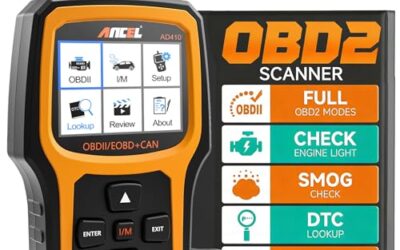
What is an obd2 pid? An OBD2 PID is a parameter identifier used by a scan tool to request a specific piece of vehicle data, such as engine speed, coolant temperature, vehicle speed, or short-term fuel trim. The vehicle answers with a value, unit, and sometimes a status flag.
PIDs turn raw diagnostic communication into readable live data. They help you see what control modules report while the engine runs, but available PIDs vary by model year, engine, emissions system, module, scan tool, and software.
Key takeaways
- PID means parameter identifier.
- Mode 01 PIDs usually provide current powertrain data.
- Common values include RPM, coolant temperature, intake air temperature, oxygen sensor data, fuel trim, and vehicle speed.
- A supported OBD2 connector does not guarantee access to every PID.
- PID data shows what a control module reports. It does not prove that a sensor, wire, or mechanical part works correctly.
- Live data can support diagnosis, but it does not replace service information or electrical testing.
What does OBD2 PID mean?
OBD2 means second-generation on-board diagnostics. PID means parameter identifier. In practice, an OBD2 PID is a code that identifies one requested data item inside a diagnostic message.
For example, a scan tool can ask for engine RPM using one PID and coolant temperature using another. The engine control module then returns encoded data. Scan software converts that response into a number, such as 850 RPM or 195 degrees Fahrenheit.
Most generic OBD2 PIDs relate to emissions and powertrain systems. Manufacturer-specific diagnostic data can cover far more systems, including body electronics, transmission controls, airbag modules, and driver-assistance systems. Generic OBD2 access and manufacturer-level access are different functions.
How OBD2 PIDs work
A scan tool connects through the vehicle’s 16-pin J1962 diagnostic connector. The tool and vehicle communicate through one of several supported protocols, depending on vehicle design and model year.
The tool sends a diagnostic service request. For current data, this commonly involves Mode 01, also called the current data service. The request includes a PID number. The vehicle replies with data bytes. Software applies the correct formula and displays the result.
Some PIDs use a direct conversion. Others require a formula. A temperature value may use an offset, while engine load or fuel trim may use a percentage conversion. The scan tool must interpret the response correctly. A raw byte without its PID definition has little value to most drivers.
Scan tools may poll several PIDs repeatedly. This creates a live-data screen or graph. Faster polling can make values easier to follow, but requesting many PIDs at once can reduce update speed. The display rate also depends on the vehicle network, scan tool, connection method, and software.
Common OBD2 PIDs and what they show
| PID data | What it represents | Useful diagnostic question |
|---|---|---|
| Engine RPM | Crankshaft speed | Does the engine computer see cranking or running speed? |
| Vehicle speed | Reported road speed | Does the control module receive a speed signal? |
| Engine coolant temperature | Reported coolant temperature | Does temperature rise in a reasonable pattern after startup? |
| Intake air temperature | Temperature of incoming air | Does the reading fit ambient conditions before startup? |
| Throttle position | Throttle angle or calculated position | Does the value change smoothly with pedal input? |
| Engine load | Calculated engine workload | Does load respond to acceleration and hills? |
| Short-term fuel trim | Recent fuel correction | Is the computer adding or removing fuel? |
| Long-term fuel trim | Learned fuel correction | Has the computer stored a continuing fuel adjustment? |
| Oxygen or air-fuel sensor data | Exhaust oxygen or mixture feedback | Does sensor behavior support a mixture problem? |
| Fuel system status | Open-loop or closed-loop operation | Is the system using sensor feedback? |
Names can differ between scan tools. One tool may show calculated engine load as a percentage. Another may show a label based on its own software. Read the PID label, unit, and graph together.
Mode 01, Mode 02, and other diagnostic modes
Mode 01 generally reports current powertrain data. This is where many drivers see RPM, temperatures, fuel trims, and sensor readings.
Mode 02 reports freeze-frame data. Freeze-frame values capture selected conditions when a diagnostic trouble code sets. They can show engine speed, load, temperature, and fuel trim at that moment. Freeze-frame data is not a continuous recording.
Mode 03 retrieves stored emission-related trouble codes. Mode 04 clears emission-related codes and resets related monitor information. Clearing a code does not repair the fault. It can also erase useful freeze-frame data and reset readiness monitors.
Mode 06 reports on-board monitor test results. Some tools display raw test identifiers and limits. Others translate them into plain language. Mode 09 can provide vehicle information, such as calibration identifiers, when supported.
These modes use standardized services, but access and display quality differ. A generic scan tool may read standard powertrain data while missing enhanced data available through the vehicle maker’s diagnostic system.
OBD2 PID availability and compatibility limits
OBD2 became widely required on US light-duty vehicles from the 1996 model year, but requirements and implementation differ by vehicle type, market, engine, and system. A 16-pin connector alone does not prove full generic OBD2 support.
The vehicle must support a PID before a scan tool can display it. Some PIDs are mandatory for certain emissions functions. Others are optional or manufacturer-specific. A tool may show a PID as unsupported, return no data, or display a fixed value when that vehicle does not provide useful information.
Model year matters. A 2004 vehicle and a 2024 vehicle can use the same connector while exposing different data sets. Engine type matters too. Gasoline, diesel, hybrid, and plug-in hybrid systems can report different parameters.
Voltage and protocol also matter. Most passenger vehicles use a 12-volt electrical system, while heavy vehicles may use different networks or diagnostic requirements. An adapter made for generic passenger-car OBD2 may not communicate with a commercial truck, motorcycle, electric vehicle, or non-US-market vehicle.
Phone-based scanners add more limits. The adapter must support the phone’s operating system, and the app must support that adapter. Bluetooth pairing behavior differs between Android and iPhone. Firmware can affect protocol support. An app subscription may control access to enhanced data, service functions, or manufacturer modules.
Hybrid and electric vehicles can expose battery and inverter data through proprietary systems. Generic OBD2 PIDs may show limited engine or emissions information, especially when the vehicle has no conventional engine operating at that moment.
How to use PID data for diagnosis
- Record vehicle details. Note model year, make, model, engine, fuel type, and market. These details shape expected PID support.
- Check battery condition. Low system voltage can cause communication faults or misleading readings. Do not disconnect the battery before recording codes and data.
- Read codes first. Save stored, pending, and permanent codes when the tool supports them. Record freeze-frame data before clearing anything.
- Check key values with the engine off. Coolant temperature and intake air temperature should usually be close to ambient after the vehicle has sat. A large mismatch can point toward a sensor, wiring, or data issue, but it is not proof of one cause.
- Watch startup data. Confirm that RPM appears during cranking. Observe coolant temperature, throttle position, fuel trims, and oxygen-sensor data as the engine warms.
- Compare behavior under a known condition. A value that changes smoothly under light acceleration can tell a different story from one that jumps, freezes, or drops out.
- Compare with a trusted reference. Use the service manual, wiring diagram, known-good test results, and physical inspection. Treat PID data as one part of diagnosis.
Do not diagnose from one number alone. Fuel trim depends on engine load, air measurement, exhaust leaks, fuel pressure, injector operation, and sensor accuracy. A high reading can result from several faults. The same applies to temperature, load, throttle, and oxygen-sensor values.
OBD2 PID versus trouble code
A PID is a data request or data item. A diagnostic trouble code is a fault identifier created when a control module detects a condition outside its rules. PIDs show operating information. Trouble codes describe detected faults.
A vehicle can have abnormal PID data without a stored trouble code. The condition may not have crossed the code-setting threshold, or the test may not have run. A vehicle can also store a code while a live PID looks normal after the problem has changed.
PID data also differs from a sensor signal. A scan tool usually shows the value after the control module receives, filters, calculates, or substitutes data. A multimeter or oscilloscope may show a different point in the circuit. This difference matters during wiring and sensor diagnosis.
Common mistakes
- Assuming every PID works on every vehicle. Generic standards include required and optional data. Manufacturer data adds another layer.
- Treating displayed data as measured truth. A module can report a substituted, filtered, or calculated value.
- Reading units incorrectly. Celsius, Fahrenheit, kilopascals, pounds per square inch, volts, and percentages can appear on the same screen.
- Comparing unrelated operating conditions. Cold-start data cannot be judged by the same expectations as fully warm idle data.
- Clearing codes before recording evidence. This can remove freeze-frame information and reset readiness monitors.
- Using a generic scanner for every module. ABS, airbag, body, transmission, and advanced driver-assistance systems may require enhanced or manufacturer-specific access.
- Calling a PID a failed part. A bad value identifies a direction for testing, not automatically a replacement part.
When to get professional help
Get professional help when a fault affects braking, steering, airbags, high-voltage systems, fuel leaks, or engine control during traffic. Do not probe unknown terminals or connect test equipment to high-voltage battery circuits.
Professional diagnosis also makes sense when codes return after clearing, multiple modules lose communication, network codes appear, or PID values conflict with physical symptoms. A repair shop can use wiring diagrams, manufacturer data, pressure tests, lab-scope readings, and bidirectional controls that many basic tools lack.
For a deeper look at tool capabilities, see our guide to OBD2 scanners with live data for fuel trim and our overview of OBD2 scanners for advanced use. Manufacturer-level work may require a professional car diagnostic tool.
Gear that can help
If you need OBD2 scanners for this job, these picks already appear in our OBD2 scanners guides. Check the full guide for fit and who should skip each one.

Pros
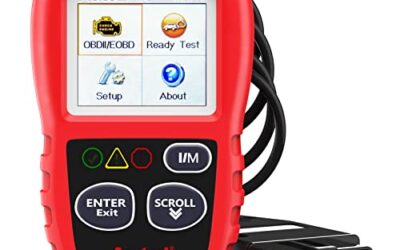
- Supports check-engine code reading and clearing
- Provides live data features including engine speed, vehicle speed, coolant temperature, and calculated load value
- Includes a 2.5-foot cable and six-button control layout
- Compact 6.02 x 2.75 x 0.91-inch design
Cons
- Does not support ABS, airbag, oil service light, or other non-OBDII systems
- Vehicle compatibility is described as supporting most applicable vehicles rather than every vehicle
- Requires connection to a vehicle’s OBDII port for power
Specifications
| Color | Yellow |
|---|---|
| Size | Portable |
| Dimensions | 6.02 x 2.75 x 0.91 inches |
| Weight | 0.6375 Pounds |
| Product Group | Automotive Parts and Accessories |
| Binding | Automotive |
Best For / Avoid If
Best for buyers prioritizing
- Supports check-engine code reading and clearing
- Provides live data features including engine speed, vehicle speed, coolant temperature, and calculated load value
- Includes a 2.5-foot cable and six-button control layout
Consider another option if
- Does not support ABS, airbag, oil service light, or other non-OBDII systems
- Vehicle compatibility is described as supporting most applicable vehicles rather than every vehicle
- Requires connection to a vehicle’s OBDII port for power

Pros
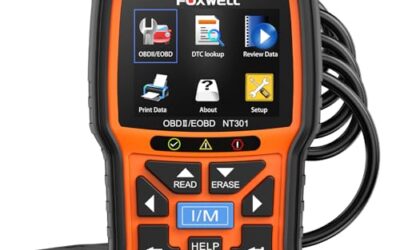
- Includes code reading, code clearing, live data, freeze-frame, I/M readiness, and vehicle information functions
- Supports VIN, Calibration ID, and Calibration Verification Number retrieval
- Lists compatibility with post-1996 US-based, post-2006 EU-based, and post-2009 Asian-based OBDII vehicles
- Offers a built-in DTC definition database and support for six languages
- Includes a stated five-year warranty
Cons
- The display is described as a two-line LCD screen, which may provide less viewing space than larger scan-tool displays
Specifications
| Color | Blue |
|---|---|
| Dimensions | 9.79921258843 x 6.692913379 x 1.57874015587 inches |
| Product Group | Automotive Parts and Accessories |
| Binding | Unknown Binding |
Best For / Avoid If
Best for buyers prioritizing
- Includes code reading, code clearing, live data, freeze-frame, I/M readiness, and vehicle information functions
- Supports VIN, Calibration ID, and Calibration Verification Number retrieval
- Lists compatibility with post-1996 US-based, post-2006 EU-based, and post-2009 Asian-based OBDII vehicles
Consider another option if
- The display is described as a two-line LCD screen, which may provide less viewing space than larger scan-tool displays

Pros
- Supports iPhone, Android, and Windows devices
- Works with a range of named diagnostic applications
- Offers enhanced OEM support for several vehicle brands
- Includes protection against over-voltage and battery drain
Cons
- Vehicle compatibility and available features should be confirmed in the troubleshooting guide before purchase
Specifications
| Color | Black |
|---|---|
| Size | Small |
| Dimensions | 2.0078740137 x 0.9055118101 x 1.8110236202 Inches |
| Weight | 0.06172943336 pounds |
| Product Group | Automotive Parts and Accessories |
| Binding | Automotive |
Best For / Avoid If
Best for buyers prioritizing
- Supports iPhone, Android, and Windows devices
- Works with a range of named diagnostic applications
- Offers enhanced OEM support for several vehicle brands
Consider another option if
- Vehicle compatibility and available features should be confirmed in the troubleshooting guide before purchase
FAQ
What does PID stand for in OBD2?
PID stands for parameter identifier. It identifies a data item that a scan tool can request from a vehicle control module.
What is the most useful OBD2 PID?
No single PID fits every fault. RPM, coolant temperature, fuel trims, engine load, throttle position, and oxygen-sensor data often help with engine and emissions diagnosis.
Can an OBD2 scanner read every PID?
No. Vehicle support, model year, engine type, protocol, scanner hardware, app software, and subscription level can limit access.
Does a PID show a sensor is good?
No. A PID shows what the module reports. Wiring faults, calculation errors, substituted values, and sensor faults can produce misleading data.
Does clearing a code fix the problem?
No. Clearing a code removes stored fault information and can reset monitors. The underlying fault needs diagnosis and repair.
Sources and further reading
- J1962 Diagnostic Connector standard (SAE International): Connector requirements for vehicle diagnostic equipment.
- J1979 E/E Diagnostic Test Modes standard (SAE International): Standard diagnostic services and test modes used by OBD systems.