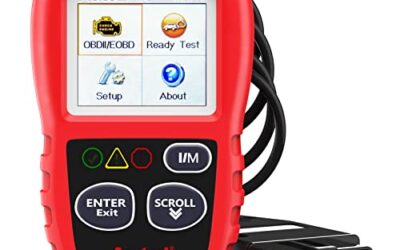
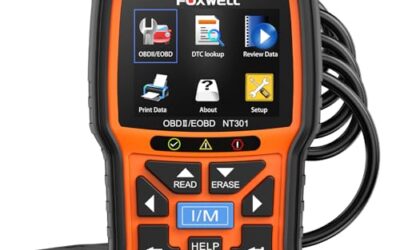
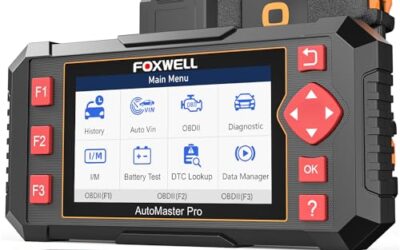
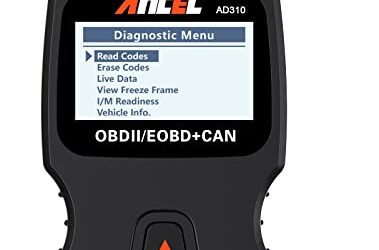
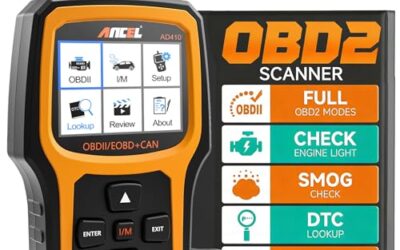
What is mode 9 vehicle information? Mode 9 vehicle information is OBD2 service data that lets a scan tool request vehicle identification and calibration details from supported control modules. Common responses include the VIN, calibration identification, calibration verification numbers, and ECU name, but available data depends on vehicle model year, communication protocol, and manufacturer support.
Mode 9 does not diagnose every fault. It identifies parts of a vehicle’s electronic system and can help a technician confirm vehicle identity, software details, and emissions-related calibration data.
Key takeaways
- Mode 9 is also called OBD2 Service $09 or vehicle information service.
- VIN data can help confirm that scan-tool data belongs to the vehicle being serviced.
- Calibration IDs and verification numbers describe software and calibration records, not current engine health.
- Some vehicles return only selected data, while others return no useful Mode 9 response.
- Mode 9 cannot replace trouble-code diagnosis, live data, wiring checks, or manufacturer-level testing.
- Scanner support, vehicle model year, emissions system, connector, and software version can change results.
What does OBD2 Service $09 mean?
OBD2 diagnostic services use numbered modes to organize requests between a scan tool and a vehicle control module. Mode 9 is the service for requesting vehicle information under the SAE J1979 diagnostic framework.
A scanner sends a Mode 9 request through the vehicle’s diagnostic connector. A compatible control module answers with one or more supported information types. The scanner then converts that response into readable fields.
Mode 9 differs from a trouble-code request. Mode 3 retrieves stored emission-related diagnostic trouble codes. Mode 7 requests pending codes. Mode 4 clears emission-related information and resets some monitor data. Mode 9 requests identity and calibration information.
The vehicle does not have to support every possible Mode 9 information type. A standard may define a request, yet a vehicle manufacturer can support only selected items within its emissions system.
What information can Mode 9 show?
Mode 9 commonly covers several data types. Names and labels vary between scanners, vehicle brands, and software versions.
| Mode 9 data | What it means | What it does not prove |
|---|---|---|
| VIN | Vehicle identification number returned by a supported module | That every installed module carries matching identity data |
| Calibration ID | Software or calibration identifier used by a control module | That calibration is correct for every module or current vehicle configuration |
| Calibration verification number | Value used to check a calibration record or software state | That the engine, transmission, or emissions system is mechanically healthy |
| ECU name | Name or identifier for a responding electronic control unit | Full access to manufacturer-specific functions |
| In-use performance data | Selected operation data tied to emissions monitoring on supported vehicles | A complete service history or complete monitor report |
Vehicle identification number
The VIN is the most familiar Mode 9 result. A scanner may read it from an emissions-related control module and display it for comparison with the dashboard, registration, or vehicle label.
A VIN mismatch can point to module replacement, incomplete programming, communication problems, or a tool reading a different data source. It does not identify the cause by itself. Some vehicles expose VIN information through other diagnostic services instead of standard Mode 9.
Calibration identification and verification data
Calibration ID data identifies software or calibration files used by a module. Calibration verification numbers, often called CVNs, provide values associated with those calibrations.
Technicians may use these fields during emissions work, software checks, or module comparison. A different calibration ID does not automatically mean a bad tune or illegal modification. Updates, regional versions, replacement modules, and manufacturer programming can produce different values.
CVN results also need context. A scan tool may display several calibration records, and a vehicle may contain several relevant modules. The correct comparison depends on vehicle year, engine, emissions package, region, and manufacturer service information.
ECU name and other identifiers
Some Mode 9 responses identify the control unit that supplied the information. This can help separate engine, transmission, or emissions-related data when a vehicle has several modules.
ECU names are not always standardized in the same way across brands. One scanner may show a readable module name, while another shows a short identifier or raw response.
How does a Mode 9 request work?
- Connect a compatible scan tool to the vehicle’s OBD2 diagnostic connector.
- Turn the ignition on, or follow the scan tool’s vehicle-specific instruction. Do not start the engine unless the tool requires it.
- Choose the vehicle or automatic identification option when the scanner requests it.
- Open the vehicle information, Mode 9, Service $09, or calibration information menu.
- Select an available data type, such as VIN, calibration ID, or ECU name.
- Record the result with vehicle year, engine, module, and scan-tool software version.
- Compare the result with service information only when a specific comparison is required.
Menu names differ. A basic code reader may show only a VIN request. A professional scanner may place Mode 9 under emissions, OBD functions, or generic diagnostics.
Where does Mode 9 apply?
Mode 9 mainly applies to vehicles using standardized OBD2 emissions diagnostics. In the United States, this generally covers many gasoline vehicles from the mid-1990s onward and diesel vehicles introduced under later emissions requirements. Exact coverage varies by vehicle type, model year, engine, and regional certification.
A 16-pin connector does not prove full Mode 9 support. The connector may carry different communication protocols, and some pins may have different functions. A vehicle can support generic OBD2 codes while offering limited vehicle information.
Gasoline, diesel, hybrid, and battery-electric vehicles can expose different data. Hybrid and EV systems may place useful identity information in manufacturer-specific modules or newer diagnostic services. Generic Mode 9 access may not reach battery, inverter, charging, or high-voltage control units.
Regional versions can also differ. A US-market vehicle, Canadian-market vehicle, and European-market vehicle may use different emissions software or diagnostic access rules. A scanner made for generic OBD2 may show different results across those versions.
Why does Mode 9 fail or show limited data?
Vehicle does not support requested item
The control module may support VIN data but reject calibration data, or support calibration data but return no ECU name. A message such as “service not supported” can reflect vehicle capability rather than a failed scanner.
Scanner supports only basic OBD2
Low-cost code readers often focus on generic trouble codes and readiness monitors. They may omit Mode 9 menus or display only limited identification data. Firmware updates can add functions, but hardware limits may remain.
Communication protocol mismatch
OBD2 vehicles can use different link protocols, including CAN. The scanner must support the vehicle’s protocol and connector wiring. An adapter that physically fits can still fail to communicate correctly.
Vehicle voltage is too low
Low battery voltage can interrupt a scan session or cause modules to stop responding. Test and stabilize vehicle power according to the vehicle and tool instructions. Never connect a charger in a mode that can expose the vehicle to unsuitable voltage or electrical noise.
Module programming or replacement
A replacement control module may have blank, partial, or mismatched identity data until programming is complete. Mode 9 can reveal a mismatch, but it cannot program the module or prove which module needs replacement.
Tool software needs an update
Scanner firmware and vehicle databases affect menu access and data labels. A current tool may identify a vehicle that an older release cannot. Phone-based scanners also depend on app compatibility, Bluetooth or Wi-Fi behavior, and phone OS support.
Mode 9 versus other OBD2 services
| Service | Main purpose | Typical use |
|---|---|---|
| Mode 1 | Current powertrain data | Readiness status, sensor values, and monitor data |
| Mode 2 | Freeze-frame data | See operating conditions recorded with a fault |
| Mode 3 | Stored diagnostic trouble codes | Retrieve confirmed emission-related faults |
| Mode 4 | Clear emission-related information | Erase codes and reset related monitor history |
| Mode 7 | Pending trouble codes | Check faults that may not yet set a confirmed code |
| Mode 9 | Vehicle and calibration information | Read VIN, calibration IDs, CVNs, and supported identifiers |
| Mode 0A | Permanent trouble codes | View certain codes that remain after normal clearing |
Mode numbers describe a general diagnostic purpose, not a promise of complete access. Manufacturer-specific functions may use other services and may require an enhanced scan tool.
Common mistakes
- Calling Mode 9 a fault code mode. Mode 9 mainly identifies vehicle and software information.
- Assuming VIN access means full vehicle access. A generic scanner can read one identifier while missing body, safety, transmission, battery, or charging modules.
- Treating a CVN as a health score. A CVN relates to calibration data. It does not measure compression, fuel pressure, battery capacity, or emissions performance.
- Using a VIN mismatch as a final diagnosis. Confirm module history, programming status, communication faults, and manufacturer records.
- Clearing codes before recording data. Clearing codes can erase freeze-frame information and reset readiness monitors. It does not repair the fault.
- Assuming every 16-pin connector is identical. Connector shape alone does not guarantee identical protocol support or pin use.
- Expecting Mode 9 to read every module. Generic emissions access differs from full-system manufacturer diagnostics.
When to get professional help
Use a qualified technician when Mode 9 shows a VIN mismatch after module replacement, a calibration conflict, repeated communication errors, or missing data on a vehicle that should support the requested function.
Professional help also makes sense for hybrid and EV faults, airbag or brake-system diagnostics, immobilizer issues, module programming, and suspected tampering. These systems can require stable power, secure software access, special cables, and manufacturer procedures.
Do not probe unknown connector pins or apply external voltage to a diagnostic network. Incorrect connections can damage modules. Follow the vehicle service manual and scan-tool instructions.
Choosing a scanner for Mode 9
Start with the vehicle, not the scanner feature list. Check model year, engine, fuel type, market, connector, and emissions standard. Then check whether the tool supports generic Service $09 functions for that vehicle.
Choose a basic reader when the goal is a VIN or simple emissions check. Choose a more advanced scanner when the job includes calibration comparison, multiple control modules, live data, manufacturer codes, or programming support.
For live sensor readings and fuel-trim diagnosis, see CarTechTalk’s guide to OBD2 scanners for live data and fuel trim. For broader system access, the guide to professional car diagnostic tools explains why generic OBD2 access differs from enhanced diagnostics.
Phone-based tools add another compatibility layer. The app must support the phone’s iOS or Android version, and the adapter firmware must support the vehicle protocol. Bluetooth permissions, Wi-Fi behavior, and app subscriptions can affect operation even when the connector fits.
Gear that can help
If you need OBD2 scanners for this job, these picks already appear in our OBD2 scanners guides. Check the full guide for fit and who should skip each one.

Pros
- Includes code reading, code clearing, live data, freeze-frame, I/M readiness, and vehicle information functions
- Supports VIN, Calibration ID, and Calibration Verification Number retrieval
- Lists compatibility with post-1996 US-based, post-2006 EU-based, and post-2009 Asian-based OBDII vehicles
- Offers a built-in DTC definition database and support for six languages
- Includes a stated five-year warranty
Cons
- The display is described as a two-line LCD screen, which may provide less viewing space than larger scan-tool displays
Specifications
| Color | Blue |
|---|---|
| Dimensions | 9.79921258843 x 6.692913379 x 1.57874015587 inches |
| Product Group | Automotive Parts and Accessories |
| Binding | Unknown Binding |
Best For / Avoid If
Best for buyers prioritizing
- Includes code reading, code clearing, live data, freeze-frame, I/M readiness, and vehicle information functions
- Supports VIN, Calibration ID, and Calibration Verification Number retrieval
- Lists compatibility with post-1996 US-based, post-2006 EU-based, and post-2009 Asian-based OBDII vehicles
Consider another option if
- The display is described as a two-line LCD screen, which may provide less viewing space than larger scan-tool displays

Pros
- Supports iPhone, Android, and Windows devices
- Works with a range of named diagnostic applications
- Offers enhanced OEM support for several vehicle brands
- Includes protection against over-voltage and battery drain
Cons
- Vehicle compatibility and available features should be confirmed in the troubleshooting guide before purchase
Specifications
| Color | Black |
|---|---|
| Size | Small |
| Dimensions | 2.0078740137 x 0.9055118101 x 1.8110236202 Inches |
| Weight | 0.06172943336 pounds |
| Product Group | Automotive Parts and Accessories |
| Binding | Automotive |
Best For / Avoid If
Best for buyers prioritizing
- Supports iPhone, Android, and Windows devices
- Works with a range of named diagnostic applications
- Offers enhanced OEM support for several vehicle brands
Consider another option if
- Vehicle compatibility and available features should be confirmed in the troubleshooting guide before purchase

Pros
- Supports multiple diagnostic functions beyond basic code reading
- No batteries are needed for operation
- Offers seven language options, including English, French, and Spanish
- Designed with a plug-and-play interface for end users and DIYers
Cons
- The listing does not identify all seven supported languages
Specifications
| Color | OBD2 Scanner |
|---|---|
| Size | AL319 |
| Dimensions | 4.61 x 2.83 x 0.71 inches |
| Weight | 0.39021820374 Pounds |
| Product Group | Automotive Parts and Accessories |
| Binding | Automotive |
Best For / Avoid If
Best for buyers prioritizing
- Supports multiple diagnostic functions beyond basic code reading
- No batteries are needed for operation
- Offers seven language options, including English, French, and Spanish
Consider another option if
- The listing does not identify all seven supported languages
FAQ
Does Mode 9 show my car’s VIN?
It can, when the vehicle and scanner support VIN requests through Mode 9. Some vehicles expose VIN data through another diagnostic service or restrict access.
Can Mode 9 tell me if my car has been tuned?
Mode 9 can show calibration identifiers and verification values on supported vehicles. Those values need comparison with correct manufacturer or service data. They do not prove tuning by themselves.
Does Mode 9 clear check engine codes?
No. Mode 4 handles generic emissions-data clearing. Clearing codes does not fix the underlying fault and can reset readiness monitors.
Why does my scanner show “Mode 9 not supported”?
The vehicle may not support that request, the scanner may lack the required function, or communication may be interrupted. Check vehicle coverage, protocol support, battery voltage, firmware, and connector condition.
Is Mode 9 available on electric vehicles?
Some EVs support portions of generic OBD2 information, but high-voltage battery and charging data often require manufacturer-specific diagnostics. Model year, market, connector, and scan-tool coverage decide what appears.
Sources and further reading
- J1962 Diagnostic Connector standard (SAE International): Connector requirements used in vehicle diagnostic systems.
- J1979 E/E Diagnostic Test Modes standard (SAE International): Diagnostic service structure, including standardized OBD2 test modes.