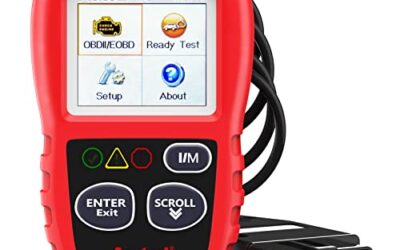
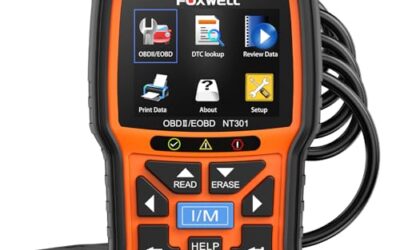
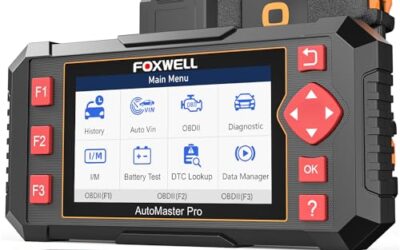
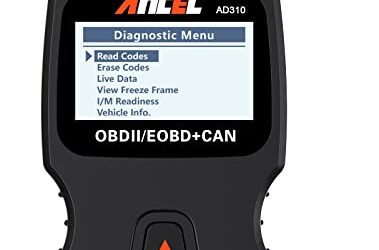
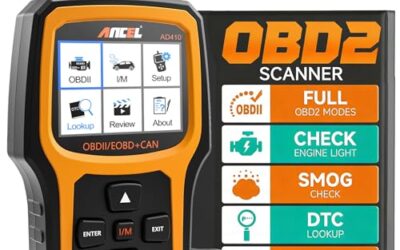
What is mode 6 on an OBD2 scanner? Mode 6 displays results from onboard emissions diagnostic tests, including measured values, limits, and test status. It can show whether a monitor is passing, failing, or operating close to its allowed limit before the vehicle stores a confirmed diagnostic trouble code.
Mode 6 data comes from the vehicle’s engine computer through the OBD2 connector. It helps technicians inspect emissions monitor results rather than only reading stored trouble codes. The format varies by vehicle model, model year, engine computer, and scan tool.
Key takeaways
- Mode 6 reports onboard monitor test results.
- It can show test values, minimum and maximum limits, units, and pass or fail status.
- Test IDs and component IDs vary between manufacturers and vehicles.
- Some scanners translate raw data into plain language. Others show hexadecimal IDs or unclear labels.
- Mode 6 does not replace trouble-code diagnosis, live-data checks, wiring tests, or service information.
- Clearing codes can erase useful test history. It does not repair the cause of a fault.
What does Mode 6 mean in OBD2 diagnostics?
Mode 6 is one of the diagnostic service modes defined for OBD2 communication. It lets a scan tool request results from non-continuous emissions monitors. These monitors run tests under certain driving and operating conditions.
Examples include tests for oxygen sensors, catalytic converter performance, evaporative emissions leaks, exhaust gas recirculation operation, secondary air injection, and misfire monitoring. Exact tests depend on vehicle equipment and control software.
A Mode 6 record often includes four parts:
- Test ID: The monitor or test category.
- Component ID: The individual sensor, bank, cylinder group, or system under test.
- Measured value: The result recorded by the vehicle computer.
- Limit or threshold: The range used to judge that result.
Some tools also show a pass or fail result. Others show only raw numbers. The same ID may mean different things on different vehicle systems, so generic charts can mislead.
How Mode 6 works
The powertrain control module runs emissions tests when conditions match its rules. Those rules may include coolant temperature, vehicle speed, engine load, fuel level, battery voltage, outside temperature, and time since startup.
For example, an oxygen sensor monitor may compare sensor response against a permitted range. A misfire monitor may count combustion events under specific engine conditions. An evaporative emissions monitor may check whether tank pressure changes as expected.
After running a test, the control module stores a result. The scanner requests that result through the OBD2 data link. The scanner then displays the value and limit in its own format.
Mode 6 does not actively run every test on demand. A scanner usually reads the latest result stored by the control module. If the required driving conditions have not occurred, the result may be missing, incomplete, or marked unavailable.
What can Mode 6 tell you?
Mode 6 can reveal a marginal condition that has not yet triggered a confirmed code. A catalytic converter test may pass while moving close to its failure threshold. An oxygen sensor test may pass but show weaker response than expected. A misfire monitor may record counts that remain below the code-setting limit.
This makes Mode 6 useful during intermittent fault diagnosis. A vehicle can have a rough-running event, poor fuel control, or an emissions concern without storing a permanent code at that moment.
Mode 6 can also help after repairs. A technician can check whether a monitor is passing without waiting for the dashboard warning light to return. The monitor still needs the correct drive conditions before its result means much.
Mode 6 compared with other OBD2 modes
| Mode | What it shows | Practical use |
|---|---|---|
| Mode 1 | Current data and monitor status | View live sensor readings, readiness, and basic vehicle information. |
| Mode 2 | Freeze-frame data | See operating conditions captured when a fault code set. |
| Mode 3 | Stored trouble codes | Read confirmed emissions-related DTCs. |
| Mode 4 | Clear codes and reset data | Erase codes and reset some monitor history after repairs. |
| Mode 6 | Onboard test results | Inspect monitor values, limits, and test status. |
| Mode 7 | Pending trouble codes | View faults detected during an incomplete confirmation cycle. |
| Mode 9 | Vehicle and calibration information | Read items such as VIN or calibration identifiers when supported. |
Mode 1 live data shows what sensors report now. Mode 6 shows what an onboard test recorded. Both can matter, but they answer different questions.
Where Mode 6 applies
Mode 6 mainly applies to emissions-related OBD2 diagnostics. Federal OBD2 requirements cover many gasoline vehicles sold in the United States from model year 1996 onward. Diesel coverage, hybrid systems, and later vehicle networks can differ.
A standard 16-pin J1962 connector does not mean every diagnostic function is available through every scanner. A vehicle may use manufacturer-specific data, gateway security, or separate modules for systems outside basic emissions diagnostics.
Mode 6 availability also depends on scan tool software. A basic code reader may support Modes 1 through 4 but omit Mode 6. Some tools support the data but display raw IDs. Better software may identify the test and explain the result, but that translation still depends on vehicle coverage.
Phone-based scanners add another compatibility layer. The adapter must support the vehicle protocol, the app must support Mode 6, and the phone must meet the app’s operating system requirements. Bluetooth support can differ between iPhone and Android devices. Firmware can also affect communication.
How to read Mode 6 data
Use this process when a scanner provides Mode 6 access:
- Connect the scanner to the vehicle’s 16-pin OBD2 port with the ignition off unless the tool instructions say otherwise.
- Turn the ignition on. Start the engine only when the scanner or service procedure calls for it.
- Open the OBD2 diagnostics menu and select Mode 6, onboard monitoring, or test results.
- Record the vehicle model year, engine, test ID, component ID, units, measured value, and limits.
- Check whether the scanner identifies the test as passed, failed, incomplete, or unsupported.
- Compare the result with vehicle-specific service information, not a universal Mode 6 chart.
- Check stored, pending, and permanent trouble codes along with readiness monitor status.
- Use live data and physical tests to confirm the suspected fault before replacing parts.
Write down the data before clearing codes. A reset can remove pending codes, freeze-frame information, readiness status, and useful Mode 6 history.
Why Mode 6 values look confusing
Mode 6 often uses hexadecimal test IDs and component IDs. A display may show values such as TID $01 or CID $05 instead of naming a sensor. The meaning depends on the vehicle’s diagnostic definition.
Units can create another problem. A scan tool may show counts, voltage, frequency, pressure, temperature, time, or a scaled value. Some control modules send raw numbers that software converts before display. A value that looks high or low has no meaning without its unit and limit.
Different vehicles can use different limits for similar tests. A passing result on one engine does not establish a normal value for another engine. Vehicle-specific repair information matters more than a general online table.
Mode 6 and emissions readiness
Mode 6 is not the same as readiness status. Readiness tells whether required monitors have completed their drive cycles. Mode 6 shows results from individual tests when those results are available.
A vehicle can show ready monitors and still have a problem that has not crossed the code threshold. A vehicle can also show incomplete monitors after battery disconnection, code clearing, module replacement, or recent repairs.
Emissions inspection rules vary by state and program. A car may fail inspection because monitors are incomplete even when no check engine light is on. Check local inspection requirements before resetting codes or disconnecting the battery.
Common Mode 6 mistakes
- Treating every failed result as a failed part: A failed monitor identifies a test result, not always a replacement part. Wiring, vacuum leaks, exhaust leaks, fuel pressure, software, and operating conditions can affect the result.
- Using a generic ID chart: Test and component IDs can vary by vehicle. Generic charts may assign the wrong meaning.
- Ignoring units: Raw counts and converted voltage are not interchangeable.
- Reading one value alone: Compare the measured value with its limit and review related codes and live data.
- Clearing codes before recording data: Resetting the system can erase clues and restart readiness monitors.
- Assuming a passing result proves full vehicle health: Mode 6 covers selected emissions tests. It does not test every control module, mechanical part, safety system, or accessory.
- Expecting a basic scanner to show it: Tool support varies by model, software version, vehicle coverage, and connector protocol.
When to get professional help
Get professional diagnostic help when Mode 6 shows a failed test, a value close to its limit, or repeated incomplete results with a drivability symptom. Professional diagnosis becomes more useful when the result involves catalyst efficiency, fuel control, misfire, evaporative leaks, or network communication.
Do not replace a catalytic converter, oxygen sensor, or control module from one Mode 6 value. A technician may need a smoke machine, pressure gauge, oscilloscope, exhaust analyzer, current clamp, or manufacturer-level scan tool.
Stop driving and seek immediate help for severe misfire, flashing check engine light, stalling in traffic, loss of braking, overheating, fuel odor, or smoke. Mode 6 cannot judge basic road safety.
Which scanner features matter for Mode 6?
Look for explicit Mode 6 or onboard monitoring support. A tool that only advertises code reading may not show these tests.
- Vehicle coverage: Model-year and engine coverage determine which data the tool can request.
- Clear test labels: Plain-language descriptions help, but vehicle-specific interpretation still matters.
- Raw data access: Useful for advanced diagnosis when labels are incomplete.
- Readiness and pending-code screens: These provide context around Mode 6 results.
- Report storage: Saving results helps compare before and after repairs.
- Updates: Firmware and app updates can affect vehicle coverage and data display.
For related buying guidance, see OBD2 scanners for live data and fuel trim and OBD2 scanners for advanced use. Professional repair work may call for features covered in our guide to professional car diagnostic tools.
Gear that can help
If you need OBD2 scanners for this job, these picks already appear in our OBD2 scanners guides. Check the full guide for fit and who should skip each one.

Pros
- Supports check-engine code reading and clearing
- Provides live data features including engine speed, vehicle speed, coolant temperature, and calculated load value
- Includes a 2.5-foot cable and six-button control layout
- Compact 6.02 x 2.75 x 0.91-inch design
Cons
- Does not support ABS, airbag, oil service light, or other non-OBDII systems
- Vehicle compatibility is described as supporting most applicable vehicles rather than every vehicle
- Requires connection to a vehicle’s OBDII port for power
Specifications
| Color | Yellow |
|---|---|
| Size | Portable |
| Dimensions | 6.02 x 2.75 x 0.91 inches |
| Weight | 0.6375 Pounds |
| Product Group | Automotive Parts and Accessories |
| Binding | Automotive |
Best For / Avoid If
Best for buyers prioritizing
- Supports check-engine code reading and clearing
- Provides live data features including engine speed, vehicle speed, coolant temperature, and calculated load value
- Includes a 2.5-foot cable and six-button control layout
Consider another option if
- Does not support ABS, airbag, oil service light, or other non-OBDII systems
- Vehicle compatibility is described as supporting most applicable vehicles rather than every vehicle
- Requires connection to a vehicle’s OBDII port for power

Pros
- Includes code reading, code clearing, live data, freeze-frame, I/M readiness, and vehicle information functions
- Supports VIN, Calibration ID, and Calibration Verification Number retrieval
- Lists compatibility with post-1996 US-based, post-2006 EU-based, and post-2009 Asian-based OBDII vehicles
- Offers a built-in DTC definition database and support for six languages
- Includes a stated five-year warranty
Cons
- The display is described as a two-line LCD screen, which may provide less viewing space than larger scan-tool displays
Specifications
| Color | Blue |
|---|---|
| Dimensions | 9.79921258843 x 6.692913379 x 1.57874015587 inches |
| Product Group | Automotive Parts and Accessories |
| Binding | Unknown Binding |
Best For / Avoid If
Best for buyers prioritizing
- Includes code reading, code clearing, live data, freeze-frame, I/M readiness, and vehicle information functions
- Supports VIN, Calibration ID, and Calibration Verification Number retrieval
- Lists compatibility with post-1996 US-based, post-2006 EU-based, and post-2009 Asian-based OBDII vehicles
Consider another option if
- The display is described as a two-line LCD screen, which may provide less viewing space than larger scan-tool displays

Pros
- Supports iPhone, Android, and Windows devices
- Works with a range of named diagnostic applications
- Offers enhanced OEM support for several vehicle brands
- Includes protection against over-voltage and battery drain
Cons
- Vehicle compatibility and available features should be confirmed in the troubleshooting guide before purchase
Specifications
| Color | Black |
|---|---|
| Size | Small |
| Dimensions | 2.0078740137 x 0.9055118101 x 1.8110236202 Inches |
| Weight | 0.06172943336 pounds |
| Product Group | Automotive Parts and Accessories |
| Binding | Automotive |
Best For / Avoid If
Best for buyers prioritizing
- Supports iPhone, Android, and Windows devices
- Works with a range of named diagnostic applications
- Offers enhanced OEM support for several vehicle brands
Consider another option if
- Vehicle compatibility and available features should be confirmed in the troubleshooting guide before purchase
Frequently asked questions
Can Mode 6 clear a check engine light?
No. Mode 6 reads monitor results. Code-clearing functions use another diagnostic mode, and clearing a code does not repair the fault.
Does Mode 6 work on every OBD2 vehicle?
Basic OBD2 rules support related diagnostic functions, but scanner access and display vary by vehicle model year, engine, control module, software, and tool coverage.
Is a failed Mode 6 test the same as a trouble code?
No. A failed test may help explain a pending or future code, but it does not always create a stored DTC immediately.
Can Mode 6 find a bad catalytic converter?
It can show the result of a catalyst monitor, but that result alone cannot prove the converter failed. Exhaust leaks, oxygen sensor faults, fuel control problems, and misfires can affect the test.
Why does my scanner show no Mode 6 data?
The tool may lack Mode 6 support, the vehicle may not have completed the test, the app may not translate the data, or the control module may use a format the tool cannot read.
Sources and further reading
- J1962 Diagnostic Connector standard (SAE International): Connector requirements for vehicle diagnostic equipment.
- J1979 E/E Diagnostic Test Modes standard (SAE International): Definitions for diagnostic service modes, including onboard test data.
- Vehicle Emissions Inspection and Maintenance (US EPA): Emissions inspection and readiness information by state and program.