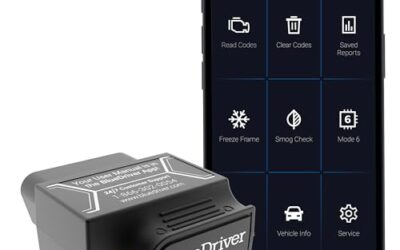
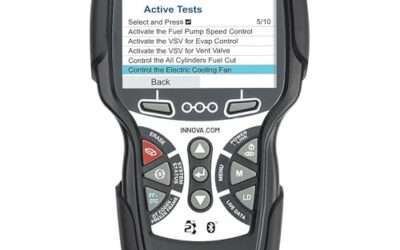
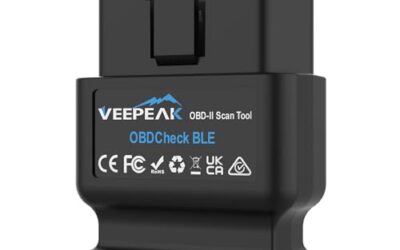
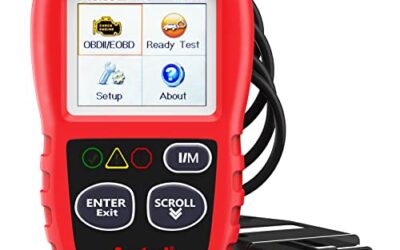
Veepeak obdcheck ble review points most everyday drivers toward the Veepeak OBDCheck BLE Bluetooth OBD II Scanner because it offers check engine code reading, freeze frame data, I/M readiness, and live sensor data through iOS or Android apps. It fits most 1996 and newer cars and light trucks in the United States for generic OBD II functions, but it is not a full vehicle service scanner.

Pros
- Supports both iOS and Android through Bluetooth LE
- Provides several standard OBD-II diagnostic functions
- Compatible with multiple generic and vehicle-specific third-party apps
- Compact listed dimensions of 1.61417 x 1.9685 x 0.86614 inches
Cons
- Requires a compatible third-party app, and some apps or features may require separate purchases
- Does not support special functions such as injector coding, EPB reset, ABS bleeding, oil light or service resets, and relearns
- Advanced diagnostics and EV or hybrid support depend on the vehicle and app
The Veepeak OBDCheck BLE is a Bluetooth LE OBD-II scanner designed for iOS and Android devices. It requires a compatible third-party app and is intended primarily for standard OBD-II diagnostics, including reading and clearing check-engine trouble codes, viewing freeze-frame data, checking I/M readiness, and monitoring live sensor data.
For generic OBD-II functions, it works with most 1996 and newer cars and light trucks in the US. App compatibility includes Car Scanner ELM OBD2, Torque for Android, OBD Fusion, BimmerCode, BimmerLink, OBD JScan, and Dr. Prius, although some apps and in-app features require separate purchases. Advanced diagnostics, manufacturer-specific data, and EV or hybrid support depend on the vehicle and app.
The device does not support special functions such as injector coding, EPB reset, ABS bleeding, oil light or service resets, and relearns. It is not compatible with Carly, MHD, xHP, ProTool, or bootmod3. Listed dimensions are 1.61417 x 1.9685 x 0.86614 inches.
Specifications
| Dimensions | 1.61417 x 1.9685 x 0.86614 inches |
|---|---|
| Product Group | Automotive Parts and Accessories |
| Binding | Automotive |
Detailed Review
Key features:
- Supports Bluetooth LE connections with iOS and Android devices
- Reads and clears generic check-engine trouble codes
- Displays freeze-frame data and live sensor data
- Checks I/M readiness for emissions-related diagnostics
- Works with most 1996 and newer cars and light trucks in the US for generic OBD-II functions
- Compatible with apps including Car Scanner ELM OBD2, Torque, and OBD Fusion
Best For / Avoid If
Best for buyers prioritizing
- Supports both iOS and Android through Bluetooth LE
- Provides several standard OBD-II diagnostic functions
- Compatible with multiple generic and vehicle-specific third-party apps
Consider another option if
- Requires a compatible third-party app, and some apps or features may require separate purchases
- Does not support special functions such as injector coding, EPB reset, ABS bleeding, oil light or service resets, and relearns
- Advanced diagnostics and EV or hybrid support depend on the vehicle and app
The Veepeak OBDCheck BLE Bluetooth OBD II Scanner is a wireless adapter, not a complete diagnostic computer. It needs a compatible third party app before it can display vehicle information. That setup gives you app choice, but it also makes the final feature set depend on both vehicle and software support.
For ordinary check engine work, the core functions are useful. The adapter can read and clear generic trouble codes, show freeze frame data, display I/M readiness monitors, and stream live sensor data. These tools help a driver understand why a malfunction indicator lamp appeared and whether emissions monitors have completed after repairs or battery disconnection.
Clearing a code does not repair its cause. It also resets readiness monitors, so a vehicle may need normal driving before it can complete an emissions inspection. Use live data as diagnostic information, not as proof that one component has failed. A code often identifies a system or condition, not a guaranteed replacement part.
CarTechTalk may earn a commission from qualifying purchases through links on this page. That relationship does not change compatibility limits or the recommendation.
Who should buy the Veepeak OBDCheck BLE Bluetooth OBD II Scanner
Best for: Drivers who want a compact phone based reader for generic engine diagnostics, basic code clearing, readiness checks, and live data.
The strongest fit is a vehicle owner who can install an app and wants more information than a dashboard warning light provides. A phone screen can show sensor values while you investigate an intermittent fault, compare freeze frame conditions, or check whether emissions monitors are ready.
It also suits buyers who prefer using one adapter with different apps. The listed options include Car Scanner ELM OBD2, Torque for Android, and OBD Fusion. Vehicle specific apps named for supported use include BimmerCode, BimmerLink, OBD JScan, and Dr. Prius. Each app may expose different functions and may charge separately for certain features.
App choice creates a useful ownership tradeoff. You can select software that matches your phone and vehicle, but you must learn the app’s connection process and feature limits. The adapter itself does not turn every supported vehicle into a service platform.
Skip it if: You need reliable access to ABS, SRS, transmission, body control, oil service, electronic parking brake, injector coding, relearns, or other repair functions. This model is primarily for standard OBD II diagnostics, and its listed limitations exclude those special functions.
Vehicle compatibility and connection limits
The listed fitment covers most 1996 and newer cars and light trucks in the United States for generic OBD II functions. That model year guidance is a starting point, not a promise that every feature will work on every vehicle. Generic powertrain data and manufacturer specific modules use different access rules.
Electric vehicle and hybrid support depends on the app. The product information points buyers toward checking compatibility in Car Scanner App or contacting Veepeak for a particular vehicle. That matters because a standard engine focused app may show less information on a vehicle with electric drive components.
The adapter uses Bluetooth Low Energy for iOS and Android. It does not use Wi Fi. Connection starts inside the selected app, with the correct connection type chosen there. The instructions specifically warn against pairing through the phone’s Bluetooth menu, especially on iOS devices.
That process differs from many headphones and other Bluetooth accessories. A buyer who pairs the adapter from the system settings may think the unit is defective when the app cannot connect. Follow the app’s connection screen instead.
Android head units may not support this adapter. A regular Android phone or iPhone is the safer use case based on the listed platform support. The product information does not make a broad promise for every tablet, vehicle display, or aftermarket multimedia unit.
| Feature | What it means for ownership |
|---|---|
| Bluetooth LE | Wireless phone connection without a Wi Fi network, with setup performed inside the app. |
| iOS and Android support | Works with compatible mobile apps on both major phone platforms. |
| Generic OBD II functions | Useful for check engine information, freeze frame data, readiness, and live sensor readings. |
| App dependent advanced functions | Some vehicle specific data may work, while other modules or service tasks remain unavailable. |
| 1996 and newer US cars and light trucks | Primary fitment for generic OBD II functions, subject to vehicle and app compatibility. |
What the phone apps add
The adapter has limited value without software. Car Scanner ELM OBD2, Torque for Android, and OBD Fusion are listed as generic app choices. Their interfaces, supported data lists, and paid features can differ, so the app becomes part of the buying decision.
Vehicle specific software may reach beyond generic engine data on selected makes and models. BimmerCode and BimmerLink support has model year restrictions. Vehicles from before 2008 are excluded for those apps, and BimmerCode excludes G and U series vehicles. FORScan and AlfaOBD do not support MS CAN with this adapter.
The listed app examples also include OBD JScan and Dr. Prius. Their usefulness depends on vehicle coverage and the functions available within each app. Separate purchases may apply to apps or in app features. A low adapter cost can therefore lead to extra software spending if you need more than basic code reading.
Some apps named in the product information are expressly incompatible. Carly, MHD, xHP, ProTool, and bootmod3 are not supported. Buyers choosing an adapter for one of those platforms should select hardware listed by that app instead.
Check software support before buying, not after the adapter arrives. Search by exact make, model, year, engine, and desired module. Generic OBD II coverage may be enough for a check engine lamp, while a coding or module task needs a much narrower match.
Generic diagnostics versus full service functions
Generic OBD II access usually centers on emissions related powertrain information. That includes trouble codes, freeze frame records, readiness monitors, and live sensor readings. These functions can help separate a warning light from a no symptom situation and give a repair shop better starting information.
They do not replace every diagnostic system in a modern vehicle. ABS and SRS access may require a vehicle specific app, and even then support varies by make and model. Transmission temperature and other manufacturer specific sensor values follow the same rule.
Service operations remain outside this model’s listed support. Injector coding, electronic parking brake reset, ABS bleeding, oil light and service resets, and relearns are excluded. Those tasks often change control module settings or require guided procedures. A generic Bluetooth reader is the wrong purchase when the job depends on those functions.
Safety systems deserve extra caution. A reader that shows a code does not confirm that an airbag or brake system is safe to operate. Follow the vehicle service manual and use qualified repair help for faults involving braking, steering, restraint systems, or high voltage components.
Veepeak OBDCheck BLE ownership tradeoffs
Wireless access keeps a diagnostic session free from a cable running to the phone. It can also make casual checks easier because the driver can choose an app and view data on a familiar screen. Bluetooth LE support covers iOS and Android, which broadens the phone choices.
The same setup adds dependencies. The phone needs a compatible app, the app needs the right connection setting, and advanced functions need matching vehicle coverage. Some software features cost extra. Owners who want one menu with broad built in coverage may prefer a dedicated professional scanner instead.
Power comes from the vehicle’s OBD II connection during use. The product information does not describe a separate battery or charging process. Avoid leaving any diagnostic adapter connected for long periods unless the vehicle and adapter instructions support that use. Some vehicles keep the diagnostic port powered after shutdown, and a connected device can create an avoidable battery concern.
App privacy and permissions also deserve attention. Choose software from a recognized developer, review requested permissions, and avoid imitation apps that demand a subscription for basic functions. The product information specifically warns buyers to download the correct app.
Alternatives for different diagnostic needs
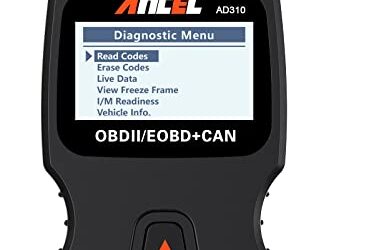
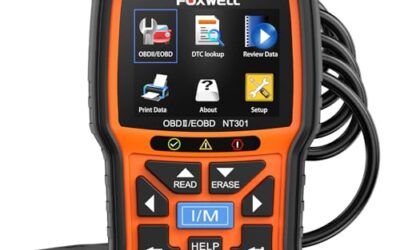
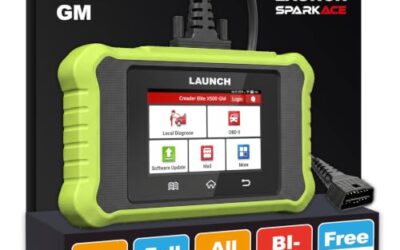
A dedicated professional scanner is the better path for a technician or serious home mechanic who needs broader module coverage, guided service tasks, or a single purpose built interface. CarTechTalk’s professional automotive diagnostic tool guide covers that type of equipment.
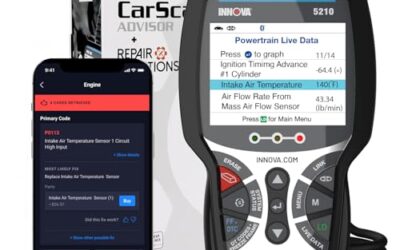
Readers focused on live sensor information can compare other approaches in the live data scan tool guide. Live data quality depends on the vehicle, app, parameter support, and how the readings are interpreted. More displayed values do not automatically identify the failed part.
For general home use, the OBD2 scanner and diagnostic tool guide provides a wider view of scanner types. A handheld unit may suit drivers who do not want phone setup. A wireless adapter may suit owners who already use a preferred app.
No one should buy anything in this guide if the real need is professional diagnosis of braking, airbag, steering, body control, or high voltage systems. Look for a scanner with explicit coverage for the exact vehicle and module, or use a qualified technician with the required service equipment.
Final verdict on this Veepeak OBDCheck BLE review
The Veepeak OBDCheck BLE Bluetooth OBD II Scanner is a sensible budget adapter for generic check engine diagnostics on compatible 1996 and newer US cars and light trucks. Its useful functions include code reading and clearing, freeze frame data, I/M readiness, and live sensor data through iOS or Android apps.
Its main limitation shapes the buying decision: the adapter needs third party software, and advanced functions depend on both app and vehicle support. It does not support listed tasks such as ABS bleeding, injector coding, electronic parking brake resets, oil service resets, or relearns.
Choose it when phone based generic OBD II information matches the job. Skip it when the goal involves broad module access, coding, service resets, or a platform named as incompatible. That distinction matters more than wireless convenience.