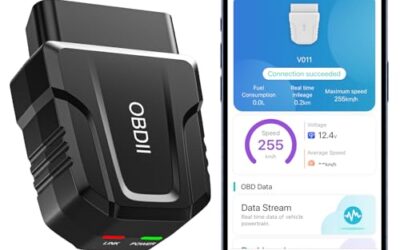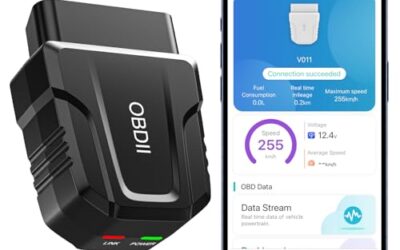

BlueDriver review results favor BlueDriver OBD2 Scanner Bluetooth for most drivers who want more than basic engine codes, because it connects to a phone, reads several vehicle systems, and includes repair reports without subscription fees. Its strongest fit is a North American gas vehicle from 1996 or newer, but it is not a replacement for a full professional scan tool or a repair manual.

Pros
- Provides more system-specific diagnostics than basic engine-code readers
- Wireless connection avoids the need for a cable between the scanner and phone or tablet
- Includes live data, freeze-frame information, smog readiness, and Mode 6 functions
- Free app updates and no subscription fees are included with the purchase
Cons
- A compatible phone or tablet is required for wireless operation
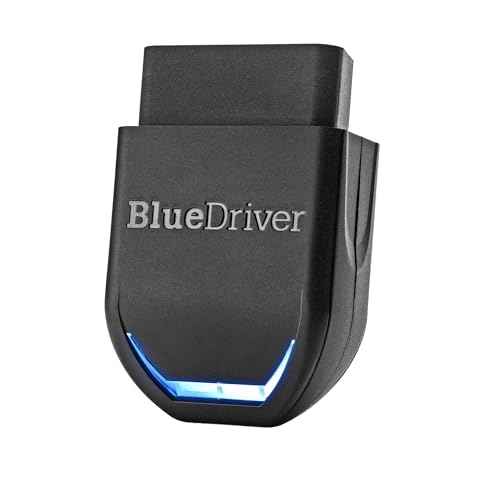
The BlueDriver Pro is a black Bluetooth OBD2 scanner that plugs into a vehicle's OBDII port and connects wirelessly to a phone or tablet. It can read and clear enhanced diagnostic codes for Check Engine, ABS, SRS, airbag, TPMS, and transmission systems.
- Vehicle coverage: Gas-powered vehicles from 1996 and newer sold in the U.S., Canada, and Mexico
- Diagnostic features: VIN-matched repair reports, live data, freeze frames, smog readiness checks, and Mode 6 test results
- Connection: Bluetooth
- Subscription: No subscription fees or add-ons; free app updates are included
- Dimensions: 2.2 x 1.9 x 1 inches
- Weight: 0.13 pounds
Specifications
| Color | Black |
|---|---|
| Size | Pro |
| Dimensions | 2.2 x 1.9 x 1 inches |
| Weight | 0.13 pounds |
| Product Group | Automotive Parts and Accessories |
| Binding | Automotive |
Detailed Review
Key features:
- Reads and clears enhanced codes for Check Engine, ABS, SRS, airbag, TPMS, and transmission systems
- Provides VIN-matched repair reports with code definitions, possible causes, and verified fixes
- Supports live vehicle data, freeze frames, smog readiness checks, and Mode 6 test results
- Connects wirelessly to a phone or tablet through Bluetooth
- Compatible with gas-powered vehicles from 1996 and newer sold in the U.S., Canada, and Mexico
- Includes full feature access without subscription fees or add-ons
Best For / Avoid If
Best for buyers prioritizing
- Provides more system-specific diagnostics than basic engine-code readers
- Wireless connection avoids the need for a cable between the scanner and phone or tablet
- Includes live data, freeze-frame information, smog readiness, and Mode 6 functions
Consider another option if
- A compatible phone or tablet is required for wireless operation
Pros
- Offers more system coverage than basic engine-code readers
- Includes repair reports with definitions, possible causes, and confirmed fixes
- Wireless design connects to the vehicle's OBDII port without a cable to the phone or tablet
- Supports a broad range of listed vehicle makes, including GM, Ford, Toyota, Honda, BMW, and VW
Cons
- The published compatibility information covers gas-powered vehicles only
- A compatible phone or tablet is required for wireless use
The BlueDriver Pro-S is a Bluetooth OBD2 scanner and diagnostic tool for gas-powered vehicles made in 1996 or newer and sold in the United States, Canada, or Mexico. It connects to a vehicle's OBDII port and communicates wirelessly with a phone or tablet.
The scanner can read and clear codes for Check Engine, ABS, SRS, Airbag, TPMS, and transmission systems. Its app provides technician-verified repair reports matched to the vehicle identification number, along with live data, freeze frames, smog-readiness checks, and Mode 6 test results. The purchase includes full feature access, free app updates, and no subscription fees.
Specifications
| Size | Pro-S |
|---|---|
| Product Group | Automotive Parts and Accessories |
| Binding | Automotive |
Detailed Review
Key features:
- Reads and clears enhanced codes for Check Engine, ABS, SRS, Airbag, TPMS, and transmission systems
- Provides technician-verified repair reports matched to the vehicle identification number
- Displays live vehicle data, freeze frames, smog readiness, and Mode 6 test results
- Connects wirelessly through Bluetooth to a phone or tablet
- Supports gas-powered vehicles made in 1996 or newer and sold in North America
- Includes full feature access, app updates, and support without subscription fees
Best For / Avoid If
Best for buyers prioritizing
- Offers more system coverage than basic engine-code readers
- Includes repair reports with definitions, possible causes, and confirmed fixes
- Wireless design connects to the vehicle's OBDII port without a cable to the phone or tablet
Consider another option if
- The published compatibility information covers gas-powered vehicles only
- A compatible phone or tablet is required for wireless use
BlueDriver uses a small Bluetooth sensor that plugs into the vehicle’s OBDII port. A phone or tablet supplies the screen and app interface, so the purchase avoids the bulk of a handheld scanner. The connection also removes the cable running between the diagnostic port and the display.
Per the manufacturer’s listing, the system can read and clear codes from the Check Engine, ABS, SRS, airbag, TPMS, and transmission systems. That scope matters because a basic OBD2 reader often centers on emissions related powertrain codes. Access to other modules can help a driver decide whether a warning needs immediate professional attention or further diagnosis.
The app also presents live vehicle data, freeze-frame information, smog readiness, and Mode 6 results. These functions help with different decisions. Live data can show sensor readings while the engine runs. Freeze-frame information records operating conditions linked to a stored fault. Readiness information helps show whether emissions monitors have completed after a repair or battery disconnect. Mode 6 data can expose monitor results that do not always appear as a simple dashboard warning.
BlueDriver also lists VIN-matched, technician-verified repair reports with code definitions, possible causes, and confirmed fixes. Treat those reports as diagnostic guidance, not a guaranteed repair instruction. One code can have several causes, and a scan cannot replace wiring checks, mechanical inspection, or a service procedure for a specific vehicle.
CarTechTalk may earn a commission from qualifying purchases. That relationship does not change fitment limits or the distinction between a code explanation and a completed repair diagnosis.
Which BlueDriver Version Fits Your Purchase?
| Product | Price position | Vehicle coverage | Diagnostic access | Ownership model |
|---|---|---|---|---|
| BlueDriver OBD2 Scanner Bluetooth, ASIN B00652G4TS | Premium within this pair | Gas vehicles from 1996 or newer sold in the United States, Canada, or Mexico | Check Engine, ABS, SRS, airbag, TPMS, transmission, live data, freeze frames, smog readiness, Mode 6 | One-time purchase, no subscription fees, free app updates |
| BlueDriver OBD2 Scanner Bluetooth, ASIN B0GL9RL3XS | Lower priced within this pair | Gas vehicles from 1996 or newer sold in the United States, Canada, or Mexico | Check Engine, ABS, SRS, airbag, TPMS, transmission, live data, freeze frames, smog readiness, Mode 6 | One-time purchase, no subscription fees, free app updates |
The two listings describe the same core feature set. Their published descriptions do not establish a diagnostic difference between them. That makes purchase price and seller listing details the practical separation, rather than a different vehicle function.
BlueDriver OBD2 Scanner Bluetooth: Best for Broader Home Diagnosis
BlueDriver OBD2 Scanner Bluetooth suits drivers who want a phone based scanner for more than an emissions warning. Its system coverage can help owners investigate ABS, airbag, TPMS, and transmission warnings alongside engine codes. Live data, freeze frames, readiness status, and Mode 6 information give a home mechanic more context than a reader that only displays a fault code.
The manufacturer lists support for gas vehicles from 1996 or newer sold in North America. The connector requirement is an OBDII port, and the sensor communicates with a phone or tablet through Bluetooth. That fitment leaves important boundaries. Diesel vehicles are outside the stated vehicle scope. A vehicle built for another market may also fall outside the stated coverage, even if its connector looks familiar.
No subscription fee changes the long-term ownership calculation. The initial purchase gives access to listed functions without recurring charges, and free app updates are included. Drivers who use a scanner only once may not recover the purchase value. Owners who keep several vehicles, handle warning lights at home, or want repeated readiness checks can gain more from the one-time model.
Its drawback is dependence on a separate phone or tablet and the Bluetooth connection. A driver who wants a self-contained screen, physical buttons, or a tool that works without a mobile device should skip this model. A phone based interface also means the user must manage app access and keep the device available during scanning.
Best for: home mechanics and drivers with a supported gas vehicle who want module access, repair information, and live data without subscription charges.
Skip it if: the vehicle is diesel, the vehicle falls outside the stated North American coverage, or a dedicated handheld scanner matters more than wireless phone operation.
BlueDriver OBD2 Scanner Bluetooth: Best for Lower Entry Cost
The second BlueDriver OBD2 Scanner Bluetooth listing suits buyers who want the same stated diagnostic functions at the lower price position in this pair. It covers the same listed gas vehicle range and uses the same OBDII and Bluetooth arrangement. Its feature description includes access to engine, ABS, SRS, airbag, TPMS, and transmission codes, plus live data and repair reports.
This version makes sense for a driver who already owns a compatible phone or tablet and wants to limit upfront spending. The absence of subscription fees also helps owners who plan to keep the scanner for occasional warning-light checks. The purchase can support a better conversation with a repair shop by showing the stored code and related operating information, but it cannot prove which part needs replacement.
The lower entry cost does not create a broader use case. The same gas vehicle and North American sales limits apply. The same OBDII port and mobile device requirements apply as well. Buyers should treat the two listings as functionally similar based on their descriptions, then examine the current listing details, seller, and return terms before ordering.
Its drawback is that the listing does not give this version a separate diagnostic advantage over the other BlueDriver entry. Buyers who want a clearly different feature set, a larger display, or advanced service functions should skip it and compare professional scanners instead. A useful next step is the OBD2 scanner guide for home mechanics and drivers.
Best for: cost-conscious owners of supported gas vehicles who want broad code access and no recurring software charge.
Skip it if: you need confirmed bidirectional controls, coding, programming, or a tool with a built-in display. Those functions are not part of the listed feature set.
Compatibility Before You Buy
Vehicle fitment comes first. Both listings state compatibility with gas vehicles from 1996 or newer sold in the United States, Canada, or Mexico. That statement supports common North American gas vehicles, including brands listed in the product description such as GM, Ford, Stellantis, Toyota, Honda, Nissan, Mazda, Subaru, Hyundai, Mercedes-Benz, BMW, and Volkswagen.
Brand coverage does not mean every module works identically across every model year. Vehicle software, installed modules, and regional configurations affect which codes a scanner can access. The listing names supported system categories, but the exact depth of access can vary by vehicle. Use the manufacturer’s vehicle coverage chart for a final model specific check.
The scanner plugs into an OBDII port. The port location differs by vehicle, and the tool needs a phone or tablet for its interface. Bluetooth pairing adds a setup step compared with a wired handheld reader. Keep the vehicle parked during connection and diagnosis. Do not handle a phone while driving.
Neither listing supports a conclusion about diesel vehicles, electric vehicles, or plug-in hybrid systems. Buyers with those powertrains should look for a scanner whose manufacturer explicitly covers that vehicle type. A familiar connector alone does not prove full diagnostic support.
What BlueDriver Can Tell You, and What It Cannot
A stored code identifies a monitored fault condition. It does not automatically identify the failed component. For example, a sensor related code can result from the sensor, its wiring, a connector, a power supply, or another system condition. Repair reports can narrow the next inspection, but the repair still needs confirmation.
Clearing a code also does not fix its cause. It removes stored information and may turn off a warning until the vehicle detects the condition again. Clearing codes before recording freeze-frame details can remove useful clues. Save the code, description, and operating context before clearing anything.
Readiness information has a separate role. After clearing codes or disconnecting a battery, emissions monitors may need driving conditions before they complete. A vehicle can show no active Check Engine light while monitors remain incomplete. That distinction matters before an emissions inspection.
ABS, SRS, and airbag warnings deserve extra care. A scan can identify stored module information, but restraint and braking systems affect occupant protection and vehicle control. Do not treat a code explanation as permission to keep driving with a serious warning. Follow the vehicle service information and seek qualified repair help when the fault involves braking or restraint systems.
BlueDriver Versus a Professional Scan Tool
BlueDriver targets information and fault-code access through a mobile app. A professional scan tool may add functions such as active tests, special resets, coding, programming, or wider module coverage. Those functions depend on the tool and vehicle, so buyers should compare exact service functions rather than rely on the word professional.
For a driver who wants to understand a warning before visiting a shop, BlueDriver can offer useful context. For a technician who needs to command components, carry out service resets, or program modules, a different class of tool may fit better. The professional automotive diagnostic tool guide covers that broader workshop use case.
Live data also needs careful interpretation. A value outside a familiar range does not prove failure without vehicle specific specifications and related checks. A scan tool supplies information. It does not replace a multimeter, pressure gauge, wiring diagram, mechanical inspection, or repair manual when those tools are needed.
Who Should Skip Both BlueDriver Listings?
Skip both products if you need coverage for a diesel, electric, or other vehicle type outside the stated gas vehicle scope. Also look elsewhere if you need programming, bidirectional control, a built-in display, or a workshop tool with documented special functions. A basic code reader may suit a driver who only wants a low-cost Check Engine code, while a professional scanner may suit a repair business.
Buyers without a compatible phone or tablet should choose a handheld scanner instead. Drivers uncomfortable with diagnostic terms should avoid making parts purchases from a code alone. A repair shop can use the scan result as one input, then confirm the fault through inspection and vehicle specific procedures.
Final BlueDriver Verdict
BlueDriver OBD2 Scanner Bluetooth is the stronger pick for the common home user who owns a supported North American gas vehicle and wants more system access than a basic code reader. Its listed combination of Bluetooth phone operation, multi-system codes, live data, repair reports, readiness information, and no subscription fee supports repeat ownership.
The lower-priced BlueDriver listing is the value choice when its current purchase terms remain favorable and the buyer accepts the same phone dependence and vehicle limits. Neither listing earns a universal recommendation. Vehicle type, diagnostic goals, and the need for professional service functions decide the fit.
Record codes before clearing them, treat repair reports as guidance, and use qualified service help for braking, airbag, and other safety system faults. For more live-data focused options, see the live data scan tool guide.