To remove access to a shared car tracker, use the tracker’s app or account settings to remove the person, stop sharing, or transfer ownership. You usually need access to the account that controls sharing; removing someone from a phone’s Bluetooth list may not revoke their account access.
- Check whether access comes from the tracker app, vehicle maker, phone location sharing, or a separate account.
- Remove the person from the sharing list, or end the specific vehicle or location share.
- Change account credentials and contact the provider if you cannot reach sharing controls.
- If you suspect stalking or immediate danger, prioritize personal safety before changing settings that could alert the other person.
Start with the app or website used to view the vehicle’s location. Menu names differ by brand, app version, phone operating system, and account role. Look for settings labeled sharing, members, drivers, authorized users, family, devices, or access management.
- Identify the tracker and sharing account. Check the app name, vehicle screen, subscription account, or setup records. A factory-installed connected service and an aftermarket GPS tracker use separate controls.
- Sign in as the account owner or administrator. A shared viewer may be able to see location but lack permission to remove other people.
- Open the vehicle’s sharing or user settings. Select the person or device whose access you want to end. If the app offers separate permissions, review which vehicle or location is shared.
- Remove that person or stop the share. Read the confirmation screen. Some services remove access immediately; others may require the recipient to accept a change, or may distinguish between removing a member and deleting a vehicle.
- Review the access list afterward. Check for duplicate email addresses, phone numbers, old devices, or additional users. If the app shows an active sharing state, make sure the intended person no longer appears as authorized.
- Secure the controlling account. Change its password if another person may know it. Review recovery email addresses, phone numbers, signed-in devices, and two-factor authentication settings. Sign out sessions you do not recognize.
- Check the vehicle and tracker separately. If the tracker has its own account, subscription, or administrator, review those settings too. Removing a person from a vehicle-maker app may not remove them from a separate tracker service.
These steps change account permissions. They do not necessarily turn off the tracker, end a subscription, remove saved location history, or erase another person’s past screenshots and records.
Find where the shared access comes from
A car’s location can be visible through several systems. The right removal method depends on which one sends or displays location. A person may have access through more than one route, so check each route you know is active.
| Access route | Where to check | What removal may not change |
|---|---|---|
| Aftermarket tracker account | Tracker app or provider website; account owner or administrator settings | Tracker power, service plan, or access held by a different administrator |
| Vehicle maker’s connected service | Automaker app, vehicle account, or authorized-driver settings | Separate aftermarket devices or other accounts linked to the vehicle |
| Phone location sharing | Location-sharing controls on the phone or account | Location access provided by the car or tracker app |
| Bluetooth pairing | Phone Bluetooth settings and, where applicable, vehicle paired-device settings | Cloud account access or location shared through a cellular tracker |
| Shared login | Account password, recovery options, active sessions, and security settings | Separate accounts or invitations already accepted by other users |
Bluetooth pairing and tracker sharing are different. Forgetting a Bluetooth device prevents that phone from using the pairing, but it may do nothing to a tracker that reports through its own cellular connection or account. Likewise, changing a shared account password may not remove a person who has a separate login.
If you are unsure where the device is installed, a placement overview such as this guide to common GPS tracker locations can help you understand possible device types. It cannot identify a tracker in a particular vehicle or show who controls its account.
What if you cannot remove the other person?
First check your account role. If you are a viewer rather than the owner, the app may not give you permission to change sharing. Ask the account owner to remove your access, or contact the provider to ask what account recovery or ownership process applies.
If you own the tracker account but cannot sign in, use the provider’s account recovery process. Secure the email account or phone number used for recovery first, if another person may control it. Contact support through the provider’s official app or website and be ready to show proof of account or vehicle ownership, if requested.
If an unfamiliar user remains after you remove them, check for other administrator accounts, invitations, and connected services. Then change passwords, review active sessions, and ask the service provider whether the old invitation or session can be revoked. A subscription cancellation alone may not delete an account or remove every user’s saved access.
Do not unplug an unknown device as your first step. Some trackers connect to vehicle wiring or a diagnostic connector, and some vehicles rely on connected equipment for other functions. If you cannot identify the hardware or its wiring, ask a qualified automotive technician to inspect it. A professional can also help distinguish an aftermarket tracker from factory-installed equipment.
Safety and privacy considerations
If another person may be monitoring you without consent, changing sharing settings could notify them or make the vehicle stop appearing in their app. The alert behavior varies by service. Consider whether the change could affect your safety, access to the vehicle, or a shared account before acting.
If you face immediate danger, move to a safe place and contact emergency services. For a non-immediate concern, consider using a device and account the other person cannot access to seek support. A trusted advocate or local support organization can help you plan next steps. Avoid confronting a suspected tracker user if doing so could put you at risk.
Removing digital access is different from physically locating or disabling a device. If you suspect a hidden tracker, an inspection by a qualified technician may help. Do not tamper with wiring, vehicle electronics, or safety equipment. The correct inspection method depends on the vehicle’s model year, installed options, and tracker type.
Common mistakes
- Deleting the app from your phone. App removal does not normally revoke another user’s permission from the account.
- Removing Bluetooth pairing only. This affects a Bluetooth connection, not necessarily a cellular tracker or cloud account.
- Changing the password without reviewing sessions. Some services keep existing sessions active, so check for a sign-out-all-devices option.
- Canceling the subscription and assuming access ended. Billing, account ownership, location history, and shared-user permissions may be managed separately.
- Resetting or disconnecting the tracker before checking ownership. A reset may erase settings without removing all cloud access. It could also affect vehicle functions or make the device harder to identify.
- Assuming one app controls every location source. A vehicle account, phone location service, and aftermarket tracker can operate independently.
When to get professional help
Contact the tracker provider when account controls do not let you remove an unwanted user, when you cannot recover the owner account, or when an unfamiliar administrator keeps appearing. Ask the provider which permissions, sessions, subscriptions, and location records are affected by each available removal option.
Ask an automotive technician to inspect the vehicle if you find an unidentified hardwired device, damaged wiring, or equipment connected near vehicle systems you cannot identify. Vehicle electronics and connectors vary by model year and equipment. The tracker’s voltage needs and installation method also depend on its design, so there is no safe universal disconnection procedure.
If the concern involves stalking, threats, or unauthorized monitoring, seek help from local authorities or a support organization familiar with technology-enabled abuse. Preserve relevant account messages or alerts only if doing so does not increase risk. Personal safety comes before collecting evidence or changing vehicle settings.
Gear that can help
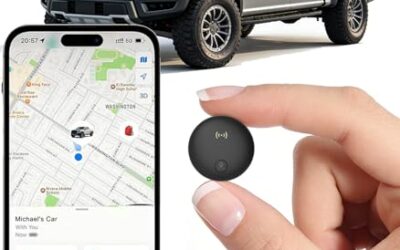
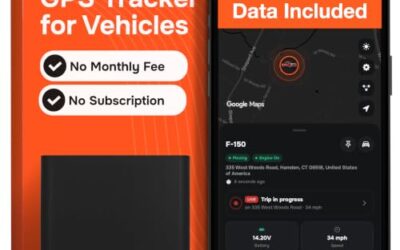
If you need GPS trackers for this job, these picks already appear in our GPS trackers guides. Check the full guide for fit and who should skip each one.

Pros
- Long battery capacity for extended vehicle and asset tracking
- Supports multiple alert types through SMS, email, and app notifications
- Designed for fleet, trailer, vehicle, boat, motorcycle, and equipment monitoring
- Includes both magnetic and screw-mount placement options
Cons
- A subscription is required after activation
- The listed dimensions and weight indicate a larger form factor than a compact personal tracker
- Designed for authorized vehicle and asset use, not people or pets
Specifications
| Color | Black |
|---|---|
| Dimensions | 3.54 x 2.48 x 1.46 inches |
| Product Group | Wireless |
| Binding | Electronics |
Best For / Avoid If
Best for buyers prioritizing
- Long battery capacity for extended vehicle and asset tracking
- Supports multiple alert types through SMS, email, and app notifications
- Designed for fleet, trailer, vehicle, boat, motorcycle, and equipment monitoring
Consider another option if
- A subscription is required after activation
- The listed dimensions and weight indicate a larger form factor than a compact personal tracker
- Designed for authorized vehicle and asset use, not people or pets

Pros
- Real-time tracking, alerts, and geofencing are supported
- Compact 2.25 x 2.25 x 0.8-inch design with an internal magnet
- Global tracking is supported through the web platform and SilverCloud App
- Subscription plans have no contracts and can be canceled at any time
Cons
- A subscription is required for each device
Specifications
| Color | Black |
|---|---|
| Size | 2.25 x 2.25 x 0.8 inches |
| Dimensions | 2.25 x 2.25 x 0.8 inches |
| Weight | 0.3 Pounds |
| Product Group | Wireless |
| Binding | Electronics |
Best For / Avoid If
Best for buyers prioritizing
- Real-time tracking, alerts, and geofencing are supported
- Compact 2.25 x 2.25 x 0.8-inch design with an internal magnet
- Global tracking is supported through the web platform and SilverCloud App
Consider another option if
- A subscription is required for each device
Frequently asked questions
Will the other person know when I remove their access?
Maybe. Some services send an alert or email when sharing changes; others may only stop showing the vehicle. Check the service’s settings or ask its support team. If an alert could put you at risk, plan around that before changing access.
Does deleting the tracker app remove shared access?
No. Deleting an app removes it from that phone, but it does not necessarily remove a person from the tracker’s account. Use the account’s sharing controls or ask the account owner or provider to revoke access.
Does removing a shared user erase location history?
Not necessarily. Access permissions and stored location history can be separate. Ask the provider what happens to past records and whether another account can still view them.
Can I remove access if I am not the account owner?
Often, only an owner or administrator can remove other users. Contact the account owner or provider. If you are the vehicle owner but not the tracker-account owner, ask the provider what proof and process it accepts for resolving account control.
Will removing a user stop the tracker from working?
Usually, removing one viewer changes who can see the location, not whether the device operates. Device shutdown, subscription cancellation, and account deletion are separate actions and depend on the tracker and service.