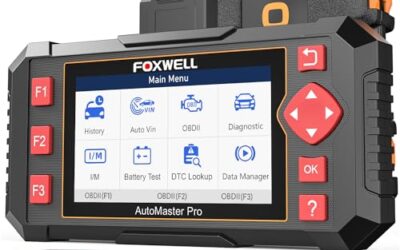
To read OBD2 codes, connect a compatible scanner using the vehicle and tool instructions, select the diagnostic-code menu and save the results before clearing anything. Use the code’s status and related data as diagnostic clues. A code description is not an instruction to replace the component it names.
An OBD2 code is a diagnostic clue, not a repair instruction. A code may identify the monitored circuit or system that reported a problem, while the actual cause could be a sensor, wiring fault, air leak, mechanical issue, low system voltage, or another component affecting that system.
Key takeaways
- Use a scanner that supports your vehicle’s model year, region, connector, and communication protocol.
- Record stored, pending, and permanent codes before erasing anything.
- Save freeze-frame data because it shows operating conditions associated with a fault.
- Read the entire code definition, not just the five-character code.
- Generic powertrain codes are standardized, but manufacturer-specific and enhanced-system codes may require better scan-tool coverage.
- Clearing a code does not repair the underlying problem and can erase useful diagnostic information.
What you need before reading OBD2 codes
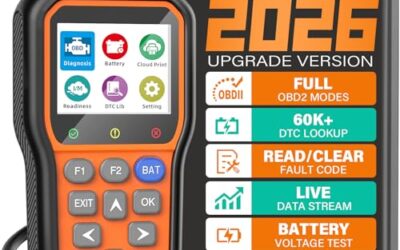
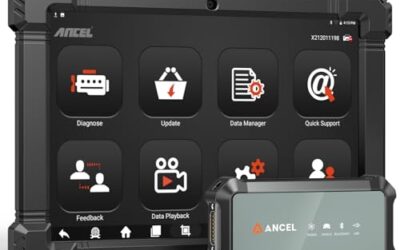
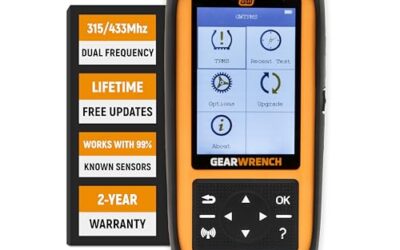
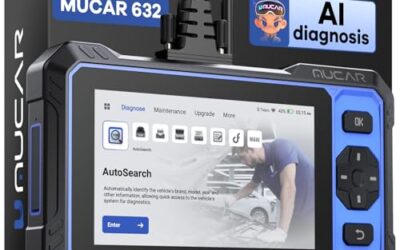
You need an OBD2 scan tool or code reader that can communicate with the vehicle. A basic handheld reader may retrieve emissions-related powertrain codes, while a more capable scanner may also access the transmission, anti-lock brake, airbag, body, chassis, hybrid, and other control modules.
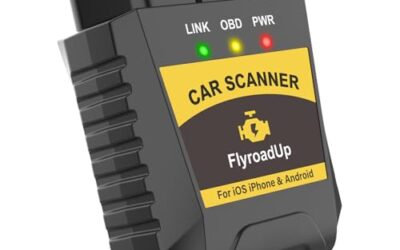
Bluetooth and Wi-Fi adapters require a compatible phone or tablet app. Check the adapter’s supported operating system, app requirements, firmware, and vehicle coverage. An adapter that works with one iPhone or Android application may not support the same functions in another app.
Vehicle compatibility also depends on the market and model year. Many US-market passenger vehicles and light trucks from the 1996 model year onward use the standardized 16-pin OBD2 connector for emissions diagnostics. Vehicles from other regions may have different implementation dates or regional standards, even if the connector looks the same. Older vehicles may use manufacturer-specific connectors and procedures.
Keep the vehicle battery adequately charged during diagnosis. Low voltage can interrupt communication, create misleading module faults, or prevent some tests from completing. Do not use an unsupported charger or power supply on a hybrid or electric vehicle, and do not touch orange high-voltage cables or components.
How to read OBD2 codes step by step
- Park safely. Place the vehicle in Park or Neutral as appropriate, set the parking brake, and switch off accessories. Unless the scanner or service procedure specifically requires the engine to run, begin with the engine off.
- Locate the diagnostic connector. The 16-pin data link connector is usually under the driver’s side of the dashboard, although its exact location varies. It may be behind a removable cover or near the center console. Do not force a plug into a connector that does not match.
- Connect the scanner. Insert the scanner cable or wireless adapter with the ignition off unless its instructions specify otherwise. Most basic tools receive power through the diagnostic connector, but some professional tools use a separate power source.
- Turn the ignition on. Select the ignition-on, engine-off position without starting the engine. Vehicles with push-button start may require a specific button sequence. Follow the owner’s manual or scanner instructions because accessory mode may not wake every control module.
- Identify the vehicle. Allow the scanner to read the vehicle identification number automatically, or enter the year, make, model, engine, and other requested details. Correct identification matters when accessing manufacturer-specific modules and definitions.
- Run a code scan. Choose options such as Read Codes, Diagnostics, Health Report, or Auto Scan. A basic reader may scan only the engine or powertrain controller. A full-system scan can take longer because it checks multiple modules.
- Record every result. Write down or save stored, pending, and permanent codes, including their status and the module reporting them. Also save freeze-frame data and relevant live-data values when available.
- Interpret the codes. Start with the exact definition supplied by reliable service information for the vehicle. Determine whether the code is generic or manufacturer-specific, then inspect related technical procedures, wiring diagrams, and test steps.
- Diagnose before replacing parts. Check simple causes such as disconnected hoses, damaged wiring, loose connectors, blown fuses, or low battery voltage where relevant. Perform only tests that can be completed safely and correctly.
- Clear codes only when appropriate. Erase codes after documenting them and completing a repair or when a diagnostic procedure specifically calls for clearing them. Then verify the repair through an appropriate drive cycle or monitor check.
How OBD2 code formats work
A typical diagnostic trouble code has one letter followed by four numbers, such as P0301. The characters indicate the general system, whether the code is broadly standardized or manufacturer-controlled, and the monitored fault category. The code definition remains more important than trying to decode every character manually.
| Code element | Common meaning | Important limitation |
|---|---|---|
| P | Powertrain, including engine and transmission-related systems | Access to transmission details may vary by scanner and vehicle |
| B | Body systems | Many basic readers cannot access body modules |
| C | Chassis systems, potentially including brakes or steering | Definitions are often vehicle-specific |
| U | Network communication between control modules | A communication code may be caused by voltage, wiring, or another offline module |
| 0 as the second character | Generally standardized or generic code family | The required diagnostic procedure can still differ by vehicle |
| 1 as the second character | Often manufacturer-specific | Exact meaning should be confirmed with vehicle-specific information |
Some code families do not fit a simplistic character-decoding rule, and enhanced codes may be displayed differently by various tools. Always confirm the complete definition rather than relying only on an internet list.
Example: interpreting P0301 correctly
P0301 is commonly defined as a cylinder 1 misfire detected. It does not mean that the cylinder 1 spark plug is definitely defective. Depending on the engine, possible causes can include ignition, fuel delivery, wiring, compression, air leakage, mechanical timing, or control issues.
The correct next step is to verify the symptom and follow a diagnostic process. That may include reviewing misfire data, inspecting accessible connections, comparing ignition components where an approved procedure allows it, and performing fuel or mechanical tests. Parts replacement based only on the code can waste money and leave the fault unresolved.
Stored, pending, permanent, and history codes
Stored or confirmed codes
A stored code indicates that the module recognized a fault under the conditions required by its monitoring logic. The malfunction indicator light may be on, but not every stored code commands a warning light.
Pending codes
A pending code means the system detected a possible fault that may not yet have met the criteria for a confirmed code. Pending codes can be useful when diagnosing an intermittent problem or a warning light that recently turned off.
Permanent codes
Permanent emissions-related codes are retained by the vehicle until the relevant monitor confirms that the problem is no longer present. A scanner generally cannot erase them directly. Their presence after a repair does not necessarily mean the repair failed, especially if the required monitor has not run yet.
History codes
Some modules retain codes describing faults that occurred previously but are not currently active. Terminology and behavior vary by manufacturer and scanner. An inactive history code should be evaluated alongside its status, occurrence information, and current symptoms.
Why freeze-frame and live data matter
Freeze-frame data is a snapshot of selected operating conditions captured when a fault met certain criteria. Depending on the vehicle and code, it may include engine speed, coolant temperature, vehicle speed, fuel-trim values, load, or other parameters.
This information can help distinguish a cold-start problem from a hot-engine fault or show whether a condition occurred at idle or under load. Not every vehicle stores the same parameters, and one freeze frame may be associated with a prioritized code rather than every code in memory.
Live data shows changing sensor and calculated values while the vehicle operates. It is useful only when compared with appropriate specifications and operating conditions. A value that looks unusual is not proof that the named sensor is faulty because the sensor may be accurately reporting a problem elsewhere.
What to do after retrieving a code
Prioritize codes rather than treating them as unrelated entries. Battery-voltage and network communication problems can produce numerous secondary codes. A mechanical or air-fuel fault can also cause misfire, catalyst-efficiency, and oxygen-sensor-related codes.
A practical diagnostic order is:
- Address immediate safety warnings, overheating, low oil pressure, or a severely running engine.
- Check battery voltage, relevant fuses, visible wiring damage, and disconnected components.
- Review all modules and code statuses rather than focusing only on the first result.
- Check freeze-frame data and determine which code likely occurred first.
- Consult vehicle-specific service information and known diagnostic procedures.
- Test the circuit, component, or mechanical system before authorizing replacement.
- After repair, clear codes if appropriate and confirm that monitors run without the fault returning.
A code points to the system that detected a problem. It does not guarantee that the component named in the description caused the problem.
Common mistakes when reading OBD2 codes
- Clearing codes immediately: This can erase freeze-frame information and reset readiness monitors before the fault is documented.
- Replacing the named sensor: A sensor-related code may result from wiring damage, connector corrosion, a leak, contamination, another failed component, or an implausible condition elsewhere.
- Ignoring code status: Pending, current, history, and permanent codes do not carry the same diagnostic meaning.
- Using only a generic description: Manufacturer-specific definitions and troubleshooting procedures can differ across engines, model years, and markets.
- Assuming no codes means no problem: Mechanical faults, noises, leaks, and some intermittent conditions may not set an OBD2 code.
- Assuming a basic reader scans everything: Emissions-focused tools may not communicate with airbag, brake, body, hybrid, or other modules.
- Disconnecting the battery as a reset: This may erase useful data, reset learned settings, and create additional setup requirements without fixing the fault.
When to get professional help
Stop driving and seek appropriate assistance if the vehicle has low oil pressure, is overheating, loses braking or steering assistance, emits smoke, leaks fuel, or runs so poorly that continued operation could be unsafe. A flashing malfunction indicator light can accompany an active misfire that may damage emissions components, so reduce load and arrange diagnosis rather than continuing normal driving.
Professional diagnosis is also appropriate when testing requires fuel-pressure equipment, an oscilloscope, bidirectional scanner controls, airbag work, high-current electrical testing, internal engine inspection, or access to hybrid and electric high-voltage systems. These systems require correct procedures, equipment, and training.
If a scanner cannot communicate, a technician can test connector power and ground, network circuits, module wake-up conditions, and vehicle-specific protocol issues. Do not probe connector pins randomly because an incorrect connection can damage a module or network circuit.
FAQ
Can I read OBD2 codes with the engine running?
Some functions and live-data checks require the engine to run, but initial code retrieval usually can be performed with the ignition on and engine off. Follow the tool’s instructions and keep the vehicle outdoors or use proper exhaust extraction whenever the engine runs.
Will an OBD2 scanner tell me exactly what part to replace?
No. It reports codes, status information, and possibly data from control modules. Identifying the failed part or underlying condition usually requires inspection, circuit testing, mechanical checks, and vehicle-specific service information.
Why did the warning light turn off even though a code remains?
The monitored fault may not have reappeared during later trips, allowing the light to turn off while the code remains stored as history or permanent information. Code status and readiness data can clarify what the module currently sees.
Can one scanner read every module on every vehicle?
No. Coverage varies by scanner hardware, software subscription, firmware, vehicle model year, manufacturer, region, and installed systems. Confirm support for the specific vehicle and module rather than relying only on the presence of a 16-pin connector.
Does clearing OBD2 codes reset emissions readiness monitors?
Clearing emissions codes generally resets related readiness information to not ready. The monitors must run again under the conditions defined by the vehicle, and some may require multiple trips or specific operating conditions. Clearing codes just before an inspection can therefore create an incomplete-readiness result.