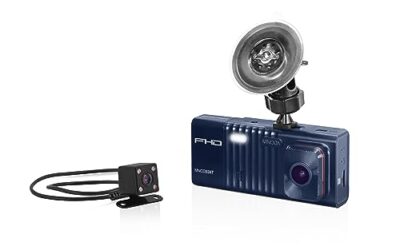
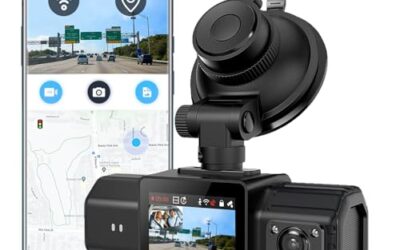
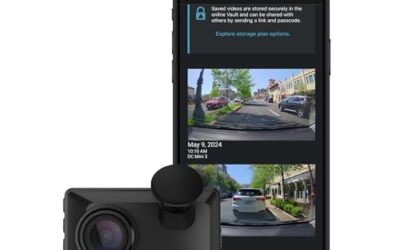
To hardwire a dash cam, connect its compatible hardwire kit to vehicle power and ground through the fuse box. First check the camera and kit voltage requirements, identify suitable constant-power and ignition-switched circuits, and follow your vehicle’s service instructions. A wrong connection can drain the battery, damage electronics, or interfere with safety systems.
Key takeaways
- Use a hardwire kit rated for your dash cam and vehicle’s electrical system. A USB cable alone is not a hardwire kit.
- Parking mode usually needs both constant battery power and an ignition-switched signal. Your camera and kit must support this setup.
- Fuse locations and circuits vary by vehicle, model year, and trim. Use the owner’s manual and test circuits rather than relying on generic fuse charts.
- Route wiring away from airbags, pedals, and moving parts. Stop if you cannot identify a safe path or suitable circuit.
- A low-voltage cutoff can reduce battery-drain risk, but it does not guarantee that the vehicle will start after extended parking.
What you need before hardwiring a dash cam
Gather the camera’s instructions, a compatible hardwire kit, your vehicle owner’s manual, and a way to identify fuse power states. A digital multimeter can help distinguish constant-power circuits from ignition-switched circuits. Use one only if you know how to test vehicle circuits without shorting them. Fuse taps must match the fuse-box design and fuse type.
Check the kit’s input-voltage range against the vehicle. Many passenger vehicles use 12-volt electrical systems, but some vehicles use different system voltages or have complex power management. Do not assume a kit made for a 12-volt vehicle suits a 24-volt vehicle. Check the camera’s connector and required output voltage too. A kit can connect to the car yet still be incompatible with the camera.
Read the hardwire kit instructions for wire labels, fuse ratings, grounding, and low-voltage cutoff settings. Wire colors and labels can differ between kits. Do not identify a wire by color alone. If you plan to record while parked, check whether the camera supports parking mode and whether the kit supplies the required constant and switched power inputs.
For background on camera placement and front-and-rear coverage, see CarTechTalk’s guide to dash cams with rear cameras. Camera and rear-camera cable routing can affect where you place the hardwire kit.
How to hardwire a dash cam
- Read vehicle and kit instructions. Find fuse-box locations, fuse specifications, and any battery-disconnection steps in the vehicle manual. Review the hardwire kit diagram. If instructions conflict or you cannot identify a safe connection, stop and ask a qualified installer.
- Choose a camera location. Position the camera where it records the road without blocking the driver’s view. Check local rules that apply to windshield-mounted devices. Leave enough cable to reach the fuse box without crossing the steering column, pedals, or other moving parts.
- Plan a safe cable route. Route the cable along trim only where it will not interfere with airbag deployment. Do not tuck wiring in front of, across, or around an airbag unless the vehicle’s service information specifically permits that route. Curtain airbags often sit behind roof-edge trim, so guessing is unsafe.
- Identify candidate circuits. Use the owner’s manual to locate the fuse box and understand circuit labels. Choose a suitable constant-power circuit for the kit’s battery input and an ignition-switched circuit for its accessory input, if the kit requires both. Avoid safety-critical circuits such as airbags, ABS, engine control, and other systems identified in the vehicle manual. Do not assume a fuse is suitable just because it has an unused slot.
- Check power states. With the vehicle in the state specified by the kit instructions, test candidate fuses using the correct method and a suitable meter. A constant-power circuit remains powered with the ignition off. An ignition-switched circuit changes state when the vehicle is turned on or off. Modern vehicles can keep circuits active for a period after shutdown, so follow the manual and allow for the vehicle’s sleep behavior.
- Install the fuse taps correctly. Select taps that match the fuse type and fit the fuse box. Keep the original circuit’s fuse rating and add the fuse specified for the hardwire kit. The tap’s orientation matters: incorrect orientation can affect circuit protection. Follow the tap and kit diagrams rather than guessing. Do not replace a fuse with a higher-rated one to stop it from blowing.
- Connect ground as instructed. Attach the kit’s ground lead to an approved chassis ground point. A loose connection or painted surface can prevent reliable operation. Do not attach it to an airbag fastener or an unverified component. Use the vehicle’s service information if you cannot identify an approved point.
- Set the low-voltage cutoff. If the kit has a cutoff, choose a setting supported by its instructions and appropriate for the vehicle. The cutoff is meant to stop camera power when battery voltage falls to a threshold. It cannot account for every battery condition, temperature, vehicle load, or parking duration. Do not treat it as a guarantee against a no-start.
- Test before refitting trim. Reconnect the camera and check normal recording with the vehicle on. Then check whether it shuts down or enters parking mode as intended after the vehicle is off. Some vehicles take time to switch circuits off. Confirm that other vehicle systems still work and that no warning lights appear. If a fuse blows, wiring heats up, or a warning appears, disconnect the kit if safe and stop troubleshooting.
- Secure and inspect the cable. Once operation is correct, secure wiring so it cannot move into pedals, hinges, or sharp edges. Refit trim without pinching the cable. Confirm that airbags and interior panels remain unobstructed and properly seated.
Constant power, switched power, and parking mode
Constant power stays available when the vehicle is off, subject to the vehicle’s power-management behavior. A dash cam uses it to keep recording in parking mode. This can draw on the vehicle battery, so use a compatible low-voltage cutoff and consider how long the vehicle will sit.
Switched power follows an ignition or accessory state. A hardwire kit may use this input to tell the camera when to start normal driving recording and when to change modes. Some vehicles delay shutdown or use electronic control modules that do not behave like a simple key-operated circuit. Follow vehicle-specific instructions when identifying circuits.
Not every dash cam supports parking recording, and not every hardwire kit supports every camera. Check the camera’s power input, kit output, connector, and parking-mode requirements as a set. For camera models and features, see the Thinkware dash cam comparison.
Common mistakes
- Assuming fuse labels tell the whole story. Labels help identify circuits, but they do not confirm a circuit’s power state or suitability in every trim and model year.
- Using a fuse tap that does not fit. Different fuse boxes use different fuse formats. A loose or incorrect tap can cause poor contact or unreliable protection.
- Choosing a circuit by wire color. Colors vary across vehicles and kits. Confirm each connection using the applicable diagrams and testing method.
- Ignoring airbag paths. A cable behind trim can obstruct an airbag or become hazardous when it deploys. Do not guess where an airbag sits.
- Expecting cutoff settings to protect every battery. An older, weak, or heavily loaded battery may not support extended parking recording, even with a cutoff.
- Using a charging or data port as a substitute. A USB outlet or accessory socket may turn off with the vehicle, remain live, or have a different output. Its behavior depends on the vehicle.
- Forgetting to test after installation. A camera that works with the ignition on may still fail to enter parking mode or shut down correctly.
When to get professional help
Use an automotive installer if the fuse box has no clearly suitable circuits, the vehicle uses a 24-volt or unusual electrical system, or the wiring instructions do not match the vehicle. Get help if trim removal exposes an airbag, you cannot identify a safe cable route, or the vehicle shows warning lights after installation.
Stop if a fuse repeatedly blows, a wire or connection becomes hot, the camera restarts unpredictably, or other electronics behave differently. These signs can point to a wrong connection, incompatible kit, or vehicle-specific power issue. Do not keep replacing fuses or raise their ratings to force operation.
FAQ
Can I hardwire a dash cam without parking mode?
Often, yes, if the camera and kit support a switched-power connection. The camera then receives power while the vehicle is on and shuts down according to the vehicle and kit behavior. Check the kit diagram because wiring requirements differ.
Will hardwiring drain my car battery?
It can. Parking recording draws power, and battery condition, camera use, vehicle loads, and parking time all matter. A compatible low-voltage cutoff can stop camera draw at its set threshold, but cannot promise a start under every condition.
Can I use any fuse slot?
No. Circuit function, power state, fuse type, and vehicle configuration matter. Avoid safety-critical circuits and follow the vehicle manual, kit instructions, and proper testing procedure.
Does hardwiring void my vehicle warranty?
Warranty terms depend on the vehicle, the work, and the issue involved. Do not assume every hardwire installation voids the entire warranty or has no effect. Ask the vehicle manufacturer or dealer about your specific concern before installation.