How to check for misfire data with a scanner depends on what your vehicle and scanner support: start with stored and pending trouble codes, then look for cylinder misfire counts or Mode $06 test results. A basic code reader may show only a P0300 or cylinder-specific code, while a capable scan tool may display more detail; exact menus and data vary by model year, engine, software, and vehicle manufacturer.
Key takeaways
- Save codes and freeze-frame data before clearing anything or disconnecting the battery.
- Look for live misfire counters, cylinder-specific data, and Mode $06 results if your scanner offers them.
- A code identifies a detected condition, not a failed part. Confirm the fault before replacing components.
- A flashing check-engine light with rough running can signal an active misfire that may damage the catalytic converter. Reduce engine load and stop safely if symptoms are severe.
- Scanner coverage depends on vehicle support and tool software. Generic OBD2 access does not guarantee access to every manufacturer-specific misfire value.
What misfire data can a scanner show?
An engine misfire happens when a cylinder does not burn its air-fuel charge as expected. The engine computer can detect changes in crankshaft speed and use them to identify possible misfires. A scanner may show the resulting trouble codes, operating conditions, and, on supported vehicles, counts or test results tied to individual cylinders.
Common codes include P0300 for random or multiple-cylinder misfires and P0301, P0302, and similar codes for a detected misfire associated with a numbered cylinder. Cylinder numbering and bank layout depend on the engine. Use the vehicle’s service information to identify the physical cylinder; do not assume cylinder 1 is always in the same location.
Data may appear in different places: diagnostic trouble codes, live data, manufacturer-specific data, or Mode $06 on-board monitor test results. Mode $06 can report test values and limits, but a scanner’s labels and presentation differ. Some tools translate results into cylinder misfire counts; others show raw test IDs or values that need vehicle-specific interpretation.
What you need before checking misfire data
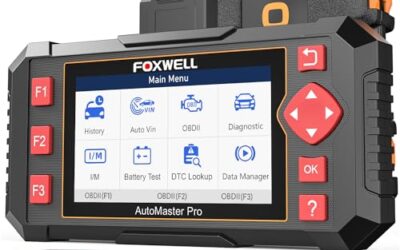
- An OBD2 scanner: It must communicate with your vehicle and offer the data you want. A low-cost code reader may retrieve generic emissions codes without showing live counters or useful Mode $06 details.
- Vehicle information: Record year, make, model, engine, and any recent repair history. Scanner coverage can vary across model years and powertrains, including hybrid systems.
- Safe access: The diagnostic connector is commonly under the dashboard, but location varies. Keep the scanner cable clear of pedals and your feet.
- Stable vehicle conditions: Follow the scanner’s prompts. Some values appear only with the engine running, at a particular temperature, or during specified operating conditions. Do not try to read a moving vehicle screen while driving.
Most US-market light vehicles built for OBD2 use a standardized diagnostic connector, but connector shape alone does not mean every scanner feature works. Communication protocol, emissions rules, model year, and manufacturer-specific access can affect results. SAE describes the connector in its J1962 diagnostic connector standard and diagnostic test modes in its J1979 diagnostic test modes standard.
How to check for misfire data with a scanner
- Park and connect. Park away from traffic, set the parking brake, and switch the ignition off unless the scanner instructions say otherwise. Connect the tool to the diagnostic port. Follow its instructions for turning the ignition on or starting the engine.
- Read codes before clearing anything. Scan for stored, pending, and, if available, permanent diagnostic trouble codes. Save or photograph the results. A pending code can show a fault detected before it meets the conditions for a confirmed code.
- Open freeze-frame data. If available, save the snapshot linked to a code. It may show engine speed, coolant temperature, load, or other readings when the fault was recorded. This helps put the code in context, but it may not capture every condition that caused the misfire.
- Check scanner menus for misfire data. Look under live data, engine data, misfire counters, cylinder misfire, onboard monitor results, or Mode $06. Menu names vary. Select the engine or cylinder data your tool supports.
- Compare cylinders and test limits. Check whether counts appear for one cylinder, several cylinders, or none. For Mode $06, identify the test description and units before judging a value. Do not treat an unlabeled number as a confirmed fault.
- Note when readings change. If the scanner and vehicle service information support the test, observe readings under the stated conditions. Misfire activity can change with temperature, engine speed, and load. Do not rev the engine aggressively or drive while watching a handheld scanner.
- Save results, then plan diagnosis. Keep codes, freeze-frame information, and readings together. Use them to guide checks of ignition, fuel, air, wiring, and mechanical condition. Clear codes only when there is a diagnostic reason; clearing does not repair the fault and can erase useful information.
How to interpret codes and cylinder counts
| Scanner result | What it suggests | What it does not prove |
|---|---|---|
| P0300 | The engine computer detected random or multiple-cylinder misfire activity. | It does not identify one failed part or prove every cylinder has a problem. |
| P0301 or another P030x code | The computer associated a misfire with a cylinder number. | It does not prove the spark plug, coil, or injector for that cylinder is faulty. |
| One cylinder’s counter rises | That cylinder may be contributing more misfire events under the conditions shown. | It does not rule out wiring, compression, fuel delivery, or other causes. |
| Mode $06 value near or beyond a limit | A monitored test may be approaching or exceeding its reported threshold. | It is not conclusive without correct test identification, units, and vehicle-specific interpretation. |
| No misfire data shown | The tool, vehicle, operating state, or selected menu may not expose the information. | It does not prove the engine has no misfire. |
A useful diagnostic pattern is a repeatable count increase on one cylinder alongside a matching code. That narrows the next checks to that cylinder and its related systems, but it still does not name the failed component. If several cylinders show activity, consider shared causes such as fuel supply, air metering, or an engine-wide condition, while checking vehicle-specific service information.
For more context on scan-tool capabilities, see CarTechTalk’s guides to OBD2 scanners with live data and professional diagnostic tools for advanced troubleshooting. Scanner feature coverage is not identical across tools or vehicles.
Common mistakes
- Replacing a part based on a code alone. A P0302 points to cylinder 2 misfire detection, not automatically to its coil or spark plug. Test the likely causes before buying parts.
- Assuming every scanner shows cylinder counts. Basic readers often focus on codes. More advanced data may require a different tool, supported vehicle coverage, or manufacturer-specific access.
- Reading Mode $06 without its labels. Test IDs, units, and limits can be difficult to interpret without the right vehicle information. Avoid guessing from a raw value.
- Clearing codes too soon. Clearing can remove stored evidence and reset emissions readiness monitors. It does not fix a misfire.
- Assuming no code means no problem. A fault may be intermittent, not yet confirmed, or outside the data your scanner can retrieve.
- Watching the scanner while driving. Do not handle or study a scan tool in traffic. Use a passenger only when safe and appropriate, or have a technician record data.
When to get professional help
Stop driving as soon as it is safe if the check-engine light flashes, the engine shakes badly, power drops sharply, or you smell raw fuel. A severe active misfire can send unburned fuel into the exhaust and overheat the catalytic converter. Follow the owner’s manual and arrange diagnosis or towing if the vehicle cannot be driven safely.
Book diagnosis when the misfire returns after a basic inspection, when multiple cylinders are involved, or when scanner results conflict with how the engine runs. A technician can use vehicle-specific scan data and tests such as ignition checks, fuel-pressure checks, wiring inspection, and compression or leak-down testing. The right test depends on the engine and symptoms.
Gear that can help
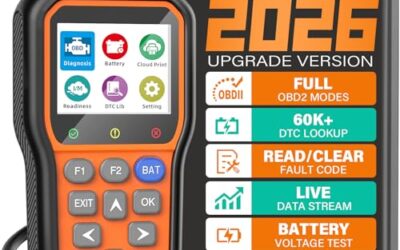
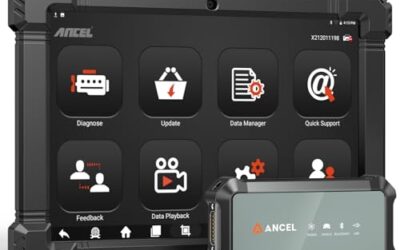
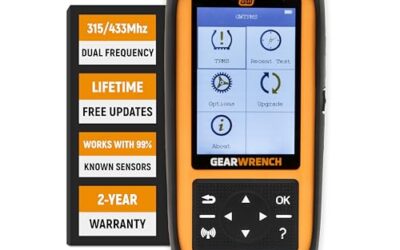
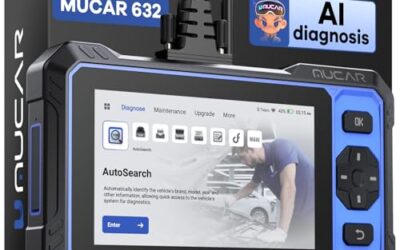
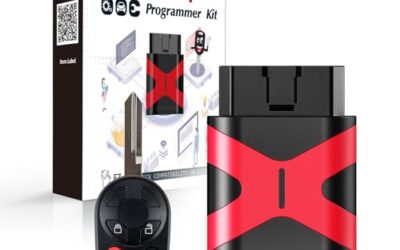
If you need OBD2 scanners for this job, these picks already appear in our OBD2 scanners guides. Check the full guide for fit and who should skip each one.

Pros
- Supports check-engine code reading and clearing
- Provides live data features including engine speed, vehicle speed, coolant temperature, and calculated load value
- Includes a 2.5-foot cable and six-button control layout
- Compact 6.02 x 2.75 x 0.91-inch design
Cons
- Does not support ABS, airbag, oil service light, or other non-OBDII systems
- Vehicle compatibility is described as supporting most applicable vehicles rather than every vehicle
- Requires connection to a vehicle’s OBDII port for power
Specifications
| Color | Yellow |
|---|---|
| Size | Portable |
| Dimensions | 6.02 x 2.75 x 0.91 inches |
| Weight | 0.6375 Pounds |
| Product Group | Automotive Parts and Accessories |
| Binding | Automotive |
Best For / Avoid If
Best for buyers prioritizing
- Supports check-engine code reading and clearing
- Provides live data features including engine speed, vehicle speed, coolant temperature, and calculated load value
- Includes a 2.5-foot cable and six-button control layout
Consider another option if
- Does not support ABS, airbag, oil service light, or other non-OBDII systems
- Vehicle compatibility is described as supporting most applicable vehicles rather than every vehicle
- Requires connection to a vehicle’s OBDII port for power

Pros
- Includes code reading, code clearing, live data, freeze-frame, I/M readiness, and vehicle information functions
- Supports VIN, Calibration ID, and Calibration Verification Number retrieval
- Lists compatibility with post-1996 US-based, post-2006 EU-based, and post-2009 Asian-based OBDII vehicles
- Offers a built-in DTC definition database and support for six languages
- Includes a stated five-year warranty
Cons
- The display is described as a two-line LCD screen, which may provide less viewing space than larger scan-tool displays
Specifications
| Color | Blue |
|---|---|
| Dimensions | 9.79921258843 x 6.692913379 x 1.57874015587 inches |
| Product Group | Automotive Parts and Accessories |
| Binding | Unknown Binding |
Best For / Avoid If
Best for buyers prioritizing
- Includes code reading, code clearing, live data, freeze-frame, I/M readiness, and vehicle information functions
- Supports VIN, Calibration ID, and Calibration Verification Number retrieval
- Lists compatibility with post-1996 US-based, post-2006 EU-based, and post-2009 Asian-based OBDII vehicles
Consider another option if
- The display is described as a two-line LCD screen, which may provide less viewing space than larger scan-tool displays

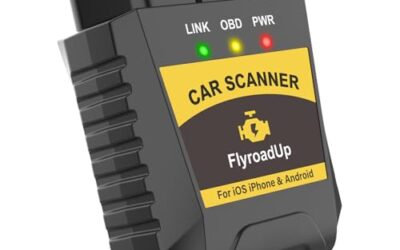
Pros
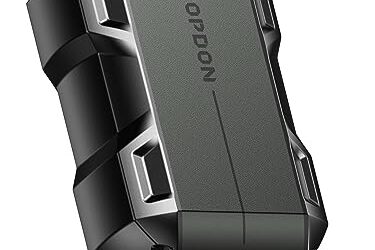
- Supports iPhone, Android, and Windows devices
- Works with a range of named diagnostic applications
- Offers enhanced OEM support for several vehicle brands
- Includes protection against over-voltage and battery drain
Cons
- Vehicle compatibility and available features should be confirmed in the troubleshooting guide before purchase
Specifications
| Color | Black |
|---|---|
| Size | Small |
| Dimensions | 2.0078740137 x 0.9055118101 x 1.8110236202 Inches |
| Weight | 0.06172943336 pounds |
| Product Group | Automotive Parts and Accessories |
| Binding | Automotive |
Best For / Avoid If
Best for buyers prioritizing
- Supports iPhone, Android, and Windows devices
- Works with a range of named diagnostic applications
- Offers enhanced OEM support for several vehicle brands
Consider another option if
- Vehicle compatibility and available features should be confirmed in the troubleshooting guide before purchase
FAQ
Can a basic OBD2 scanner show misfire counts?
Sometimes, but many basic code readers show codes without cylinder-level counters. Check the tool’s supported live-data and Mode $06 functions for your vehicle, not just its ability to read check-engine codes.
Can I drive with a P0301 or P0300 code?
It depends on severity. A steady check-engine light with mild symptoms still needs prompt diagnosis. A flashing light, severe shaking, or major power loss calls for stopping safely and avoiding continued driving.
Does clearing a misfire code fix the problem?
No. Clearing removes diagnostic information; it does not repair the cause. It can also reset emissions readiness monitors, so do not clear codes just to hide a fault or prepare for an inspection.
Why does my scanner show a misfire code but no live count?
The vehicle may not expose that counter through the scanner, the fault may not be active under current conditions, or the data may appear in another menu. A stored code can remain after the event that set it has stopped.
Do phone-based OBD2 scanners work for misfire diagnosis?
Some adapter-and-app combinations read codes and live data, but support depends on adapter firmware, app features, phone operating system, and vehicle coverage. Check those limits before relying on an app for cylinder-level or manufacturer-specific data.
Sources and further reading
- J1962 Diagnostic Connector standard (SAE International): Describes the standardized diagnostic connector used for vehicle diagnostics.
- J1979 E/E Diagnostic Test Modes standard (SAE International): Covers standardized diagnostic test modes used by OBD systems.