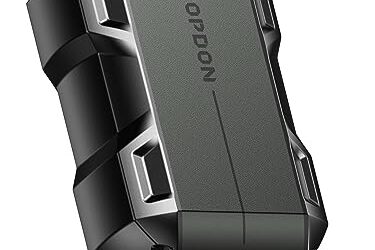
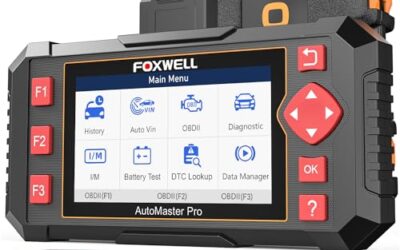
How to check coolant temperature with an OBD2 scanner: connect a compatible scanner, open live data, and select engine coolant temperature (ECT). Check the reading with the engine cold, then watch it change as the engine warms; never open a hot cooling system to verify a scan result.
- Use a scanner that reads live powertrain data, not only stored trouble codes.
- Look for “Coolant Temperature,” “ECT,” or a similar label in the live-data list.
- Compare a cold engine reading with ambient conditions, then observe the warm-up trend.
- Vehicle data, scanner support, units, and normal operating range vary by model.
What you need before checking coolant temperature
You need an OBD2 scanner that supports live data, access to the vehicle’s diagnostic connector, and the vehicle’s operating information. A basic code reader may show diagnostic trouble codes but lack a live-data function. Some scanners show only a limited set of data parameters, and a phone-based setup also depends on the adapter, app, phone operating system, and vehicle.
Most US light-duty vehicles built for the OBD2 system use a standard diagnostic connector, often beneath the dashboard. Connector location can differ, and model year or vehicle type can affect which diagnostic features work. OBD2 connection alone does not promise that every scanner can display every manufacturer-specific value.
Check the scanner manual for live-data support and the app or tool’s vehicle coverage. If you need a broader understanding of scan-tool capability, see CarTechTalk’s guides to OBD2 scanners with live data and advanced OBD2 scanner functions.
How to check coolant temperature with an OBD2 scanner
- Park safely. Stop on level ground, set the parking brake, and keep clothing, cables, and hands clear of moving or hot engine parts. If the engine is overheating, leaking coolant, or producing steam, do not continue a test drive to collect data.
- Find the diagnostic connector. With the ignition off, locate the vehicle’s OBD2 connector. Use the owner’s manual if you cannot find it. Do not force a plug into the connector.
- Connect the scanner. Follow the tool instructions. A wired reader draws power through the connector on many vehicles. A Bluetooth or Wi-Fi adapter may require a separate app and pairing process. Wireless pairing steps depend on the adapter, phone, and software.
- Switch on the ignition as instructed. Some tools ask for ignition on with the engine off before starting communication. Others guide you through the sequence. Follow the scanner prompts and avoid starting the engine until the tool is connected if its instructions require that.
- Open live data. Select the engine or powertrain control module, then choose live data, data stream, or a similarly named menu. Look for “Engine Coolant Temperature,” “ECT,” or a comparable label. Names and menu paths vary.
- Check units and value. Note whether the scanner displays degrees Fahrenheit or Celsius. Do not compare values until units match. If the tool offers graphing, use it to view the trend as the engine warms.
- Compare cold and warm readings. For a useful cold check, read the value before starting an engine that has sat long enough to cool. Then start the engine and observe the reading from a safe position. Avoid holding a phone or scanner near belts, fans, or hot components.
- Save observations before disconnecting. Note the engine condition, displayed value, unit, and any warning lights or symptoms. Exit the scan session and unplug the tool as its instructions specify.
What coolant temperature should the scanner show?
There is no single temperature that applies to every vehicle and every operating condition. The normal range depends on engine design, thermostat strategy, cooling system, ambient conditions, vehicle load, and other controls. Use the owner’s manual or service information for your exact vehicle rather than judging a reading against a universal number.
A cold-soaked engine provides a useful plausibility check. Before startup, the coolant reading will often be in the general neighborhood of surrounding air temperature after a long rest. It may differ because the engine and sensor cool at different rates, the vehicle has recently run, or ambient temperature changed. A large unexplained mismatch can point to a sensor, wiring, connection, or data interpretation issue, but it does not identify the failed part by itself.
During warm-up, ECT should generally move upward rather than remain fixed at an implausible value. The rate and final reading vary. A thermostat, cooling fan strategy, ambient temperature, cabin heat use, and driving conditions can all affect the pattern. A scanner reading is one clue, not a substitute for the vehicle’s temperature warning system or a proper cooling-system inspection.
How to interpret an unexpected reading
| Observation | What it may suggest | Next step |
|---|---|---|
| Cold reading is far from expected ambient conditions | Possible sensor, connector, wiring, recent heat soak, or unit mismatch | Check the units and repeat after a longer cool-down; inspect only accessible wiring with engine off. |
| Reading stays fixed as engine warms | Possible data-stream issue, sensor circuit fault, or scanner limitation | Confirm the selected parameter and compare with another supported tool or service procedure. |
| Reading rises unusually or warning appears | Possible overheating or cooling-system fault | Stop safely. Follow the owner’s manual; do not open the radiator or coolant reservoir while hot. |
| Scanner shows no ECT parameter | Tool, app, vehicle coverage, connection, or module-selection limit | Check scanner support and connection instructions; try a tool with the required live-data coverage. |
These observations help narrow the next check but cannot establish a diagnosis. A trouble code related to coolant temperature may describe a circuit range or performance condition. It does not prove that the sensor itself needs replacement. Wiring, connector corrosion, coolant level, thermostat operation, and other faults may also matter.
Why scanner readings can differ
Scan tools request information from vehicle control modules and display what the vehicle reports. Tools differ in which data they show, how they label it, and whether they present standard or manufacturer-specific parameters. An inexpensive reader may read common emissions-related data yet omit enhanced data used by a particular make or model.
Units can also cause confusion. One display may use Fahrenheit and another Celsius. A graph may update at a different rate than a numeric screen, especially when the tool reads many parameters at once. For a clearer trend, select only the data you need if the scanner permits it.
On some vehicles, multiple temperature-related values may appear, such as engine coolant, cylinder-head temperature, or a second sensor. Do not assume these are interchangeable. Check the parameter definition in the scanner documentation or vehicle service information.
Safety while checking engine temperature
Read live data from a safe position. Cooling fans can start automatically, even when the engine is not running. Keep hands, tools, and cables away from fans, belts, pulleys, and hot surfaces. If a cable must pass near the engine bay, do not route it where moving parts can catch it.
Never remove a radiator cap or pressurized coolant reservoir cap while the system is hot. Hot coolant and steam can cause severe burns. If the vehicle displays an overheat warning, produces steam, or loses coolant, stop in a safe place and follow the owner’s manual. Do not keep driving merely to watch the scan value.
Common mistakes
- Using a code-only reader. A tool that reads codes may not show live ECT. Check for live-data capability before relying on it.
- Comparing Fahrenheit with Celsius. Confirm units first; the same temperature has very different numeric values in each scale.
- Expecting a universal normal number. The correct range depends on the vehicle. Use model-specific service information.
- Reading immediately after driving and calling it a cold check. Heat soak can keep the engine and sensor warm after shutdown.
- Treating one reading as proof of a failed sensor. A fault may involve wiring, connection, the cooling system, or scan-tool support.
- Opening the cooling system while hot. Use the scanner for observation; wait for the system to cool before any cap or coolant-level check.
When to get professional help
Get qualified help if the vehicle overheats, repeatedly loses coolant, shows a persistent temperature warning, or displays readings that remain implausible after you confirm units and allow a proper cool-down. A technician can compare scan data with service specifications and test the sensor circuit, wiring, thermostat, and cooling system using vehicle-specific procedures.
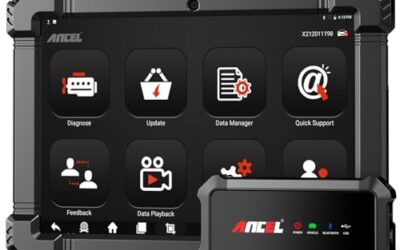
Professional diagnosis also makes sense when the scanner cannot access the needed data or a warning returns after repair. Clearing a trouble code does not repair its cause. If you need tool coverage beyond basic engine data, CarTechTalk’s overview of professional diagnostic scanners explains why advanced vehicle troubleshooting can call for more than generic code reading.
Gear that can help
If you need OBD2 scanners for this job, these picks already appear in our OBD2 scanners guides. Check the full guide for fit and who should skip each one.

Pros
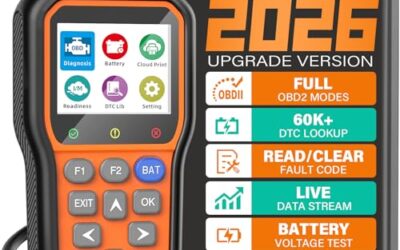
- Includes code reading, code clearing, live data, freeze-frame, I/M readiness, and vehicle information functions
- Supports VIN, Calibration ID, and Calibration Verification Number retrieval
- Lists compatibility with post-1996 US-based, post-2006 EU-based, and post-2009 Asian-based OBDII vehicles
- Offers a built-in DTC definition database and support for six languages
- Includes a stated five-year warranty
Cons
- The display is described as a two-line LCD screen, which may provide less viewing space than larger scan-tool displays
Specifications
| Color | Blue |
|---|---|
| Dimensions | 9.79921258843 x 6.692913379 x 1.57874015587 inches |
| Product Group | Automotive Parts and Accessories |
| Binding | Unknown Binding |
Best For / Avoid If
Best for buyers prioritizing
- Includes code reading, code clearing, live data, freeze-frame, I/M readiness, and vehicle information functions
- Supports VIN, Calibration ID, and Calibration Verification Number retrieval
- Lists compatibility with post-1996 US-based, post-2006 EU-based, and post-2009 Asian-based OBDII vehicles
Consider another option if
- The display is described as a two-line LCD screen, which may provide less viewing space than larger scan-tool displays

Pros
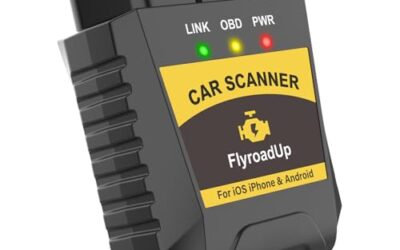
- Supports iPhone, Android, and Windows devices
- Works with a range of named diagnostic applications
- Offers enhanced OEM support for several vehicle brands
- Includes protection against over-voltage and battery drain
Cons
- Vehicle compatibility and available features should be confirmed in the troubleshooting guide before purchase
Specifications
| Color | Black |
|---|---|
| Size | Small |
| Dimensions | 2.0078740137 x 0.9055118101 x 1.8110236202 Inches |
| Weight | 0.06172943336 pounds |
| Product Group | Automotive Parts and Accessories |
| Binding | Automotive |
Best For / Avoid If
Best for buyers prioritizing
- Supports iPhone, Android, and Windows devices
- Works with a range of named diagnostic applications
- Offers enhanced OEM support for several vehicle brands
Consider another option if
- Vehicle compatibility and available features should be confirmed in the troubleshooting guide before purchase

Pros
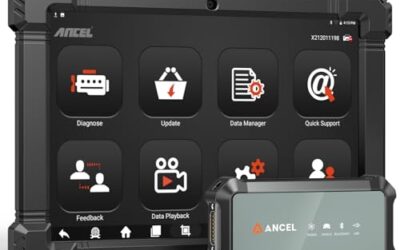
- Supports multiple diagnostic functions beyond basic code reading
- No batteries are needed for operation
- Offers seven language options, including English, French, and Spanish
- Designed with a plug-and-play interface for end users and DIYers
Cons
- The listing does not identify all seven supported languages
Specifications
| Color | OBD2 Scanner |
|---|---|
| Size | AL319 |
| Dimensions | 4.61 x 2.83 x 0.71 inches |
| Weight | 0.39021820374 Pounds |
| Product Group | Automotive Parts and Accessories |
| Binding | Automotive |
Best For / Avoid If
Best for buyers prioritizing
- Supports multiple diagnostic functions beyond basic code reading
- No batteries are needed for operation
- Offers seven language options, including English, French, and Spanish
Consider another option if
- The listing does not identify all seven supported languages
FAQ
Can every OBD2 scanner show coolant temperature?
No. The scanner must support live data, and its vehicle coverage must include the relevant parameter. Basic code readers may not show ECT.
Can I check coolant temperature with the engine off?
Yes, if the ignition and scanner are set up as instructed. A cold reading is useful as a plausibility check, but an engine that recently ran may still be warm.
Does a high ECT reading always mean a bad temperature sensor?
No. It can reflect real overheating, a circuit problem, an incorrect parameter, or another fault. Check vehicle-specific service information and treat an overheat warning as a safety issue.
Can I use a phone and Bluetooth OBD2 adapter?
Often, if the vehicle, adapter, app, phone operating system, and connection method are compatible. App features and supported data vary, so check the adapter and app instructions.
Sources and further reading
- J1962 Diagnostic Connector standard (SAE International): Describes the standard diagnostic connector used for vehicle access.
- J1979 E/E Diagnostic Test Modes standard (SAE International): Covers standardized diagnostic test modes and related data access.