
Choose a dash cam card by the recording time you need, the combined video bitrate and the capacities the camera supports. Resolution alone cannot establish how many hours fit on a card. Use the camera’s recording-time guidance or measure the size of original clips at your chosen settings.
Understanding how much storage does a dash cam need helps ensure that your vehicle camera is always ready to capture critical moments on the road. This guide will break down the calculations, factors, and considerations involved in selecting the appropriate storage size for your dash cam setup.
Key Takeaways
- Storage requirements vary based on resolution and recording length, with 1080p needing less space than 4K.
- Loop recording eventually replaces older unprotected files. Copy important footage before it is overwritten.
- Choose microSD cards rated for dash cams with high endurance to ensure reliability.
- Always check the manufacturer’s manual for specific storage limits and recommended card sizes.
- Consider your driving habits to estimate daily storage usage and select a card that matches your needs.
What Determines How Much Storage A Dash Cam Needs
Video Resolution Impact
Higher resolution can increase storage use, but compression and bitrate determine the actual file size. Two cameras recording at the same resolution can retain different amounts of video on the same card.
Frame Rate and Bitrate Considerations
Frame rate can affect storage, but its effect depends on encoding settings. For a planning estimate, use the combined average bitrate of every active channel: decimal gigabytes per hour equals megabits per second multiplied by 0.45. This unit conversion is an estimate, not a measured camera result.
Recording Duration and Features
Include every recording channel and allow for locked files, audio and space reserved by the camera. Do not assume a universal GPS or Wi-Fi storage overhead. Parking-mode recording behavior and its storage use depend on the camera settings.
Storage Calculation Examples
Here is a practical table to help you estimate storage needs:
| Illustrative combined bitrate | Estimated decimal GB per hour | Estimated hours in 64 GB before reserved space |
|---|---|---|
| 10 Mbps | 4.5 GB | 14.2 hours |
| 20 Mbps | 9 GB | 7.1 hours |
| 40 Mbps | 18 GB | 3.6 hours |
These are arithmetic examples, not benchmark results or resolution-based promises. Actual retention is lower when available recording space is reduced, and variable bitrate can change file sizes.
Note that these figures are estimates and can vary based on specific dash cam settings, compression algorithms, and whether additional features are enabled. Always refer to your dash cam’s user manual for accurate information.
How to Calculate Storage Needs for Your Dash Cam
To accurately determine the storage required, follow these steps:
- Identify the resolution and frame rate settings of your dash cam.
- Check the manufacturer’s recommended bitrate or storage per hour.
- Multiply the hourly storage by the number of hours you want to record.
- Allow for space reserved by the camera, protected files and differences between nominal and available capacity.
- Select a microSD card that meets or exceeds this requirement and is compatible with your dash cam model.
For example, a hypothetical combined bitrate of 20 Mbps uses about 9 decimal GB per hour. Four hours would use about 36 GB before reserved space and other files. Check the camera’s supported capacities before choosing a card.
Choosing the Right MicroSD Card for Dash Cam Storage
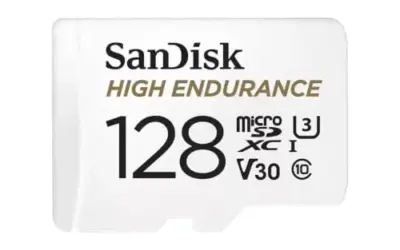
Check the camera’s required card capacity, speed class, endurance specification and formatting instructions. There is no universal speed class that substitutes for the model’s own requirements.
Stay within the capacities and file systems supported by the camera. A larger advertised card size is not proof that the camera can use it.
Common Mistakes to Avoid When Determining Dash Cam Storage
- Underestimating storage needs by choosing a card too small for your recording habits, resulting in frequent overwrites of important videos.
- Using non-compatible or low-quality cards that may cause the dash cam to malfunction or fail to record properly.
- Skipping the formatting step, which can lead to corrupted files or error messages on the dash cam display.
- Ignoring extra recording channels, protected files or the storage behavior of parking mode.
- Assuming every microSD card meets the camera’s capacity, speed-class, formatting and endurance requirements.
When to Seek Professional Assistance
If you encounter issues such as the dash cam not recognizing the storage card, frequent error codes related to memory, or if you are unsure about the compatibility of your chosen storage solution with your vehicle’s electrical system, it is advisable to consult a professional. Automotive technicians or the support team from your dash cam manufacturer can provide guidance on troubleshooting storage-related problems and ensuring optimal performance.
Gear that can help
If you need dash cams for this job, these picks already appear in our dash cams guides. Check the full guide for fit and who should skip each one.

Pros
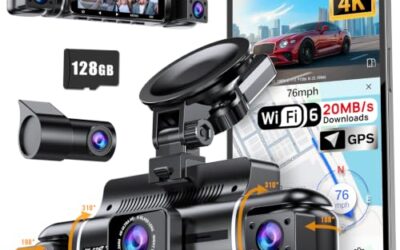
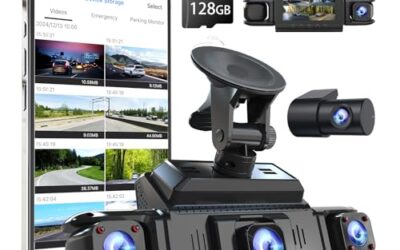
- Four-camera coverage records the front, rear, and both sides of the vehicle
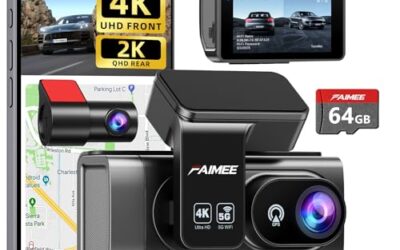
- A 64GB memory card is included for immediate recording
- GPS and 5GHz Wi-Fi support app-based video management and location tracking
- The G-sensor automatically locks footage when sudden shakes or collisions are detected
Cons
- The parking monitoring function requires a separately purchased hardwire kit
Specifications
| Color | Gold |
|---|---|
| Dimensions | 1.5 x 2.2 x 6.3 inches |
| Product Group | Electronics |
Best For / Avoid If
Best for buyers prioritizing
- Four-camera coverage records the front, rear, and both sides of the vehicle
- A 64GB memory card is included for immediate recording
- GPS and 5GHz Wi-Fi support app-based video management and location tracking
Consider another option if
- The parking monitoring function requires a separately purchased hardwire kit

Pros
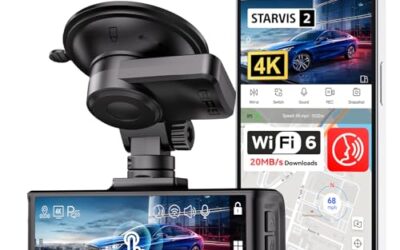
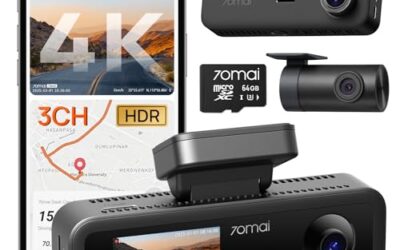
- High-resolution 4K front and 1080P rear recording
- STARVIS 2 sensor with WDR and HDR features for varied lighting conditions
- Supercapacitor design is specified as more heat-resistant than a lithium battery
- Includes an 18-month warranty and customer support
Cons
- A hardwire kit is needed for the listed parking modes
Specifications
| Color | black |
|---|---|
| Size | F7NP-128GB SD Card |
| Dimensions | 3.7401574765 x 1.46062991977 x 0.79133858187 inches |
| Weight | 0.25 Pounds |
| Product Group | Electronics |
| Binding | Electronics |
Best For / Avoid If
Best for buyers prioritizing
- High-resolution 4K front and 1080P rear recording
- STARVIS 2 sensor with WDR and HDR features for varied lighting conditions
- Supercapacitor design is specified as more heat-resistant than a lithium battery
Consider another option if
- A hardwire kit is needed for the listed parking modes

Pros
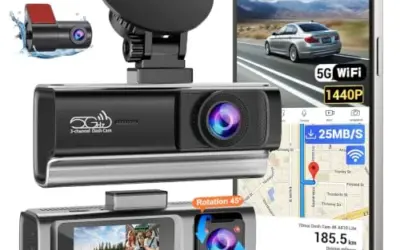
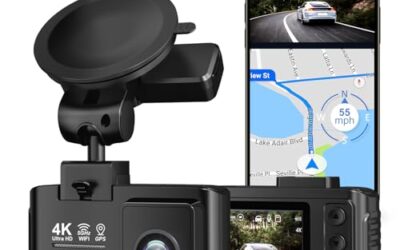
- Provides four-camera coverage around the vehicle
- Includes night vision with eight infrared lights and WDR technology
- Supports time-lapse, loop recording and incident-lock functions
- Offers Wi-Fi app integration for iOS and Android devices
Cons
- GPS tracking requires a separately sold GPS logger
- Parking mode requires a separately sold ACC hardwire kit
Specifications
| Color | Black |
|---|---|
| Size | Compact size |
| Dimensions | 6.5 x 1.8 x 2.5 inches |
| Weight | 0.3125 pounds |
| Product Group | Wireless |
| Binding | Electronics |
Best For / Avoid If
Best for buyers prioritizing
- Provides four-camera coverage around the vehicle
- Includes night vision with eight infrared lights and WDR technology
- Supports time-lapse, loop recording and incident-lock functions
Consider another option if
- GPS tracking requires a separately sold GPS logger
- Parking mode requires a separately sold ACC hardwire kit
FAQ
How much storage does a dash cam need for one hour of recording?
There is no single storage-per-hour value for 1080p or 4K. Use the actual file size or combined recording bitrate. For example, 20 Mbps converts to about 9 decimal GB per hour.
What is the best storage size for a dash cam?
Choose a supported card capacity that retains the amount of footage you need at the camera’s actual settings. A larger card can extend retention, but it does not prevent eventual loop overwrite or eliminate the need to copy important files.
Can I use a larger microSD card than the recommended size?
Yes, you can use a larger card as long as it does not exceed the maximum capacity supported by your dash cam model and is properly formatted. However, larger cards may not provide additional benefits if you do not need extended recording times.
How do I calculate the storage for your dash cam?
Calculate by multiplying the storage per hour by the total hours of recording. For instance, if your dash cam uses 1 GB per hour and you record for 8 hours daily, you need at least 8 GB for that day. Multiply by the number of days or weeks for longer periods.
What happens if the dash cam runs out of storage?
With loop recording enabled, the camera normally replaces older unprotected clips when its available recording space fills. Protected files and card errors can change that behavior. Check the model’s manual and copy important footage promptly.
Sources and further reading
- Estimated microSD card recording times, Garmin’s examples apply to the listed Garmin models, not every dash cam.