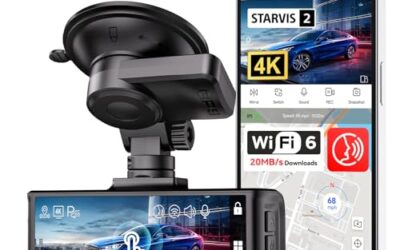
How long will 128gb last in a dash cam? A 128GB card usually holds about 14 to 36 hours of driving video, depending on total bitrate. A lower-bitrate camera may record longer, while 4K video, a second camera, or parking mode can use storage much faster.
Capacity alone cannot give one exact answer. Dash cams record in a loop, so the oldest unlocked clips are normally overwritten after the card fills. Locked emergency clips, saved parking events, and protected files reduce space available for normal recording.
Key takeaways
- A 128GB microSD card often stores about 14 hours at 20 Mbps, 24 hours at 12 Mbps, or 36 hours at 8 Mbps.
- Front and rear cameras usually share one total bitrate. Add both streams before estimating recording time.
- 4K video often uses more storage than 1080p, but resolution alone does not determine file size.
- Parking mode can consume storage while the vehicle sits, especially with continuous recording.
- Usable capacity falls after formatting and protected files take space.
- Use a high-endurance microSD card that matches the dash cam manual.
How much footage does 128GB hold?
Dash cam storage depends mainly on bitrate. Bitrate measures how much video data the camera writes each second. A camera recording at 20 Mbps uses more space than one recording at 8 Mbps, even if both save footage at the same frame rate.
The table below uses approximate storage math for one continuous video stream. Real results vary because many cameras use variable bitrate compression, audio, file-system overhead, and separate event files.
| Total video bitrate | Approximate 128GB recording time | Typical use |
|---|---|---|
| 4 Mbps | About 71 hours | Lower-bitrate 1080p |
| 8 Mbps | About 36 hours | Efficient 1080p recording |
| 12 Mbps | About 24 hours | Higher-quality 1080p or some 2K modes |
| 20 Mbps | About 14 hours | High-bitrate 2K or 4K stream |
| 30 Mbps | About 9.5 hours | High-bitrate 4K recording |
These estimates treat 128GB as roughly 128,000 megabytes before formatting. The camera may show less available space. Manufacturers also reserve space for file management, system data, or protected recordings.
What changes 128GB dash cam recording time?
Resolution
Resolution describes the number of pixels in each frame. 4K video contains more image detail than 1080p, so it often needs a higher bitrate. That higher bitrate reduces recording hours.
Resolution does not give a fixed storage answer. One 4K dash cam may use more aggressive compression than another. Check the camera’s bitrate setting or estimate from its recording specifications when available.
Front and rear cameras
A dual-channel dash cam records two video streams. Add their bitrates to estimate total storage use.
For example, a front camera at 15 Mbps and a rear camera at 10 Mbps create a 25 Mbps total stream. A 128GB card would hold roughly 11.4 hours before overhead. A front camera running alone at 15 Mbps would last about 19 hours.
Some systems record a cabin camera too. Count every active stream, including a separate interior channel used by rideshare or commercial drivers.
Frame rate
Higher frame rates capture more images each second. A 60-frame-per-second mode can use more storage than a 30-frame-per-second mode, but the increase depends on compression and the selected bitrate.
Use 60 fps when motion detail matters and the camera supports it. Use 30 fps when longer storage time matters more. The camera’s bitrate setting gives a better estimate than frame rate alone.
Compression format
H.265, also called HEVC, can store similar image detail with less data than H.264 in some recording modes. The result depends on the camera’s encoder and settings.
H.265 can create compatibility issues with older phones, computers, editing programs, and some smart TVs. A card may hold more footage, but viewing that footage may require newer software. Check phone operating system support, desktop software support, and dash cam firmware support before changing compression modes.
Audio
Microphone audio adds storage, though usually less than video. Turning audio off can extend recording time slightly. It also removes spoken details that may help explain an incident.
Local recording laws can affect whether cabin or conversation audio should stay enabled. Rules differ by state and situation. Treat audio recording as a separate legal question from video recording.
Parking mode
Parking mode changes the storage calculation because the camera can record while the vehicle is parked. Continuous parking recording uses storage at the same rate as driving footage.
Motion-triggered and impact-triggered modes may use less space because they save short clips instead of recording continuously. Their actual storage use depends on vehicle movement, camera sensitivity, surroundings, and event frequency.
Parking mode also needs a suitable power setup. A hardwire kit may include low-voltage cutoff, but vehicle model year, fuse type, electrical system, and installation method affect compatibility. A poorly matched installation can drain the battery or cause electrical faults.
How loop recording uses a 128GB card
Loop recording splits video into short files, often one, three, or five minutes long. When available space runs low, the dash cam deletes the oldest unlocked file and saves new footage.
Loop recording does not mean the card holds one uninterrupted video. It creates many clips that can be easier to review, transfer, or share. A crash sensor, manual save button, or app command may lock a file against automatic deletion.
Locked files remain until deleted or until the card is reformatted. Too many protected clips can fill the card and stop normal loop recording. Review event folders regularly, then copy important footage to another device before deleting it.
How to estimate your own recording time
- Open the dash cam settings or manual. Find the bitrate for each active camera channel.
- Add front, rear, cabin, and other active video bitrates.
- Divide about 1,024,000 by total Mbps. Result gives approximate recording seconds.
- Divide seconds by 3,600 to convert the result to hours.
- Reduce the estimate for audio, formatting, protected files, and parking events.
Example: a front camera at 12 Mbps and rear camera at 8 Mbps create 20 Mbps total. The basic estimate is about 14.2 hours. Real loop time may be shorter because the camera also saves audio, file data, and locked clips.
If the manual gives storage estimates for a specific mode, use those figures over a general calculation. Firmware updates can change bitrate behavior or storage rules.
How long will a 128GB card last in parking mode?
Continuous parking recording can fill a 128GB card in the same general time as driving recording. At a total 20 Mbps, that means roughly 14 hours of video. A vehicle parked overnight could use much of the card before the next drive.
Motion and impact parking modes can last much longer because the camera records fewer minutes. No universal time applies. A busy street, wind movement, nearby traffic, rain, or high sensitivity can create many clips.
Some cameras use time-lapse parking mode. This saves fewer frames and can preserve storage, but it may show less detail during a fast event. Event detection also depends on camera firmware and sensor behavior.
Choosing a card for dash cam recording
Capacity is only one part of card fit. Dash cams write data repeatedly, so use a high-endurance microSD card approved by the camera maker. A standard low-cost card may fail sooner under constant writing.
- Check the maximum card capacity. Some cameras accept 128GB, while others support only lower capacities or require a firmware update.
- Check the required speed class. The camera may need a particular UHS or video speed rating.
- Format the card in the dash cam after initial installation when the manual recommends it.
- Replace the card when recording errors, missing clips, freezes, or repeated format prompts appear.
- Use the camera’s supported file system. Capacity and file-system support can vary by model.
Camera compatibility can depend on model year, firmware version, file system, and card controller. A 128GB card that works in one camera may fail or show reduced capacity in another.
For vehicle-specific camera guidance, see the dash cam guide for Ford Bronco vehicles or the dash cam guide for Hyundai Kona vehicles. Those fitment questions can involve windshield space, rear-camera routing, and power access beyond storage size.
Common mistakes
- Using resolution as the only estimate. Bitrate and total active channels control storage more directly.
- Counting front-camera bitrate only. Rear and cabin streams also consume card space.
- Ignoring locked clips. Protected files reduce the space available for loop recording.
- Assuming parking mode uses little power. Continuous recording can drain a vehicle battery without suitable low-voltage protection.
- Removing the card while recording. This can corrupt files or damage the file system. Stop recording first when the camera manual requires it.
- Using a card larger than supported. The camera may fail to format it, record unstable files, or recognize only part of its capacity.
- Formatting without saving evidence. Formatting deletes stored footage and should happen only after important files are copied.
When to get professional help
Ask an installer for help when parking mode needs hardwiring, the fuse panel is unfamiliar, or the vehicle has complex battery-management electronics. This matters more on newer vehicles with sensitive electrical networks, dual batteries, or aftermarket accessories.
Stop using the camera and inspect the installation if you smell melted plastic, see damaged wiring, find a hot fuse or connector, or notice battery warnings. Do not bypass a fuse or connect power by guesswork.
Professional help also makes sense when the dash cam repeatedly corrupts cards after using a supported high-endurance card and the correct format. The fault may involve firmware, power stability, the camera socket, or the camera itself.
Next step: How Long Will 256gb Last In A Dash Cam.
Gear that can help
If you need dash cam memory cards or dash cams for this job, these picks already appear in our dash cam memory cards guides. Check the full guide for fit and who should skip each one.

Pros
- High-endurance TLC design is marketed for dash cams
- Supports UHS-I, A1, V30, and U3 classifications
- Includes useful accessories for SD-card-compatible devices
- Provides environmental protection claims including waterproof and shockproof construction
Cons
- The listing does not identify a specific dash cam model or vehicle compatibility beyond the listed brands
- Amazon review count is listed as 0, so no customer-review sample is available in the listing
Specifications
| Color | 256GB High Endurance Pro 1-Pack |
|---|---|
| Weight | 0.0022 Pounds |
| Product Group | Personal Computer |
| Binding | Personal Computers |
Best For / Avoid If
Best for buyers prioritizing
- High-endurance TLC design is marketed for dash cams
- Supports UHS-I, A1, V30, and U3 classifications
- Includes useful accessories for SD-card-compatible devices
Consider another option if
- The listing does not identify a specific dash cam model or vehicle compatibility beyond the listed brands
- Amazon review count is listed as 0, so no customer-review sample is available in the listing

Pros
- Built for long-duration recording and repeated rewriting
- Supports high-resolution FHD and 4K video
- Specified operating temperature range of -25°C to 85°C
- Warranty coverage is listed as up to five years
Cons
- Warranty duration may vary by capacity or other conditions
Specifications
| Color | White |
|---|---|
| Size | 128GB |
| Dimensions | 0.03937 x 0.59055 x 0.43307 Inches |
| Weight | 0.000551155655 pounds |
| Product Group | Personal Computer |
| Binding | Personal Computers |
Best For / Avoid If
Best for buyers prioritizing
- Built for long-duration recording and repeated rewriting
- Supports high-resolution FHD and 4K video
- Specified operating temperature range of -25°C to 85°C
Consider another option if
- Warranty duration may vary by capacity or other conditions

Pros
- 4K front and 2.5K rear recording
- Built-in GPS and 5GHz WiFi connectivity
- 64GB SD card included
- G-sensor helps preserve impact-related footage
Cons
- Parking monitoring requires a separately sold hardwire kit
- Some Viidure app features, including video speed adjustment and cloud uploads, require membership
Specifications
| Color | Black |
|---|---|
| Size | A13-WiFi+GPS |
| Dimensions | 19.49999998011 x 6.49999999337 x 10.49999998929 Inches |
| Product Group | Wireless |
Best For / Avoid If
Best for buyers prioritizing
- 4K front and 2.5K rear recording
- Built-in GPS and 5GHz WiFi connectivity
- 64GB SD card included
Consider another option if
- Parking monitoring requires a separately sold hardwire kit
- Some Viidure app features, including video speed adjustment and cloud uploads, require membership
FAQ
Is 128GB enough for a dash cam?
For many drivers, yes. It can hold roughly 14 to 36 hours of driving footage in common bitrate ranges. Dual-camera 4K systems and continuous parking recording may need more capacity or more frequent file management.
How many hours does 128GB hold at 4K?
There is no fixed 4K number. At 20 Mbps, the basic estimate is about 14 hours. At 30 Mbps, it falls to about 9.5 hours. Camera bitrate, rear video, audio, and locked clips change the result.
Does a 128GB card record 128 hours?
No. GB measures data capacity, not hours. Recording time depends on how many megabits the camera writes each second.
How often should a dash cam card be formatted?
Follow the camera manual. Many drivers format after copying important clips and when the camera requests it. Formatting deletes stored files, so save evidence first.
Can parking mode fill a 128GB card?
Yes. Continuous parking recording can fill it in roughly the same time as driving footage. Motion-triggered modes often use less space, but traffic, sensitivity, and event frequency control the actual result.
Sources and further reading
- Check for Recalls (NHTSA): Use this page to check open safety recalls for your vehicle.