Does parking mode record continuously? Usually, no. Most dash cams use parking mode as a low-power standby system that records only after motion, an impact, or another trigger. Some cameras can record continuously or use time-lapse capture while parked, but those modes need the right power source, storage capacity, and camera settings.
Parking mode behavior varies by model, firmware, wiring method, battery protection settings, and vehicle. A camera connected only to a switched 12-volt outlet may shut off when the ignition turns off, while a hardwired camera may keep working after you park.
Key takeaways
- Motion detection and impact detection usually record short event clips, not nonstop video.
- Time-lapse parking mode captures frames at set intervals and uses less storage than full-rate video.
- Continuous parking recording uses more power, creates more files, and can drain a vehicle battery without low-voltage protection.
- A constant-power connection is required for most parking modes after ignition shutoff.
- Vehicle model-year, fuse type, camera firmware, memory card limits, and temperature can affect operation.
- Parking mode does not guarantee capture of every event, especially when motion stays outside the camera’s trigger zone.
How parking mode works
Normal dash cam recording starts when the camera receives ignition power. Parking mode starts after the camera detects that driving has ended. The switch may come from an ignition signal, a hardwire kit, an accelerometer, GPS data, or a combination of these systems.
Once parked, the camera changes its recording behavior. It may enter sleep mode, reduce frame rate, watch for movement, or keep recording at normal frame rate. The camera saves clips based on its selected parking mode.
Some cameras switch modes automatically. Others require a menu setting, a compatible hardwire kit, or a separate parking-mode cable. A camera with a USB power cable alone may not know when the vehicle is parked. It may keep recording until power ends, or it may shut down with the vehicle.
Parking mode types compared
| Parking mode | What it records | Power use | Best fit |
|---|---|---|---|
| Motion detection | Video after the camera sees movement | Low to moderate | Driveways and parking lots with visible activity |
| Impact detection | Clip after the camera senses a bump | Low while waiting | Possible collision or door-ding events |
| Time-lapse | Frames captured at regular intervals | Moderate | Long parking periods where broad coverage matters |
| Low-bitrate continuous | Ongoing video at reduced data rate | Moderate to high | Users who want more coverage than event-only recording |
| Full-rate continuous | Normal video while parked | High | Short parking periods with a strong power source |
Names differ between brands. One camera may call a mode “buffered parking,” while another uses “smart parking” or “parking surveillance.” Read what triggers recording, not only the mode name.
Does motion-detection parking mode record all the time?
Usually, motion detection parking mode does not save video continuously. The camera may keep its image sensor partly active, then save a clip when movement crosses its trigger area. Some models also save a few seconds before and after the event when buffered recording is available.
This mode can miss activity. A person moving behind the camera may stay outside its field of view. A vehicle may pass too far away to trigger detection. Low light, glare, rain, window tint, and dirty glass can also reduce detection quality.
Motion detection also creates a practical tradeoff. A busy street can trigger many clips and fill the memory card quickly. A quiet garage may create few files. Loop recording may delete older unlocked clips after storage fills.
Does impact detection record continuously?
Impact detection normally waits in a low-power state. The camera’s accelerometer watches for a sudden change in movement. When it senses an impact, it saves a protected event file.
Impact detection does not record every moment before a crash unless the camera supports buffered recording or continuous parking video. A light door impact may fall below the sensitivity setting. A heavy truck passing nearby may create a false trigger on some vehicles.
Parked vehicles can move slightly from wind, suspension movement, or people entering nearby vehicles. Sensitivity settings affect how often these events become saved clips. Higher sensitivity captures more possible events but may create more false alerts.
Does time-lapse parking mode record continuously?
Time-lapse parking mode records across the parking period, but it does not capture full video at normal frame rate. The camera saves a series of still frames, then plays them as a faster video.
This mode uses less storage than full-rate recording and can cover a longer period. Fast movement may look less clear because the camera captures fewer frames. A person who walks between two captured frames may appear briefly or not appear at all.
Time-lapse also needs steady power. The camera remains active for long periods, even though its data rate is lower. A weak vehicle battery can still reach the hardwire kit’s cutoff point.
What power supply does continuous parking recording need?
Continuous parking recording needs power after the ignition turns off. A switched cigarette-lighter outlet usually loses power when the vehicle shuts down. In that case, the camera stops unless the outlet remains live.
A hardwire kit connects the camera to vehicle circuits that provide constant battery power and ignition-switched power. The kit uses those signals to identify parked status. Many kits include low-voltage cutoff, which stops the camera when battery voltage drops to a selected limit.
Voltage behavior differs by vehicle. Some cars use 12-volt systems with smart power management. Hybrid and electric vehicles may shut down accessory circuits differently. Fuse locations, fuse types, ground points, and retained-accessory power also vary by model-year.
A hardwire kit with the wrong fuse tap can damage a circuit or prevent proper protection. Never assume an unused fuse slot is suitable. Follow the vehicle service information and hardwire-kit instructions.
How long can parking mode run?
Runtime depends on battery condition, battery size, camera power draw, outside temperature, hardwire cutoff settings, and recording mode. Full-rate video uses more power than event standby. Time-lapse and low-bitrate modes usually use less, but they still draw power.
A healthy battery may support parking recording for a period, but no universal runtime applies to every vehicle. A short commute may not replace energy used during a long overnight recording session. Cold temperatures can reduce available battery capacity. Older batteries may reach the cutoff point sooner.
Battery packs made for dash cams can power parking mode without using the vehicle battery during the parking period. Their capacity, charging method, vehicle compatibility, and installation limits differ. Some vehicles may not provide enough driving time to recharge a large pack fully.
How to set up parking mode safely
- Read the camera manual and identify supported parking modes. Check whether the camera needs a brand-specific hardwire kit or separate parking cable.
- Check vehicle power behavior with the ignition on and off. Confirm whether the 12-volt outlet stays powered after the vehicle locks.
- Choose event, time-lapse, low-bitrate, or full-rate recording based on coverage and power needs.
- Install the correct hardwire kit for the vehicle’s fuse type and voltage system. Use the specified ground point and fuse locations.
- Set low-voltage cutoff according to the kit instructions. A higher cutoff protects starting power but may reduce recording time.
- Format a compatible memory card in the camera. Use the card type and capacity allowed by the camera firmware.
- Park the vehicle, lock it, and watch for the camera’s parking indicator or shutdown behavior.
- Test motion and impact triggers in a safe way. Do not strike the vehicle or create a traffic hazard.
- Review saved files after the test. Confirm event clips have correct timestamps and that parking mode exits when the vehicle starts.
Common mistakes
- Assuming every parking mode is continuous: Event-triggered systems can leave gaps between clips.
- Using a switched outlet: The camera may lose power as soon as the vehicle shuts down.
- Ignoring low-voltage protection: Extended recording can leave too little power for starting the engine.
- Using an unsupported memory card: Recording may stop, corrupt files, or restart under constant writing.
- Mounting the camera behind heavy tint: The image sensor may receive less light and motion detection may weaken.
- Expecting impact detection to capture every hit: Sensitivity, impact direction, vehicle movement, and camera mounting affect triggers.
- Leaving cabin protection on in extreme heat: Camera operating limits vary, and parked interiors can become very hot.
- Checking only the live view: A preview does not prove that clips are being saved after ignition shutoff.
Does parking mode drain a car battery?
Yes, parking mode can drain a vehicle battery if power use exceeds charging capacity or the cutoff system fails to stop recording. A hardwire kit with low-voltage protection reduces this risk, but it does not make battery drain impossible.
Battery age, temperature, parasitic loads, and vehicle sleep behavior all matter. A camera may also prevent some vehicles from entering a low-power state if its wiring or USB connection is incorrect.
Watch for slow cranking, warning messages, repeated camera restarts, or parking mode ending much earlier than expected. Stop using the parking setup if the vehicle struggles to start. Have the battery and charging system checked before changing camera settings.
When to get professional help
Use an installer or qualified automotive technician when the vehicle has complex power management, a hybrid or EV system, unusual fuse layouts, or limited access behind trim panels. Professional help also makes sense when the camera causes warning lights, battery drain, fuse failure, or other electrical changes.
Do not probe unknown wires on vehicles with airbag wiring, high-voltage systems, or manufacturer-specific communication networks. A parking camera should not interfere with restraint systems or vehicle control modules.
For vehicle-specific camera fitment, see the guides for the Ford Bronco dash cam and Hyundai Kona dash cam. The Thinkware dash cam comparison also explains how different models handle parking features.
Gear that can help
If you need dash cams for this job, these picks already appear in our dash cams guides. Check the full guide for fit and who should skip each one.

Pros
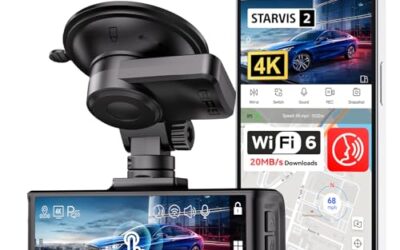
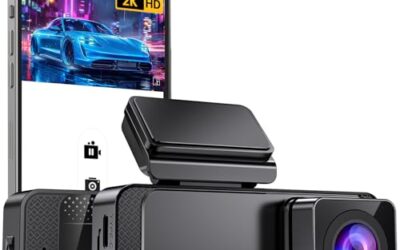
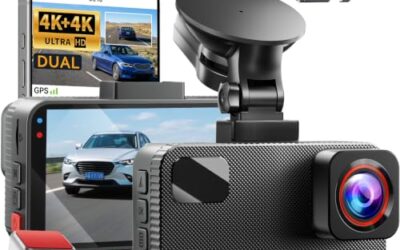
- Records front-facing video in 4K UHD resolution
- Includes a pre-installed 32GB memory card and supports cards up to 256GB
- Offers 5GHz WiFi connectivity and app-based video access
- Compact, screen-free design is intended to minimize visual distraction
Cons
- The Type-C hardwire kit required for 24-hour parking mode is not included
- The included memory card capacity is 32GB, reduced from the previously stated 64GB
Best For / Avoid If
Best for buyers prioritizing
- Records front-facing video in 4K UHD resolution
- Includes a pre-installed 32GB memory card and supports cards up to 256GB
- Offers 5GHz WiFi connectivity and app-based video access
Consider another option if
- The Type-C hardwire kit required for 24-hour parking mode is not included
- The included memory card capacity is 32GB, reduced from the previously stated 64GB

Pros
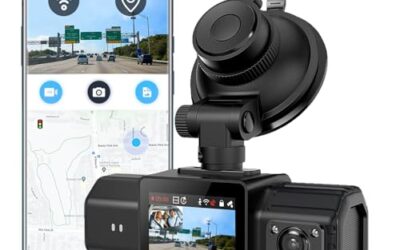
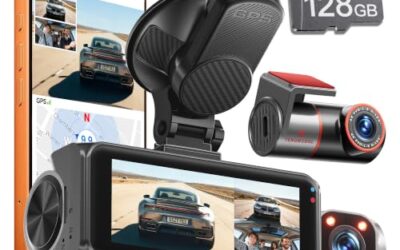
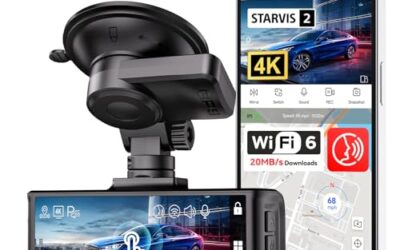
- Multiple camera views are designed to reduce blind spots and capture more driving footage
- GPS data can be reviewed through the app or GPS player
- The included 128GB card reduces the need to purchase storage separately
- Adjustable cameras are listed as compatible with sedans, SUVs, trucks, vans, and rideshare vehicles
Cons
- A hardwire kit is required for 24-hour parking mode and is not included
Specifications
| Color | Black |
|---|---|
| Dimensions | 1 x 1 x 1 inches |
| Product Group | Wireless |
Best For / Avoid If
Best for buyers prioritizing
- Multiple camera views are designed to reduce blind spots and capture more driving footage
- GPS data can be reviewed through the app or GPS player
- The included 128GB card reduces the need to purchase storage separately
Consider another option if
- A hardwire kit is required for 24-hour parking mode and is not included

Pros
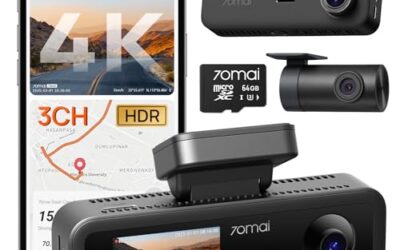
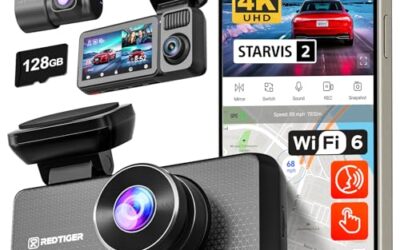
- Four-camera coverage records the front, rear, and both sides of the vehicle
- A 64GB memory card is included for immediate recording
- GPS and 5GHz Wi-Fi support app-based video management and location tracking
- The G-sensor automatically locks footage when sudden shakes or collisions are detected
Cons
- The parking monitoring function requires a separately purchased hardwire kit
Specifications
| Color | Gold |
|---|---|
| Dimensions | 1.5 x 2.2 x 6.3 inches |
| Product Group | Electronics |
Best For / Avoid If
Best for buyers prioritizing
- Four-camera coverage records the front, rear, and both sides of the vehicle
- A 64GB memory card is included for immediate recording
- GPS and 5GHz Wi-Fi support app-based video management and location tracking
Consider another option if
- The parking monitoring function requires a separately purchased hardwire kit
FAQ
Can a dash cam record while the car is off?
Yes, if it receives constant power and supports a parking mode that stays active after ignition shutoff. A camera powered by a switched outlet may turn off with the car.
Does parking mode record sound?
Some cameras keep audio enabled, while others disable it in parking mode. Privacy settings, firmware, and local law can affect audio use. Check the camera menu and vehicle installation context.
Does parking mode use the memory card?
Yes. Event clips, time-lapse files, and continuous parking video use card space. Loop recording may overwrite older unlocked files when the card fills.
Why does parking mode stop overnight?
Low-voltage cutoff, battery weakness, power loss, overheating, unsupported storage, or a camera setting can stop recording. Review the saved files and hardwire-kit status before changing cutoff settings.
Can parking mode record a hit and run?
It can capture one if the camera sees the event, has power, has free storage, and triggers in time. No parking mode captures every impact or guarantees an identifiable license plate.
Sources and further reading
- Check for Recalls (NHTSA): Use this page to check open safety recalls for a vehicle.