Can a car gps tracker work inside a parking garage? Sometimes, but live GPS location can become inaccurate or stop updating when concrete, metal, and the garage structure block satellite signals. The tracker may show its last outdoor position, then report again after the vehicle reaches an area with better reception.
- GPS satellite reception and cellular data are separate parts of many tracking systems.
- A tracker may keep operating in a garage even when it cannot calculate or send a fresh location.
- Some devices store location records for later upload; others may not. Check the specific tracker’s manual.
- Garage level, structure, device placement, power source, and network coverage can all affect results.
Why can a car GPS tracker lose its location in a parking garage?
A GPS tracker estimates its position by receiving signals from navigation satellites. A garage roof, thick walls, underground levels, and surrounding buildings can weaken or block those signals. Metal structures and enclosed spaces can add to the problem.
When satellite reception becomes too weak, the tracker may be unable to calculate a new position. The map app might keep showing the last location the device reported. That point can be an entrance, nearby street, or place where the tracker last had a usable satellite signal. It does not prove the car remains at that exact spot.
Results vary by garage and parking space. A vehicle near an open wall or upper level may have a better chance of receiving usable signals than one several floors underground. Even nearby spaces in the same facility can behave differently because of walls, ramps, and surrounding structures.
GPS location and cellular reporting are different
Many vehicle trackers use GPS or another satellite navigation system to estimate location, then use a cellular network to send that location to an app. A failure in either part can prevent a fresh map update.
| What is limited | What you may see | What it means |
|---|---|---|
| Satellite reception | Old or inaccurate position | The tracker may not have enough signal to calculate its current location. |
| Cellular coverage | No new report, even if the tracker has power | The device may be unable to send data through its cellular network. |
| Both connections | No reliable live update | The app cannot show a current, dependable position. |
Some trackers use additional location methods, such as nearby wireless networks or cellular network data. Availability and accuracy depend on the device, service, local signals, and how its software works. Those methods should not be treated as a guaranteed replacement for satellite reception.
Cellular service also depends on the tracker’s network technology and carrier coverage. A garage can block or weaken cellular signals, too. A device with a good satellite fix may still be unable to upload that position until it reconnects.
What happens when the car leaves the garage?
Once the vehicle reaches an area with better reception, the tracker may calculate a new position and send an update. How quickly that happens depends on the device, its settings, satellite reception, cellular service, and reporting schedule. There is no single delay that applies to every tracker.
Some devices may store location points while offline and upload them later. Others may report only when they can connect, and some may not preserve a full route through a signal gap. Check the manual or app documentation for offline logging, upload behavior, and location-history limits. Do not assume that a blank section of the map means the car stopped moving.
For example, a map might show a vehicle at a garage entrance, skip the time it spent underground, and then show a new position on a street outside. That pattern can reflect lost reception rather than a device fault. It also does not show the vehicle’s exact route through the garage.
Can a tracker still help locate a car in a garage?
It can help, but its usefulness depends on what the tracker can report in that building. A fresh position may be possible in some garages, particularly where the vehicle is closer to an opening. In a fully enclosed or underground area, the tracker may show only an earlier location.
If your tracker records its last reported position, use that point as a clue, not a precise parking-space marker. Combine it with details you know, such as the garage entrance, floor, parking section, or time you arrived. A location pin without a fresh timestamp may not reflect the car’s current position.
Placement also matters. Metal surfaces and enclosed mounting spots can affect reception. The best location depends on the tracker design and the vehicle. See CarTechTalk’s GPS tracker placement guide for factors to consider when choosing a mounting location.
What to check when the tracker stops updating
- Check the update time. Look at the timestamp, not only the map pin. An old timestamp means the app is showing a previous report.
- Check whether the vehicle is inside or underground. A garage can interrupt satellite reception, cellular reporting, or both.
- Wait until the vehicle reaches open sky. Check whether a new report arrives after the car leaves the structure. The exact wait time varies by device and conditions.
- Check tracker power and account status. For a battery-powered device, review its charge. For a wired tracker, check its app status and follow the vehicle and tracker instructions. A low battery, disconnected power source, expired service plan, or account issue can also stop reports.
- Check the tracker’s network and service requirements. Cellular technology, carrier availability, and service support vary by device and region. A tracker may not work as expected if its network service is unavailable where the vehicle is parked.
- Review the manual or contact the tracker provider. Look for offline logging, location refresh, cellular status, and device-specific troubleshooting steps.
If the tracker continues to show no updates outside the garage, the issue may involve power, service, device settings, or a fault rather than the garage alone. A fresh timestamp and a location update in an open area help separate a temporary signal gap from a persistent problem.
Compatibility limits to keep in mind
GPS reception does not depend on a vehicle’s model year in the same way an electronic connection can. But tracker installation and power compatibility can vary. A plug-in tracker may depend on a suitable vehicle connector and electrical system. A hardwired tracker must match its installation requirements and power needs. A battery-powered tracker avoids a vehicle power connection, but needs charging or battery replacement according to its instructions.
Network compatibility can change by region and over time. A tracker’s cellular technology must have supported service where it operates. App access may also depend on the phone’s operating system and the current version of the tracker app. Check the tracker provider’s requirements if the app stops working after a phone or software update.
Features such as offline storage, motion alerts, refresh controls, and location history are not standard across all trackers. Read the device instructions for what it records and how it handles signal loss. For broader placement considerations, CarTechTalk’s vehicle tracking and safety technology section covers related topics.
Common mistakes
- Treating the last map pin as the current position. Check its timestamp. A pin from before the car entered the garage may be stale.
- Blaming GPS for every gap. Satellite reception, cellular reporting, power, account service, and app settings can each affect updates.
- Assuming every tracker stores a route offline. Storage and later upload depend on the model and service.
- Moving a wired tracker without checking its instructions. A new position may affect reception or expose wiring. Follow the device and vehicle guidance.
- Expecting exact floor or parking-space accuracy. A tracker’s reported location may not provide that level of detail, especially inside a structure.
When to get professional help
Contact the tracker provider if its status stays offline after the vehicle returns to an open area, the account or network service looks active, and the device has power. The provider can explain model-specific status messages, service limits, and reset steps.
For a hardwired tracker, seek a qualified installer if the device repeatedly loses power, wiring appears damaged, or troubleshooting would require access to vehicle wiring. Do not probe unfamiliar circuits or remove trim near safety-system wiring. Installation details vary by vehicle model year and tracker design.
If the vehicle itself will not start after tracker installation, stop testing the wiring and have the installation checked. A tracker location problem alone does not establish that the vehicle has an electrical fault.
Gear that can help
If you need GPS trackers for this job, these picks already appear in our GPS trackers guides. Check the full guide for fit and who should skip each one.

Pros
- Real-time tracking, alerts, and geofencing are supported
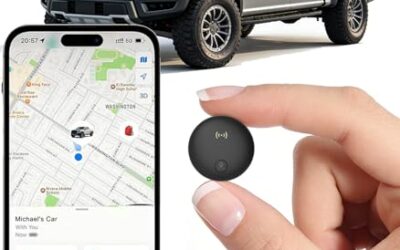
- Compact 2.25 x 2.25 x 0.8-inch design with an internal magnet
- Global tracking is supported through the web platform and SilverCloud App
- Subscription plans have no contracts and can be canceled at any time
Cons
- A subscription is required for each device
Specifications
| Color | Black |
|---|---|
| Size | 2.25 x 2.25 x 0.8 inches |
| Dimensions | 2.25 x 2.25 x 0.8 inches |
| Weight | 0.3 Pounds |
| Product Group | Wireless |
| Binding | Electronics |
Best For / Avoid If
Best for buyers prioritizing
- Real-time tracking, alerts, and geofencing are supported
- Compact 2.25 x 2.25 x 0.8-inch design with an internal magnet
- Global tracking is supported through the web platform and SilverCloud App
Consider another option if
- A subscription is required for each device

Pros
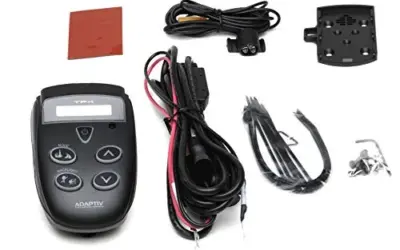
- Hardwired installation uses a straightforward positive and negative battery connection
- Supports real-time alerts and driving reports
- Subscription has no contract and can be canceled at any time
- Includes harsh driving detection for acceleration, braking, and cornering
Cons
- Requires direct installation on the vehicle's battery
- Ongoing service requires a USD 12.95 monthly subscription
Specifications
| Product Group | Wireless |
|---|---|
| Binding | Unknown Binding |
Best For / Avoid If
Best for buyers prioritizing
- Hardwired installation uses a straightforward positive and negative battery connection
- Supports real-time alerts and driving reports
- Subscription has no contract and can be canceled at any time
Consider another option if
- Requires direct installation on the vehicle's battery
- Ongoing service requires a USD 12.95 monthly subscription
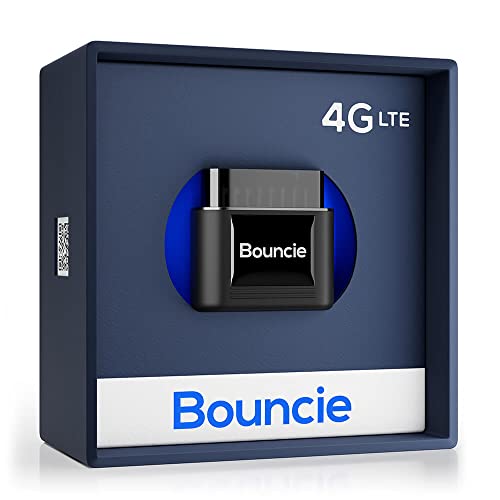
Pros
- Combines location tracking, trip recording, driving insights, and vehicle health monitoring
- Provides geo-fencing and impact-detection alerts
- Plugs directly into an OBD2 port without separate installation details provided
Cons
- A $9.65 monthly subscription is required
Specifications
| Color | Black |
|---|---|
| Size | 1.87 x 1.75 x 1.0 inch |
| Dimensions | 1.75 x 1.87 x 1 Inches |
| Weight | 0.08 Pounds |
| Product Group | Wireless |
| Binding | Electronics |
Best For / Avoid If
Best for buyers prioritizing
- Combines location tracking, trip recording, driving insights, and vehicle health monitoring
- Provides geo-fencing and impact-detection alerts
- Plugs directly into an OBD2 port without separate installation details provided
Consider another option if
- A .65 monthly subscription is required
If you are still comparing options, see Car GPS Tracker Buying Guide and How Does A GPS Tracker For Cars Work.
Frequently asked questions
Will my tracker show which floor the car is on?
Not reliably in every garage. Floor-level reporting depends on the tracker’s location methods and reception in that building. A map pin may not identify a specific floor or parking space.
Can a tracker update while the car is parked?
It may, depending on power, settings, signal reception, and the tracker’s reporting schedule. A device that checks in periodically may not provide continuous updates.
Does no map update mean the tracker is broken?
No. A garage can block satellite reception or cellular service. If updates resume outside, the gap may have been caused by the location. If the tracker stays offline, check power, service, and device status.
Will a tracker upload the route after the car leaves?
Only if that tracker supports offline location storage and later upload. Check its manual or app documentation; behavior varies by model and service.
Bottom line
A car GPS tracker can work in some parking garages, but no device can promise dependable live location in every enclosed space. Treat an old pin as the last known position, check its timestamp, and see whether the tracker reports again after the vehicle reaches open sky. If it remains offline outside, investigate power, cellular service, account status, and device-specific settings.