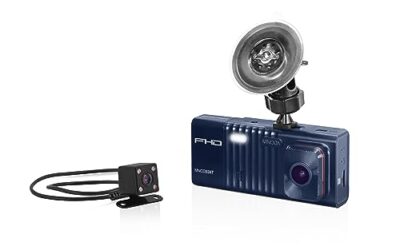
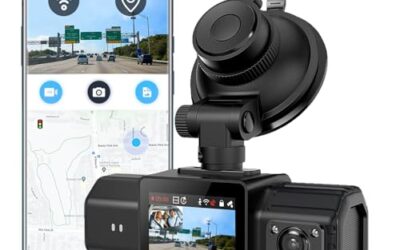
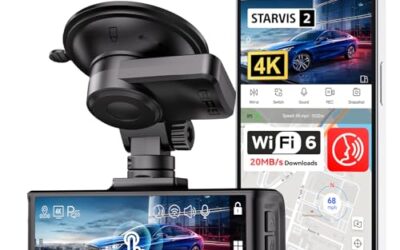
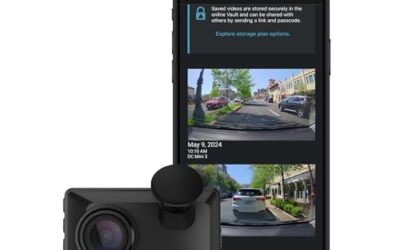
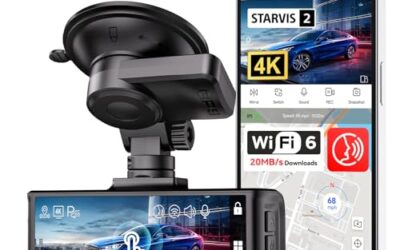
Yes, a dash cam can stay on when the car is off provided it has parking mode or is connected to a hardwire kit with a backup power source. This setup allows the dash cam to continue recording while your vehicle is parked, offering peace of mind and potential evidence in case of theft or accidents. However, this capability is not available on all dash cams, and it requires careful consideration of your vehicle’s electrical system and proper installation to avoid issues like draining the car battery or creating safety hazards.
In this comprehensive guide, we will delve into the mechanics of dash cams that remain powered on when the car is off, explore compatibility factors, discuss safety precautions, and highlight common mistakes that users often make. By the end, you’ll have a clear understanding of whether this feature suits your needs and how to implement it safely.
Key Takeaways
- Some dash cams support parking mode to keep recording when the vehicle is turned off.
- Hardwiring with a proper kit is essential for reliable operation and to prevent battery drain.
- Compatibility is model-specific and depends on your vehicle’s 12-volt system and model year.
- Safety is paramount; improper setups can lead to electrical fires or vehicle battery failure.
What Is Parking Mode on a Dash Cam?
Parking mode is a specialized function in certain dash cams that enables them to remain active and continue recording video or capturing images even after the ignition is turned off. This is achieved by utilizing an internal energy storage device, typically a capacitor or a small rechargeable battery, which is charged while the car is running. Once the car is off, the dash cam draws from this stored energy to sustain operation.
The primary benefit of parking mode is continuous surveillance of your parked vehicle. It can help in documenting any unauthorized access or incidents that occur while you’re away. This feature is especially valuable for commuters who park in busy areas or for those who want to monitor their car during long stops.
How Dash Cams Stay On When the Car Is Off
Dash cams that can stay on when the car is off rely on advanced power management systems. Let’s break down the main technologies:
First, capacitors are used in many dash cams. A capacitor is a device that stores electrical energy in an electric field between two conductive plates. When the car is running, the hardwire kit charges the capacitor. When the car is off, the dash cam uses the stored energy to power its components, allowing it to record for a limited time, often 10 to 30 minutes. This is sufficient for many parking scenarios but may not cover very long durations.
Second, some dash cams incorporate a built-in battery, usually lithium-ion, which can provide power for several hours. These batteries are charged from the car’s system during use and can keep the dash cam running independently after the engine is turned off. The duration depends on the recording resolution, frame rate, and whether motion detection is active.
Third, hardwired installations combine these elements. A hardwire kit connects the dash cam directly to the vehicle’s fuse box, providing constant power from the car’s battery. Many hardwire kits include a capacitor for short-term backup in case of sudden power loss, such as when disconnecting the kit. This setup ensures the dash cam stays on as long as the car’s battery has charge, which is typically several days to weeks depending on the vehicle.
It’s important to note that once the power source is depleted, the dash cam will shut down, and any ongoing recording will stop. There is no infinite power; it’s all about the capacity of the internal storage.
Requirements for Keeping a Dash Cam On When the Car Is Off
To enable a dash cam to stay on when the car is off, you need the following:
- Choose a dash cam that explicitly advertises parking mode support. Look for keywords like “parking mode,” “always on,” or “hardwire compatible” in the product description.
- Install a hardwire kit if your dash cam requires it. These kits usually include a fuse, relay, and wiring harness to tap into the car’s power without affecting the ignition.
- Ensure proper grounding and connection to avoid electrical shorts.
- Consider the voltage: Most dash cams are designed for 12-volt systems, which are standard in North American vehicles.
Following these steps will allow your dash cam to function independently when the car is off. Always refer to the manufacturer’s manual for specific instructions tailored to your model.
Compatibility Factors for Dash Cams
Compatibility plays a crucial role in whether a dash cam can stay on when the car is off. Here are key factors to consider:
- Vehicle Model Year: Newer vehicles with advanced electronics may have stricter power management, while older models might have simpler systems that are easier to tap into. Always check if your specific year has any unique requirements.
- Hybrid and Electric Vehicles: These vehicles often have different electrical architectures, including higher voltage systems or regenerative braking that affects power draw. Some dash cams may not be compatible without additional adapters or modifications.
- Connector and Wiring: The hardwire kit must match the dash cam’s power connector. Common types include 3-pin or 4-pin connectors for hardwiring. Using the wrong type can prevent the dash cam from staying on.
- Regional Variations: In some countries, vehicles may have 24-volt systems or different standards, which could affect compatibility with North American dash cams.
Before purchasing or installing, it’s advisable to confirm compatibility with your vehicle’s specifications. If in doubt, consult the dash cam manufacturer’s support or a professional.
Safety Considerations and Warnings
Keeping a dash cam on when the car is off involves certain risks that must be managed carefully:
- Vehicle Battery Drain: Without a proper fuse in the hardwire kit, the dash cam could draw excessive power, eventually draining your car’s battery and causing starting issues.
- Fire Hazard: Incorrect wiring, such as connecting to the wrong terminals or using non-approved components, can lead to short circuits and overheating, posing a fire risk.
- Overheating: In hot climates, the dash cam’s internal components may overheat even with parking mode, reducing its lifespan or causing malfunction.
- Legal and Insurance Implications: Ensure your dash cam setup does not interfere with vehicle electronics or violate any local laws regarding modifications.
Always use dash cam-specific hardwire kits that are designed with safety in mind. These kits typically include a replaceable fuse to protect the vehicle’s electrical system. If you notice any unusual behavior, such as the car not starting properly, immediately disconnect the setup and seek professional assistance.
Types of Power Sources for Dash Cam Parking Mode
| Type | Power Duration | Recharge Time | Best For |
|---|---|---|---|
| Capacitor | 5-60 minutes | Minutes | Short-term monitoring |
| Battery | 1-8 hours | Hours | Extended parking |
| Hardwired + Capacitor | Variable with fuse | Instant | Continuous operation |
This table provides a general overview of the different power source types. In practice, the choice depends on your specific dash cam model and the duration you need for parking mode. For instance, if you park for short periods during the day, a capacitor-based system might suffice, while for overnight parking, a battery or hardwired setup is preferable.
Integrating Dash Cams with Vehicle Systems
Some users want to integrate their dash cam with other vehicle electronics. This can include connecting to a GPS module for location data or linking to a vehicle alarm system. However, care must be taken to ensure that the additional devices do not interfere with the dash cam’s operation when the car is off. Professional installation is recommended for complex integrations.
Common Mistakes to Avoid
Many people encounter problems when trying to keep a dash cam on when the car is off due to common misconceptions and errors. Here are frequent mistakes:
- Not Checking Model Specifications: Assuming all dash cams can stay on when off leads to disappointment when the feature isn’t available.
- Using Cigarette Lighter Adapters: These are only for when the car is on and won’t work when off.
- Skipping the Fuse: This is a critical safety step that prevents battery drain but is often overlooked.
- Improper Installation: Not following wiring diagrams can result in poor connections and intermittent operation.
- Ignoring Firmware Updates: Some models gain parking mode support through updates, so keeping firmware current is important.
- Placing in Direct Sunlight: This can cause the dash cam to overheat, leading to shutdowns or damage.
When to Seek Professional Help
If you’re not comfortable with electrical installations or if your vehicle has complex systems like those with start-stop technology or multiple ECUs, it’s best to get professional help. An auto electrician can assess your vehicle’s electrical system, install the hardwire kit correctly, and ensure compatibility with your dash cam model.
Professionals can also help integrate the dash cam with other safety features, such as GPS tracking or alarm systems, for a more comprehensive setup. Don’t risk potential damage to your vehicle’s electronics by attempting DIY installations on unfamiliar vehicles.
FAQ
Can a Dash Cam Stay On When the Car Is Off?
Yes, if the dash cam supports parking mode or is hardwired with a backup power source like a capacitor or battery. Always verify the model’s capabilities before purchase.
What Is the Purpose of Parking Mode?
The purpose is to allow continuous recording of your parked vehicle to monitor for theft or incidents while the car is off.
How Long Does a Dash Cam Stay On When Off?
Duration varies: capacitors may last minutes, batteries several hours, and hardwired setups as long as the car battery holds charge.
Do I Need a Hardwire Kit?
Yes, for most setups to provide constant power and prevent battery drain when the car is off.
Is It Safe to Leave a Dash Cam On When Parked?
With proper hardwiring and a fuse, it is safe, but always follow manufacturer guidelines and monitor the system.