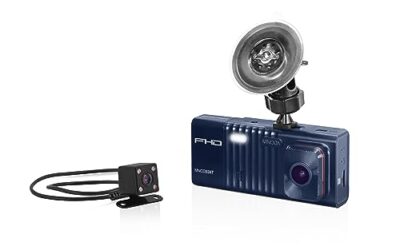
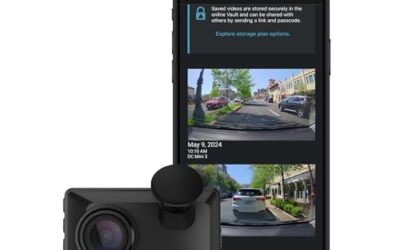
Dash cams can drain your car’s battery due to their continuous power requirements, particularly when operating in parking mode or when connected to the vehicle’s electrical system. This drain is a common issue that many drivers encounter, especially with vehicles that have smaller batteries or less powerful charging systems. By understanding the underlying causes, you can take steps to minimize or eliminate the problem and keep your vehicle’s battery healthy.
In this article, we will explore the reasons why dash cams drain batteries, how to identify the problem, and practical solutions. We’ll also discuss vehicle-specific factors and provide troubleshooting tips to help you maintain reliable dash cam performance without compromising your car’s electrical system.
Key Takeaways
- Identify the main causes of dash cam battery drain, such as parking mode and GPS usage.
- Understand the differences between capacitor and battery-based dash cams.
- Consider your vehicle’s model year and electrical system capacity.
- Use a hardwire kit with a fuse to limit power draw.
- Monitor battery voltage to detect issues early.
How Dash Cams Work and Their Power Draw
Dash cams are electronic devices installed in vehicles to record video of the road and surroundings. They typically connect to the car’s 12-volt power supply via a cigarette lighter adapter or a hardwire kit. The power consumption of a dash cam depends on several factors, including the video resolution, frame rate, and additional features like GPS logging and WiFi connectivity.
Most dash cams require between 0.5 and 5 amps of current. For example, a basic model might draw as little as 0.5 amps, while one with GPS and high-resolution recording could exceed 2 amps. This power is supplied by the vehicle’s alternator when the engine is running, but when the car is parked, the alternator is not charging the battery, and the dash cam continues to draw power from the battery.
Uncertainty exists in these figures because they can vary based on the specific dash cam model, firmware version, and even environmental conditions like temperature. Some dash cams are designed with power-saving modes that reduce draw when not in use, but these features may not be enabled by default. Compatibility is also important; dash cams are generally rated for 12-volt systems, but some vehicles, particularly diesel models, operate at 14 volts, which can affect performance if not accounted for.
Common Causes of Dash Cam Battery Drain
Parking Mode and Continuous Recording
Parking mode is a feature that allows the dash cam to remain powered on and ready to record when the vehicle is not in use. This mode is essential for capturing incidents like accidents or thefts. However, it keeps the dash cam drawing power from the car’s battery. If the dash cam is set to record at high quality or frequent intervals, the power draw can be significant, leading to battery depletion over hours or days.
The process works as follows: The dash cam’s processor and camera sensors remain active, consuming electricity. In some models, this can lead to a drain of up to 1-2 amps continuously. Over time, this can reduce your battery’s charge, making it harder to start the vehicle or causing warning lights to appear.
GPS Logging and WiFi Connectivity
Many dash cams include GPS modules to log the vehicle’s location and speed. The GPS receiver requires a small but steady amount of power, often around 0.2 to 0.5 amps, to maintain satellite communication. Similarly, WiFi or Bluetooth features for remote viewing keep the device connected and active, adding to the drain.
These features enhance the dash cam’s functionality but increase power consumption. In vehicles where the battery is already marginal, such as those with aftermarket accessories drawing power, the combination can lead to noticeable drain.
Low-Quality Power Supplies and Capacitors
Budget dash cams often use capacitors rather than rechargeable batteries to store power. Capacitors do not drain like traditional batteries and can be recharged repeatedly. However, the dash cam’s internal circuitry still draws power from the vehicle’s battery to operate the camera and processor. If the capacitor is of poor quality or the power management is inefficient, it can lead to higher overall drain.
Some users mistakenly believe that capacitor-based dash cams do not drain the battery at all. In reality, while the capacitor itself doesn’t lose charge, the device requires constant power input. This distinction is important for understanding why drain occurs even with capacitor models. Always check the manufacturer’s power specifications, as they provide the best indication of expected draw.
Vehicle Factors That Influence Battery Drain
The age and condition of your vehicle play a significant role in how much a dash cam affects the battery. Older model-year vehicles, such as those manufactured before 2010, typically have smaller batteries and less efficient alternators. These systems may not be able to recharge the battery quickly enough to compensate for the dash cam’s drain when the engine is off.
Newer vehicles with improved electrical systems can handle the load better, but factors like dual-battery setups in SUVs or trucks can complicate matters. For example, if your vehicle has a start-stop system, the battery management might differ, potentially leading to deeper discharges.
Compatibility limits include the voltage rating. Dash cams are usually designed for 12-volt systems, but some may not perform optimally in 14-volt environments common in diesel vehicles. Using an incorrect adapter or connector can cause voltage issues and increased drain. Always ensure your dash cam’s power requirements align with your vehicle’s electrical system.
Troubleshooting Steps for Dash Cam Battery Drain
Follow this checklist to diagnose the issue starting from the easiest and safest steps:
- Disable parking mode in your dash cam settings and observe if the drain stops. This is the quickest test.
- Check the vehicle’s battery voltage using a multimeter. A reading below 12.4 volts when the engine is off indicates a potential drain issue.
- Inspect the power connection for loose wires, corrosion, or faulty fuses. Replace any blown fuses immediately.
- Disable GPS and WiFi features temporarily to reduce power consumption and test the effect.
- Use a battery monitor or voltmeter to track voltage drop over several hours of parking.
If the problem persists after these steps, it may indicate a faulty dash cam or an electrical issue in the vehicle. Do not attempt to jump-start repeatedly without addressing the root cause, as this can damage the battery.
Common Mistakes When Dealing with Dash Cam Battery Drain
- Assuming that all dash cams drain the battery equally without reviewing their power specs.
- Leaving the dash cam in parking mode for extended periods without monitoring the battery.
- Using a dash cam without an inline fuse, which can lead to excessive current draw and potential shorts.
- Ignoring the vehicle’s age and electrical health when installing or using a dash cam.
- Not updating the dash cam’s firmware, as updates can sometimes optimize power usage.
When to Seek Professional Help
If your car’s battery is completely drained or the vehicle experiences starting problems, have a professional inspect the charging system. Persistent battery drain could be due to other electrical components drawing power, such as alarm systems or aftermarket stereos. A mechanic can use diagnostic tools to identify any parasitic drains or alternator issues.
Additionally, if you’re unsure about the compatibility of your dash cam with your vehicle model year or voltage system, consult a professional installer. They can ensure proper wiring and prevent further complications.
Maintenance Tips to Minimize Battery Drain
To reduce the risk of battery drain, regularly check your battery voltage and ensure the dash cam is properly configured. Consider using a hardwire kit that includes a fuse to limit current to safe levels. Some drivers also opt for models with advanced power-saving algorithms that automatically reduce draw when not in use.
Another tip is to avoid leaving the dash cam plugged in for days at a time if the vehicle is not driven regularly. Instead, remove the power source when not in use or use a timer switch to disconnect power during long parking sessions.
FAQ
Why does my dash cam drain the car battery?
Dash cams drain batteries primarily due to parking mode, GPS, and WiFi features that keep the device powered on. This is more pronounced in older vehicles or with inefficient models.
How can I stop my dash cam from draining the battery?
Disable parking mode, remove unnecessary features like GPS when not needed, and use a hardwire kit with a fuse. Monitor your battery voltage regularly.
What is the typical power consumption of a dash cam?
Power consumption typically ranges from 0.5 to 5 amps, depending on the features. Always check the manufacturer’s specifications for accurate information.
Is it safe to leave a dash cam plugged in?
It can be safe with proper fusing and monitoring, but excessive drain should be addressed to prevent battery damage.
How do I know if my dash cam is the cause of battery issues?
Monitor battery voltage. If it drops significantly while the car is parked and the dash cam is active, it is likely the culprit. Use a multimeter for precise readings.