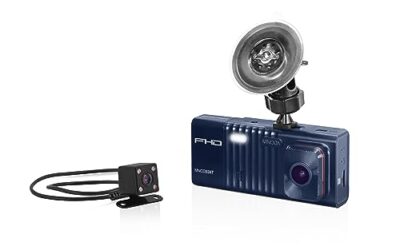
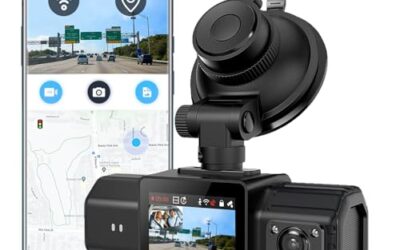
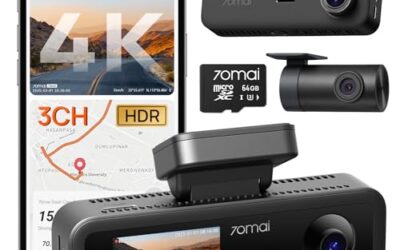
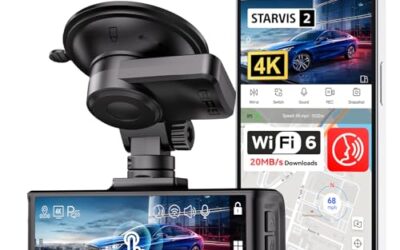
Can dash cams record sound inside a car? Many dash cams can capture cabin audio through a built-in microphone, but audio recording may be disabled in settings or unavailable on some models. Whether you should use it depends on the camera, the people in the vehicle, and privacy laws that apply where recording happens.
Key takeaways
- Dash cams with microphones can record cabin sound, road noise, conversations, and alerts.
- A camera may record video while audio stays off through a menu setting or physical button.
- Front-facing cameras often hear cabin sound because microphones sit inside the camera body.
- External microphones, rear cameras, and cabin cameras change what the system can hear.
- State and local privacy rules can affect conversations recorded inside a vehicle.
- Audio uses storage space and can reveal private details that video alone would not capture.
How dash cam audio recording works
A dash cam uses a small microphone to convert sound into digital audio stored with video files. The microphone may sit beside the lens, on the side of the camera, or inside a separate cabin-facing unit.
When audio recording is active, the camera usually places sound into the same video file as the image. Some systems save audio as part of an MP4 file. Others use a different recording format or store sound in a separate track. Playback support depends on the camera app, computer software, phone OS, and file type.
The microphone does not only capture speech. It can record turn-signal clicks, navigation instructions, music, tire noise, voices from outside, and sounds caused by the vehicle interior. A camera mounted near a windshield may hear less cabin detail than a cabin camera aimed toward occupants, but placement varies by model.
Video recording and audio recording are separate settings
A dash cam can record video with audio disabled. Look for settings named microphone, audio recording, voice recording, cabin sound, or mute. Some cameras also include a button that toggles the microphone during recording.
A muted camera may still show a microphone icon or a crossed-out microphone symbol on its screen. Check a saved file instead of relying only on the live display. Play the file on a computer or in the camera app and listen for recorded sound.
What affects cabin audio quality?
Cabin audio quality depends on microphone location, wind noise, road surface, vehicle speed, window position, and the camera’s audio processing. A camera cannot remove every competing sound.
- Microphone location: A microphone near the driver may capture speech more clearly than one hidden behind trim.
- Wind and road noise: Open windows, roof vents, rough pavement, and high speeds can overpower voices.
- Vehicle insulation: Quiet sedans may produce clearer recordings than loud trucks, convertibles, or vehicles with modified exhaust systems.
- Mounting position: A camera behind the rearview mirror may hear occupants, but the mirror, headliner, or mount can block some sound.
- Audio processing: Noise reduction can lower road noise, but it can also change speech or remove quiet sounds.
- External microphone support: Some systems accept an accessory microphone. Connector type and firmware support limit which microphones work.
Audio recording is not the same as clear conversation recording. A camera can save sound while still producing muffled or difficult-to-understand speech.
Why drivers use cabin audio recording
Audio can add context to an incident. A recording may capture a horn, a warning, a collision sound, a passenger statement, or instructions given after a crash. It can also help a driver review what happened when video alone leaves questions.
Audio may help during vehicle security incidents if the camera remains active while parked. That depends on parking-mode behavior, power wiring, motion detection, storage capacity, and the camera’s field of view. A microphone cannot identify a person outside the vehicle unless sound reaches it clearly.
Some drivers use audio to record road-trip conversations or personal notes. Others prefer silence because cabin recordings include passengers, children, phone calls, navigation prompts, and private discussions.
Privacy and consent rules matter
Recording sound inside a vehicle can create privacy issues. US rules differ by state, and consent requirements can depend on who is speaking, where the conversation occurs, and how the recording is used. A recording made during travel across state lines can create added uncertainty.
Do not assume that owning the vehicle gives unrestricted permission to record every occupant. Passengers, rideshare customers, employees, and visitors may have different privacy expectations. A camera placed in a company vehicle can also involve workplace policy.
This article does not determine whether a specific recording is lawful. Check current rules for every state where the vehicle operates. For rideshare, commercial, school, fleet, or employer use, follow the applicable company policy and seek legal advice when privacy risk matters.
A visible notice can help inform passengers, but notice does not automatically satisfy every consent rule. Turning off the microphone is the safer choice when the legal position is unclear.
How to check whether your dash cam records sound
- Open the camera settings. Find microphone, audio, or voice recording controls. Record the current setting before changing it.
- Check the physical controls. Look for a microphone button or crossed-out microphone icon. Button behavior differs by model.
- Record a short test clip. Speak near the camera, close doors, and create a clear sound such as a clap.
- Play the file outside the camera. Use the camera app, a computer, or a compatible media player. Some phone apps mute files by default.
- Check file properties and tracks. A video can contain an audio track even when the app does not play it correctly.
- Test after every firmware update. Firmware can change menu names, default settings, or accessory support.
Use a short test with no private conversation. Delete the file after checking it if you do not want it stored.
Storage, battery, and file concerns
Audio usually adds less storage than video, but it still becomes part of every saved clip. Event files, parking files, and locked clips may remain until manually deleted or until the storage card reaches its overwrite limit.
Storage behavior varies by camera and memory card. A camera may overwrite normal loop files while protecting collision-triggered files. A full card can stop recording or cause errors if locked files consume available space.
Parking mode can create another concern. A camera connected through a hardwire kit may continue recording while the engine is off. Low-voltage cutoff behavior depends on the kit and vehicle electrical system. Incorrect installation can drain the battery or cause electrical problems.
Modern vehicles differ in battery type, power management, fuse layout, and accessory behavior. A 12-volt accessory socket may turn off with the ignition, while a hardwire connection can remain live. Start-stop systems, hybrid vehicles, and EVs can use different power controls. Follow the camera, hardwire kit, and vehicle service instructions.
Can a dash cam record conversations clearly?
Sometimes, but results vary. A microphone near the windshield may record front-seat speech at moderate volume. It may struggle with rear-seat passengers, low voices, loud HVAC fans, music, or open windows.
Cabin-facing cameras can place the microphone closer to occupants. That can improve speech capture, but it also records more private sound. A rear camera may have its own microphone, yet many dual-camera systems send audio through the front unit only.
Bluetooth, smartphone, and vehicle infotainment audio create another limit. A dash cam may hear sound from the cabin but usually does not receive a clean digital copy of phone calls or music through the vehicle’s Bluetooth system. The result depends on camera design and connection method.
Common mistakes
Assuming every dash cam has a microphone
Some cameras record video only. A speaker on the camera does not prove that it can record sound. A speaker may provide voice prompts while no microphone exists.
Assuming a muted display means no audio file exists
Some apps mute playback or hide audio controls. Test the saved file with compatible software before treating the recording as silent.
Leaving audio enabled for every passenger
Audio can capture private conversations, phone calls, medical details, and account information. Turn it off for passengers or trips where recording creates unwanted exposure.
Using an unsupported external microphone
USB-C, micro-USB, 3.5 mm, and proprietary connectors do not guarantee compatibility. The camera may need specific firmware or an approved accessory. An adapter can carry power without carrying microphone input.
Deleting only video clips
Audio stays inside video files. Deleting separate audio from a phone app may not remove the original file from the memory card, cloud account, computer, or backup.
Relying on audio instead of safe driving
Do not handle the camera, phone, or memory card while driving. Set recording options while parked. Audio evidence cannot fix a collision or replace emergency reporting.
When to get professional help
Ask an installer or qualified technician for help when hardwiring causes battery drain, warning lights, parasitic draw, blown fuses, or intermittent camera shutdown. Stop using a damaged power cable, hot connector, swollen battery pack, or melted fuse holder.
Professional help also makes sense when a camera must connect to a fleet vehicle, patrol vehicle, rideshare vehicle, hybrid, or EV. Wiring points and shutdown behavior can differ by model year and power system.
For a privacy dispute, subpoena, insurance claim, employment issue, or recording shared publicly, consult a lawyer in the relevant jurisdiction. Preserve the original file and avoid editing it if it may become evidence.
Related dash cam guidance
Camera choice affects audio, parking mode, rear coverage, and phone access. CarTechTalk covers Thinkware dash cam features and camera comparisons, plus vehicle-specific guidance for the Ford Bronco and Hyundai Kona.
Gear that can help
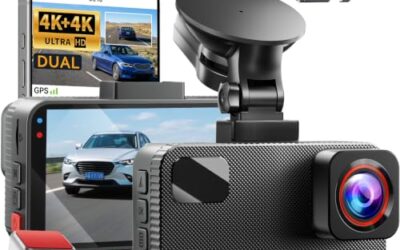
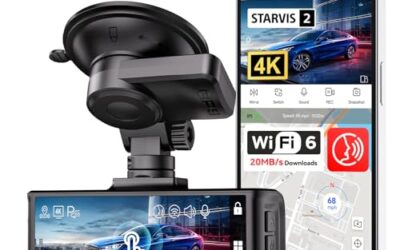
If you need dash cams for this job, these picks already appear in our dash cams guides. Check the full guide for fit and who should skip each one.

Pros
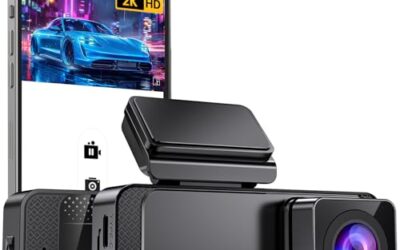
- Provides four-camera coverage around the vehicle
- Includes night vision with eight infrared lights and WDR technology
- Supports time-lapse, loop recording and incident-lock functions
- Offers Wi-Fi app integration for iOS and Android devices
Cons
- GPS tracking requires a separately sold GPS logger
- Parking mode requires a separately sold ACC hardwire kit
Specifications
| Color | Black |
|---|---|
| Size | Compact size |
| Dimensions | 6.5 x 1.8 x 2.5 inches |
| Weight | 0.3125 pounds |
| Product Group | Wireless |
| Binding | Electronics |
Best For / Avoid If
Best for buyers prioritizing
- Provides four-camera coverage around the vehicle
- Includes night vision with eight infrared lights and WDR technology
- Supports time-lapse, loop recording and incident-lock functions
Consider another option if
- GPS tracking requires a separately sold GPS logger
- Parking mode requires a separately sold ACC hardwire kit

Pros
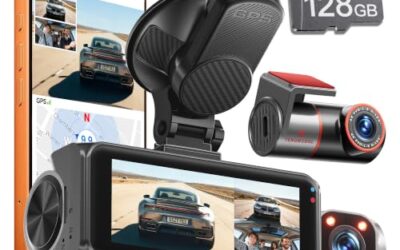
- Three-camera coverage records the road ahead, rear view, and cabin simultaneously
- GPS data is embedded in recordings for route and speed reference
- Includes a 128GB memory card and supports automatic collision footage protection
- Supports wireless control and video downloads through the TERUNSOUl app
Cons
- Parking mode requires a separate hardwire kit
- The listing does not identify the exact iOS or Android version requirements
Specifications
| Color | Black |
|---|---|
| Dimensions | 1.574803148 x 3.149606296 x 1.3779527545 inches |
| Weight | 0.551155655 Pounds |
| Product Group | Electronics |
Best For / Avoid If
Best for buyers prioritizing
- Three-camera coverage records the road ahead, rear view, and cabin simultaneously
- GPS data is embedded in recordings for route and speed reference
- Includes a 128GB memory card and supports automatic collision footage protection
Consider another option if
- Parking mode requires a separate hardwire kit
- The listing does not identify the exact iOS or Android version requirements

Pros
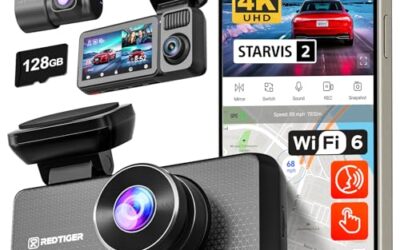
- 4K recording is specified for both the front and rear cameras
- Includes a 128GB card for recording out of the box
- Provides built-in GPS and dual-band WiFi 6 connectivity
- Includes a stated 3-year guarantee and 24/7 customer support
Cons
- The hardwire kit needed for 24-hour parking monitoring is sold separately
Specifications
| Color | Black |
|---|---|
| Size | 3 |
| Dimensions | 1.3779527545 x 3.7401574765 x 1.7716535415 inches |
| Weight | 0.3968320716 Pounds |
| Product Group | Electronics |
Best For / Avoid If
Best for buyers prioritizing
- 4K recording is specified for both the front and rear cameras
- Includes a 128GB card for recording out of the box
- Provides built-in GPS and dual-band WiFi 6 connectivity
Consider another option if
- The hardwire kit needed for 24-hour parking monitoring is sold separately
FAQ
Do dash cams record audio by default?
Some ship with audio enabled, while others ship muted or let the installer choose. Check the settings and test a saved clip because defaults vary by model and firmware.
Can I turn off sound but keep video?
Usually. Look for a microphone, audio, or mute control. Confirm the result by playing a new file after changing the setting.
Does a dash cam record inside the car when parked?
It can if parking mode and power remain active. The camera must receive power, detect an event or record continuously, and have available storage.
Can passengers stop a dash cam from recording them?
A passenger can ask the driver to disable audio, but the legal effect depends on local rules and circumstances. Vehicle ownership alone does not answer every privacy question.
Can police or insurance companies use dash cam audio?
They may request or obtain recordings through normal claim, investigation, or legal processes. Keep original files unchanged and ask a lawyer about rights before sharing sensitive material.