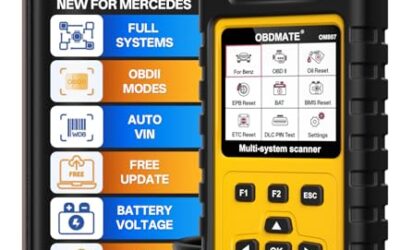
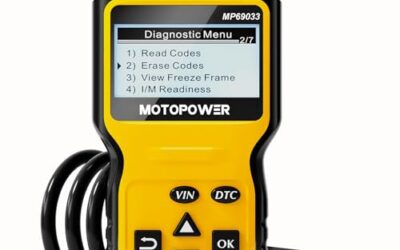
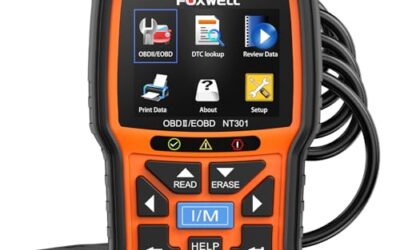
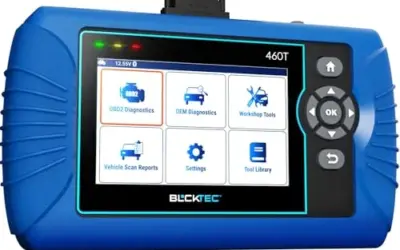
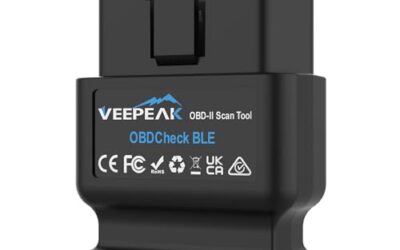
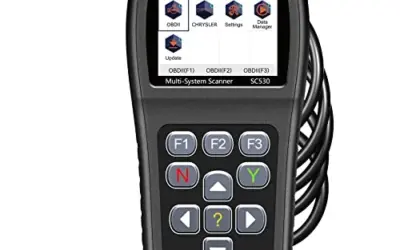
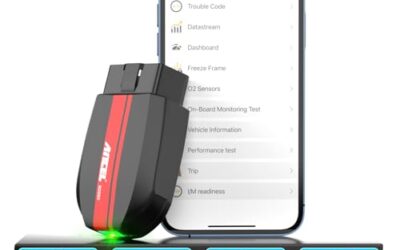
Replacing a battery is no longer just unbolting the old one. On BMW, MINI, Rolls-Royce, and Porsche vehicles, plus a growing list of other brands, the car’s computer needs to be told a new battery is installed so the charging system can match its output to the hardware. That step is battery registration, and it requires a scan tool that supports the function. Skip it, and you can be left with battery management warnings and a charging strategy still tuned to the worn-out battery.
The best scan tool for registering batteries depends mostly on what you park in the garage. For BMW-group owners, the ANCEL BD300 is the least expensive option whose listing explicitly names battery registration. Porsche owners have a dedicated variant of the FOXWELL NT510 Elite. DIYers with mixed fleets can look at the TOPDON AD500’s BMS reset, and the XTOOL D7W covers professional multi-brand use. Below, we match five manufacturer-listed options to specific vehicles and explain the limits that should shape your choice.

Pros
- Combines an engine code reader and battery tester in one device
- Provides live data, freeze-frame information, and I/M readiness status
- Supports battery health, cranking, and charging system evaluation
- No app, computer, or setup is required for operation
Cons
- Does not support ABS, SRS, or transmission systems
- Not compatible with EVs
- The published data does not specify an operating-system requirement or a detailed vehicle coverage list
The ANCEL AD410 PRO is a 2-in-1 automotive diagnostic tool that combines OBD2 engine fault-code scanning with 12V battery testing. It can read and clear supported engine codes, display more than 50 live data readings, show freeze-frame information, and provide I/M readiness status. Battery functions include battery health, cranking, and charging system tests.
The scanner connects through a standard 16-pin OBD2 port and does not require an app or computer. It has a 2.4-inch HD screen, supports 10 languages, and includes lifetime updates. Compatibility is listed for most 1996+ US, 2001+ EU, and 2005+ Asia OBD2 gas and diesel vehicles. It does not support ABS, SRS, transmission systems, or EVs.
Specifications
| Color | yellow |
|---|---|
| Dimensions | 3.2 x 1.18 x 5 Inches |
| Weight | 0.6393405598 pounds |
| Product Group | Automotive Parts and Accessories |
| Binding | Unknown Binding |
Verify the current product variation before purchase; specifications may change.
Detailed Review
What stands out in the currently available product data:
- Combines engine diagnostics with 12V battery, cranking, and charging system tests
- Reads and clears supported engine fault codes, including more than 42,000 SAE DTCs
- Displays more than 50 live data readings with visual dashboards and waveform graphs
- Includes freeze-frame data and I/M readiness monitoring for emissions inspection preparation
- Plug-and-play operation uses a standard 16-pin OBD2 connection with no app or computer required
- Features a 2.4-inch HD screen, 10-language support, and lifetime updates
Best For / Avoid If
Best for buyers prioritizing
- Combines an engine code reader and battery tester in one device
- Provides live data, freeze-frame information, and I/M readiness status
- Supports battery health, cranking, and charging system evaluation
Consider another option if
- Does not support ABS, SRS, or transmission systems
- Not compatible with EVs
- The published data does not specify an operating-system requirement or a detailed vehicle coverage list

Pros
- Combines four-system diagnostics with six common service reset functions
- Includes CAN FD protocol support and FCA Secure Gateway access
- Offers AutoVIN, battery voltage monitoring, and recorded data streams
- Uses Android 11.0 with a 4-core 1.5GHz CPU, 2GB RAM, and 32GB ROM
Cons
- Vehicle compatibility must be confirmed through TOPDON's vehicle coverage information before purchase
- The published data does not provide an iOS requirement or compatibility details
- The product is listed with a 1-year quality backup, while lifetime free upgrades refer to software updates
The TOPDON AD500 is an OBD2 scan tool with diagnostics for engine, transmission, ABS, and SRS systems. It provides Oil Reset, Throttle Adaptation, SAS Reset, TPMS Reset, BMS Reset, and EPB Reset functions. Additional features include full OBD2 functions, AutoVIN, DTC Lookup, data-stream recording, battery voltage monitoring, diagnostic report printing by email, and lifetime free Wi-Fi upgrades.
The scanner supports CAN FD and FCA Secure Gateway access for select vehicles, including modern GM and Chrysler models and newer Chrysler, Jeep, and Fiat vehicles. TOPDON states that the tool supports 67+ vehicle brands and 12 languages. Compatibility should be confirmed through TOPDON's vehicle coverage information before purchase.
Specifications include a 5-inch touchscreen with buttons, Android 11.0, a 4-core 1.5GHz CPU, 2GB RAM, 32GB ROM, and a 3350mAh battery. The listed color is grey, dimensions are 8 x 5 x 1 inches, and weight is 2 pounds.
Detailed Review
What stands out in the currently available product data:
- Provides diagnostics for engine, transmission, ABS, and SRS systems
- Offers Oil, Throttle, SAS, TPMS, BMS, and EPB reset functions
- Supports CAN FD and FCA Secure Gateway access for select newer vehicles
- Includes a 5-inch touchscreen with physical buttons
- Provides AutoVIN, DTC Lookup, data-stream recording, and email report printing
- Supports lifetime free Wi-Fi upgrades
Best For / Avoid If
Best for buyers prioritizing
- Combines four-system diagnostics with six common service reset functions
- Includes CAN FD protocol support and FCA Secure Gateway access
- Offers AutoVIN, battery voltage monitoring, and recorded data streams
Consider another option if
- Vehicle compatibility must be confirmed through TOPDON's vehicle coverage information before purchase
- The published data does not provide an iOS requirement or compatibility details
- The product is listed with a 1-year quality backup, while lifetime free upgrades refer to software updates

Pros
- Combines engine-code scanning with battery health checks
- Supports multiple diagnostic functions, including O2 sensor and EVAP testing
- Works with most 1996-and-newer US cars, light trucks, and SUVs
- Offers 13-language support
Cons
- Not compatible with new energy vehicles or hybrid vehicles
- Limited to engine fault codes and does not support ABS, SRS, or transmission systems
- Operating-system requirements are not provided
The BluSon YM319 is an OBD2 scanner for reading and clearing engine fault codes. Its listed functions include freeze frame data, I/M readiness checks, oxygen sensor tests, EVAP testing, live data recording with plotted data curves, and a one-click battery diagnostic feature for voltage and health status.
The scanner supports KWP2000, J1850 VPW, ISO9141, J1850 PWM, and CAN protocols. It is described as compatible with most 1996-and-newer US cars, 2000-and-newer European and Asian cars, light trucks, SUVs, and newer OBD2 and CAN vehicles. The listing states that it is not compatible with new energy or hybrid vehicles and does not support ABS, SRS, or transmission systems.
Additional features include cloud printing for generating, storing, and sharing diagnostic reports, a 2.4-inch color screen with 10 brightness levels, red, green, and yellow indicator lights, and customizable F1 and F2 shortcut keys. The device is powered through the vehicle connection and does not require batteries. It supports 13 languages, including English, German, French, Spanish, Russian, Portuguese, and Chinese.
Color: Black. Dimensions: 2.95 x 0.9 x 5.35 inches.
Specifications
| Color | Black |
|---|---|
| Dimensions | 2.95 x 0.9 x 5.35 inches |
| Product Group | Automotive Parts and Accessories |
Verify the current product variation before purchase; specifications may change.
Detailed Review
What stands out in the currently available product data:
- Reads and clears engine fault codes
- Includes a one-click battery diagnostic feature for voltage and health status
- Supports live data recording and plotted data curves
- Offers oxygen sensor, EVAP, freeze frame, and I/M readiness functions
- Includes cloud printing for generating, storing, and sharing diagnostic reports
- Supports KWP2000, J1850 VPW, ISO9141, J1850 PWM, and CAN protocols
Best For / Avoid If
Best for buyers prioritizing
- Combines engine-code scanning with battery health checks
- Supports multiple diagnostic functions, including O2 sensor and EVAP testing
- Works with most 1996-and-newer US cars, light trucks, and SUVs
Consider another option if
- Not compatible with new energy vehicles or hybrid vehicles
- Limited to engine fault codes and does not support ABS, SRS, or transmission systems
- Operating-system requirements are not provided

Pros
- Combines Porsche-specific service functions with full-system diagnostics.
- Includes bi-directional component testing and battery registration.
- Provides standard OBD2 functions for other OBD2-compliant vehicles.
- Lifetime free software updates are listed, with no subscription fees.
Cons
- Compatibility and available functions vary by vehicle model and year, so confirmation before purchase is recommended.
- The oil reset feature is stated to support Porsche vehicles prior to 2024.
- The published information requires connecting to Wi-Fi and updating the software to version V3.06.009 on first startup.
The FOXWELL NT510 Elite is a black-and-orange code reader and scan tool designed for Porsche vehicles, including Cayenne, 911, Panamera, Macan, Boxster, and Cayman models. The published compatibility range is 1998-2024, but supported functions vary by model and year.
Features include full-system diagnostics, Porsche-specific reset and service functions, battery registration, bi-directional controls, automatic VIN detection, and standard OBD2 testing. Listed service functions include oil reset, battery registration, airbag light reset, injector coding, ABS bleeding, and throttle relearning.
Standard OBD2 functions include reading and clearing codes, live data, I/M readiness, freeze-frame data, O2 sensor testing, on-board monitor testing, component testing, vehicle information, modules present, and unit-of-measure settings. Supported protocols include KWP2000, J1850 VPW, ISO9141, J1850 PWM, and CAN.
The product information states that lifetime free software updates are included and that no subscription fee is required. It also recommends connecting the scanner to Wi-Fi and updating the software to V3.06.009 on first startup. Dimensions are listed as 3.7 x 1.26 x 5.71 inches.
Specifications
| Color | Black+Orange |
|---|---|
| Dimensions | 3.7 x 1.26 x 5.71 inches |
| Product Group | Automotive Parts and Accessories |
| Binding | Automotive |
Verify the current product variation before purchase; specifications may change.
Detailed Review
What stands out in the currently available product data:
- Provides full-system diagnostics for functions including ABS, SRS, TPMS, and transmission systems.
- Includes more than 25 Porsche-specific reset and service functions, including oil reset and battery registration.
- Supports bi-directional testing of components such as doors, windows, fuel pumps, sunroofs, and windshield wipers.
- Offers standard OBD2 functions including code reading, code clearing, live data, freeze-frame data, and I/M readiness.
- Supports OBD2 protocols including KWP2000, J1850 VPW, ISO9141, J1850 PWM, and CAN.
- Includes lifetime free software updates and no subscription fees according to the published product information.
Best For / Avoid If
Best for buyers prioritizing
- Combines Porsche-specific service functions with full-system diagnostics.
- Includes bi-directional component testing and battery registration.
- Provides standard OBD2 functions for other OBD2-compliant vehicles.
Consider another option if
- Compatibility and available functions vary by vehicle model and year, so confirmation before purchase is recommended.
- The oil reset feature is stated to support Porsche vehicles prior to 2024.
- The published information requires connecting to Wi-Fi and updating the software to version V3.06.009 on first startup.

Pros
- Offers full-system diagnostics beyond basic engine code reading for supported BMW, MINI, and Rolls-Royce vehicles
- Combines diagnostic scanning with oil service, brake pad, and battery registration functions
- Provides live data monitoring and emissions-readiness checks
- Does not require subscription fees or additional charges for software updates
Cons
- Advanced reset and diagnostic functions vary by vehicle model and year
- Non-BMW, non-MINI, and non-Rolls-Royce vehicles are limited to standard OBD2 functions
The KONNWEI KW480 is an automotive code reader and scan tool designed for BMW, MINI, and Rolls-Royce vehicles. It provides access to Engine, Transmission, ABS, SRS Airbag, ESP, SAS, Immobilizer, and Battery systems on supported vehicles, along with Oil Service Reset, Brake Pad Reset, and Battery Registration functions.
The scanner also supports one-click I/M readiness checks, live data monitoring, and basic OBD2 functions on most 12V vehicles. Non-BMW, non-MINI, and non-Rolls-Royce vehicles receive standard OBD2 functionality only. It has a 2.8-inch color screen, lifetime software updates, and dimensions of 3.94 x 1.38 x 7.83 inches.
Specifications
| Color | Orange |
|---|---|
| Dimensions | 3.94 x 1.38 x 7.83 inches |
| Weight | 1.3668660244 pounds |
| Product Group | Automotive Parts and Accessories |
Verify the current product variation before purchase; specifications may change.
Detailed Review
What stands out in the currently available product data:
- Scans Engine, Transmission, ABS, SRS Airbag, ESP, SAS, Immobilizer, and Battery systems on supported BMW, MINI, and Rolls-Royce vehicles
- Supports Oil Service Reset, Brake Pad Reset, and Battery Registration for supported BMW and MINI vehicles
- Provides one-click I/M readiness checks and live data monitoring
- Displays data including coolant temperature, fuel pressure, airflow, and engine parameters
- Supports basic OBD2 functions on most 12V vehicles
- Includes a 2.8-inch color screen and lifetime software updates
Best For / Avoid If
Best for buyers prioritizing
- Offers full-system diagnostics beyond basic engine code reading for supported BMW, MINI, and Rolls-Royce vehicles
- Combines diagnostic scanning with oil service, brake pad, and battery registration functions
- Provides live data monitoring and emissions-readiness checks
Consider another option if
- Advanced reset and diagnostic functions vary by vehicle model and year
- Non-BMW, non-MINI, and non-Rolls-Royce vehicles are limited to standard OBD2 functions

Pros
- Combines vehicle diagnostics and 12V battery testing in one device
- Includes bi-directional testing and crankshaft relearn functionality
- Provides broad GM system coverage and more than 20 reset services
- Supports lifetime free Wi-Fi updates
Cons
- Vehicle compatibility and available functions vary by model year and vehicle
- Designed for Chevrolet, Buick, Cadillac, and GMC coverage rather than identified as a full-brand diagnostic tool for every vehicle
- The source data does not provide operating-system requirements or detailed hardware specifications beyond a 4.3-inch size
The FOXWELL NT510 Pro is a 2-in-1 OBD2 diagnostic scanner and 12V battery tester for Chevrolet, Buick, Cadillac, and GMC vehicles. The tool provides full-system diagnostics, including engine, transmission, ABS, airbags, TPMS, and other vehicle systems, along with bi-directional controls and automatic VIN recognition.
Its battery functions include State of Health, State of Charge, voltage, starting, and charging tests. The scanner also supports more than 20 reset services, including crankshaft relearn, EPB reset, oil reset, airbag warning-light reset, throttle body relearning, and ABS bleeding.
Full OBD2 functions include reading and clearing codes, live data, I/M readiness, freeze-frame data, O2 sensor testing, on-board monitor testing, component testing, vehicle information, and modules present. The source lists compatibility with 1996-2025 Chevrolet, Buick, Cadillac, and GMC vehicles, but compatibility and features vary by model and year. Wi-Fi connection and software update to V6.01.023 are recommended on first startup.
Detailed Review
What stands out in the currently available product data:
- Combines a GM-focused diagnostic scanner with a 12V battery tester
- Supports full-system diagnostics for the engine, transmission, ABS, airbags, TPMS, and other systems
- Provides bi-directional controls for testing components such as doors, windows, fuel pumps, sunroofs, and windshield wipers
- Includes more than 20 reset services, including crankshaft relearn, EPB reset, oil reset, airbag reset, throttle body relearn, and ABS bleeding
- Measures battery State of Health, State of Charge, voltage, and charging performance
- Supports automatic VIN recognition, trouble-code clearing, live data, freeze-frame data, and other full OBD2 functions
Best For / Avoid If
Best for buyers prioritizing
- Combines vehicle diagnostics and 12V battery testing in one device
- Includes bi-directional testing and crankshaft relearn functionality
- Provides broad GM system coverage and more than 20 reset services
Consider another option if
- Vehicle compatibility and available functions vary by model year and vehicle
- Designed for Chevrolet, Buick, Cadillac, and GMC coverage rather than identified as a full-brand diagnostic tool for every vehicle
- The source data does not provide operating-system requirements or detailed hardware specifications beyond a 4.3-inch size

Pros
- Wireless design allows use around the vehicle without a diagnostic cable
- Broad active-test and service-function coverage is listed
- Supports full-system diagnostics rather than only basic OBD2 code reading
- Includes ECU coding and offline PMI programming for supported vehicles
Cons
- Vehicle compatibility for active tests, resets, ECU coding, and PMI programming may vary by model and system
- The source data does not provide iOS or Android operating-system requirements
- The listing does not provide a detailed supported-protocol list
The XTOOL D7W is a wireless bidirectional OBD2 diagnostic scanner for full-system vehicle analysis. Listed functions include auto VIN scanning, code reading and clearing, live data monitoring of up to eight PIDs, data recording and playback, more than 4,000 active tests, and 39+ reset and service functions.
The scanner also lists ECU coding and offline PMI programming for supported Ford, Lincoln, and Mazda applications. Other listed features include pre- and post-diagnostic reports, one-click report printing, a 7.3V fast-charging system, three years of free updates, and support for 22 languages. The source lists dimensions of 12.6 x 11.25 x 4.1 inches.
Specifications
| Dimensions | 12.6 x 11.25 x 4.1 inches |
|---|---|
| Product Group | Automotive Parts and Accessories |
Verify the current product variation before purchase; specifications may change.
Detailed Review
What stands out in the currently available product data:
- Wireless diagnostic connection with a stated operating range of up to 80 meters
- More than 4,000 bidirectional active tests for components such as fans, pumps, solenoids, horns, and windows
- Full-system scanning with auto VIN detection, code reading and clearing, and live data monitoring of up to eight PIDs
- Supports ECU coding and offline PMI programming for specified Ford, Lincoln, and Mazda applications
- Includes 39+ reset and service functions, including oil, EPB, TPMS, BMS, SAS, SRS, throttle, and ABS bleeding functions
- Provides three years of free updates and support for 22 languages
Best For / Avoid If
Best for buyers prioritizing
- Wireless design allows use around the vehicle without a diagnostic cable
- Broad active-test and service-function coverage is listed
- Supports full-system diagnostics rather than only basic OBD2 code reading
Consider another option if
- Vehicle compatibility for active tests, resets, ECU coding, and PMI programming may vary by model and system
- The source data does not provide iOS or Android operating-system requirements
- The listing does not provide a detailed supported-protocol list
Top Picks at a Glance
- Best value for BMW, MINI, and Rolls-Royce: ANCEL BD300 Bluetooth OBD2 Scanner, dedicated battery registration at an observed $76.49.
- Best handheld for BMW and MINI: KONNWEI OBD2 Scanner for BMW/Mini with Full System, standalone registration on a 2.8-inch color screen at $84.99.
- Best multi-brand DIY pick: TOPDON AD500 OBD2 Scanner Car Code Reader Scan, four-system diagnostics plus BMS reset at $149.99, pending coverage confirmation.
- Best for Porsche: FOXWELL NT510 Elite OBD2 Scanner fit for Porsche, battery registration among 25+ Porsche service functions at $189.99.
- Best for mixed fleets and small shops: XTOOL D7W Wireles Bidirectional OBD2 Scanner, 150+ brands, BMS reset, and 4,000+ active tests at $429.99.
| Scan tool | Observed price | Registration support (as listed) | Vehicle focus | Updates |
|---|---|---|---|---|
| ANCEL BD300 | $76.49 | Battery registration; no capacity changes or programming | BMW/MINI/Rolls-Royce full system; OBD2 on 60+ brands | Lifetime free via app |
| KONNWEI KW480 | $84.99 | Battery registration; functions vary by model and year | BMW/MINI/Rolls-Royce full system; basic OBD2 elsewhere | Lifetime free |
| TOPDON AD500 | $149.99 | BMS reset; registration not explicitly named | Four systems plus OBD2 across 67+ brands | Lifetime free via Wi-Fi |
| FOXWELL NT510 Elite (Porsche) | $189.99 | Battery registration among 25+ reset functions | Porsche 1998–2024; full OBD2 on any compliant car | Lifetime free |
| XTOOL D7W | $429.99 | BMS reset among 39+ resets | 150+ brands, full system | 3 years free, then final version |
What to Look For in OBD2 Scanners & Diagnostics
This guide is an editorial comparison of eight manufacturer listings, not a bench test. We evaluated the published specifications, function lists, and compatibility statements for each tool and prioritized five criteria: explicit registration capability (or a clearly identified BMS reset), coverage aligned with brands that commonly require registration, honestly documented limits such as capacity restrictions and model-year gaps, update policy as a measure of long-term cost, and observed price. Every capability attributed below is manufacturer-listed; where a listing leaves registration unconfirmed, we say so rather than assume. Published review counts stood at zero at the time of writing, so no ratings influenced these picks.
Tools That Did Not Make the Cut
Three of the eight listings we evaluated were excluded for cause:
- ANCEL AD410 PRO OBD2 Scanner and Battery Tester ($63.99): a 2-in-1 combination of engine diagnostics and 12V battery health, cranking, and charging tests, but its listing includes no registration function.
- BluSon YM319 OBD2 Scanner Diagnostic Tool ($19.98): reads engine codes and offers a one-click battery health check, but lists no registration capability and is not compatible with hybrids or EVs.
- FOXWELL NT510 Pro fit for GM ($235.99): lists 20+ reset services plus a 12V battery tester with SOH and SOC analysis, but its listing does not explicitly confirm battery registration. GM owners who need battery programming after a replacement should confirm coverage with the seller first.
These are useful diagnostic tools; they simply are not proven answers to this particular job.
Sizing, Fitment, and Setup Notes
- Confirm your vehicle needs registration at all. The tools here cluster around BMW-group and Porsche coverage because those are the brands these manufacturers document. Check your owner’s manual or a dealer before buying; a registration tool is wasted money on a car that needs nothing more than a battery swap.
- Registration is not the same as programming. The BD300’s listing explicitly rules out capacity changes and battery programming. If you are moving from a flooded battery to AGM or changing capacity, confirm your vehicle accepts the change with the registration function alone.
- Read the coverage fine print. KONNWEI and FOXWELL both state functions vary by model and year, model-year gaps are the most common reason a budget registration tool disappoints.
- App-based versus handheld. The BD300 requires a phone or iPad and an app-connected workflow; the KW480 and NT510 Elite work standalone, and the D7W uses Wi-Fi for updates. Match the workflow to how often you will actually use the tool.
- Update policy is long-term cost. Four picks list lifetime free updates; the D7W includes three years, then freezes at its final software. Newer vehicles may need newer software.
Narrowing Down a Scan Tool for Battery Registration
- Match the badge first. A BMW-specific tool is useless for a Porsche and vice versa; buy the variant that names your brand.
- Insist on explicit wording. Battery registration and BMS reset are related but not always identical. When a listing only says BMS reset, ask the manufacturer to confirm registration for your exact model and year.
- Decide how much tool you need. Registration alone (BD300), registration plus a few common resets (KW480, NT510 Elite), or full multi-brand diagnostics (AD500, D7W).
- Check the connection style. Dongle-and-app tools are cheaper; handhelds deploy faster and work without a phone in the driveway.
- Read the limits before checkout. Capacity restrictions, model-year gaps, required first-time updates, and system-coverage caps determine whether the tool still suits you in two years.
Questions Buyers Ask
What does battery registration actually do?
It informs the vehicle’s battery management system that a new battery has been fitted so the charging strategy matches the installed hardware. ANCEL’s listing ties the BD300’s registration function to clearing battery management warnings after a swap, which is the visible symptom of skipping the step.
Can I replace the battery and skip registration?
Mechanically, yes. But on vehicles that manage charging around registered battery data, skipping it can leave you with warning messages and a charging system calibrated to the old battery. If you are unsure whether your car requires registration, check the service manual or ask a dealer before buying any tool.
Is a battery registration tool the same as a battery tester?
No. Testers such as the ANCEL AD410 PRO or BluSon YM319 measure voltage, cranking, and charging performance. Registration is a write function that updates the vehicle’s software. Some tools combine both, but testing alone never registers a battery.
Do these tools require subscriptions?
The listings for the BD300, KW480, AD500, and NT510 Elite all promise lifetime free updates with no subscription. The XTOOL D7W includes three years of free updates, after which it runs its final software version. None of the listings we reviewed mention subscription fees for core functions.
Will a BMW registration tool work on other brands?
Only partially. The BD300 and KW480 offer full-system or basic OBD2 diagnostics on other vehicles but reserve registration for BMW-group models, and the NT510 Elite’s Porsche software is variant-specific. For broader coverage, the AD500 and D7W list BMS reset functions, subject to the manufacturer-confirmation caveat noted above.
For related guidance on this topic, see Automotive Multimeter Buying Guide, OBD2 Scanner Buying Guide for Beginners and Best Bluetooth Scan Tool.
Final Recommendation
Battery registration is a brand-specific job, so the best scan tool for registering batteries is the one that names your vehicle. BMW, MINI, and Rolls-Royce owners get the most value from the ANCEL BD300, with the KONNWEI KW480 as the handheld alternative. Porsche owners should pick up the FOXWELL NT510 Elite in its Porsche variant. If you maintain several brands, the TOPDON AD500 is a capable mid-priced DIY platform once you confirm its BMS reset covers your registration procedure, and the XTOOL D7W is the workshop-grade choice for mixed fleets. Whichever you choose, verify model-year compatibility before ordering and confirm the current price, both change over time.